# Synthetic Cases That Feel Unrealistic
Generated: 2026-09-13T04:43:13.737Z
Source build: local
Canonical docs: https://teammately.ai/docs
---
id: troubleshooting.unrealistic-synthetic-cases
title: Synthetic Cases That Feel Unrealistic
summary: Improve generated candidates whose surface details or behavior assumptions do not represent plausible target-system use.
kind: error
product_area: troubleshooting
status: stable
updated: 2026-09-07
canonical: /docs/troubleshooting/unrealistic-synthetic-cases
---
# Synthetic Cases That Feel Unrealistic
## Symptoms
- Generated language sounds artificial or describes a user who would not exist in the product.
- Required context appears conveniently in the prompt even though the real system would retrieve it elsewhere.
- The Case combines incompatible ontology values or violates product constraints.
- Reviewers can identify the intended coverage tuple but would never admit the Case to a Benchmark.
- Many generated candidates repeat the same template with superficial wording changes.
## Likely causes
- The synthesis request lacks representative source Cases or product constraints.
- A coverage tuple combines values that cannot coexist in the target system.
- A Comparison Direction is too broad, stale, or duplicative.
- Generation is being judged as finished benchmark evidence instead of candidate material.
## Diagnose the generation boundary
1. Identify the entry surface. **Assets → Cases → Synthesize** creates reusable project Case candidates; **Coverage Management → Case Foundry** coordinates candidates for a named benchmark need.
2. Compare the generated Case with real in-use Cases from the same behavior region.
3. Separate a bad surface realization from a bad coverage target. Awkward wording may need editing; an impossible product state requires different inputs or directions.
4. Check whether the generator lacked constraints that operators hold only in private memory.
5. Inspect the synthesis lifecycle and candidate state. A completed generation is still candidate material, not selected Benchmark Dataset evidence.
## Fix
- Add representative source Cases or explicit product constraints to the synthesis context.
- Narrow, edit, archive, or delete a Comparison Direction that produces implausible combinations.
- Generate from a specific missing coverage tuple rather than asking for generic diversity.
- Edit a promising candidate when its behavioral boundary is sound and only presentation is weak.
- Reject candidates whose premise is impossible or whose source context cannot be justified.
- Review duplicates before adding any generated Case to a Benchmark.
Validate revised candidates with an expert who knows the target workflow. Ask whether the situation could occur, whether the system would receive the shown context, and whether the requested judgment matters. Only then classify and curate the Case for possible benchmark use.
## Prevention
Ground synthesis in reviewed source Cases, explicit product constraints, and a named coverage gap. Keep Comparison Directions narrow, inspect duplicates, and require Case review before adding generated candidates to a Benchmark or Snapshot.
{% example-demo title="Example: impossible refund request" %}
Synthesis produces a Case where an anonymous visitor requests an enterprise-contract refund and supplies internal approval metadata in chat. The tuple is valuable—exception request with conflicting authority—but the realization is impossible. The team adds authentication and channel constraints, narrows the Comparison Direction, and regenerates. The realistic candidate still goes through Case review before selection.
{% /example-demo %}
## Source confidence
Code-backed: the Assets Case synthesizer, generated Case cards, synthesis lifecycle, and benchmark-scoped Case Review establish the candidate-generation and admission boundary. Case Foundry provides the benchmark-scoped coordination path. Realism remains domain-specific and requires customer product knowledge.
## Related task pages
{% related-card-grid title="Related workflows" %}
- [Synthesize Cases](/docs/coverage-engineering/synthesize-cases)
- [Comparison Directions](/docs/assets/comparison-directions)
- [Boundary Cases](/docs/coverage-engineering/boundary-cases)
- [Case Pool](/docs/coverage-engineering/case-pool)
{% /related-card-grid %}
## Related reference pages
{% related-card-grid title="Related reference" %}
- [Case Pool](/docs/object-model/case-pool)
- [Cases](/docs/object-model/cases)
- [Coverage dimensions](/docs/object-model/coverage-dimensions)
{% /related-card-grid %}
---
id: coverage.synthesize-cases
title: Synthesize cases
summary: Generate candidate cases to fill coverage gaps before adding them to benchmarks or curated datasets.
kind: task
product_area: coverage_engineering
status: stable
updated: 2026-09-07
canonical: /docs/coverage-engineering/synthesize-cases
---
# Synthesize cases
Synthesize candidate cases to fill a known coverage gap without pretending synthetic examples are automatically review context.
## When to use it
Use **Assets → Cases → Synthesize** when creating reusable project Case candidates. Use **Coverage Management → Case Foundry** when the work begins from a named need in one Benchmark. In either path, generated output is candidate material until reviewed.
## Prerequisites
- A named coverage gap.
- Policies, rubrics, or dimensions that define the behavior boundary.
- A review plan for synthetic cases.
- A way to mark synthetic source and realism concerns.
## Role or permission
AI engineers or coverage owners generate candidate cases. Experts or product owners review realism before benchmark promotion.
## Steps
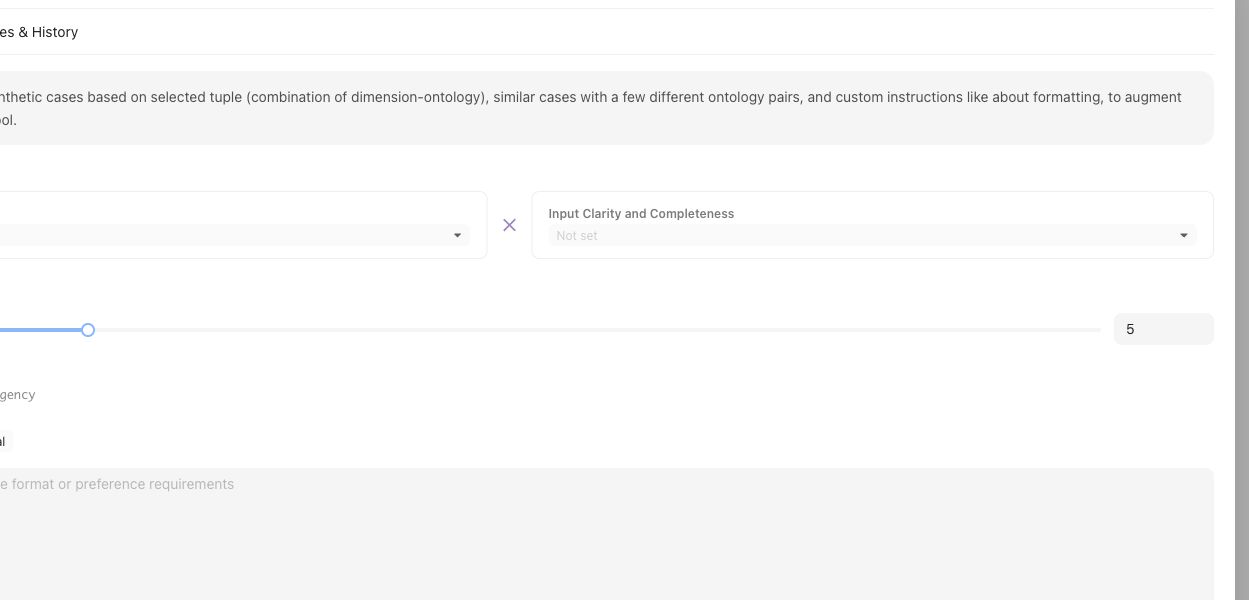
Synthesis starts from a named tuple or coverage gap, not from a generic request for more cases.
1. Name the Coverage Facet tuple, Coverage Story, or Case Construction Pattern the synthesis should fulfill.
2. Choose the Assets synthesis path or benchmark-scoped Case Foundry path.
3. Supply representative source Cases, applicable Comparison Directions, and explicit target-system constraints.
4. Inspect generated candidates for realism, duplication, source context, and compatibility with the intended Coverage Facets.
5. Keep impossible, misleading, or context-incomplete candidates out of Benchmark selection.
6. Use **Coverage Management → Case Review** for benchmark-scoped preparation and admission.
7. Select reviewed Cases in **Benchmark Datasets** and create a Snapshot only when the intended set is ready.
## Object and state changes
Completed generation registers candidate Cases in the project Case collection. Case Review and Benchmark Datasets determine whether suitable Cases become selected membership for a Benchmark. Generation completion alone does not change a Snapshot or Benchmark Version.
## Success criteria
- Each synthetic case maps to a named gap or boundary.
- Reviewers can tell synthetic cases from production-derived cases.
- Only realistic, context-complete cases affect benchmark evidence.
## Common failure modes
- Synthetic cases are generated for volume rather than a specific gap.
- Cases combine many variations and obscure the failure reason.
- Unreviewed synthetic cases enter benchmark evidence.
- The generated case lacks the context needed for expert judgment.
## Related reference pages
{% related-card-grid title="Related reference pages" %}
- [Case pool](/docs/object-model/case-pool)
- [Coverage dimensions](/docs/object-model/coverage-dimensions)
- [Comparison Directions](/docs/assets/comparison-directions)
{% /related-card-grid %}
## Related troubleshooting pages
{% related-card-grid title="Related troubleshooting pages" %}
- [Synthetic cases that feel unrealistic](/docs/troubleshooting/unrealistic-synthetic-cases)
- [Unbalanced coverage](/docs/troubleshooting/unbalanced-coverage)
- [Unclear cases](/docs/troubleshooting/unclear-cases)
{% /related-card-grid %}
{% example-demo title="Fill a stale-source gap" %}
Coverage shows few stale-source cases. The engineer synthesizes examples with old and new policy documents, experts reject unrealistic ones, and only reviewed cases enter the benchmark candidate pool.
{% /example-demo %}
## Source confidence
Code-backed: the Assets synthesizer defines generation input, candidate cards, and lifecycle; Case Foundry supplies benchmark-scoped coordination; Case Review supplies the preparation and admission boundary. The product does not treat generation completion as Snapshot membership.
---
id: assets.comparison-directions
title: Comparison Directions
summary: Create reusable guidance for meaningful candidate-output differences in comparative expert work.
kind: reference
product_area: assets
status: stable
updated: 2026-09-07
canonical: /docs/assets/comparison-directions
---
# Comparison Directions
## Definition
A Comparison Direction is a reusable project Asset that describes how candidate outputs should differ during comparative expert work. It can focus attention on a meaningful contrast such as evidence grounding, uncertainty handling, or response strategy without declaring which candidate is correct.
Comparison Directions are project-scoped. A Contribution can select or allow a pool of directions for its comparative component, while the benchmark Contribution still owns the objective, cases, candidates, and expert task.
## Fields, states, or lifecycle rules
- A direction has a name or label and a description of the intended contrast.
- Users can create, edit, pin, archive, and remove directions from **Assets → Comparison Directions**.
- Pinned directions are surfaced when a Contribution request selects comparative output guidance.
- The suggestion experience creates draft candidates in a suggestion run. Nothing enters the reusable library until a user accepts it.
- A direction can carry a staleness advisory when its source context has changed. Dismissing that advisory records a review decision; it does not approve a Policy, Rubric, Case, or Benchmark.
- A direction guides comparative presentation or generation. It does not create a Case, change coverage structure, or replace expert judgment.
## Correct scope
Use Dimensions, Project Topics, and Case Construction Patterns for the behavior space a benchmark should represent. Use Comparison Directions for how candidate outputs should be contrasted within a comparative Contribution. Use Correctness Governance for the approved standard that determines how an output is judged.
{% example-demo title="Example: source-grounding contrast" %}
A project creates one Comparison Direction asking for a response that cites the current source conservatively and another asking for a focused clarification when the source hierarchy is unresolved. A comparative Contribution can use those directions to elicit an expert preference. The direction does not approve either response or create the governing rubric.
{% /example-demo %}
## Source confidence
Code-backed: the active Assets routes expose the Comparison Directions library, detail controls, suggestion runs, accept or dismiss decisions, pinning, and staleness review. The API keeps legacy compatibility names internally, but this page uses the current product label.
## Related task pages
{% related-card-grid title="Related task pages" %}
- [Assets](/docs/assets)
- [Request an Expert Contribution](/docs/expert-contributions/request-contribution)
- [Manage benchmark coverage](/docs/coverage-management)
{% /related-card-grid %}
---
id: coverage.boundary-cases
title: Boundary Cases
summary: Use edge and ambiguous cases to sharpen policies, applicability logic, and rubrics.
kind: concept
product_area: coverage_engineering
status: stable
updated: 2026-09-07
canonical: /docs/coverage-engineering/boundary-cases
---
# Boundary Cases
## Definition
A Boundary Case sits near a meaningful change in expected behavior: a Policy exception, an applicability edge, conflicting source authority, missing information, an escalation threshold, or another condition where a small contextual change should alter the correct output or action.
Boundary Cases are not simply unusual examples. They are deliberate tests of a named distinction in the benchmark's coverage and correctness model.
## Why it matters
Ordinary Cases can make a weak rule appear reliable because they never force the team to decide where it stops applying. Boundary Cases expose vague Policy scope, overlapping Rubrics, missing exceptions, and unsupported assumptions before those problems are hidden inside aggregate results.
## Where it appears in the product
Coverage Stories can name a boundary as a missing or thin behavior slice. Case Foundry or another sourcing workflow can prepare candidate Cases against that need. Case Review checks whether the input, materials, and contrast are realistic. If the expected judgment is unclear, route the selected Cases into an Expert Contribution instead of inventing the answer during case construction.
## Artifacts it affects
A useful Boundary Case records the exact contextual feature that changes the expectation, the controlling source material, the relevant Coverage Facets, and the Policy or Rubric question it exercises. Admission to the current Benchmark Dataset is a separate selection decision; admission to a Snapshot is a later immutable evidence decision.
## Operational check
Compare the Boundary Case with a nearby ordinary Case. The pair should differ in the intended condition, not in several unrelated dimensions. Confirm that specialists can explain why the expected behavior changes, that the Rubric tests one observable criterion, and that the Case materials make the boundary visible to the evaluated system.
{% example-demo title="Current versus superseded source" %}
Two Cases ask the same eligibility question. One contains only the current policy document; the other also contains a plausible superseded document with conflicting terms. Specialists confirm that the response must follow the controlling current source or state uncertainty. The pair becomes a Boundary Case set for source authority, and its Rubric fails unsupported blending rather than generic factual error.
{% /example-demo %}
## Related workflows
{% related-card-grid title="Related workflows" %}
- [Manage Coverage Stories](/docs/coverage-management/coverage-stories)
- [Review prepared Cases](/docs/coverage-management/case-review)
- [Applicability Logic](/docs/object-model/applicability-logic)
- [Comparison Directions](/docs/assets/comparison-directions)
- [Product quickstart](/docs/quickstart)
- [Task index](/docs/operating-manual/task-index)
{% /related-card-grid %}
## Source confidence
Code-backed: Coverage Stories can represent named coverage needs, Case Review exposes prepared Cases and materials, and Case sourcing types preserve coverage targets and source context. Specialist authority and evaluator approval remain separate workflows.