# Metadata and context
Generated: 2026-09-13T04:33:49.534Z
Source build: local
Canonical docs: https://teammately.ai/docs
---
id: reference.metadata-context
title: Metadata and context
summary: Use record context and metadata fields to make Teammately cases easier to filter, review, and analyze.
kind: reference
product_area: reference
status: stable
updated: 2026-09-07
canonical: /docs/reference/metadata-and-context
---
# Metadata and context
## Definition
Metadata and context are the supporting fields that make records and cases understandable after they move through import, review, coverage, and benchmark workflows. Context explains the situation; metadata helps filter, segment, trace, and compare it.
Use this page when a case is technically present but not useful because reviewers cannot see why it belongs in a behavior slice or what source information should be considered.
## Fields, states, or lifecycle rules
- Context should preserve the information a reviewer needs to judge the case.
- Metadata should support filtering, coverage planning, benchmark segmentation, and run interpretation.
- Metadata is not a substitute for output identity or source context.
- Dropped or inconsistent metadata can make coverage look balanced while hiding a missing behavior segment.
- This page does not define a public metadata schema or export format.
## Related objects
Metadata and context should be read with [Cases](/docs/assets/cases), [Importing cases](/docs/operating-manual/import-and-prepare-cases), [Case versions](/docs/governance/case-versioning), and [Coverage Engineering](/docs/coverage-engineering).
{% example-demo title="Metadata and context boundary" %}
Raw record: A support transcript includes a customer request, account tier, candidate answer, and later human correction.
Context: The account tier and correction explain why the answer was unsafe.
Metadata: The case can be segmented as exception request, enterprise tier, and human-corrected source.
Interpretation: If that context or metadata is dropped, review and coverage work can still run but the evidence becomes harder to trust.
{% /example-demo %}
## Source confidence
Code-backed: Cases and record presentation expose contextual fields to reviewers, while Case Pool column mapping and upload-queue types show how imported columns become usable record context. Field availability depends on Project configuration; this is not a universal metadata schema.
## Related task pages
{% related-card-grid title="Related task pages" %}
- [Cases](/docs/assets/cases)
- [Importing cases](/docs/operating-manual/import-and-prepare-cases)
- [Connect model outputs](/docs/integrations/connect-model-outputs)
- [Product quickstart](/docs/quickstart)
- [Task index](/docs/operating-manual/task-index)
{% /related-card-grid %}
---
id: assets.cases
title: Cases
summary: Understand canonical project cases, their input and materials, and how they become members of benchmark datasets.
kind: reference
product_area: assets
status: stable
updated: 2026-08-22
canonical: /docs/assets/cases
---
# Cases
## Definition
A Case is a project-level situation used for expert contribution, benchmark coverage, or candidate evaluation. It has canonical input content and may include declared supporting materials. Cases live in the Assets pool and can be selected into one or more benchmark datasets.
The Project Input Schema determines how the primary input and materials are represented. A benchmark snapshot determines which selected cases belong to one versioned evidence boundary.
## Fields, states, or lifecycle rules
- Canonical primary input is stored under `content.input`.
- Optional supporting values or artifacts are stored under `content.case_materials` according to the project's declared keys.
- `record_content.case_view` is a rendered projection used for inspection and delivery; it is not a second editable payload.
- Inputs can use plain-text, chat, or structured architecture as configured by the project.
- Materials can include admitted artifact families and must satisfy any required-field and file-extension rules.
- A project Case is not automatically part of every benchmark. Benchmark Datasets owns selection and snapshots.
- Generated or imported Cases should be reviewed for clarity, source authority, and schema conformance before they are trusted as benchmark evidence.
- Static case materials and executable Worlds remain separate. A document supplied to a Harness does not become a world merely because it affects execution.
## Case identity and change
Treat the persisted case identity as opaque. Do not construct IDs in client code or documentation. When case content changes materially, benchmark interpretation must use a snapshot or version boundary that makes the selected content clear.
Responses produced by a Harness are evaluation outputs attached to a Run. They are not the primary case input. Expert-authored acceptable examples can inform standards or contribution work, but the current evaluation contract should remain explicit about which candidate produced each response.
{% example-demo title="Example: multimaterial case" %}
A chat case asks whether an exception applies. Its required `current_policy` PDF and optional `account_history` table are stored as case materials admitted by Project Input Schema. The rendered case view presents the conversation and both materials. A benchmark snapshot selects the case, and a Run records the evaluated Harness response separately.
{% /example-demo %}
## Source confidence
Code-backed: the active Assets Cases route and case-content services define canonical input, case materials, and the rendered case view. Public import or export APIs are outside this reference unless separately documented.
## Related task pages
{% related-card-grid title="Related task pages" %}
- [Configure Project Input Schema](/docs/project-settings/input-schema)
- [Work with Benchmark Datasets](/docs/benchmark-datasets)
- [Manage benchmark coverage](/docs/coverage-management)
{% /related-card-grid %}
---
id: operating.import-prepare-cases
title: Import and prepare cases
summary: Bring cases into the project, conform them to Project Input Schema, inspect materials, and prepare benchmark selection.
kind: task
product_area: operating_manual
status: stable
updated: 2026-08-23
canonical: /docs/operating-manual/import-and-prepare-cases
---
# Import and prepare cases
Bring existing examples into the project and make them usable by experts, coverage work, and Harness execution without losing their input or material boundaries.
## Prerequisites
- A saved Project Input Schema.
- Source examples with identifiable primary input.
- Required case materials and accepted artifact formats.
- A selected project and permission to manage Cases.
## Steps
1. Review **Project Settings → Input Schema** and confirm plain-text, chat, or structured architecture.
2. Identify the primary input for each source example and map it to `content.input`.
3. Map supporting values or artifacts to declared `content.case_materials` keys.
4. Reject or correct records missing required materials, using unsupported artifact types, or violating the structured schema.
5. Import or create the Cases through the available product path.
6. Open representative Cases and inspect the rendered case view. Confirm that inputs, materials, labels, and source authority are understandable without private explanation.
7. Classify or connect the relevant Coverage Facets.
8. Select reviewed Cases in Benchmark Datasets and create a snapshot when the membership defines a new evaluation boundary.
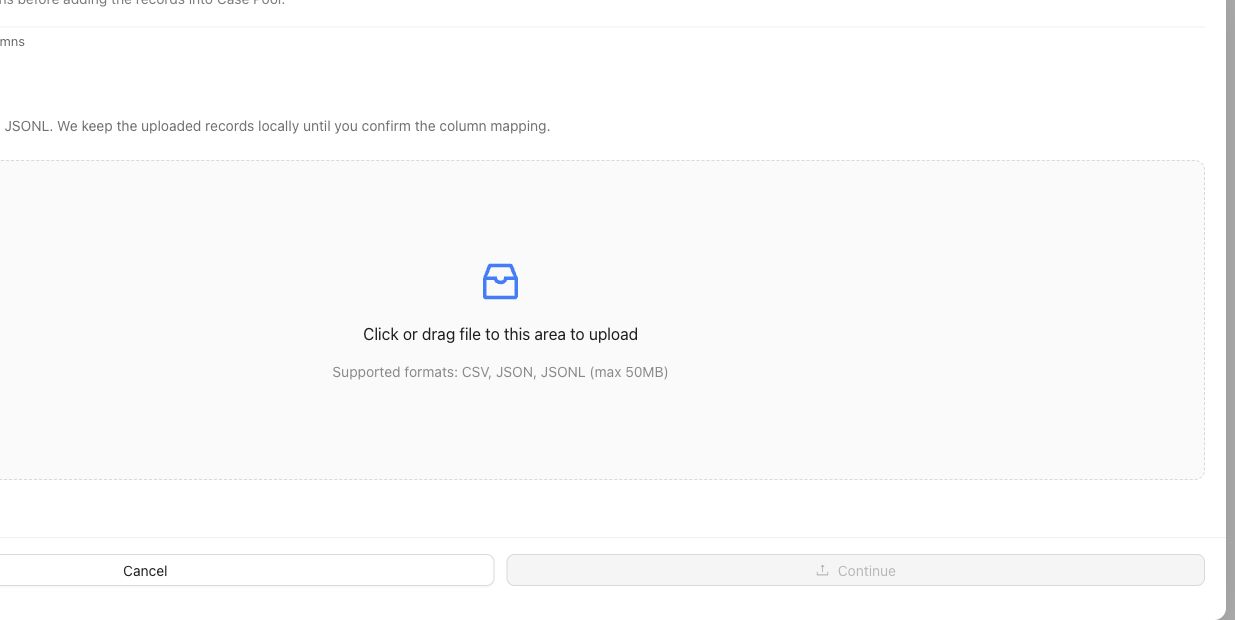
The upload step stages source records. Continue through column mapping and inspect representative rendered Cases before selecting them for a Benchmark.
## Object and state changes
This task creates project Cases and may attach artifact records, material references, coverage classifications, and benchmark selection. The rendered case view is derived from canonical content. Selecting a Case for one benchmark does not remove it from the reusable project pool or select it for every benchmark.
## Success criteria
- Every Case conforms to the Project Input Schema.
- Required materials are present and use accepted formats.
- The rendered case view preserves the intended input and evidence.
- Cases can be understood by an expert and delivered to a Harness.
- Benchmark selection and snapshot state are explicit.
## Common failure modes
- Putting supporting documents into an unstructured metadata field.
- Treating candidate responses as the primary case input.
- Importing artifacts the project schema does not admit.
- Selecting unclear Cases into a benchmark before review.
- Changing case content while comparing Runs against an earlier snapshot.
{% example-demo title="Example: import chat cases with documents" %}
A project uses chat architecture and requires a `policy_document` material. The operator maps each conversation to canonical messages, attaches the controlling PDF, rejects rows without the document, and inspects rendered case views. Only reviewed Cases are selected for the benchmark snapshot.
{% /example-demo %}
## Related reference pages
{% related-card-grid title="Related reference pages" %}
- [Cases](/docs/assets/cases)
- [Project Input Schema](/docs/project-settings/input-schema)
- [Benchmark Datasets](/docs/benchmark-datasets)
{% /related-card-grid %}
## Related troubleshooting pages
{% related-card-grid title="Related troubleshooting pages" %}
- [Dataset upload](/docs/troubleshooting/dataset-upload)
- [Unclear cases](/docs/troubleshooting/unclear-cases)
- [Missing outputs](/docs/troubleshooting/missing-outputs)
{% /related-card-grid %}
## Source confidence
Code-backed: the active Cases surface and case-content contract support canonical input, materials, rendering, and schema validation. Exact import mechanisms can depend on the available product configuration.
---
id: expert-contributions.artifacts
title: Contributed Artifacts
summary: Inspect policies, rubrics, cases, and coverage observations produced through attributable expert contribution work.
kind: reference
product_area: expert_contributions
status: stable
updated: 2026-09-07
canonical: /docs/expert-contributions/contributed-artifacts
---
# Contributed Artifacts
## Definition
Contributed Artifacts is the benchmark workspace for inspecting durable material produced through Expert Contributions. It organizes contributed **Policies**, **Rubrics**, **Cases**, and **new coverage observations** while preserving their relationship to the Contribution and expert work that produced them.
The view is a provenance and reconciliation surface. The final owner of a materialized artifact remains Correctness Governance, Assets, or Coverage Management according to artifact type.
## Fields, states, or lifecycle rules
- Policy contributions represent expert-grounded behavior rules or revisions.
- Rubric contributions represent proposed or accepted evaluation criteria tied to specialist judgment.
- Case contributions represent situations supplied or corrected through expert work.
- Coverage observations identify missing, thin, conflicting, or newly important benchmark behavior.
- A coverage observation preserves its source, proposed facet applications, and application status so an operator can distinguish a recorded observation from one incorporated into coverage structure.
- Each artifact should remain traceable to the Contribution, expert, selected evidence, task responses, and checkpoints that support it.
- Contribution completion and artifact governance are separate transitions. Inspect the artifact's owning surface before treating it as active policy, active rubric, benchmark dataset membership, or resolved coverage.
- Reconciliation can accept, revise, route, or leave material unresolved according to the active workflow.
## Interpreting contributed material
Use the artifact type to choose the next surface. A contributed policy or rubric belongs in Correctness Governance. A contributed case belongs in the project Assets pool before benchmark selection. A coverage observation belongs in Coverage Management and may motivate a Coverage Story, case construction, or another focused Contribution.
Preserve disagreements. Two experts can contribute conflicting Policy interpretations, and the artifact view should help an operator trace each interpretation rather than merge them into an invented consensus. Materialization should keep the Contribution, activity, checkpoint, expert, and scoped evidence links needed to explain why the artifact exists.
{% example-demo title="Example: contribution provenance" %}
An expert contributes a policy limiting compatibility claims, a rubric for explicit uncertainty, and a new case involving an unsupported adapter. The policy and rubric move to Correctness Governance for their lifecycle. The case enters Assets and is later selected into a benchmark dataset snapshot. All three retain the Contribution as their provenance.
{% /example-demo %}
## Source confidence
Code-backed: the active Contributed Artifacts workspace exposes policy, rubric, case, and new-coverage groupings. This page preserves the separation between contribution provenance and the lifecycle of each owning artifact.
## Related task pages
{% related-card-grid title="Related task pages" %}
- [Request an Expert Contribution](/docs/expert-contributions/request-contribution)
- [Complete an Expert Contribution](/docs/expert-contributions/complete-contribution)
- [Build policies and rubrics](/docs/operating-manual/build-policies-and-rubrics)
{% /related-card-grid %}