# Teammately Operating Context
Generated: 2026-09-13T04:32:36.136Z
Source build: local
Canonical docs: https://teammately.ai/docs
---
id: benchmark-datasets.cases
title: Benchmark Dataset Cases
summary: Inspect benchmark Case membership, coverage traces, references, and scoped bulk actions.
kind: task
product_area: benchmark_datasets
status: stable
updated: 2026-08-22
canonical: /docs/benchmark-datasets/cases
---
# Benchmark Dataset Cases
## Prerequisites
- A selected benchmark and permission to inspect or manage its current dataset.
- Project Cases that conform to the intended Input Schema.
The Cases tab is the benchmark-scoped view of the current editable case set. It shows Case content and membership together with coverage trace, output or reference mapping, and evaluator relationships.
Select one or more rows to request an Expert Contribution, create another benchmark from the selection, remove the Cases from the current benchmark, or download them. Removal changes current membership; it does not delete the reusable Case from project Assets or mutate an existing Snapshot.
## Review before snapshotting
1. Confirm each Case still conforms to Project Input Schema and has the intended materials.
2. Inspect Coverage Facet assignments and source or contributor provenance.
3. Check policy and rubric application, including whether eligible evaluator links are approved.
4. Resolve missing or ambiguous output/reference mapping when the workflow requires reference outputs.
5. Use Representation to check whether the set supports the intended claim.
> Membership is not evidence yet
>
> The editable Cases tab can change. Use a Dataset Snapshot and Benchmark Version when an evaluation, comparison, or Improvement Session must remain reproducible.
## After changing membership
Open Representation and confirm that the change affected the intended facet or evaluator population. Removing redundant Cases can improve balance even when total Case count falls. Adding many near-duplicates can increase count without adding meaningful coverage.
If a selected Case needs content correction, edit it through the owning Case workflow and review every future benchmark that selects it. Existing Snapshots stay unchanged. If the Case reveals an unclear standard, request an Expert Contribution before compensating with more examples.
{% example-demo title="Example: scoped bulk action" %}
An operator selects five Cases tied to an unresolved exception and requests one Expert Contribution. The Cases remain in the current set while the expert works. After the controlling Rubric is clarified, the team reviews membership and creates a new Snapshot with the approved evaluator links.
{% /example-demo %}
## Object and state changes
Selected-row removal changes current benchmark membership; creating another benchmark creates a separate benchmark; requesting a Contribution creates scoped expert work. Downloads and inspection are read-only. No action here mutates an existing Snapshot.
## Success criteria
- Current membership, Case identity, coverage trace, and evaluator relationships are understood.
- Any bulk action affects only the intended selected Cases.
- A new Snapshot is created when changed membership must become evaluation evidence.
## Common failure modes
- Treating removal from the benchmark as project-level Case deletion.
- Assuming editable membership changed an old Benchmark Version.
- Selecting Cases by visible text while ignoring their durable IDs.
## Related reference pages
{% related-card-grid title="Related reference pages" %}
- [Benchmark Datasets](/docs/benchmark-datasets)
- [Cases](/docs/assets/cases)
- [Project Input Schema](/docs/project-settings/input-schema)
{% /related-card-grid %}
## Related troubleshooting pages
{% related-card-grid title="Related troubleshooting pages" %}
- [Dataset upload](/docs/troubleshooting/dataset-upload)
- [Unclear Cases](/docs/troubleshooting/unclear-cases)
- [Unbalanced coverage](/docs/troubleshooting/unbalanced-coverage)
{% /related-card-grid %}
## Source confidence
Code-backed: the active Cases route defines the benchmark membership table, coverage trace, selected-row operations, downloads, and output/reference presentation.
---
id: benchmark-datasets.representation
title: Dataset Representation
summary: Analyze how distinct benchmark Cases are distributed across facets, evaluator rules, and provenance.
kind: task
product_area: benchmark_datasets
status: stable
updated: 2026-08-22
canonical: /docs/benchmark-datasets/representation
---
# Dataset Representation
## Prerequisites
- A current benchmark dataset or Snapshot with representation facts.
- Coverage Facets and evaluator relationships meaningful enough to interpret.
Representation groups the current or snapshotted dataset by governed facts. Available groupings include Dimension ontology values, Topic Groups, Project Topics, Case Construction Patterns, Policies, policy application, Rubrics, rubric application, presence of rubrics, and contributors.
Choose **distinct Cases** when counts matter, or **Case share** when comparing proportions. Policy and rubric views can split by application state. Filters and drilldowns narrow the visible population, and the resulting table or chart can be exported as CSV.
## Reading the view
- A large bar means concentration, not correctness.
- An empty category can indicate a true coverage gap, an inactive facet, missing classification, or a filter that excludes the Cases.
- Topic Groups do not merge their member Topics; group-level handling and Topic-level representation remain distinct.
- Policy and rubric presence is not the same as approved eligible application.
- Contributor distribution is provenance evidence, not a substitute for agreement or evaluator quality.
Use Coverage Management when a gap should drive a Coverage Story or Case Foundry work. Use Expert Contributions when the missing evidence requires governed expert judgment.
> Historical availability
>
> Representation is preserved when the Snapshot contains the required representation facts. Some older Snapshots may not expose this view; do not reconstruct their distribution from current mutable classifications.
{% example-demo title="Example: count and share tell different stories" %}
A Topic Group has twenty Cases but represents 60% of a small dataset, while a required ontology value has only two. Distinct count reveals the thin required value; Case share reveals the concentration. The operator records a Coverage Story instead of presenting the large Topic count as balanced coverage.
{% /example-demo %}
## Object and state changes
Grouping, metrics, filtering, splitting, drilldown, and CSV export change only the analysis view. They do not classify Cases, edit facets, or modify Snapshot content.
## Success criteria
- Counts and shares use the intended Case population.
- Missing, thin, and concentrated categories are distinguished.
- A governed Coverage Story or follow-up owns any actionable gap.
## Common failure modes
- Reading a filtered percentage as the whole dataset.
- Equating high volume with representative coverage.
- Reconstructing an old Snapshot from current classifications.
## Related reference pages
{% related-card-grid title="Related reference pages" %}
- [Coverage Dimensions and ontology](/docs/coverage-engineering/dimensions-ontology)
- [Project Topics](/docs/coverage-engineering/project-topics)
- [Case Construction Patterns](/docs/coverage-engineering/case-construction-patterns)
{% /related-card-grid %}
## Related troubleshooting pages
{% related-card-grid title="Related troubleshooting pages" %}
- [Unbalanced coverage](/docs/troubleshooting/unbalanced-coverage)
- [Stale Dimensions](/docs/troubleshooting/stale-dimensions)
- [Dimension classification](/docs/troubleshooting/dimension-classification)
{% /related-card-grid %}
## Source confidence
Code-backed: the active Representation route defines grouping, split, metric, filtering, drilldown, chart/table, and CSV behavior.
---
id: benchmark-datasets.snapshots
title: Dataset Snapshots
summary: Freeze Cases, evaluator links, and representation facts as an immutable benchmark evidence boundary.
kind: task
product_area: benchmark_datasets
status: stable
updated: 2026-08-22
canonical: /docs/benchmark-datasets/snapshots
---
# Dataset Snapshots
## Prerequisites
- A reviewed current Case set.
- Approved eligible evaluator links and no Snapshot readiness blockers.
- Permission to create benchmark evidence.
A Dataset Snapshot freezes the benchmark's selected Cases, eligible evaluator links, and representation facts at a point in time. The live dataset remains editable; the Snapshot opens read-only **Cases** and **Representation** views.
## Create a Snapshot
The readiness check reports Case count, approved eligible Policy and Rubric counts, and blockers. Resolve every blocker before creation. Record a meaningful Snapshot label, then verify the displayed version, content hash, creation time, and Case count.
Creation does not make weak input trustworthy. Review Case clarity, coverage, materials, and evaluator applicability first. After creation, do not describe later mutable classifications or links as if they were part of the frozen state.
## Evidence rules
- Identify the exact Snapshot or resulting Benchmark Version in every Run and comparison.
- Create a new Snapshot when Case membership, material content, or admitted evaluator relationships change in a way that affects the claim.
- Do not mutate a Snapshot to “fix” historical evidence; correct the live dataset and freeze a new one.
- If historical Representation is unavailable, report that limitation instead of substituting current facts.
{% example-demo title="Example: preserving a coverage expansion" %}
After Case Review adds eight exception-handling Cases, the team verifies approved rubric links and creates a new Snapshot. Runs against the earlier Benchmark Version remain comparable within their old boundary, while new Runs explicitly use the expanded version.
{% /example-demo %}
## Object and state changes
Creation adds a new immutable Snapshot with its own label, version, hash, time, Case membership, evaluator links, and representation facts. It does not lock or copy edits back into the current dataset.
## Success criteria
- Readiness has no blockers.
- Identity fields and Case count match the intended boundary.
- Future Runs cite the resulting exact Benchmark Version.
## Common failure modes
- Snapshotting weak or invalid Cases because readiness passes structurally.
- Treating current classifications as part of an older Snapshot.
- Comparing candidates across moved Snapshot boundaries without disclosure.
## Related reference pages
{% related-card-grid title="Related reference pages" %}
- [Benchmark Datasets](/docs/benchmark-datasets)
- [Benchmark versioning](/docs/governance/benchmark-versioning)
- [Reproducibility](/docs/governance/reproducibility)
{% /related-card-grid %}
## Related troubleshooting pages
{% related-card-grid title="Related troubleshooting pages" %}
- [Dataset upload](/docs/troubleshooting/dataset-upload)
- [Benchmark results changed unexpectedly](/docs/troubleshooting/benchmark-results-changed-unexpectedly)
{% /related-card-grid %}
## Source confidence
Code-backed: the active Snapshots route defines readiness, blockers, immutable content, identity fields, and read-only Snapshot inspection.
---
id: benchmark-evaluations.arena-rankings
title: Arena and Rankings
summary: Interpret pairwise candidate disagreement, governed metric families, repeated-sampling ranks, and uncertainty.
kind: task
product_area: benchmark_evaluations
status: stable
updated: 2026-09-13
canonical: /docs/benchmark-evaluations/arena-and-rankings
---
# Arena and Rankings
## Prerequisites
- At least two Harness Versions with comparable results for one Benchmark Version.
- Enough complete pairs to interpret the selected metric.
Arena explains pairwise candidate movement. It summarizes overall, required-Policy, preferred-Policy, Case, Rubric, and coverage metrics, then reports disagreement counts such as only A passed, only B passed, shared failures, incomplete pairs, and total comparable pairs.
## Use Arena
1. Confirm both Harness Versions and the Benchmark Version.
2. Choose the metric family that matches the decision. Required-Policy evidence should not be hidden behind overall performance.
3. Check comparable and incomplete pair counts before reading the direction.
4. Inspect only-A and only-B rows to locate tradeoffs. Shared failures identify work neither candidate solves.
5. Move to Compare or List when the pair summary needs Case, Rubric, or Coverage Facet explanation.
Arena does not conduct a new subjective preference interview and does not expose private trajectories. It computes pair evidence from the admitted evaluation results.
## Read leaderboard metrics
Arena and Dashboard summarize observed Runs across launches of each saved Harness Version. Average score gives each evaluated Run equal weight. Passed at least once and passed every time summarize observed binary case outcomes where supported. These are descriptions of the collected evidence, not estimates of guaranteed future success. Counts may differ, and the notice about unequal evidence does not block comparison.
Uncertainty such as a Wilson interval communicates the limits of the observed sample. A small lead with overlapping uncertainty and many incomplete pairs is not a robust decision. Resource telemetry can add cost, token, and latency context when captured, but missing values remain unknown.
{% example-demo title="Example: reliability tradeoff" %}
Harness A has three observed Runs and B has one. A passes more Cases at least once, while B passes more Cases in every observed Run. The team inspects the unequal evidence counts and individual results before deciding whether another launch would help.
{% /example-demo %}
## Object and state changes
Arena and leaderboard controls read existing evidence. They do not run candidates, approve a winner, or change frontier retention. A follow-up Improve Session is a separate object.
## Success criteria
- Metric family, pair count, incomplete count, and uncertainty are reported.
- Only-A, only-B, and shared failures guide concrete inspection.
- Observed-run metrics have explicit labels, Run counts, and coverage. Historical group-specific pass@n and pass^n remain distinguishable.
## Common failure modes
- Hiding required-Policy regressions behind overall rank.
- Treating overlapping uncertainty as a decisive lead.
- Equating missing telemetry with zero resource use.
## Related reference pages
{% related-card-grid title="Related reference pages" %}
- [Benchmark Evaluations](/docs/benchmark-evaluations)
- [Evaluation Execution Settings](/docs/benchmark-evaluations/execution-settings)
- [Candidates and the Current Frontier](/docs/improve/candidates-and-frontier)
{% /related-card-grid %}
## Related troubleshooting pages
{% related-card-grid title="Related troubleshooting pages" %}
- [Benchmark results changed unexpectedly](/docs/troubleshooting/benchmark-results-changed-unexpectedly)
- [Benchmark runs](/docs/troubleshooting/benchmark-runs)
{% /related-card-grid %}
## Source confidence
Code-backed: the active Arena route, scoreboard, and leaderboard model define the pair metrics, disagreement counts, repeated-sampling summaries, uncertainty, and telemetry presentation.
---
id: benchmark-evaluations.compare
title: Compare Harness Versions
summary: Compare two or more saved Harness Versions in a symmetric evidence matrix across Cases, evaluators, and Coverage Facets.
kind: task
product_area: benchmark_evaluations
status: stable
updated: 2026-09-13
canonical: /docs/benchmark-evaluations/compare
---
# Compare Harness Versions
Compare shows aggregate observed evidence for saved Harness Versions. Choose the Versions, compatible evaluation configuration, and measurement to compare. Use **Inspect individual Run comparisons** for the detailed result matrix.
## Prerequisites
Saved Harness Versions with evaluation results are shown for the selected Benchmark Version. Choose one or more Versions to inspect; Run counts may differ. An output-only imported reference Run cannot become a Harness column because it has no executable saved Version.
## Select a row mode
The individual Run matrix offers row modes including Cases, all results, Policies, Rubrics, Dimension ontology values, Project Topics, Topic Groups, and Case Construction Patterns. Use Cases to inspect concrete disagreement, Policies or Rubrics to locate correctness movement, and Coverage Facets to see whether gains concentrate in one behavior slice.
## Steps
1. Confirm the immutable Benchmark Version and choose at least two visible Harness Versions.
2. Select an aggregate measurement, or open individual Run comparisons and choose a row mode.
3. Check evidence completeness for each Harness column. A blank or incomplete cell is not a failure.
4. Locate rows with material disagreement and connect them back to Case and evaluator evidence.
5. Preserve regressions and required-criterion failures next to gains.
6. Use the exact candidate and row evidence when starting an Improvement Session or requesting an Expert Contribution.
Compare reads existing evidence and does not mutate Runs. Selecting aggregate Harness Versions recomputes their comparison on compatible evidence; individual matrix visibility is local presentation. It does not activate Harnesses or choose a winner.
{% example-demo title="Example: facet-local improvement" %}
Three Harness Versions look similar overall. The Project Topic row mode shows that Version 14 improves source-authority Topics but regresses escalation Topics. Switching to Cases identifies two regressions, and the team starts Improve with those exact failures instead of claiming a uniform improvement.
{% /example-demo %}
## Common mistakes
- Comparing different Benchmark Versions as though only the candidate moved.
- Treating missing evidence as a failed cell.
- Reading a facet aggregate without checking the distinct Cases behind it.
- Describing an imported output-only Run as a Harness Version.
- Selecting the newest Version solely because it is newest.
## Object and state changes
Compare reads existing evidence. Selecting aggregate Versions reads their observed evidence; selecting individual matrix row modes changes presentation; it does not activate a Harness, mutate a Run, or retain a candidate.
## Success criteria
- At least two exact Harness Versions share the same Benchmark Version.
- Incomplete cells remain distinct from failed evidence.
- Material movement resolves to Cases, evaluators, or Coverage Facets.
## Common failure modes
- Comparing moved evidence boundaries as candidate-only change.
- Treating local column visibility as product configuration.
- Using an output-only Run as a Harness column.
## Related reference pages
{% related-card-grid title="Related reference pages" %}
- [Benchmark Evaluations](/docs/benchmark-evaluations)
- [Arena and Rankings](/docs/benchmark-evaluations/arena-and-rankings)
- [Harnesses](/docs/assets/harnesses)
{% /related-card-grid %}
## Related troubleshooting pages
{% related-card-grid title="Related troubleshooting pages" %}
- [Benchmark results changed unexpectedly](/docs/troubleshooting/benchmark-results-changed-unexpectedly)
- [Unbalanced coverage](/docs/troubleshooting/unbalanced-coverage)
{% /related-card-grid %}
## Source confidence
Code-backed: the active Compare route and Evaluation Matrix define Harness columns, local visibility, symmetric comparison, and the current evidence row modes.
---
id: benchmark-evaluations.inspect
title: Inspect Evaluation Results
summary: Trace Dashboard and List signals to Run, Case, Policy, Rubric, completeness, and telemetry evidence.
kind: task
product_area: benchmark_evaluations
status: stable
updated: 2026-09-13
canonical: /docs/benchmark-evaluations/inspect-results
---
# Inspect Evaluation Results
## Prerequisites
- A visible Run or Run Group with output or evaluation progress.
- Access to the exact Benchmark and Harness Version evidence.
Start with completeness and identity, then move from aggregate signals to the Cases and evaluator failures that support them.
## Steps
1. Open Dashboard and confirm the Benchmark Version, candidate Harness Version, Run Group type, attempt count, and evaluation progress.
2. Read rankings with their metric family and uncertainty. Distinguish average score, passed at least once, and passed every time over observed Runs. Inspect Run counts and coverage; historical group-specific pass@n and pass^n retain their original meanings.
3. Open **List → Runs** to inspect group and Run status, output progress, evaluation progress, metadata, and available resource telemetry.
4. Open **List → Evaluation results** for the Case summary, outcome, failed Policies, failed Rubrics, and evaluated count.
5. Use Arena for pairwise disagreement or Compare for a Harness matrix across Cases, evaluator facts, or Coverage Facets.
6. Classify the next action as candidate work, evaluator clarification, Case correction, coverage work, external-output remapping, or no action.
The List results surface is intentionally compact. Do not claim that it exposes full execution trajectories. The **Traces / Spans** segment currently reports a capability fence because the benchmark API does not provide evaluation execution traces.
## Reading incomplete and repeated evidence
An aggregate calculated over fewer evaluable Cases can look better while covering less evidence. Record evaluated, incomplete, and missing counts before comparing candidates. For repeated groups, inspect whether the configured number of attempts exists for every candidate and whether one failed attempt changes the metric interpretation.
Cost, tokens, and latency help route operational work but are nullable telemetry. Missing capture means unknown, not free or instantaneous execution.
> Evaluator authority
>
> Policy and Rubric results are the correctness evidence admitted by the Benchmark Version. Rankings and telemetry summarize that evidence; they do not create a new standard.
{% example-demo title="Example: apparent gain from incomplete evidence" %}
Harness B leads the overall table, but List shows that twelve difficult Cases are still unevaluated for B. Arena also reports incomplete pairs. The operator waits for terminal evidence instead of starting Improve from a ranking that covers a smaller Case population.
{% /example-demo %}
## Object and state changes
Inspection, filtering, and navigation are read-only. Starting Improve, a Contribution, coverage work, or a later Run creates separate durable work while preserving the inspected evidence.
## Success criteria
- Identity, completeness, metric family, and uncertainty are explicit.
- Important signals resolve to Cases and admitted evaluator outcomes.
- The next action targets the responsible artifact or candidate boundary.
## Common failure modes
- Reporting rank without the evaluated population.
- Inventing execution traces from the unavailable segment.
- Starting candidate work when the Case or Rubric is wrong.
## Related reference pages
{% related-card-grid title="Related reference pages" %}
- [Benchmark Evaluations](/docs/benchmark-evaluations)
- [Arena and Rankings](/docs/benchmark-evaluations/arena-and-rankings)
- [Dataset Snapshots](/docs/benchmark-datasets/snapshots)
{% /related-card-grid %}
## Related troubleshooting pages
{% related-card-grid title="Related troubleshooting pages" %}
- [Benchmark results changed unexpectedly](/docs/troubleshooting/benchmark-results-changed-unexpectedly)
- [Benchmark runs](/docs/troubleshooting/benchmark-runs)
- [Missing outputs](/docs/troubleshooting/missing-outputs)
{% /related-card-grid %}
## Source confidence
Code-backed: Dashboard, List, Run detail, and workspace types establish result summaries, completion, rankings, repeated metrics, telemetry, and the current trace capability fence.
---
id: benchmark-evaluations.output-mapping
title: Map External Evaluation Outputs
summary: Import reference outputs, map them to immutable benchmark Cases and attempts, and inspect the resulting output-only Run.
kind: task
product_area: benchmark_evaluations
status: stable
updated: 2026-08-22
canonical: /docs/benchmark-evaluations/output-mapping
---
# Map External Evaluation Outputs
## Prerequisites
- External outputs for the exact Benchmark Version.
- Durable Case IDs and, for repeated groups, an attempt-assignment plan.
- Permission to create or update the output-only Run.
Output mapping admits responses produced outside the managed Harness runtime as an output-only Run. Use upload or the displayed API path, then map every row to an immutable Case in the current Benchmark Version.
## Row contract
The mapping template uses `case_id`, `input`, `context`, and `output`. Optional fields can carry latency, usage, and cost. `case_id` is the reliable join key; input and context help operators verify that the external row represents the intended immutable Case.
For repeated Run Groups, assign an attempt explicitly or use automatic assignment when the incoming rows can be distributed unambiguously. Never combine two external attempts into one output simply to satisfy the configured sample count.
## Steps
1. Open Runs and start the external or reference-output mapping flow.
2. Download or inspect the template for the current Benchmark Version.
3. Populate exact Case IDs and outputs. Preserve the source system's telemetry only when it is measured.
4. Upload or submit through the displayed API workflow and review the preview.
5. Resolve unknown Cases, missing benchmark Cases, duplicates, or ambiguous attempt assignments.
6. Commit the mapping and inspect inserted, updated, missing, and unknown counts.
7. Follow evaluation progress and inspect the output-only Run from List.
> Reference output boundary
>
> An imported output-only Run can be scored and inspected, but it is not a saved Harness Version. It cannot be activated, optimized in Improve, or used as a Harness column in Compare or Arena.
## Common mistakes
- Inventing Case IDs or joining only on input text.
- Reporting missing telemetry as zero.
- Mapping current editable Cases instead of the immutable Benchmark Version.
- Ignoring updated rows when the operation was expected to insert only.
- Assuming a successful upload proves that Rubric evaluation is complete.
## Object and state changes
Committing inserts or updates mapped output rows and creates or updates the scoped output-only Run and attempt assignment. It does not create a Harness Version or modify immutable Cases.
## Success criteria
- Every admitted row maps to the intended Case and attempt.
- Inserted, updated, missing, and unknown counts are understood.
- Evaluation completion remains separate from upload completion.
## Common failure modes
- Joining on text while ignoring Case IDs.
- Overwriting an attempt unintentionally.
- Presenting the reference Run as an executable candidate.
## Related reference pages
{% related-card-grid title="Related reference pages" %}
- [Benchmark Evaluations](/docs/benchmark-evaluations)
- [Dataset Snapshots](/docs/benchmark-datasets/snapshots)
- [Connect model outputs](/docs/integrations/connect-model-outputs)
{% /related-card-grid %}
## Related troubleshooting pages
{% related-card-grid title="Related troubleshooting pages" %}
- [Output mapping](/docs/troubleshooting/output-mapping)
- [Missing outputs](/docs/troubleshooting/missing-outputs)
- [Dataset upload](/docs/troubleshooting/dataset-upload)
{% /related-card-grid %}
## Source confidence
Code-backed: the current output-mapping modal and Runs workspace define the row template, immutable Case mapping, attempt handling, result counts, and output-only Run boundary.
---
id: benchmark-evaluations.run
title: Run a Benchmark Evaluation
summary: Launch exact active Harness Versions against an immutable Benchmark Version as standard or repeated Run Groups.
kind: task
product_area: benchmark_evaluations
status: stable
updated: 2026-09-13
canonical: /docs/benchmark-evaluations/run-evaluation
---
# Run a Benchmark Evaluation
Launch a managed evaluation when the immutable Benchmark Version, governed evaluators, and candidate runtimes are ready.
## Prerequisites
- A Benchmark Version backed by the intended Dataset Snapshot.
- Approved eligible Policies and Rubrics.
- At least one saved project Harness Version.
- Prepared Harness runtime and required secret grants.
- A chosen number of Runs for each selected Harness.
## Steps
1. Open **Benchmark Evaluations** for the intended Benchmark Version.
2. Open Evaluation Settings if you need to adjust the machine configuration.
3. Start a Run and select one or more offered Harness Versions. Confirm the exact version labels rather than relying on Harness names alone.
4. Choose the number of Runs for each Harness. Counts may differ; review the total execution volume.
5. Supply any requested Run Metadata. Keep credentials out of descriptive fields.
6. Launch. Each selected Harness creates its own Run Group containing the requested independent Runs, including when the count is one.
7. Follow output and evaluation progress. Distinguish queued, running, complete, failed, cancelled, and incomplete work rather than inferring completion from partial scores.
8. Inspect List, Dashboard, Arena, or Compare only after checking which attempts and Cases are evaluable.
## Evidence created
The launch creates Run Groups and Runs bound to exact Harness and Benchmark Versions. Per-Case outputs and evaluator outcomes accrue separately, so output completion can precede evaluation completion. Provider telemetry can include tokens, cost, and latency when captured; absence of telemetry is not zero usage.
Dashboard aggregates compatible observed Runs across launches. Choose average score, passed at least once, or passed every time where supported. Each Run retains its own outputs and status; inspect the group and individual Runs when work is incomplete.
> No Draft execution
>
> A managed benchmark Run does not evaluate the mutable Harness Draft. Save the candidate and select its exact saved Version when launching.
{% example-demo title="Example: two candidates, three attempts" %}
Harness Versions 6 and 9 are active with `n=3`. One launch creates two Run Groups and six independent Runs against the same Benchmark Version. If one attempt fails preparation, the group reports incomplete evidence instead of silently treating the remaining two as the configured cohort.
{% /example-demo %}
## Object and state changes
Launching creates one Run Group per Harness and one or more independent Runs. Outputs, evaluator outcomes, progress, metadata, and telemetry accrue to those records. A later launch creates new evidence and does not overwrite the cohort.
## Success criteria
- Exact Harness and Benchmark Versions are recorded.
- Each launch group contains the number of Runs requested for that Harness.
- Output and evaluation progress reach an interpretable terminal state.
- Incomplete or failed attempts remain visible.
## Common failure modes
- Selecting the wrong saved Version or assuming Draft execution.
- Reading partial evaluation as a complete cohort.
- Treating absent telemetry as zero usage.
## Related reference pages
{% related-card-grid title="Related reference pages" %}
- [Evaluation Execution Settings](/docs/benchmark-evaluations/execution-settings)
- [Harnesses](/docs/assets/harnesses)
- [Run Metadata](/docs/benchmark-evaluations/run-metadata)
{% /related-card-grid %}
## Related troubleshooting pages
{% related-card-grid title="Related troubleshooting pages" %}
- [Benchmark runs](/docs/troubleshooting/benchmark-runs)
- [Missing outputs](/docs/troubleshooting/missing-outputs)
- [Authentication](/docs/troubleshooting/authentication)
{% /related-card-grid %}
## Source confidence
Code-backed: the current Run modal, Runs workspace, and Run Group route define selection, group creation, repeated attempts, progress, and evidence identity.
---
id: correctness.binary-rubrics
title: Write Binary Rubrics
summary: Write atomic pass-or-fail criteria grounded in governed policies, applicable cases, and observable candidate behavior.
kind: task
product_area: correctness_governance
status: stable
updated: 2026-08-22
canonical: /docs/correctness-governance/binary-rubrics
---
# Write Binary Rubrics
Write a rubric when a governed policy needs an observable pass-or-fail check for benchmark evaluation. A strong rubric identifies one behavior, the cases where it applies, and the evidence that distinguishes pass from fail.
## Prerequisites
- A policy or expert-grounded correctness statement.
- Representative passing, failing, and boundary cases.
- Clear applicability for the behavior being checked.
- Access to Correctness Governance → Rubrics.
## Steps
1. State one behavior that can be inspected in the candidate response and visible case evidence.
2. Name the policy or specialist judgment that authorizes the criterion.
3. Define applicability before writing exceptions into the pass condition.
4. Write explicit pass evidence and fail evidence. Avoid “good,” “appropriate,” or “high quality” without observable conditions.
5. Link representative cases and test whether two informed reviewers would reach the same binary result.
6. Split independent requirements into separate rubrics when each failure should be diagnosed separately.
7. Inspect contribution provenance and approval state before relying on the rubric in benchmark interpretation.
## Object and state changes
This task creates or updates a project-level rubric and can change its wording, policy relationship, linked cases, evaluation use, activity, and approval context. Linking a case does not add it to a benchmark dataset. Editing a rubric does not alter historical Run evidence that used an earlier benchmark boundary.
## Success criteria
- The rubric tests one behavior and can be answered from visible evidence.
- Applicability excludes irrelevant cases without hidden reviewer judgment.
- Pass and fail conditions are explicit.
- Linked cases include at least one meaningful boundary.
- Policy authority and expert provenance are inspectable.
## Common failure modes
- Combining several behaviors into one criterion.
- Restating the policy without defining observable evidence.
- Encoding applicability only as exceptions inside the rubric.
- Using a suggested or contributed draft as if it were already governed.
- Changing rubric wording and comparing Runs without checking the benchmark version boundary.
{% example-demo title="Example: grounding rubric" %}
Policy: material claims must use the controlling source or state uncertainty. Rubric: pass only when every material claim is supported by the current controlling source, or the response explicitly says the available sources do not resolve the claim. Unsupported blending of current and superseded sources fails.
{% /example-demo %}
## Related reference pages
{% related-card-grid title="Related reference pages" %}
- [Policies and Rubrics](/docs/correctness-governance/policies-and-rubrics)
- [Applicability Logic](/docs/object-model/applicability-logic)
- [Rubrics](/docs/object-model/rubrics)
{% /related-card-grid %}
## Related troubleshooting pages
{% related-card-grid title="Related troubleshooting pages" %}
- [Overlapping rubrics](/docs/troubleshooting/overlapping-rubrics)
- [Weak applicability logic](/docs/troubleshooting/weak-applicability-logic)
- [Low expert agreement](/docs/troubleshooting/low-expert-agreement)
{% /related-card-grid %}
## Source confidence
Code-backed: the active Correctness Governance rubric list and detail surfaces support rubric inspection, relationships, and lifecycle context. The drafting guidance is constrained to those verified artifact boundaries.
---
id: coverage.coverage-gaps
title: Coverage Gaps
summary: Find missing or underrepresented behavior areas before benchmark evidence becomes misleading.
kind: task
product_area: coverage_engineering
status: stable
updated: 2026-08-23
canonical: /docs/coverage-engineering/coverage-gaps
---
# Coverage Gaps
## When to use it
Use this task when the team suspects that a benchmark result is incomplete because the case set does not represent an important behavior area. A coverage gap is not just a low score. It is a missing or thin slice of the behavior space: a dimension value, ontology category, source condition, user intent, boundary scenario, policy exception, failure cluster, or product flow that should be represented before results are trusted.
Coverage gaps matter because Teammately helps the team reason about whether the benchmark actually represents the correctness space, instead of only running checks over available examples.
## Prerequisites
- A Benchmark Dataset or a named intended behavior slice already exists.
- Dimensions or ontology values are available, or the team knows which behavior axis is missing.
- Relevant Evaluation Runs, failure clusters, Expert Contribution findings, or product signals are available for inspection.
- Policies and rubrics are clear enough that the team can tell whether the problem is missing coverage rather than weak standards.
## Required role or permission
AI engineers, evaluation owners, and product owners usually identify coverage gaps together. Experts may be needed when the missing behavior depends on domain judgment. If the UI blocks investigation or case changes, inspect project membership and artifact access before changing the benchmark.
### Task steps: Coverage Gaps
1. Name the behavior area that may be missing: dimension, ontology value, product flow, policy exception, source condition, or boundary scenario.
2. Inspect **Benchmark Datasets → Representation** and the current Benchmark Version. Check whether the area is absent, represented by too few selected Cases, or represented only by easy examples.
3. Compare the suspected gap against evaluation failures, failure clusters, Expert Contribution notes, and recent product signals.
4. Rule out look-alike problems: missing outputs, stale cases, weak applicability logic, overly broad policies, ambiguous rubrics, or output mapping errors.
5. Route the gap: update Coverage Facets, create a Coverage Story, source or synthesize Cases, request an Expert Contribution, or select already reviewed Cases in Benchmark Datasets.
6. Review candidates in Case Review, create a new Snapshot when membership changes, and preserve the gap rationale in the owning coverage surfaces.
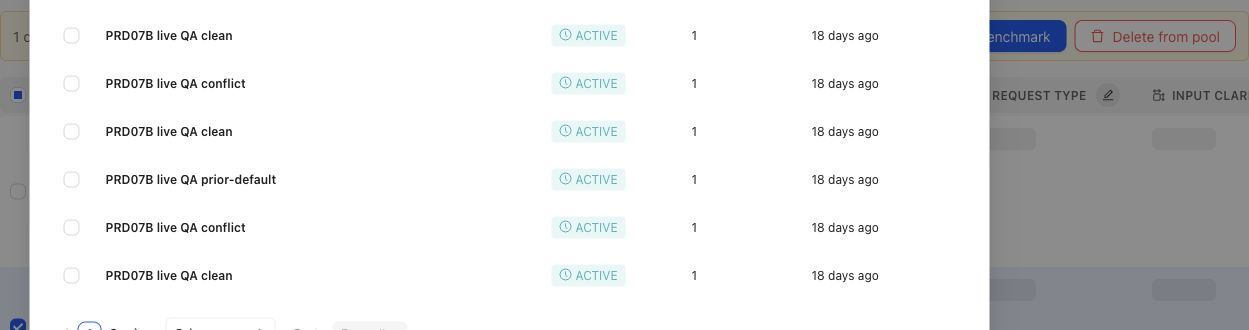
When a gap points to specific candidates, the operator can select cases and prepare them for benchmark membership.
## Object and state changes
Confirming a gap can create a Coverage Story, candidate Cases, Coverage Facet changes, Case Review work, selected Dataset changes, or an Expert Contribution. A gap does not silently change historical Benchmark meaning. When selected membership changes, create a new Dataset Snapshot and Benchmark Version before treating the revised set as reproducible evidence.
## Success criteria
- The missing or underrepresented behavior area is named precisely.
- The team can explain why the issue is a true coverage gap rather than missing outputs, weak applicability, stale artifacts, or mapping errors.
- The resulting case, dimension, ontology, or benchmark change is traceable to source evidence or expert judgment.
- Future benchmark results can distinguish behavior improvement from coverage refresh.
## Common failure modes
- Treating a model failure as a coverage gap when the benchmark already contains representative cases.
- Adding many similar cases without naming the missing dimension or ontology value.
- Refreshing benchmark coverage without preserving the version boundary.
- Mistaking missing outputs or output mapping failures for missing coverage.
- Creating synthetic cases that are unrealistic because they lack source context or expert judgment.
- Ignoring a small high-risk slice because aggregate coverage looks balanced.
{% example-demo title="Boundary case for enterprise search" %}
Raw case: An employee asks for a policy that changed last week, and the retrieved documents contain both old and new guidance.
Expert judgment: Coverage must include cases where stale and current sources conflict.
Policy: Answers must prefer the approved current source and disclose conflicts when confidence is low.
Applicability: Applies when retrieval includes multiple policy versions or stale documents.
Binary rubric: The answer identifies the current source or asks for confirmation instead of blending policies.
Benchmark result: A candidate output fails because it combines old and new terms into one invented policy.
Interpretation: Coverage notes show whether stale-source boundary behavior is represented before the next run is trusted.
{% /example-demo %}
## Related reference pages
{% related-card-grid title="Related reference pages" %}
- [Candidate and In-Use Cases](/docs/coverage-engineering/candidate-and-in-use-cases)
- [Case pool](/docs/coverage-engineering/case-pool)
- [Dimensions and ontology](/docs/coverage-engineering/dimensions-ontology)
- [Benchmark snapshots](/docs/coverage-engineering/benchmark-snapshots)
- [Case versions](/docs/governance/case-versioning)
{% /related-card-grid %}
## Related troubleshooting pages
{% related-card-grid title="Related troubleshooting pages" %}
- [Access troubleshooting](/docs/troubleshooting/authentication)
- [Unbalanced coverage](/docs/troubleshooting/unbalanced-coverage)
- [Weak applicability logic](/docs/troubleshooting/weak-applicability-logic)
- [Missing outputs](/docs/troubleshooting/missing-outputs)
- [Benchmark results changed unexpectedly](/docs/troubleshooting/benchmark-results-changed-unexpectedly)
{% /related-card-grid %}
## Source confidence
Code-backed: Benchmark Dataset Representation exposes selected distribution; Coverage Management and Coverage Stories expose benchmark needs; Case Review exposes the admission boundary for prepared Cases. Human judgment determines whether an observed thin slice is consequential.
---
id: coverage.refresh
title: Refresh coverage after product change
summary: Reconcile coverage facets, Cases, benchmark membership, and Snapshots after the target system or its evidence changes.
kind: task
product_area: coverage_engineering
status: stable
updated: 2026-09-07
canonical: /docs/coverage-engineering/coverage-refresh
---
# Refresh coverage after product change
## When to use it
Refresh coverage when new Cases reveal an unrepresented behavior, source material or product behavior changes, experts qualify an earlier assumption, or a governed Policy changes which situations matter. This is a coordinated workflow across Coverage Engineering—not a single refresh action.
## Prerequisites
- Name the changed signal and the date or version at which it changed.
- Identify the Benchmark whose claims may be affected.
- Preserve the current Snapshot and historical Runs; do not edit them to resemble the new state.
- Decide who can confirm the changed behavior and who owns the resulting Benchmark Version.
### Task steps: Refresh benchmark coverage
1. Open the Benchmark's **Coverage Management** overview and identify which coverage claim is no longer supported.
2. Review **Coverage Facets**. Update Dimensions, ontology values, Project Topics, or Case Construction Patterns only when the behavior model itself changed.
3. Return to the **Case Pool**. Source, upload, draft, or synthesize candidate Cases for the missing or changed region.
4. Inspect the candidates for source context, realistic inputs, duplication, and the intended coverage labels. Keep uncertain Cases out of benchmark use.
5. Use **Coverage Management → Get Started** and the overview to update coverage guidance. Use **Case Review** and **Benchmark Datasets** to change selected Cases deliberately.
6. Create a new Dataset Snapshot and Benchmark Version for the revised evidence boundary.
7. Run a new evaluation when current candidate evidence is required. Compare it with older Runs using the named Benchmark Versions.
## Object and state changes
A refresh may change coverage-facet definitions, Case classifications, candidate Cases, selected benchmark Cases, and the next Snapshot. It does not rewrite an earlier Snapshot or make its Runs invalid. Older results remain evidence for their original version; the new version answers the current coverage question.
If only candidate behavior changed, keep the Benchmark Version fixed and run the new candidate against it. If the Case set, applicable standards, or coverage boundary changed, create a new Benchmark Version before interpreting a new Run as comparable.
## Success criteria
- The changed product reality maps to an explicit coverage facet or documented boundary.
- Candidate Cases have enough source context to be reviewed and are not mistaken for in-use benchmark evidence.
- The new selected set addresses the gap without silently removing still-important behavior.
- The new Snapshot names a reproducible evidence boundary.
- Comparisons distinguish candidate changes from Benchmark Version changes.
## Common failure modes
- Treating refresh as a single button and missing a changed facet, Case set, or Snapshot boundary.
- Rewriting a historical Snapshot instead of creating a new one.
- Adding generated or newly sourced Cases to a Benchmark before review.
- Comparing Runs without naming whether the candidate, Benchmark Version, or both changed.
{% example-demo title="A newly supported exception" %}
A support assistant gains an approved exception path for one account tier. The team adds or revises the account-tier ontology, sources Cases for eligible and ineligible requests, reviews them in Case Review, updates the coverage guidance, and changes the selected Benchmark Dataset. A new Snapshot freezes the revised membership. Previous Runs still describe the old rule; new Runs evaluate the approved exception boundary.
{% /example-demo %}
## Source confidence
Code-backed: Coverage Management, Coverage Facets, the Case Pool, Case Review, Benchmark Datasets, and Dataset Snapshots establish the current sequence and the objects that can change. The decision that a product change requires a refresh remains a team-owned interpretation of evidence.
## Related reference pages
{% related-card-grid title="Continue the workflow" %}
- [Coverage gaps](/docs/coverage-engineering/coverage-gaps)
- [Dimensions and ontology](/docs/coverage-engineering/dimensions-ontology)
- [Case Pool](/docs/coverage-engineering/case-pool)
- [Plan benchmark coverage](/docs/coverage-engineering/plan-benchmark-coverage)
- [Benchmark Snapshots](/docs/coverage-engineering/benchmark-snapshots)
{% /related-card-grid %}
## Related troubleshooting pages
{% related-card-grid title="Diagnose refresh problems" %}
- [Stale Dimensions](/docs/troubleshooting/stale-dimensions)
- [Unbalanced coverage](/docs/troubleshooting/unbalanced-coverage)
- [Synthetic Cases That Feel Unrealistic](/docs/troubleshooting/unrealistic-synthetic-cases)
{% /related-card-grid %}
---
id: coverage.create-benchmark
title: Create a benchmark
summary: Create the durable Benchmark workspace in which you will define coverage, select Cases, and create reproducible Snapshots.
kind: task
product_area: coverage_engineering
status: stable
updated: 2026-08-23
canonical: /docs/coverage-engineering/create-a-benchmark
---
# Create a benchmark
## Prerequisites
Write one sentence describing the behavior claim the Benchmark should support. You should also know the target system, the intended reviewers, and where candidate Cases will come from. You do not need a finished Case set to create the Benchmark.
### Task steps: Create and prepare a benchmark
1. Open the Benchmark selector in the project navigation.
2. Select **Create New Benchmark**.
3. Enter a name that identifies the target behavior or decision boundary, then select **Create Benchmark**.
4. Open the new Benchmark and describe its purpose before curating evidence.
5. Open **Coverage Management → Get Started** to define the benchmark denominator and coverage guidance.
6. Use **Coverage Management** and **Benchmark Datasets** to prepare, review, and select Cases. Keep candidate material distinct from the selected Dataset.
7. Create a Dataset Snapshot only when the selected Cases are ready to become an immutable evidence boundary.
## Object and state changes
Creating a Benchmark establishes its identity and workspace; it does not create a complete Benchmark Version. The initial description is empty in the current creation flow, and the default name is **New Benchmark** when no name is supplied. Rename and describe it before teammates depend on it.
A Benchmark can evolve through coverage planning and Case selection. A Snapshot is the point at which a particular evidence set becomes reproducible. A Run belongs to a Benchmark Version; it is not the Benchmark itself.
## Name benchmarks for durable interpretation
Prefer a name such as **Support assistant — refund eligibility** over **August test**. Dates and change markers belong in Snapshots, Benchmark Versions, or version notes. The Benchmark name should remain meaningful as the Case set improves.
## Success criteria
- The Benchmark has a durable name and an explicit behavior claim.
- Its owner can explain the target system and intended decision.
- Coverage planning identifies what must be represented before Snapshot creation.
- Candidate Cases are not treated as selected benchmark evidence by default.
## Common failure modes
- Naming the Benchmark after a date or experiment rather than its durable behavior claim.
- Treating creation as though a complete Benchmark Version or Snapshot now exists.
- Selecting convenient Cases before defining the intended coverage boundary.
- Starting Runs before selected Cases and governed standards are ready.
{% example-demo title="Support escalation benchmark" %}
An AI engineer creates **Support assistant — escalation decisions**. The description says the Benchmark tests whether the assistant escalates high-risk cases while resolving routine ones. The team plans risk, account tier, and source-authority coverage, then curates Cases from the Case Pool. Only after review does the team create its first Snapshot.
{% /example-demo %}
## Source confidence
Code-backed: the Benchmark selector and creation modal define the current creation path; Coverage Management Get Started and Benchmark Datasets define the immediate next work. A newly created Benchmark is a durable workspace, not ready evaluation evidence.
## Related reference pages
{% related-card-grid title="Continue the workflow" %}
- [Benchmarks](/docs/coverage-engineering/benchmarks)
- [Plan benchmark coverage](/docs/coverage-engineering/plan-benchmark-coverage)
- [Case Pool](/docs/coverage-engineering/case-pool)
- [Benchmark Snapshots](/docs/coverage-engineering/benchmark-snapshots)
{% /related-card-grid %}
## Related troubleshooting pages
{% related-card-grid title="Diagnose benchmark setup" %}
- [Unbalanced coverage](/docs/troubleshooting/unbalanced-coverage)
- [Unclear Cases](/docs/troubleshooting/unclear-cases)
- [Benchmark run troubleshooting](/docs/troubleshooting/benchmark-runs)
{% /related-card-grid %}
---
id: coverage.plan-benchmark-coverage
title: Plan Benchmark Coverage
summary: Apply project Coverage Facets to one benchmark, inspect representation, and turn important gaps into concrete case or contribution work.
kind: task
product_area: coverage_engineering
status: stable
updated: 2026-09-07
canonical: /docs/coverage-engineering/plan-benchmark-coverage
---
# Plan Benchmark Coverage
Plan coverage by applying reusable project facets to one benchmark and comparing the intended behavior space with the selected dataset representation.
## Prerequisites
- A selected project and benchmark.
- A clear benchmark purpose.
- Relevant Dimensions, Project Topics, and Case Construction Patterns, or enough project knowledge to create them.
- Existing Cases or a plan for sourcing and constructing them.
## Steps
1. Review **Coverage Facets** at project scope. Confirm that Dimensions, Project Topics, and Case Construction Patterns describe reusable behavior structure rather than one benchmark's current case count.
2. Open the benchmark and select **Coverage Management → Get Started**.
3. Define the benchmark-specific coverage guidance and confirm setup readiness.
4. Open Coverage Management and inspect current dataset representation across the relevant facets and tuples.
5. Name important thin or absent combinations as Coverage Stories. Explain why each slice matters and what evidence would make it usable.
6. Route the gap according to its cause: Case Foundry or case sourcing for missing situations, Expert Contributions for missing judgment, Correctness Governance for missing standards, or Benchmark Datasets for missing selection.
7. Review generated or contributed cases in Case Review before relying on them.
8. Update dataset selection and create a new snapshot when the represented evidence changes materially.
## Object and state changes
This task can update benchmark coverage setup, representation guidance, Coverage Stories, Case Foundry work, case-review state, contribution requests, dataset selection, and snapshots. Project Coverage Facets may also change when the work discovers a reusable missing axis or construction pattern.
## Success criteria
- The benchmark purpose maps to explicit project Coverage Facets.
- Important combinations have selected evidence or a named gap.
- Each gap is routed to a responsible artifact or workstream.
- Constructed cases pass case review and Project Input Schema checks.
- Dataset snapshots make material coverage changes explicit.
## Common failure modes
- Using case count as the coverage goal.
- Creating benchmark-only tags where a reusable Dimension or Topic is needed.
- Treating response-variation guidance as coverage structure.
- Generating cases before defining which gap they should close.
- Trusting representation after selection changes without a new snapshot boundary.
{% example-demo title="Example: plan high-impact exception coverage" %}
The team maps exception type, source authority, and customer impact. Representation shows many low-impact ordinary cases but no high-impact cases with conflicting authority. A Coverage Story names the gap, an expert Contribution clarifies the controlling rule, and Case Foundry prepares cases for the missing tuple before a new snapshot is created.
{% /example-demo %}
## Related reference pages
{% related-card-grid title="Related reference pages" %}
- [Coverage Engineering](/docs/coverage-engineering)
- [Coverage Management](/docs/coverage-management)
- [Benchmark Datasets](/docs/benchmark-datasets)
{% /related-card-grid %}
## Related troubleshooting pages
{% related-card-grid title="Related troubleshooting pages" %}
- [Unbalanced coverage](/docs/troubleshooting/unbalanced-coverage)
- [Stale dimensions](/docs/troubleshooting/stale-dimensions)
- [Unrealistic synthetic cases](/docs/troubleshooting/unrealistic-synthetic-cases)
{% /related-card-grid %}
## Source confidence
Code-backed: current setup, overview, representation, Coverage Story, Case Foundry, and Case Review routes support this workflow.
---
id: coverage-management.case-foundry
title: Case Foundry
summary: Generate or update bounded case candidates from the saved coverage setup and Story map.
kind: task
product_area: coverage_management
status: stable
updated: 2026-08-22
canonical: /docs/coverage-management/case-foundry
---
# Case Foundry
## Prerequisites
- Ready coverage setup, active Stories, and actionable tuple targets.
- A current input snapshot whose freshness can be verified.
Case Foundry coordinates bounded case preparation from the saved coverage setup and Coverage Stories. Use **Generate** for the first run and **Update** after the governed inputs change. A blocked action means required setup, readiness, or upstream evidence is not yet available.
## Run states and freshness
A Foundry run reports `QUEUED`, `RUNNING`, `COMPLETED`, `PARTIAL`, `FAILED`, or `CANCELLED`. Keep the run identity and input snapshot together when diagnosing it. Completion can report Cases added, synthesized, or retrieved; these counts explain construction activity, not acceptance into trusted benchmark evidence.
The workspace distinguishes a fresh result from one whose input snapshot changed. If coverage setup, Story structure, or relevant dataset context changed after the run began, update the Foundry work. Do not use an old completion badge as proof that the current coverage contract has been handled.
## Before and after Foundry
Before running, make the setup ready, activate the intended Stories, and check tuple targets. If a specialist must settle an ambiguous standard, request an Expert Contribution instead of generating around the ambiguity.
After running, open Case Review. Prepared candidates start as reviewable material rather than automatically becoming durable benchmark Cases. Inspect their evidence fit, sources, facet traces, inputs, and generated artifacts. Remove weak or redundant candidates and resolve material failures before inclusion.
> Case Foundry is not a Dataset Snapshot
>
> Foundry prepares candidates. Case Review admits suitable Cases into the current benchmark set, and Benchmark Datasets creates the immutable Snapshot used for evaluation.
## Failure handling
For a partial or failed run, preserve successful bounded work, read the failure detail, and retry only the missing scope when the product offers that action. Cancellation stops the current operation; it does not roll back Cases already materialized by a completed portion. Recheck freshness after any retry.
## Object and state changes
A Foundry action creates a run and can prepare, synthesize, retrieve, or add candidate Cases. Update creates new bounded work from changed input. The run does not create a Dataset Snapshot or bypass Case Review.
## Success criteria
- Terminal status and input freshness are known.
- Summary counts are interpreted as construction activity.
- Prepared candidates move to review rather than automatic trust.
## Common failure modes
- Treating `COMPLETED` as Case acceptance.
- Retrying stale work without updating its input.
- Generating around an unresolved correctness question.
## Related reference pages
{% related-card-grid title="Related reference pages" %}
- [Coverage Management](/docs/coverage-management)
- [Coverage Stories](/docs/coverage-management/coverage-stories)
- [Benchmark Dataset Cases](/docs/benchmark-datasets/cases)
{% /related-card-grid %}
## Related troubleshooting pages
{% related-card-grid title="Related troubleshooting pages" %}
- [Unrealistic synthetic Cases](/docs/troubleshooting/unrealistic-synthetic-cases)
- [Unclear Cases](/docs/troubleshooting/unclear-cases)
{% /related-card-grid %}
## Source confidence
Code-backed: the active Foundry API, run types, and workspace hook define actions, states, freshness, and summary counts. Case acceptance is verified in the separate Case Review surface.
---
id: coverage-management.case-review
title: Case Review
summary: Prepare, inspect, refine, and admit Case candidates and generated materials into the benchmark dataset.
kind: task
product_area: coverage_management
status: stable
updated: 2026-08-22
canonical: /docs/coverage-management/case-review
---
# Case Review
## Prerequisites
- Prepared candidates tied to a frozen setup, Story map, input contract, and output formats.
- Permission to admit or remove candidates from current benchmark membership.
Case Review is the admission boundary between prepared coverage candidates and the current benchmark dataset. Preparation freezes the relevant setup, Stories, input contract, and output formats so a candidate can be judged against the instructions that produced it.
Preparation can move through planning, searching, evaluating, generating, synthesizing, materializing, ready, partial, failed, and cancelled states. Read this state together with the frozen input rather than assuming every visible card is complete.
## Review candidates
Candidates begin included for review. Remove a candidate when it is weak, redundant, misplaced, unsupported, or does not prove its tuple. Inspect its fit explanation, source and facet trace, input content, materials, and relationship to the tuple target. Inclusion should mean the candidate is suitable to enter the current benchmark set, not merely that generation succeeded.
For one tuple, **Generate more** appends candidates using count and operator instructions. **Regenerate** can reuse or synthesize source evidence, or run in synthesize-only mode. These actions have different provenance implications; preserve the displayed source relationship when deciding which candidate to keep.
## Resolve generated materials
Artifact expectations from coverage setup can be mandatory or optional. Material resolution reports generating, verifying, ready, failed, or skipped. A mandatory artifact failure blocks trustworthy inclusion. An optional artifact may be skipped when the Case remains coherent without it.
Retry uses the original material specification. If the specification itself is wrong, correct the governed setup or candidate design rather than repeatedly retrying the same request. Verify that a ready file actually supports the Case and conforms to Project Input Schema.
## Complete the review
Accepted included candidates materialize into the benchmark's current Case set. Then inspect Dataset Representation and create a new Snapshot only after evaluator readiness and Snapshot blockers are clear. Existing Snapshots remain unchanged.
{% example-demo title="Example: rejecting decorative evidence" %}
A tuple requires the candidate system to reconcile two contradictory tables. One prepared Case has a table that never affects the answer, while another requires comparing two columns and citing the newer record. The reviewer removes the decorative Case, verifies the second table, and admits only the candidate that proves the intended transformation.
{% /example-demo %}
## Object and state changes
Inclusion and removal change the review selection; accepted included candidates materialize into the current Case set. Generate-more and regenerate create new candidates. Material retries update resolution state without changing the original specification.
## Success criteria
- Included Cases prove their tuples and have usable provenance.
- Mandatory materials are ready and verified.
- Dataset membership and the next Snapshot reflect only accepted work.
## Common failure modes
- Keeping decorative or redundant candidates to meet a count.
- Treating material-generation success as Case quality.
- Assuming acceptance changed an existing Snapshot.
## Related reference pages
{% related-card-grid title="Related reference pages" %}
- [Project Input Schema](/docs/project-settings/input-schema)
- [Benchmark Dataset Cases](/docs/benchmark-datasets/cases)
- [Dataset Snapshots](/docs/benchmark-datasets/snapshots)
{% /related-card-grid %}
## Related troubleshooting pages
{% related-card-grid title="Related troubleshooting pages" %}
- [Unclear Cases](/docs/troubleshooting/unclear-cases)
- [Unrealistic synthetic Cases](/docs/troubleshooting/unrealistic-synthetic-cases)
{% /related-card-grid %}
## Source confidence
Code-backed: the active Case Review page, preparation modal, tuple actions, and Generated Materials component define frozen inputs, run states, inclusion, generation modes, and artifact resolution.
---
id: coverage-management.coverage-stories
title: Coverage Stories
summary: Organize benchmark coverage intent into governed Stories and testable facet tuples.
kind: task
product_area: coverage_management
status: stable
updated: 2026-08-22
canonical: /docs/coverage-management/coverage-stories
---
# Coverage Stories
## Prerequisites
- Ready coverage setup or a clearly justified manual Story.
- Coverage Facets that can name the intended behavior slice.
A Coverage Story turns benchmark intent into a coherent behavior slice. It explains what matters, why it matters, and which facet combinations must be exercised without pretending that a chart category alone describes a real product situation.
Stories can be created manually or proposed by generation. Their lifecycle is `draft`, `active`, or `archived`, and their origin remains visible as AI-generated or manual. A Story contains a title, description, rationale, intent, budget, referenced facets, suggested Topic Groups, and one or more tuples.
## Make tuples testable
Each tuple names a smaller test obligation through its title, `must_prove` statement, facet references, target, accepted count, status, and flags. Write `must_prove` so Case Review can decide whether a candidate actually supplies the required evidence. Avoid vague goals such as “good edge cases.” Name the actor, conflict, evidence, constraint, or transformation that distinguishes the tuple.
Targets express desired evidence volume; accepted counts report materialized evidence. Neither number proves quality. A tuple can meet its count while still containing redundant or unrealistic Cases, so review remains mandatory.
## Edit and govern the Story map
Use the editor to create or revise a Story and add, edit, or remove tuples. Archive a Story whose behavior is no longer in benchmark scope. Do not delete or rewrite the rationale merely because the current dataset already covers it; that rationale explains why the evidence exists.
When generation is running, partial, failed, or based on changed setup, read the displayed generation state before acting. A generated Story remains a proposal until the saved story and tuple structure reflects the benchmark intent.
{% example-demo title="Example: superseded-source conflict" %}
A Story covers answers that cite a plausible but superseded policy. One tuple must prove that the candidate detects the date conflict; another must prove that it asks for clarification when the current source is incomplete. Their separate targets prevent several near-duplicate date cases from masquerading as coverage of both behaviors.
{% /example-demo %}
## Object and state changes
Creating or editing changes the saved Story and tuple map. Archiving removes a Story from active planning while preserving it. Generation can propose Stories but does not accept Cases into the dataset.
## Success criteria
- Every active Story has a clear rationale and testable tuples.
- Targets and accepted counts remain distinguishable.
- Story origin and generation freshness are visible.
## Common failure modes
- Writing tuples that cannot be judged in Case Review.
- Treating target count as evidence quality.
- Merging distinct Topic or facet obligations into vague coverage prose.
## Related reference pages
{% related-card-grid title="Related reference pages" %}
- [Coverage Management](/docs/coverage-management)
- [Project Topics](/docs/coverage-engineering/project-topics)
- [Case Construction Patterns](/docs/coverage-engineering/case-construction-patterns)
{% /related-card-grid %}
## Related troubleshooting pages
{% related-card-grid title="Related troubleshooting pages" %}
- [Unbalanced coverage](/docs/troubleshooting/unbalanced-coverage)
- [Stale Dimensions](/docs/troubleshooting/stale-dimensions)
{% /related-card-grid %}
## Source confidence
Code-backed: the current Coverage Stories page, editor, and types define Story origin, lifecycle, fields, tuple structure, counts, and generation presentation.
---
id: coverage-management.get-started
title: Set Up Benchmark Coverage
summary: Define benchmark intent, facet handling, artifact preferences, and evidence requirements before generating coverage work.
kind: task
product_area: coverage_management
status: stable
updated: 2026-08-22
canonical: /docs/coverage-management/get-started
---
# Set Up Benchmark Coverage
## Prerequisites
- Project Coverage Facets and Input Schema are available.
- The benchmark intent and evidence risk can be stated concretely.
**Get Started** records the coverage contract that drives Coverage Stories and Case Foundry. Complete it before treating generated coverage work as aligned to the benchmark.
## Define the intent and facet treatment
Describe the benchmark intent and concrete requirements. For each Dimension ontology value, choose the benchmark role required by the setup. Configure Topic Group handling and Case Construction Pattern behavior rather than assuming every active project facet must be represented equally.
Dimension roles, Topic Group handling, and Pattern modes are different controls. A required Dimension value constrains represented behavior. A Topic Group can require every Topic, require group-level coverage, provide guidance, or be excluded. A Pattern can be left to the system, preferred, or avoided. Preserve those distinctions when explaining the resulting coverage plan.
## Define artifact and evidence expectations
For image, document, tabular, presentation, source-text, and audio artifacts, choose **mandatory**, **optional**, or **never**. Set portfolio limits and accepted formats so construction does not create unsupported or gratuitous material.
The evidence profile can specify actor, workflow, grounding, evidence carriers, difficulty, transformation, and data-handling expectations. These fields make a behavior testable. They are not decorative prose: Case Review uses them to judge whether a prepared candidate proves the intended situation.
## Save and check readiness
Setup moves through `draft`, `ready`, `generated`, `changed_since_generation`, and `archived` states. Resolve the readiness guidance before generation. If the setup changes after stories or cases were generated, treat the previous work as based on an older input rather than silently presenting it as current.
A coverage guideline can apply to `foundry_only` or `overall_coverage`. Overall coverage can require provenance backfill for existing Cases. The coverage compiler can preview reconciled revisions, but an operator confirms the durable update.
> Generation boundary
>
> Saving setup does not create trusted Cases or a Dataset Snapshot. It defines the instructions and evidence profile for downstream story and case work.
## Object and state changes
Saving creates or revises benchmark-scoped coverage setup and its readiness status. Generation records which setup revision it used. Archiving stops the setup from acting as the current contract without erasing history.
## Success criteria
- Intent, requirements, facet treatment, artifacts, and evidence profile agree.
- Readiness is explicit and downstream generation can identify the exact setup.
- Overall-coverage provenance needs are handled deliberately.
## Common failure modes
- Requiring every active facet without regard to benchmark intent.
- Marking unsupported artifacts mandatory.
- Editing setup after generation and ignoring the stale result.
## Related reference pages
{% related-card-grid title="Related reference pages" %}
- [Coverage Management](/docs/coverage-management)
- [Project Input Schema](/docs/project-settings/input-schema)
- [Coverage Dimensions and ontology](/docs/coverage-engineering/dimensions-ontology)
{% /related-card-grid %}
## Related troubleshooting pages
{% related-card-grid title="Related troubleshooting pages" %}
- [Unbalanced coverage](/docs/troubleshooting/unbalanced-coverage)
- [Unrealistic synthetic Cases](/docs/troubleshooting/unrealistic-synthetic-cases)
{% /related-card-grid %}
## Source confidence
Code-backed: the active setup page, types, readiness rules, and save states define the benchmark-scoped coverage contract and its lifecycle.
---
id: expert-contributions.complete
title: Complete an Expert Contribution
summary: Work through form, chat, interview, case-review, and checkpoint tasks while keeping specialist judgment attributable.
kind: task
product_area: expert_contributions
status: stable
updated: 2026-08-22
canonical: /docs/expert-contributions/complete-contribution
---
# Complete an Expert Contribution
Complete a Contribution by following its prepared task sequence and making the requested specialist judgments from the evidence shown. The expert experience can adapt between structured forms, agent chat, interviews, case review, and checkpoints.
## Prerequisites
- A valid Contribution link or authenticated expert entry point.
- Access to the Contribution and its assigned tasks.
- Enough source and case context to explain each answer.
- A stable connection when the task uses realtime agent interaction.
## Steps
1. Open the Contribution and read its objective, selected cases, and expected components before answering.
2. Complete each task according to its type. Planned activities can be Case Review, Form, Chat, or Interview; Curation, Comparative, and Trajectory components shape the prepared work those activities present.
3. Use attachments and visible case materials as the evidence boundary. State uncertainty when the supplied material does not resolve the question.
4. At a checkpoint, inspect the proposed summary or artifact meaning. Checkpoints prepare and reconcile requirements, consolidator or Policy statements, interview requests or records, and Rubrics. Confirm only what matches your judgment; retry, revise, or leave unresolved anything that does not.
5. Continue through the task handoff until the Contribution reaches its final step.
6. Review the completion state. If the experience shows a waiting, retry, or synchronization state, do not assume the administrator has received final evidence until the product confirms it.
## Object and state changes
Answers create durable task responses and can advance task sessions, checkpoints, handoffs, and Contribution status. Chat or interview activity can produce transcripts and structured learning. Case review can attach judgment to selected cases. Completion makes the contribution available for reconciliation and materialization but does not itself make every proposed artifact governed.
Review tasks can be `PREPARING`, `BLOCKED`, `READY`, `IN_PROGRESS`, `COMPLETED`, `SKIPPED`, or `SUPERSEDED`. The expert runtime can be `PREPARING`, `READY`, `ACTIVE`, `FINAL_CHECKPOINT`, `COMPLETED`, or `EXHAUSTED`. Checkpoints can be preparing, ready, or reconciled, with individual requirements pending, retryable, materialized, empty, or failed. These layered states explain why a Contribution can be active while one task is blocked or a final checkpoint is still pending.
## Success criteria
- Every answer addresses the Contribution objective and cites the visible evidence where needed.
- Case-level judgments remain connected to the relevant case.
- Checkpoints distinguish accepted, revised, and unresolved meaning.
- The final state is visibly complete rather than inferred from navigation.
- Uncertainty or source conflict remains explicit for the administrator.
## Common failure modes
- Answering from private background without identifying that the supplied evidence is incomplete.
- Treating an agent summary as accurate without checking the checkpoint.
- Leaving a form or chat task in a local unsynchronized state.
- Continuing after a stale task handoff instead of following the current Contribution route.
- Assuming that completion directly changes policies, rubrics, cases, or coverage.
{% example-demo title="Example: checkpoint correction" %}
An interview summary says that every expired agreement should be ignored. The expert corrects the checkpoint: expired agreements may still be relevant when the current agreement explicitly incorporates them. The corrected statement remains attributable and prevents an overbroad policy from being materialized.
{% /example-demo %}
## Related reference pages
{% related-card-grid title="Related reference pages" %}
- [Expert Contributions](/docs/expert-contributions)
- [Contributed Artifacts](/docs/expert-contributions/contributed-artifacts)
- [Human Approval Boundaries](/docs/governance/human-approval-boundaries)
{% /related-card-grid %}
## Related troubleshooting pages
{% related-card-grid title="Related troubleshooting pages" %}
- [Expert Contribution problems](/docs/troubleshooting/expert-contributions)
- [Permissions](/docs/troubleshooting/permissions)
- [Authentication](/docs/troubleshooting/authentication)
{% /related-card-grid %}
## Source confidence
Code-backed: the current expert experience supports form, chat, interview, case-review, checkpoint, completion, waiting, and task-handoff routes with durable command and reconciliation behavior.
---
id: expert-contributions.request
title: Request an Expert Contribution
summary: Create a focused benchmark contribution with an accountable expert, clear objectives, selected cases, attachments, and appropriate task components.
kind: task
product_area: expert_contributions
status: stable
updated: 2026-09-07
canonical: /docs/expert-contributions/request-contribution
---
# Request an Expert Contribution
Request a Contribution when a benchmark needs a bounded piece of specialist judgment. The request should make the expert's decision clear, prepare the relevant evidence, and choose only the task components needed to obtain an attributable answer.
## Prerequisites
- A selected project and benchmark.
- An expert eligible for the contribution domain.
- A concrete contribution statement or unresolved correctness question.
- Selected cases, attachments, or scoped statements when the question depends on them.
- Project Context and Reference Materials prepared in Agent Setup; use **Assets → Review Screens** when the Contribution needs reusable expert-facing presentation.
## Steps
1. Open the benchmark and select **Expert Contributions → Contributions**.
2. Choose **Request Contribution**.
3. Complete **Objectives & Missions**. State the decision or knowledge the benchmark needs and select the application domain: Coverage Model, Benchmark Setup, or Evaluation Validation.
4. Complete **Choose Experts** and confirm that each selected expert has the right authority for the mission.
5. Complete **Contribution Components**. Available components are Curation, Comparative, Trajectory, Form, Chat, and Interview. Choose conservative, balanced, or exploratory agent behavior; Comparative accepts two to five candidates and can allow improvement.
6. Designate the relevant Cases. Select exact Case IDs and decide whether the contribution may add Cases beyond that set.
7. Add attachments and scoped statements only when they help resolve the mission. Supported attachment scopes include completed Contributions, Policies, Rubrics, Dimensions, ontology values, Project Topics or Groups, Construction Patterns, and Case candidates.
8. Review the captured attachment snapshot version and hash, generated activities, and checkpoints. Confirm that controlling evidence is frozen and consequential meaning will be reconciled.
9. Send the request and follow its state through Overview, Contributions, or Logs & Status.
## Object and state changes
This task creates a benchmark-scoped Contribution, associates experts, and records missions, application domain, Case designation, attachments, scoped statements, component behavior, and improvement permission. Planning materializes activities such as Case Review, Form, Chat, and Interview. Sending or starting work moves the Contribution toward `READY` or `IN_PROGRESS`; cancellation preserves the record.
## Success criteria
- The Contribution asks one coherent specialist question.
- The selected expert and application domain are appropriate.
- Every case or attachment is relevant to the objective.
- The chosen task types match the judgment required.
- Checkpoints protect decisions that should not be silently inferred.
- Attachment identities, scope statements, snapshot version, and hash are visible.
- The administrator can tell what artifacts may result and where they will be governed.
## Common failure modes
- Asking for general review without a materializable objective.
- Selecting many cases that do not illuminate the same decision.
- Leaving one-time behavior directions outside the Contribution objective, components, or scoped statements.
- Omitting the source or case material needed to explain a judgment.
- Assuming that task completion automatically approves contributed policies or rubrics.
{% example-demo title="Example: focused coverage contribution" %}
The objective asks an expert to decide whether source-freshness and customer-impact should form a distinct coverage slice. The operator selects six cases spanning those facets, attaches the controlling policy, and chooses case review plus a final checkpoint. The request can yield a coverage observation and a scoped rubric without asking the expert to redesign the entire benchmark.
{% /example-demo %}
## Related reference pages
{% related-card-grid title="Related reference pages" %}
- [Expert Contributions](/docs/expert-contributions)
- [Contributed Artifacts](/docs/expert-contributions/contributed-artifacts)
- [Review Screen](/docs/assets/review-screens)
{% /related-card-grid %}
## Related troubleshooting pages
{% related-card-grid title="Related troubleshooting pages" %}
- [Expert Contribution problems](/docs/troubleshooting/expert-contributions)
- [Permissions](/docs/troubleshooting/permissions)
- [Low expert agreement](/docs/troubleshooting/low-expert-agreement)
{% /related-card-grid %}
## Source confidence
Code-backed: the active Contribution composer defines expert selection, objectives, cases, attachments, statements, settings, and contribution components. Exact available components can depend on project and benchmark context.
---
id: orientation.end-to-end
title: Operating Teammately end to end
summary: Operate the current product from project foundations through benchmark coverage, expert contribution, evaluation, and improvement.
kind: task
product_area: operating_manual
status: stable
updated: 2026-09-07
canonical: /docs/getting-oriented/operating-teammately-end-to-end
---
# Operating Teammately end to end
Use this workflow to coordinate the full correctness system while keeping project foundations, benchmark work, expert authority, evaluation evidence, and candidate improvement separate.
## Decision checkpoint
| Phase | Owning scope | Exit condition |
| --- | --- | --- |
| Establish project understanding | Project | Project Agent Brief and Indexed Reference are usable |
| Define content and reusable assets | Project | Project Input Schema, Cases, Harnesses, and Coverage Facets are explicit |
| Establish benchmark evidence | Benchmark | Dataset snapshot and coverage state are reviewable |
| Resolve specialist correctness | Benchmark Contribution and project governance | Attributable artifacts have explicit lifecycle state |
| Evaluate candidates | Benchmark version | Exact Runs and case/rubric evidence are available |
| Improve behavior | Benchmark version | Goal Contract, candidates, receipts, and frontier are durable |
## Prerequisites
- A workspace and project.
- An accountable operator, domain expert, and AI engineer or candidate owner.
- Source knowledge, examples, and a candidate system appropriate to the intended benchmark.
## Before and after
| Before | Operation | After |
| --- | --- | --- |
| Agents lack a shared project model | Configure Agent Setup | Project understanding is reusable and inspectable |
| Examples have inconsistent shape | Save Project Input Schema and prepare Cases | Inputs and materials share a canonical contract |
| Coverage and correctness are implicit | Define Coverage Facets and request Contributions | Benchmark intent and specialist standards are explicit |
| Candidate claims depend on anecdotes | Run Benchmark Evaluations | Evidence is bound to versions, cases, and rubrics |
| Engineering iterations lack chronology | Use Improve | Goals, candidates, receipts, and current frontier stay connected |
## Steps
1. Configure Project Context and Reference Materials in **Agent Setup**. Create or select Comparison Directions and Review Screens under **Assets** when a Contribution needs them.
2. Save Project Input Schema and establish reusable Coverage Facets.
3. Create or import Cases and save candidate Harness versions under Assets.
4. Create or select a benchmark, configure Coverage Management, select Cases in Benchmark Datasets, inspect Representation, and preserve a snapshot.
5. Request focused Expert Contributions for unresolved standards, cases, or coverage. Reconcile contributed artifacts in their owning project or benchmark surfaces.
6. Confirm governed policies and rubrics and the benchmark version that will use them.
7. Run exact saved Harness versions through Benchmark Evaluations. Inspect Dashboard, List, Compare, Arena, and Run detail according to the question.
8. Start an Improvement Session only from evidence that identifies measurable candidate work.
9. Return newly discovered correctness or coverage gaps to Expert Contributions, Correctness Governance, Coverage Management, or Cases.
## Object and state changes
This workflow touches project context, reference indexes, input schema, facets, assets, benchmark datasets and snapshots, coverage state, Contributions and contributed artifacts, policies, rubrics, Harness versions, Runs, evaluation results, and Improvement Sessions. Each object remains in its owning scope and retains historical evidence.
## Success criteria
- Project and benchmark scope is explicit at every operation.
- Agent preparation, expert judgment, and governed artifacts remain distinguishable.
- Dataset and candidate versions make evaluation reproducible.
- Improvement begins with a measurable goal and pinned evidence.
- New learning returns to one responsible upstream artifact.
## Common failure modes
- Putting benchmark-specific instructions into permanent Project Context.
- Treating connected sources as approved standards.
- Selecting generated Cases without case review or schema conformance.
- Comparing Runs after multiple evidence boundaries changed.
- Treating external-worker activity as observable before an artifact returns.
{% example-demo title="Example: full grounding loop" %}
A team indexes source repositories, defines source-authority coverage, imports canonical cases, and requests a Contribution to resolve conflicting guidance. The governed rubric enters a benchmark version, two saved Harness versions are compared, and an Improvement Session tests retrieval changes. A missing-source pattern discovered during improvement returns to Coverage Management.
{% /example-demo %}
## Related reference pages
{% related-card-grid title="Related reference pages" %}
- [Product map](/docs/getting-oriented/product-map)
- [Key objects and relationships](/docs/getting-oriented/key-objects-and-relationships)
- [Product boundaries](/docs/introduction/product-boundaries)
{% /related-card-grid %}
## Related troubleshooting pages
{% related-card-grid title="Related troubleshooting pages" %}
- [Expert Contribution problems](/docs/troubleshooting/expert-contributions)
- [Benchmark runs](/docs/troubleshooting/benchmark-runs)
- [Unbalanced coverage](/docs/troubleshooting/unbalanced-coverage)
{% /related-card-grid %}
## Source confidence
Doctrine-backed: the sequence follows the current public capability model and active product topology. Linked pages provide code-backed operation details.
---
id: governance.conflict-resolution
title: Resolve conflicting correctness evidence
summary: Reconcile disagreement without hiding the Cases, expert judgments, sources, or versions that produced it.
kind: task
product_area: governance
status: stable
updated: 2026-08-23
canonical: /docs/governance/conflict-resolution
---
# Resolve conflicting correctness evidence
## When a conflict needs resolution
Resolve a conflict when experts reach different conclusions from the same Case, when governed Policies contradict one another, when a Rubric tests a broader or narrower rule than its Policy, or when new source evidence changes the standard that earlier Benchmark Versions used.
Disagreement is not automatically a reviewer-quality problem. It often exposes missing context, mixed applicability, an unresolved source hierarchy, or two legitimate product boundaries that should be modeled separately.
## Prerequisites
- Name the exact Case versions, outputs, Policies, Rubrics, expert responses, and sources in conflict.
- Preserve attribution and timestamps. Do not collapse opposing judgments into an unattributed summary.
- Separate factual disagreement from scope disagreement and from differences in desired product behavior.
- Identify the accountable owner for any governed object that may change.
### Task steps: Resolve a correctness conflict
1. Open the affected governed object or Contribution and collect the linked Cases, expert rationale, source material, and activity history.
2. Reconstruct each position in its strongest form: what evidence it uses, which situations it covers, and which outcome it recommends.
3. Test whether the conflict disappears when applicability, target-system context, user segment, source authority, or time boundary is made explicit.
4. If one position lacks required evidence, record that finding without erasing the original contribution.
5. If both positions are valid in different contexts, split or refine the Policy, applicability, Rubric, Case, or coverage facet that conflated them.
6. Have the accountable owner approve the resulting governed change. Expert participation alone does not approve it.
7. Mark affected current evidence for follow-up, create new versions or a Snapshot where required, and preserve older Runs under their original boundary.
## Object and state changes
- Correct the **Case** when required context or the judged output is wrong.
- Correct the **Policy** when the behavioral rule or its scope is wrong.
- Correct the **Rubric** when the test does not faithfully check the Policy.
- Correct **coverage facets or membership** when the benchmark over- or under-represents a boundary.
- Create a new **Benchmark Version** when the governed evaluation boundary changes.
- Keep an unresolved observation explicit when the source evidence cannot yet support a decision.
## Success criteria
- A reviewer can see the original positions and the evidence behind each.
- The resolution names the artifact and version that changed.
- Approval authority is explicit.
- Downstream Case selection, standards, Snapshots, Runs, or customer-owned human review context are either still valid under a named boundary or routed for refresh.
- The team did not manufacture agreement by deleting dissenting evidence.
## Common failure modes
- Voting before reconstructing the evidence and applicability behind each position.
- Editing a downstream Rubric when the conflict belongs to a Case or Policy boundary.
- Treating expert participation as approval of a governed object.
- Erasing dissent or historical versions after a resolution is approved.
{% example-demo title="Two valid refund rules" %}
One specialist rejects every refund exception; another approves exceptions for enterprise accounts. Their Cases reveal that both followed different authoritative programs. The team adds an account-program applicability boundary, revises the Policy and linked Rubrics, records the approval in activity history, and creates a new Benchmark Version. The earlier expert responses remain attributable evidence for why the split was needed.
{% /example-demo %}
## Source confidence
Code-backed: Policy and Rubric detail routes expose governed objects, linked Cases, approval, and activity history, while Contribution review results preserve attributable expert learning. The evidence-reconciliation method is doctrine-backed; no single product screen automatically adjudicates every cross-object conflict.
## Related reference pages
{% related-card-grid title="Related workflows" %}
- [Human Approval Boundaries](/docs/governance/human-approval-boundaries)
- [Versions, staleness, and resolution](/docs/object-model/versions-staleness-and-resolution)
- [Approval History and Reviewer Activity](/docs/governance/approval-history-and-reviewer-activity)
{% /related-card-grid %}
## Related troubleshooting pages
{% related-card-grid title="Diagnose disagreement" %}
- [Low expert agreement](/docs/troubleshooting/low-expert-agreement)
- [Unclear Cases](/docs/troubleshooting/unclear-cases)
- [Overlapping Rubrics](/docs/troubleshooting/overlapping-rubrics)
{% /related-card-grid %}
---
id: improve.start-session
title: Start an Improvement Session
summary: Start from benchmark evidence, prepare a measurable Goal Contract, and choose bounded Work or Evolve behavior.
kind: task
product_area: improve
status: stable
updated: 2026-09-07
canonical: /docs/improve/start-improvement-session
---
# Start an Improvement Session
Start an Improvement Session when evaluation evidence justifies a candidate change or bounded investigation. The setup should turn a free-form intention into a measurable Goal Contract before work begins.
Choose the saved Harness Version and a specific baseline launch. A baseline may contain one Run. Set the number of Runs for future candidate evaluations independently; a difference from the baseline count is informational. The work forecast and authorized budget use the chosen candidate count.
## Prerequisites
- A selected benchmark and evidence that identifies the relevant Benchmark Version or Run.
- An existing target Harness and saved starting version.
- Case, rubric, Run, comparison, or frontier evidence that explains the need.
- A measurable outcome and constraints that should remain protected.
- An operator authorized to start and control the session.
## Steps
1. Open the selected benchmark and choose **Improve**.
2. Choose the available Improve experience, then create a new Improvement Session and select **Work** or **Evolve** when using Coevolve.
3. Select the target Harness, exact starting Harness Version, starting Run, and execution source.
4. For Work, choose the available Coevolve or External Agents path. For Evolve, use Coevolve and choose user-gated or autonomous execution. External fine-tuning has its own provider and return boundary when available.
5. State the desired behavior change and important non-regression constraints.
6. Prepare the Goal Contract. Resolve canonical target identities, objectives, measurement bindings, intervention constraints, and unresolved items.
7. Inspect the proposed revision and confirm it only when the evidence can measure the requested outcome.
8. For Evolve, configure epoch authorization, Case pass target, and provider usage bounds before starting.
9. If using an external worker, verify the scoped package and return contract after the Goal is confirmed.
10. Start the session and use chronology, trajectories, candidates, receipts, and current frontier to follow observable progress.
## Object and state changes
This task creates a benchmark-scoped Improvement Session, records its mode, experience, source, target, and pinned starting evidence, and establishes a Goal Contract revision. Session lifecycle states are draft, active, paused, completing, completed, cancelling, cancelled, or failed, with attention states when operator action is needed. Starting work can create worker packages, candidate Harness Versions, canonical evaluation requests and receipts, frontier changes, chronology events, and usage records.
## Success criteria
- The target and starting evidence use canonical identities.
- Every objective has an observable measurement binding.
- Constraints protect important behavior from hidden regression.
- Work or Evolve is chosen deliberately.
- The exact starting Harness Version and Run are visible.
- Candidate progress is supported by returned artifacts and evaluation receipts.
- The current frontier is explainable from the Goal Contract and evidence.
## Common failure modes
- Starting from an aggregate score without selected case or rubric evidence.
- Confirming a Goal Contract whose outcome cannot be measured.
- Allowing Evolve without bounded authorization.
- Treating a worker package as proof that private work occurred.
- Retaining the newest candidate without checking constraints and regressions.
- Changing the benchmark boundary during the session without making the new evidence explicit.
{% example-demo title="Example: bounded Work session" %}
A Run fails three cases because the Harness uses a superseded source. The operator pins those cases and the grounding rubric, targets the exact saved Harness version, and writes a Goal Contract requiring current-source selection without reducing missing-source uncertainty performance. Work begins only after both objectives have measurement bindings.
{% /example-demo %}
## Related reference pages
{% related-card-grid title="Related reference pages" %}
- [Improve](/docs/improve)
- [Benchmark Evaluations](/docs/benchmark-evaluations)
- [Harnesses](/docs/assets/harnesses)
{% /related-card-grid %}
## Related troubleshooting pages
{% related-card-grid title="Related troubleshooting pages" %}
- [Benchmark runs](/docs/troubleshooting/benchmark-runs)
- [Benchmark results changed unexpectedly](/docs/troubleshooting/benchmark-results-changed-unexpectedly)
- [Unbalanced coverage](/docs/troubleshooting/unbalanced-coverage)
{% /related-card-grid %}
## Source confidence
Code-backed: the current Improve setup, session command, and Goal Contract behavior support this workflow. External workers remain bounded by observable return artifacts and requests.
---
id: improve.work-evolve
title: Work and Evolve
summary: Choose bounded implementation work or multi-branch evolutionary search with explicit epoch and provider authorization.
kind: task
product_area: improve
status: stable
updated: 2026-09-07
canonical: /docs/improve/work-and-evolve
---
# Work and Evolve
## Prerequisites
- A confirmed Goal Contract with exact starting evidence.
- A saved target Harness Version and canonical measurement bindings.
- Authorization for the selected worker source, epochs, and provider use.
Within the Coevolve experience, choose **Work** for one bounded implementation or investigation and **Evolve** when the confirmed Goal supports systematic exploration across several candidate branches and epochs. External Agents and External fine-tuning use different execution boundaries and should be selected only when their return or provider contracts are clear.
## Work
Work can run through Teammately or an offered external execution source such as Codex, Claude, or another worker. The source receives the confirmed Goal and scoped evidence. It must return an observable immutable Harness Version or evaluation request; a handoff package alone is not proof that private work occurred.
Use Work when the likely intervention is known, the change is narrow, or operator review should follow one candidate at a time. Review returned source, candidate identity, evaluation receipt, constraint result, and chronology before treating the work as complete.
## Evolve
Evolve uses Teammately and explores three Patch-to-Eval branches per epoch against the full pinned cohort. Choose **user-gated** to approve each epoch or **autonomous** to authorize a bounded number of epochs from 1 through 100. Set the target Case pass percentage and review provider usage by model.
An epoch does not merely generate text. Each viable branch must materialize an exact saved Harness Version and obtain canonical evaluation evidence before retention. Failed, incomparable, or constraint-violating branches remain visible rather than being presented as improvement.
## Select the mode
Use Work when evidence points to a specific retrieval filter, prompt rule, tool call, or output mapping change. Use Evolve when multiple independent interventions could satisfy the Goal and the benchmark can distinguish them. Do not use autonomous epochs when the Goal has unresolved authority, the evaluation boundary is unstable, or provider usage is not authorized.
> Epoch authorization
>
> User-gated and autonomous execution change how future epochs are scheduled, not the acceptance criteria. Every retained candidate still needs exact identity, canonical evaluation, and Goal-constraint compliance.
## Object and state changes
Starting Work or Evolve advances the Session and can create handoff packages, epoch branches, saved Harness Versions, evaluations, receipts, usage, and frontier decisions. Pause and cancellation preserve recorded evidence.
## Success criteria
- Mode and execution source match the problem.
- Every retained branch has exact candidate identity and canonical evidence.
- Epoch limits, pass target, and provider usage remain within authorization.
## Common failure modes
- Using Evolve before the benchmark can distinguish hypotheses.
- Treating a handoff package as returned implementation.
- Retaining a focused-only or constraint-violating candidate.
## Related reference pages
{% related-card-grid title="Related reference pages" %}
- [Goal Contracts](/docs/improve/goal-contracts)
- [Candidates and the Current Frontier](/docs/improve/candidates-and-frontier)
- [Chronology, Trajectories, and Receipts](/docs/improve/chronology-and-trajectories)
{% /related-card-grid %}
## Related troubleshooting pages
{% related-card-grid title="Related troubleshooting pages" %}
- [Benchmark runs](/docs/troubleshooting/benchmark-runs)
- [Benchmark results changed unexpectedly](/docs/troubleshooting/benchmark-results-changed-unexpectedly)
{% /related-card-grid %}
## Source confidence
Code-backed: the active Improve setup, session contract, and work-review model define sources, Work and Evolve modes, authorization styles, epoch bounds, three branches, pinned cohort, pass target, and provider usage.
---
id: integrations.connect-model-outputs
title: Connect Model Outputs
summary: Map externally produced outputs to immutable Benchmark Cases and create an output-only reference Run.
kind: task
product_area: benchmark_evaluations
status: stable
updated: 2026-08-22
canonical: /docs/integrations/connect-model-outputs
---
# Connect Model Outputs
## Prerequisites
- An immutable Benchmark Version containing the Cases to evaluate.
- One externally produced output per required Case.
- Durable Case IDs from that Benchmark Version.
- A reference label that identifies the external system or candidate.
- Measured latency, usage, or cost only when the source system actually recorded it.
## Before and after
| before | after |
| --- | --- |
| Outputs exist in an external file or system | Outputs are mapped to exact immutable Benchmark Cases |
| Candidate identity is customer-owned context | A Teammately reference Run preserves both its own ID and the external reference label |
| No Teammately evaluation state exists | Rubric evaluation proceeds as a separate Run lifecycle |
| Missing telemetry may be ambiguous | Unmeasured telemetry remains absent rather than becoming zero |
## Map outputs
### Task steps: Connect external model outputs
1. Open the intended Benchmark Version and go to **Benchmark Evaluations** → **Runs**.
2. Choose **Import reference outputs** and name the external system or candidate clearly.
3. Download the mapping template for the current Benchmark Version. Keep `case_id` unchanged; use input and context columns only to verify the match.
4. Populate `output` for each Case. Add latency, usage, or cost columns only for values measured by the producing system.
5. Upload the file and inspect unknown Case IDs, missing Benchmark Cases, duplicates, and output previews.
6. Resolve every mapping error. Do not join on input text or force an output onto a similar-looking Case.
7. Confirm the mapping and inspect the output-only reference Run.
8. Wait for evaluation to complete before interpreting result summaries or failures.
## Object and state changes
The workflow creates an ordinary output-only reference Run for one immutable Benchmark Version and associates submitted outputs with its Cases. It can also store measured telemetry supplied with those outputs.
It does not create or save a Harness Version, change Benchmark membership, mutate Cases, approve reference responses, or make the external candidate available to Improve as an executable Harness.
## Success criteria
- Every output joins through the exact Case ID from the intended Benchmark Version.
- The reference label distinguishes this output set from other Runs.
- Unknown, missing, duplicate, inserted, and updated counts are understood before interpretation.
- Unmeasured telemetry is absent.
- The output-only Run is not presented as a managed Harness candidate.
- Result interpretation waits for evaluation completion.
## Common failure modes
- Reusing IDs from the editable Project Case collection instead of the frozen Benchmark Version.
- Joining on input text, row order, or a customer ID without verifying the Teammately Case ID.
- Uploading outputs for two candidate versions under one reference label.
- Reporting missing latency or cost as zero.
- Treating successful mapping as successful evaluation.
- Assuming the reference Run can enter Harness Compare, Arena, or Improve as an executable candidate.
{% example-demo title="Retrieval candidate outputs" %}
A retrieval team evaluates a new indexing configuration outside Teammately. It exports one answer per frozen Benchmark Case and preserves its own generation ID. In the mapping template, each answer joins on `case_id`; the generation ID remains correlation context and measured latency is included.
The imported set becomes a reference Run. Teammately evaluates its outputs against the Benchmark Version's Policy and Rubric evidence, while the indexing configuration itself remains outside Teammately as a non-Harness system.
{% /example-demo %}
## Related reference pages
{% related-card-grid title="Related reference pages" %}
- [Map External Evaluation Outputs](/docs/benchmark-evaluations/output-mapping)
- [Benchmark Evaluations](/docs/benchmark-evaluations)
- [Dataset Snapshots](/docs/benchmark-datasets/snapshots)
- [Integrations](/docs/integrations)
{% /related-card-grid %}
## Related troubleshooting pages
{% related-card-grid title="Related troubleshooting pages" %}
- [Output mapping](/docs/troubleshooting/output-mapping)
- [Missing outputs](/docs/troubleshooting/missing-outputs)
- [Benchmark results changed](/docs/troubleshooting/benchmark-results-changed-unexpectedly)
{% /related-card-grid %}
## Source confidence
Code-backed: the current external-reference Run and output-mapping surfaces define the immutable Case join, template fields, reference-Run boundary, and result transition. Exact customer API serialization remains publication-gated separately.
---
id: integrations.import-case-examples
title: Import Case Examples
summary: Bring real product behavior examples into a Project and reconcile them against Project Input Schema before benchmark use.
kind: task
product_area: data_integrations
status: stable
updated: 2026-09-07
canonical: /docs/integrations/import-case-examples
---
# Import Case Examples
## Prerequisites
- A target Project and permission to work with Cases.
- The current Project Input Schema, including required input architecture and case-material fields.
- Source examples with stable provenance or customer correlation IDs.
- Any files referenced as Case materials.
- An operator who can resolve ambiguous column mappings and rejected rows.
## Before and after
| before | after |
| --- | --- |
| Source rows mix input, prior messages, context, outputs, and notes | Each admitted Case has canonical input, named Case materials, and customer-owned attributes |
| File references are local paths or source-system links | Required files are Teammately artifacts with processing state |
| Source identifiers are known only outside Teammately | Correlation IDs remain attached without replacing backend-issued Case IDs |
| No benchmark membership is implied | Imported Cases are reusable Project Assets and can be selected deliberately for benchmark work |
## Import workflow
### Task steps: Import Case examples
1. Open Project Settings and inspect **Project Input Schema**. Confirm whether the Project expects plain text, chat, or structured input and which Case materials are required.
2. Prepare a small representative sample. Separate the Case input from candidate output, human correction, and source-system bookkeeping.
3. Open the Case import flow from the Project's Cases or Case Pool surface and upload the supported source file.
4. Map source columns to input, named Case materials, and customer attributes. Do not map candidate output into Case input merely because it shares a row.
5. Preview the normalized Cases. Inspect conversations, structured values, file associations, empty required fields, and duplicate source identifiers.
6. Resolve validation and artifact-processing failures before admitting the full collection.
7. Complete the import, then inspect the admitted Cases in Assets. Confirm Case identity, current version, source context, and material readiness.
8. Add Cases to coverage or a Benchmark Dataset only after the team has reviewed whether they belong there.
## Object and state changes
Import creates reusable Project Cases and can create artifact-processing work for referenced files. Reimporting a synchronized source example can create a new Case version when canonical content changes.
Import does not automatically approve a Case, assign coverage facets, add it to every Benchmark, create a Dataset Snapshot, attach candidate outputs, or declare the Case representative.
## Success criteria
- Every admitted Case matches the current Project Input Schema.
- Input, conversation history, Case materials, attributes, and outputs remain distinct.
- Required artifacts are ready or visibly pending; none are silently missing.
- Source correlation survives without replacing Teammately Case identity.
- Rejected rows have an understood field-level reason.
- Benchmark membership remains a separate deliberate action.
## Common failure modes
- Treating every source column as arbitrary metadata instead of mapping the canonical input.
- Flattening a multi-turn conversation into one unstructured string.
- Attaching the model's answer as input rather than as external Run output.
- Relying on filenames or input text as durable Case identity.
- Importing the full corpus before validating a representative sample.
- Assuming upload completion means artifact processing and Case admission completed.
- Sending required context as a Reference Material when it must travel with each Case.
{% example-demo title="Support transcript import" %}
A source row contains a ticket ID, three messages, the assistant's answer, region, and the policy PDF used by the support specialist.
The importer keeps the ticket ID as customer correlation, represents the three-message history as chat input, attaches the PDF to the configured `policy_document` Case material, and keeps region as an attribute. The assistant answer is not stored in Case input; it can later enter as an external Run output or an accepted target through its owning workflow.
{% /example-demo %}
## Related reference pages
{% related-card-grid title="Related reference pages" %}
- [Project Input Schema](/docs/project-settings/input-schema)
- [Cases](/docs/assets/cases)
- [Integrations](/docs/integrations)
- [Case object](/docs/object-model/cases)
{% /related-card-grid %}
## Related troubleshooting pages
{% related-card-grid title="Related troubleshooting pages" %}
- [Dataset upload](/docs/troubleshooting/dataset-upload)
- [Unclear Cases](/docs/troubleshooting/unclear-cases)
- [Missing outputs](/docs/troubleshooting/missing-outputs)
{% /related-card-grid %}
## Source confidence
Code-backed: the active Case, Case Pool upload, mapping, and Project Input Schema sources define the workflow and validation boundary. File limits and exact automated import serialization remain outside this stable UI task until the Public API contract is implemented.
---
id: operating.build-policies-rubrics
title: Build policies and rubrics
summary: Materialize expert-grounded behavior rules, applicability, and binary criteria in Correctness Governance.
kind: task
product_area: operating_manual
status: stable
updated: 2026-08-22
canonical: /docs/operating-manual/build-policies-and-rubrics
---
# Build policies and rubrics
Build a governed policy and its rubrics when specialist judgment is clear enough to become reusable across cases, Contributions, and benchmark evaluations.
## Prerequisites
- Attributable expert judgment or another accountable source of authority.
- Representative and boundary Cases.
- A clear behavior rule and enough context to define applicability.
- Access to Correctness Governance.
## Steps
1. Inspect the Expert Contribution, source material, cases, and checkpoints that support the proposed rule.
2. Write the policy as expected behavior, not as a score or implementation technique.
3. Define applicability: the situations, inputs, or conditions where the policy controls.
4. Link representative cases that show ordinary, passing, failing, and boundary behavior.
5. Create binary rubrics that test observable parts of the policy.
6. Split independent criteria so each failure remains diagnosable.
7. Inspect approval, activity, provenance, and proposed application state in Correctness Governance.
8. Confirm the benchmark version boundary before using the standard in evaluation interpretation.
## Object and state changes
This task creates or updates project Policies, applicability, Rubrics, case links, activity, approval context, and contribution provenance. It can affect future benchmark versions and evaluations. Historical Runs retain the correctness boundary recorded when they ran.
## Success criteria
- The policy expresses one reusable behavior rule and its authority.
- Applicability distinguishes relevant from irrelevant Cases.
- Rubrics define observable pass and fail evidence.
- Linked cases demonstrate meaningful boundaries.
- Suggested, contributed, and governed states are not conflated.
- Later evaluation results can trace a failure back to the rule and evidence.
## Common failure modes
- Turning a source document directly into a policy without expert interpretation.
- Writing a policy so broad that applicability cannot be inspected.
- Combining unrelated criteria into one rubric.
- Treating contribution completion as automatic governance.
- Comparing Runs across a changed policy or rubric boundary without acknowledging it.
{% example-demo title="Example: exception escalation standard" %}
An expert confirms that unresolved eligibility exceptions must be escalated. The policy states the rule and its applicability. One rubric checks that the response avoids promising an exception; another checks the correct escalation path. Linked Cases include both ordinary and conflicting-source situations.
{% /example-demo %}
## Related reference pages
{% related-card-grid title="Related reference pages" %}
- [Correctness Governance](/docs/correctness-governance)
- [Policies and Rubrics](/docs/correctness-governance/policies-and-rubrics)
- [Contributed Artifacts](/docs/expert-contributions/contributed-artifacts)
{% /related-card-grid %}
## Related troubleshooting pages
{% related-card-grid title="Related troubleshooting pages" %}
- [Overly broad policies](/docs/troubleshooting/overly-broad-policies)
- [Weak applicability logic](/docs/troubleshooting/weak-applicability-logic)
- [Overlapping rubrics](/docs/troubleshooting/overlapping-rubrics)
{% /related-card-grid %}
## Source confidence
Code-backed: current policy and rubric list/detail surfaces support governed artifacts, links, approval context, and contribution provenance used in this task.
---
id: operating.first-correctness-loop
title: First correctness loop
summary: Complete one traceable path from project context and benchmark coverage to expert judgment, evaluation evidence, and improvement.
kind: task
product_area: operating_manual
status: stable
updated: 2026-09-07
canonical: /docs/operating-manual/first-correctness-loop
---
# First correctness loop
Complete one narrow loop that another operator can reconstruct. Choose one specialist behavior slice and preserve the path from project knowledge through coverage, expert contribution, governed standards, benchmark evidence, and any candidate change.
## Decision checkpoint
| State | Next action | Do not continue when... |
| --- | --- | --- |
| Project intent or sources are implicit | Complete Agent Setup | Agents cannot find the controlling context |
| Case shape varies | Configure Project Input Schema | Existing and planned cases do not share a valid contract |
| Important behavior is unnamed | Define Coverage Facets and benchmark guidance | The selected cases are merely convenient examples |
| Correctness remains tacit | Request a focused Expert Contribution | The expert lacks cases or source evidence |
| Cases and standards are ready | Snapshot the dataset and run an evaluation | Candidate, benchmark, mapping, or settings are ambiguous |
| Candidate weakness is confirmed | Start an Improvement Session | The target cannot be measured from pinned evidence |
## Prerequisites
- One project, one benchmark, and one narrow specialist behavior.
- An accountable operator and domain expert.
- Representative examples or enough Reference Materials to construct them.
- A candidate that can be saved as a Harness version.
## Before and after
| Before | Work | After |
| --- | --- | --- |
| Knowledge is distributed across people and sources | Project Context and Indexed Reference | Agents have inspectable project understanding |
| Benchmark examples lack deliberate structure | Coverage Facets, Coverage Management, and dataset selection | The behavior slice and snapshot are explicit |
| Judgment is tacit | Expert Contribution and Correctness Governance | Policies and rubrics preserve authority and applicability |
| Candidate quality is anecdotal | Benchmark Evaluation | Responses and rubric results bind to exact versions |
| Improvement is an informal edit | Improvement Session | Goal, candidate, receipt, and frontier remain connected |
## Steps
1. Write a concise Project Agent Brief and connect the controlling Reference Materials.
2. Configure Project Input Schema for the input architecture and required case materials.
3. Define the relevant Dimensions, Project Topics, and Case Construction Pattern.
4. Add or construct a small case set, inspect its representation, and record any known gap.
5. Request an Expert Contribution with selected cases and a concrete correctness objective.
6. Reconcile the resulting policy, rubric, case, or coverage observation in its owning surface.
7. Select the benchmark dataset cases and create or choose the intended snapshot.
8. Save the candidate Harness version and run a Benchmark Evaluation.
9. Inspect failures at case and rubric level; compare only after confirming evidence boundaries.
10. Start an Improvement Session if candidate work is justified, or return upstream to the specific coverage, correctness, or case artifact that needs change.
## Object and state changes
The loop can create or update project context, Reference Materials items and indexed blocks, Project Input Schema, Coverage Facets, Cases, benchmark coverage guidance, Contributions, contributed artifacts, policies, rubrics, dataset selection and snapshots, Harness versions, Runs, evaluation results, and Improvement Sessions. Each transition retains its own authority and scope.
## Success criteria
- The selected behavior slice has a named coverage reason.
- Expert judgment is attributable and materialized only through an explicit lifecycle.
- Case content follows the Project Input Schema.
- Evaluation evidence identifies exact candidate and benchmark versions.
- The next action names one responsible artifact or candidate boundary.
## Common failure modes
- Beginning with a broad benchmark and vague expert request.
- Treating Reference Materials as governed standards.
- Adding generated cases without a named coverage gap.
- Running an editable Harness Draft.
- Starting improvement from an aggregate result without pinned measurement evidence.
{% example-demo title="Example: one exception slice" %}
The first loop targets exception requests with conflicting sources. The project indexes both sources, defines the source-authority facet, asks an expert to establish the controlling rule, creates the corresponding rubric, snapshots ten reviewed cases, evaluates one saved Harness version, and starts improvement from the three exact grounding failures.
{% /example-demo %}
## Related reference pages
{% related-card-grid title="Related reference pages" %}
- [Agent Setup](/docs/agent-setup)
- [Benchmark Datasets](/docs/benchmark-datasets)
- [Expert Contributions](/docs/expert-contributions)
- [Benchmark Evaluations](/docs/benchmark-evaluations)
- [Improve](/docs/improve)
{% /related-card-grid %}
## Related troubleshooting pages
{% related-card-grid title="Related troubleshooting pages" %}
- [Unclear cases](/docs/troubleshooting/unclear-cases)
- [Low expert agreement](/docs/troubleshooting/low-expert-agreement)
- [Benchmark results changed unexpectedly](/docs/troubleshooting/benchmark-results-changed-unexpectedly)
{% /related-card-grid %}
## Source confidence
Doctrine-backed: this workflow applies the current five-capability model and links to code-backed pages for every exact product operation.
---
id: operating.import-prepare-cases
title: Import and prepare cases
summary: Bring cases into the project, conform them to Project Input Schema, inspect materials, and prepare benchmark selection.
kind: task
product_area: operating_manual
status: stable
updated: 2026-08-23
canonical: /docs/operating-manual/import-and-prepare-cases
---
# Import and prepare cases
Bring existing examples into the project and make them usable by experts, coverage work, and Harness execution without losing their input or material boundaries.
## Prerequisites
- A saved Project Input Schema.
- Source examples with identifiable primary input.
- Required case materials and accepted artifact formats.
- A selected project and permission to manage Cases.
## Steps
1. Review **Project Settings → Input Schema** and confirm plain-text, chat, or structured architecture.
2. Identify the primary input for each source example and map it to `content.input`.
3. Map supporting values or artifacts to declared `content.case_materials` keys.
4. Reject or correct records missing required materials, using unsupported artifact types, or violating the structured schema.
5. Import or create the Cases through the available product path.
6. Open representative Cases and inspect the rendered case view. Confirm that inputs, materials, labels, and source authority are understandable without private explanation.
7. Classify or connect the relevant Coverage Facets.
8. Select reviewed Cases in Benchmark Datasets and create a snapshot when the membership defines a new evaluation boundary.
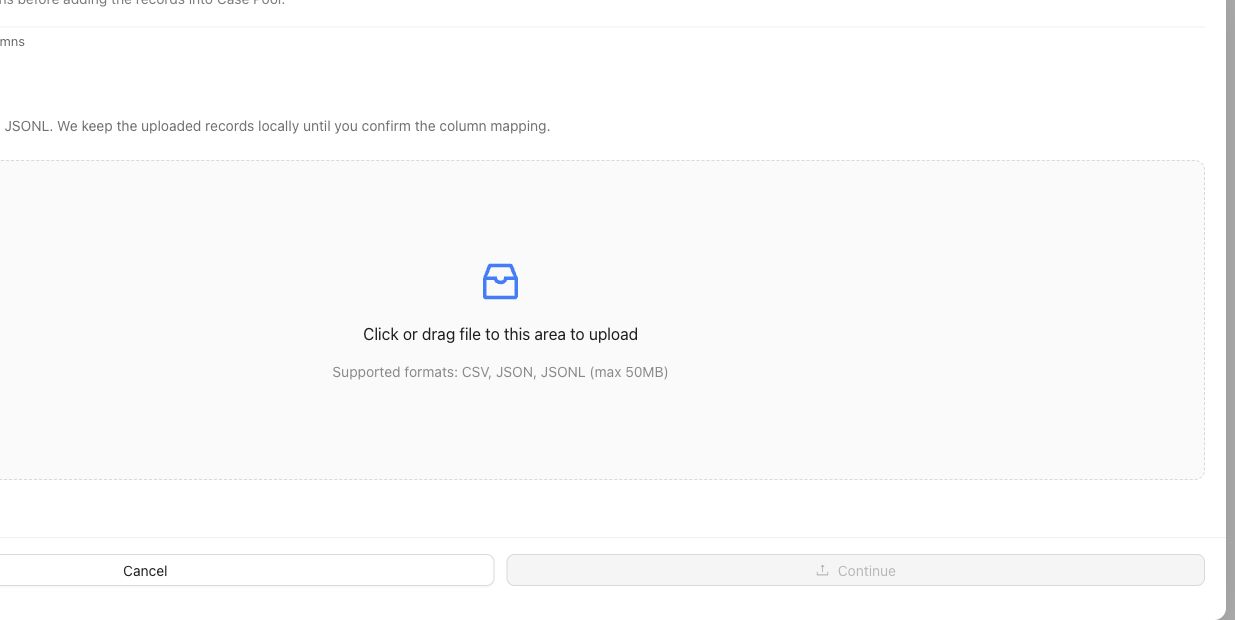
The upload step stages source records. Continue through column mapping and inspect representative rendered Cases before selecting them for a Benchmark.
## Object and state changes
This task creates project Cases and may attach artifact records, material references, coverage classifications, and benchmark selection. The rendered case view is derived from canonical content. Selecting a Case for one benchmark does not remove it from the reusable project pool or select it for every benchmark.
## Success criteria
- Every Case conforms to the Project Input Schema.
- Required materials are present and use accepted formats.
- The rendered case view preserves the intended input and evidence.
- Cases can be understood by an expert and delivered to a Harness.
- Benchmark selection and snapshot state are explicit.
## Common failure modes
- Putting supporting documents into an unstructured metadata field.
- Treating candidate responses as the primary case input.
- Importing artifacts the project schema does not admit.
- Selecting unclear Cases into a benchmark before review.
- Changing case content while comparing Runs against an earlier snapshot.
{% example-demo title="Example: import chat cases with documents" %}
A project uses chat architecture and requires a `policy_document` material. The operator maps each conversation to canonical messages, attaches the controlling PDF, rejects rows without the document, and inspects rendered case views. Only reviewed Cases are selected for the benchmark snapshot.
{% /example-demo %}
## Related reference pages
{% related-card-grid title="Related reference pages" %}
- [Cases](/docs/assets/cases)
- [Project Input Schema](/docs/project-settings/input-schema)
- [Benchmark Datasets](/docs/benchmark-datasets)
{% /related-card-grid %}
## Related troubleshooting pages
{% related-card-grid title="Related troubleshooting pages" %}
- [Dataset upload](/docs/troubleshooting/dataset-upload)
- [Unclear cases](/docs/troubleshooting/unclear-cases)
- [Missing outputs](/docs/troubleshooting/missing-outputs)
{% /related-card-grid %}
## Source confidence
Code-backed: the active Cases surface and case-content contract support canonical input, materials, rendering, and schema validation. Exact import mechanisms can depend on the available product configuration.
---
id: operating.prepare-review-packet
title: Prepare human review context
summary: Assemble customer-owned review context from exact evaluation, contribution, coverage, and improvement evidence.
kind: task
product_area: operating_manual
status: stable
updated: 2026-08-22
canonical: /docs/operating-manual/prepare-review-packet
---
# Prepare human review context
Assemble review context when an accountable customer team needs to inspect what the benchmark evidence says, why it says it, and which uncertainty or follow-up remains. This is a customer-owned packet or process, not a separate Teammately product object.
## Prerequisites
- Completed or clearly bounded Benchmark Evaluation evidence.
- Exact benchmark, dataset snapshot, Harness, Run, settings, and metadata identities.
- Relevant Expert Contributions and governed policies or rubrics.
- Coverage and Improvement Session context where it affects interpretation.
## Steps
1. State the review question and the downstream owner without implying that Teammately makes the final decision.
2. Identify the exact benchmark version, dataset snapshot, candidate Harness version, Runs, settings, and Run Metadata.
3. Summarize overall movement, then list material case-level gains, regressions, and uncertainty.
4. Link each important conclusion to applicable policies, rubrics, cases, and expert provenance.
5. Include relevant coverage gaps or representation limits.
6. Describe Improvement Session candidates and frontier evidence without claiming unobserved external-worker activity.
7. Separate confirmed findings, unresolved correctness, missing evidence, and recommended next investigation.
8. Preserve the source links or identifiers another reviewer needs to reproduce the interpretation.
## Object and state changes
Preparing context should read existing Teammately artifacts rather than mutate them. Follow-up work may create a Contribution, policy or rubric revision, Coverage Story, Case, dataset snapshot, Run, or Improvement Session. Keep the reviewed evidence unchanged so the reason for follow-up remains available.
## Success criteria
- Every conclusion is traceable to exact product evidence.
- Aggregate results are supported by case and rubric detail.
- Coverage limitations and unresolved expert disagreement are explicit.
- Historical and current candidate boundaries are distinguishable.
- The customer-owned downstream decision is not represented as a Teammately state.
## Common failure modes
- Copying a score without versions and settings.
- Omitting must-level regressions because the average improved.
- Treating an AI summary or trajectory as expert authority.
- Hiding missing coverage or unresolved source conflict.
- Describing a downstream choice as if Teammately automatically made it.
{% example-demo title="Example: review context for a retrieval change" %}
The packet names the two saved Harness versions, benchmark snapshot, grounding and uncertainty rubrics, and compared Runs. It highlights improved current-source cases, regressed missing-source cases, one unresolved expert contribution, and the Improvement Session frontier. The accountable team can inspect the evidence and decide its own next action.
{% /example-demo %}
## Related reference pages
{% related-card-grid title="Related reference pages" %}
- [Benchmark Evaluations](/docs/benchmark-evaluations)
- [Expert Contributions](/docs/expert-contributions)
- [Improve](/docs/improve)
{% /related-card-grid %}
## Related troubleshooting pages
{% related-card-grid title="Related troubleshooting pages" %}
- [Benchmark results changed unexpectedly](/docs/troubleshooting/benchmark-results-changed-unexpectedly)
- [Unbalanced coverage](/docs/troubleshooting/unbalanced-coverage)
- [Low expert agreement](/docs/troubleshooting/low-expert-agreement)
{% /related-card-grid %}
## Source confidence
Doctrine-backed: this page defines the customer-owned human review boundary using current product artifacts without inventing a dedicated review-packet object or downstream-decision workflow.
---
id: operating.task-index
title: Task index
summary: Route correctness work to the current project foundation, benchmark workspace, evaluation, or improvement surface.
kind: concept
product_area: operating_manual
status: stable
updated: 2026-09-07
canonical: /docs/operating-manual/task-index
---
# Task index
Use this index when you know the work that must happen but need the current product surface. First decide whether the object is a reusable project foundation or belongs to one benchmark workspace.
## Decision checkpoint
| Need | Open | Task |
| --- | --- | --- |
| Give agents stable project understanding | Agent Setup | [Maintain Project Context](/docs/agent-setup/project-context) |
| Connect and verify project knowledge | Agent Setup → Reference Materials | [Use Reference Materials](/docs/agent-setup/reference-materials) |
| Define case input and material shape | Project Settings → Input Schema | [Configure Project Input Schema](/docs/project-settings/input-schema) |
| Govern policies and rubrics | Correctness Governance | [Build policies and rubrics](/docs/operating-manual/build-policies-and-rubrics) |
| Create or inspect reusable cases | Assets → Cases | [Import and prepare cases](/docs/operating-manual/import-and-prepare-cases) |
| Edit a candidate implementation | Assets → Harnesses | [Harnesses](/docs/assets/harnesses) |
| Define reusable coverage structure | Coverage Facets | [Coverage Engineering](/docs/coverage-engineering) |
| Select benchmark cases and snapshots | Benchmark Datasets | [Benchmark Datasets](/docs/benchmark-datasets) |
| Find and close coverage gaps | Coverage Management | [Plan benchmark coverage](/docs/coverage-engineering/plan-benchmark-coverage) |
| Ask a specialist for judgment | Expert Contributions | [Request an Expert Contribution](/docs/expert-contributions/request-contribution) |
| Evaluate a saved candidate | Benchmark Evaluations | [Run a Benchmark Evaluation](/docs/benchmark-evaluations/run-evaluation) |
| Diagnose candidate behavior | Dashboard, List, Compare, or Arena | [Inspect evaluation results](/docs/benchmark-evaluations/inspect-results) |
| Coordinate a justified candidate change | Improve | [Start an Improvement Session](/docs/improve/start-improvement-session) |
## Route by scope
Project foundations are reusable across benchmarks. Project Context, Reference Materials, policies, rubrics, Coverage Facets, Cases, Harnesses, and Project Input Schema belong at project scope. Changing one can affect future work in several benchmarks.
Benchmark work is deliberately scoped. Dataset selection and snapshots, Coverage Management, Expert Contributions, Benchmark Evaluations, and Improvement Sessions belong to the selected benchmark or benchmark version. Confirm the benchmark selector before making changes or interpreting evidence.
## Route by evidence problem
If an evaluation fails, do not assume the Harness is responsible. An unclear Case belongs in Assets or case preparation. Missing behavior belongs in Coverage Management. Ambiguous correctness belongs in an Expert Contribution or Correctness Governance. A changed snapshot, setting, mapping, or metadata value belongs in evaluation diagnosis. Use Improve only when candidate work is justified by pinned evidence.
If agents lack source authority, update Reference Materials or Project Context before asking experts or generating more cases. If experts see the wrong fields or interaction, update Review Screen or the scoped Contribution rather than changing benchmark correctness.
{% example-demo title="Route a grounding regression" %}
A Run regresses on conflicting-source cases. The operator opens List and confirms that the cases, rubric, and settings are valid. Because the candidate selects a superseded document, the work belongs in Improve. If the expert could not determine which source controls, the same evidence would instead route to an Expert Contribution and Correctness Governance.
{% /example-demo %}
## Related workflows
{% related-card-grid title="Related workflows" %}
- [Product quickstart](/docs/quickstart)
- [First correctness loop](/docs/operating-manual/first-correctness-loop)
- [Operating Teammately end to end](/docs/getting-oriented/operating-teammately-end-to-end)
{% /related-card-grid %}
## Related reference pages
{% related-card-grid title="Related reference pages" %}
- [Product map](/docs/getting-oriented/product-map)
- [Key objects and relationships](/docs/getting-oriented/key-objects-and-relationships)
- [Reference library](/docs/reference)
{% /related-card-grid %}
## Source confidence
Code-backed: the task routing follows current project and benchmark navigation and the active owning routes for each workflow.