# Teammately Docs Full Context
Generated: 2026-09-13T04:32:39.741Z
Source build: local
Canonical docs: https://teammately.ai/docs
---
id: admin-console.overview
title: Admin Console
summary: Understand the organization-level administration surfaces available at admin.teammately.ai.
kind: reference
product_area: admin_console
status: stable
updated: 2026-09-07
canonical: /docs/admin-console
---
# Admin Console
The current Teammately product exposes the Admin Console as a workspace-administration mode under `/admin`. Use this page to distinguish organization-level administration from project-level correctness work in the project workspace. The shared product shell switches between project navigation and workspace administration while preserving the organization-level boundary.
> Administration boundary
>
> Use the Admin Console for organization controls. Use project and benchmark workspace docs for Cases, Expert Contributions, Policies, Rubrics, coverage, evaluations, and improvement evidence.
## Definition
The Admin Console groups organization administration into Directory, Security, Insights, and Organization Settings. The code-backed navigation includes Members, Groups, Roles & Permissions, Domain Control, IP Address Control, Audit Log, Usage Statistics, Profile, Support Settings, Integrations, and API Keys.
This page documents that those surfaces exist. It does not claim detailed compliance, billing, deployment, rate-limit, or security behavior unless a linked source file exposes that behavior directly.
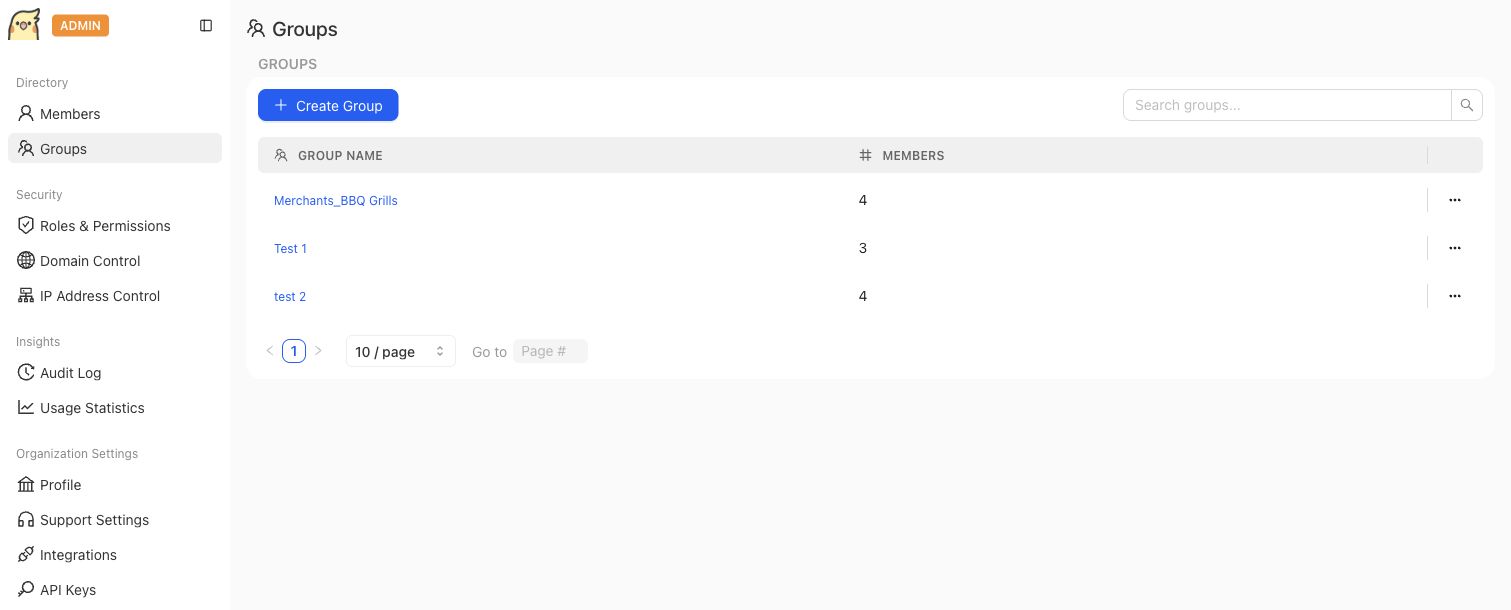
The Admin Console is the organization administration surface. Group management is separate from project-level correctness work.
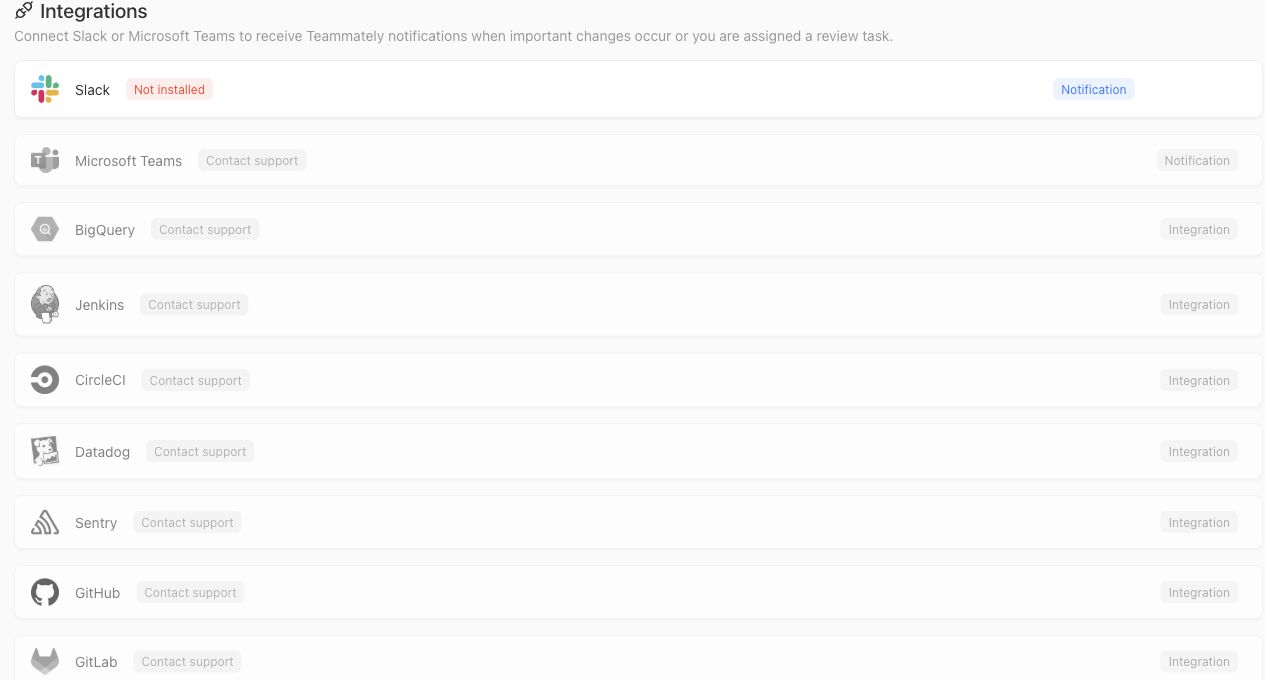
The Integrations screen shows notification and partner connection surfaces that belong to organization administration. Visible contact-support states should not be documented as self-serve integrations.
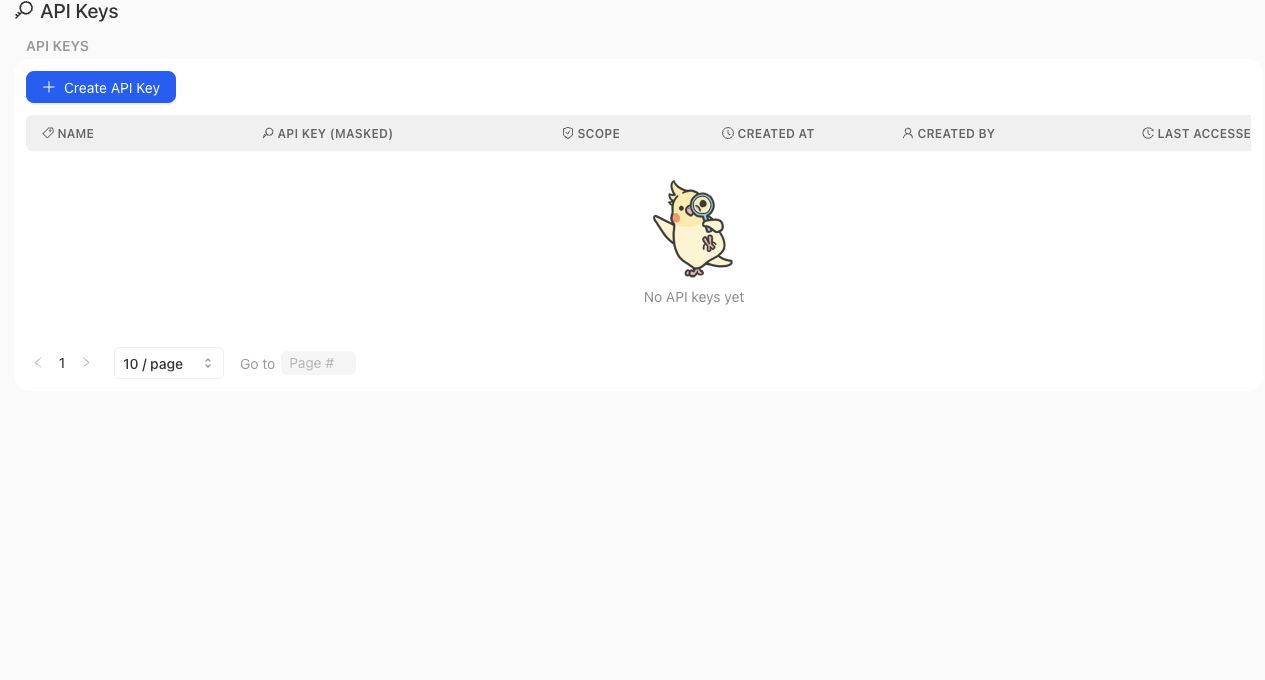
API Keys are managed in the Admin Console and should be documented as an organization administration surface, separate from project correctness artifacts.
> API key boundary
>
> Creating an API key establishes a credential; it does not make every internal endpoint a supported customer API. Endpoint availability, bearer authentication, required scopes, request and response schemas, and error behavior belong to the versioned Public API contract.
## Fields, states, or lifecycle rules
- Members and Groups are organization directory surfaces. Project-level membership and project permissions remain separate surfaces in the main product.
- Roles & Permissions in the Admin Console manage workspace roles and permission keys exposed by the admin application. Do not treat role names in orientation pages as exact permission contracts.
- Domain Control stores whether domain enforcement is enabled and which email domains are allowed for invitation.
- IP Address Control stores whether IP limiting is enabled and the configured allowlist.
- API Keys can be listed, created, copied at creation time, scoped, and deleted from the admin app surface. Treat the full value as a secret and create separate keys for separate integration boundaries.
- Slack is the currently clickable self-serve notification integration in the Admin Console. Microsoft Teams and the other listed partners are visible as contact-support or coming-soon surfaces in the current integrations index, so these docs should not describe them as self-serve integrations.
- Audit Log and Usage Statistics appear as admin console surfaces, but this page does not promise exact event schemas, retention periods, analytics definitions, or export behavior.
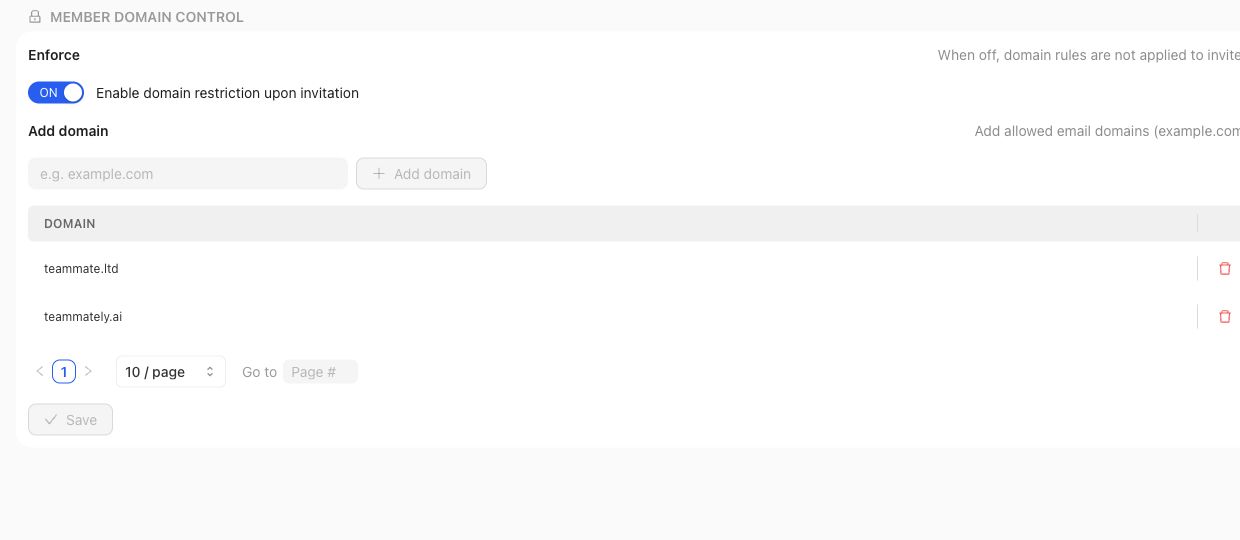
Domain Control and IP Address Control are organization-level security settings. They should not be described as project review or benchmark approval mechanisms.
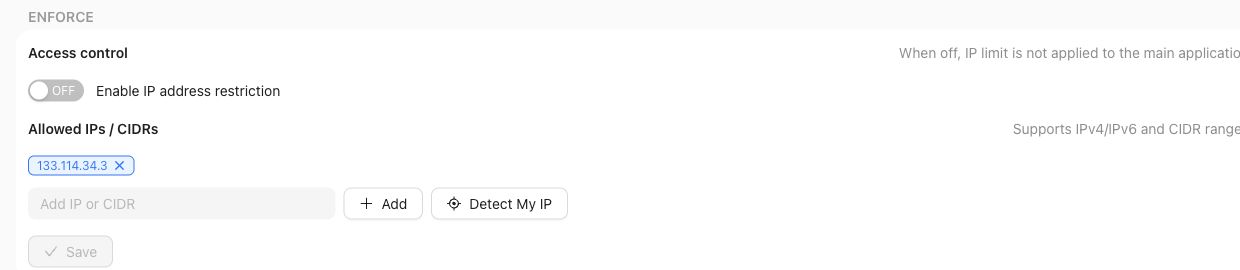
IP Address Control exposes enforcement settings and should be documented only as an admin access-control surface.
## Product boundary
Use the Admin Console when the question is about organization access, security controls, API keys, notification integrations, or organization-level activity. Use project settings and product-area docs when the question is about cases, reviews, policies, rubrics, benchmarks, and project-specific permissions.
A reviewer persona, a Project member, a Workspace role, and an organization administrator are related but not identical. Read each access or authority claim from its owning surface.
Likewise, an API key, its Project access, and an endpoint's action scope are related but not identical. Key administration belongs here; the external service contract must define what a caller can actually do.
## Source confidence
Code-backed: this page is grounded in the current `/admin` workspace route, shared navigation mode, admin directory, integrations index, and representative admin route implementations listed in the frontmatter source_refs.
## Related task pages
{% related-card-grid title="Related task pages" %}
- [Manage Project Members](/docs/project-settings/project-members)
- [Resolve an IP access restriction](/docs/troubleshooting/authentication)
- [Troubleshoot permissions](/docs/troubleshooting/permissions)
{% /related-card-grid %}
## Related reference pages
{% related-card-grid title="Related reference pages" %}
- [Workspace administration](/docs/governance/workspace-administration)
- [Roles and permissions](/docs/governance/roles-and-permissions)
- [Permissions](/docs/reference/permissions)
{% /related-card-grid %}
---
id: agent-context.index
title: Agent context index
summary: Use Teammately docs safely from AI agents, retrieval tools, and coding assistants.
kind: reference
product_area: agent_context
status: stable
updated: 2026-08-23
canonical: /docs/agent-context
---
# Agent context index
Use this page to choose the smallest Teammately docs context package that can answer a product, workflow, object, troubleshooting, or code-assistance question. This page is about retrieval surfaces and source boundaries, not autonomous agent behavior policy.
## Task intent
Select a context source before reading or summarizing Teammately docs. Agents should start with the smallest pack or retrieval query that matches the task, then load page-local context only when the answer needs exact wording.
The decision rule is conservative: load less context first, cite stable public pages, and stop before inferring product contracts from draft docs or internal file paths.
## Decision checkpoint
| Agent task | Start with | Escalate only when... |
| --- | --- | --- |
| Route a human to the right docs | `/docs/llms.txt` or machine maps | The user needs page-local wording. |
| Explain category or first path | `/docs/llms-core.txt` | A specific workflow page is needed. |
| Answer an operating question | `/docs/llms-operating.txt` or `/api/docs/context` | The answer depends on exact source confidence. |
| Explain object semantics | `/docs/llms-reference.txt` | Exact page retrieval is needed. |
| Diagnose a symptom | `/docs/llms-recovery.txt` | The symptom spans multiple artifacts. |
| Work through an MCP client | MCP `search` | Exact page or block Markdown is needed through `fetch`. |
| Build an index or audit | `/docs/llms-full.txt` | Full-corpus context is intentionally required. |
## Required context
- Root map: [/docs/llms.txt](/docs/llms.txt) for the concise docs map and recommended loading strategy.
- Core pack: [/docs/llms-core.txt](/docs/llms-core.txt) for category, lifecycle, product boundaries, quickstart, and core model concepts.
- Operating pack: [/docs/llms-operating.txt](/docs/llms-operating.txt) for task and workflow guidance.
- Reference pack: [/docs/llms-reference.txt](/docs/llms-reference.txt) for object model and reference pages.
- Recovery pack: [/docs/llms-recovery.txt](/docs/llms-recovery.txt) for troubleshooting pages.
- Retrieval APIs: [/api/docs/search](/api/docs/search), [/api/docs/context](/api/docs/context), and [/api/docs/page](/api/docs/page).
- Machine maps: [/docs/tasks.json](/docs/tasks.json), [/docs/objects.json](/docs/objects.json), [/docs/surfaces.json](/docs/surfaces.json), and [/docs/troubleshooting.json](/docs/troubleshooting.json).
- Private Docs MCP: `https://docs-mcp.teammately.ai/mcp`, with `search`, `fetch`, and `list` tools after connection with `docs:read` access.
## Context pack strategy
1. Start with [/docs/llms.txt](/docs/llms.txt) to understand the docs map and source-confidence policy.
2. Use one focused pack: core for positioning, operating for workflows, reference for objects, or recovery for symptoms.
3. Use [/api/docs/context](/api/docs/context) for query-scoped context when the task is narrow.
4. Load /docs//docs/llms-full.txt only when a specific page needs full context.
5. Treat [/docs/llms-full.txt](/docs/llms-full.txt) as an intentional full-corpus dump for indexing or exhaustive review, not as the default context.
## MCP retrieval strategy
1. Call `search` with the user's question and an optional `kind` or product-area filter.
2. Read the returned search mode and build metadata. Semantic retrieval can fall back to lexical retrieval without making results invalid.
3. Use cited `blockId`, `pageId`, or `slug` with `fetch` before quoting exact guidance or applying an instruction.
4. Use `list` only for navigation or filtered inventory; it is not a substitute for page content.
5. Treat AI Overview text as a cited routing aid. The referenced blocks and fetched page remain the evidence boundary.
The MCP resources `teammately-docs://manifest`, `teammately-docs://docs/{slug}`, and `teammately-docs://blocks/{blockId}` provide the same active corpus at manifest, page, and block granularity.
## Agent answerability check
| Before answering, verify... | If not... |
| --- | --- |
| The cited page is stable and public. | Say the source boundary is not public rather than quoting draft files. |
| Source confidence matches the claim strength. | Downgrade the answer or ask for human confirmation. |
| The route answers the user's task without loading unrelated packs. | Use search or `/api/docs/context` before full-corpus context. |
| MCP overview claims resolve to returned block references. | Fetch the cited block or page before relying on exact wording. |
| The claim is not about API, auth, billing, compliance, retention, deployment, or provider handling unless a source-backed page says so. | State that the docs do not currently confirm the contract. |
## Available routes
- [/docs/.md](/docs/quickstart.md): page-level markdown export.
- [/docs//docs/llms.txt](/docs/quickstart/llms.txt): compact page-local context.
- [/docs//docs/llms-full.txt](/docs/quickstart/llms-full.txt): page-local full context.
- [/api/docs/manifest.json](/api/docs/manifest.json): stable public page metadata, source confidence, source refs, and related IDs.
- [/api/docs/page?slug=quickstart](/api/docs/page?slug=quickstart): exact public page retrieval.
## Allowed assumptions
- Stable public docs are the public source of truth for published guidance.
- Draft and removed pages are intentionally excluded from public routes and root context packs.
- Source confidence metadata tells the agent how strongly to treat a claim.
- Page-local routes are useful for exact wording; root packs are useful for routing and broad orientation.
## Forbidden assumptions
- Do not load draft or removed docs from repository files as public facts.
- Do not treat /docs/llms-full.txt as mandatory for every answer.
- Do not infer public API, auth, rate-limit, compliance, deployment, billing, or integration guarantees from internal evidence paths.
- Do not collapse doctrine-backed positioning into code-backed behavior, or code-backed product behavior into public external contracts.
## Related human docs
{% related-card-grid title="Related human docs" %}
- [What is Teammately?](/docs/introduction/what-is-teammately)
- [Task index](/docs/operating-manual/task-index)
- [Reference index](/docs/reference)
- [Troubleshooting](/docs/troubleshooting)
{% /related-card-grid %}
## Related reference docs
{% related-card-grid title="Related reference docs" %}
- [Agent instructions](/docs/agent-instructions)
- [Object model](/docs/object-model)
- [Permissions](/docs/reference/permissions)
{% /related-card-grid %}
## Safe operating boundaries
Agents should answer from stable public pages and cite the page URL. If a needed claim is only draft, inferred, or absent from the context packs, say the source boundary is unconfirmed and ask for human confirmation.
When a task needs exact behavior, prefer `/api/docs/page?slug=` or page-local markdown over a broad pack. When a task needs a route into the docs, prefer `/docs/llms.txt`, focused packs, search, and machine maps before loading full-corpus context.
## Source confidence
Docs-backed: this page describes routes and files implemented in the docs repository. The source_refs frontmatter lists the docs loaders, llms generators, and machine-readable route files.
---
id: agent-instructions
title: Agent instructions
summary: Rules coding agents should follow when using Teammately public docs as source context.
kind: reference
product_area: reference
status: stable
updated: 2026-08-23
canonical: /docs/agent-instructions
---
# Agent instructions
Use this page as the behavioral policy for agents operating with Teammately docs. For route selection and context packaging, read [Agent context index](/docs/agent-context).
## Task intent
Answer Teammately product and docs questions safely without inventing unsupported product claims. The agent should preserve source confidence, cite stable pages, and ask for confirmation when a claim depends on draft, inferred, or missing evidence.
## Required context
- Read [/docs/llms.txt](/docs/llms.txt) first for the recommended context loading strategy.
- Use [Agent context index](/docs/agent-context) to choose the smallest relevant context pack.
- Use page-local markdown or llms routes for exact wording.
- Use the manifest or page API when source confidence, source refs, related IDs, or metadata matter.
- In an MCP client, search first and fetch the cited page or block before relying on exact wording.
## Allowed assumptions
- Code-backed pages can support object, state, and workflow claims when source_refs are present.
- Doctrine-backed pages can support positioning, lifecycle, category language, and public narrative.
- Docs-backed pages can support claims about routes, llms files, manifests, search, context APIs, and validation behavior.
- Stable public pages supersede older draft or removed pages.
## Forbidden assumptions
- Do not present draft schema pages as public schemas.
- Do not infer public APIs, SDKs, API keys, auth behavior, rate limits, billing, compliance, tenant isolation, deployment modes, support guarantees, customer names, model-provider integrations, or production monitoring behavior.
- Do not treat AI-assisted suggestions as approved policies, rubrics, or review context unless a stable page says a human approved them.
- Do not collapse Teammately into eval dashboards, observability, annotation, prompt testing, generic LLMOps, or a replacement for adjacent tools.
- Do not use internal source file names as public UI promises unless the public docs already state the behavior.
## How to answer safely
1. Identify whether the user is asking for positioning, operating steps, object behavior, recovery, or implementation context.
2. Load the smallest matching context pack or query-scoped context.
3. Check source confidence before making claims.
4. Prefer stable page citations over broad corpus summaries.
5. If search returns an AI Overview, verify its block references with `fetch`; treat the overview as routing assistance rather than independent authority.
6. State uncertainty when a claim is inferred, draft-only, or outside the docs.
7. Ask for human confirmation before advising changes that depend on permissions, compliance, deployment, billing, customer-facing APIs, or unsupported integrations.
## When to ask for human confirmation
- The user asks whether an inferred or draft schema is a public contract.
- The answer would require exact UI labels not present in stable docs or source refs.
- The user asks about admin, auth, security, compliance, deployment, billing, or support commitments.
- Related evidence conflicts across docs, product code, and doctrine.
- The requested action could change review context, approval state, or benchmark interpretation without accountable human review.
## Related human docs
{% related-card-grid title="Related human docs" %}
- [Product boundaries](/docs/introduction/product-boundaries)
- [Human approval boundaries](/docs/governance/human-approval-boundaries)
- [What AI Features Can and Cannot Do](/docs/governance/what-ai-features-can-and-cannot-do)
{% /related-card-grid %}
## Related reference docs
{% related-card-grid title="Related reference docs" %}
- [Agent context index](/docs/agent-context)
- [Reference index](/docs/reference)
- [Object model](/docs/object-model)
{% /related-card-grid %}
## Safe operating boundaries
Agents may help readers find pages, summarize stable docs, compare source-confidence labels, and draft operational next steps. Agents should not approve policies, approve rubrics, assign reviewers, declare a candidate ready for rollout, or convert draft/inferred material into public product commitments.
Search mode is diagnostic metadata, not a confidence label. Lexical fallback remains usable when semantic embeddings are unavailable; source confidence still comes from the fetched page metadata and prose.
## Source confidence
Docs-backed: this page is a behavior policy for using the docs system safely. The docs loaders, context routes, and MCP tools establish the available retrieval surfaces, cited block references, and read-only tool boundaries.
---
id: agent-setup.overview
title: Agent Setup
summary: Configure Project Context and Reference Materials so Teammately agents have reusable project understanding before contribution work.
kind: concept
product_area: agent_setup
status: stable
updated: 2026-09-07
canonical: /docs/agent-setup
---
# Agent Setup
Agent Setup is the project-level workspace for configuring reusable project understanding before Teammately agents prepare or conduct expert contribution work. Expert-facing presentation and contribution-specific behavior are configured through Assets and the Contribution workflow.
## Definition
Agent Setup contains one project-understanding group:
- **Project Understanding:** Project Context and Reference Materials.
These settings are reusable project foundations rather than settings for one benchmark or one expert. Review Screens and Comparison Directions are project Assets, not Agent Setup tabs.
Project Context contains the Project Agent Brief. Reference Materials uses the Materials and Indexed Reference tabs to organize project knowledge for agents. A Contribution selects its benchmark-specific objective, components, and agent behavior; Review Screens control reusable expert-facing presentation from Assets.
## Decision checkpoint
| Need | Open | Keep distinct from... |
| --- | --- | --- |
| Explain the project, target behavior, and stable operating context | Project Context | Project name or memo in General settings |
| Supply manuals, sites, repositories, or files to agents | Reference Materials | Governed policies, rubrics, and case materials |
| Set benchmark-specific agent behavior | Expert Contribution | Project-wide context and screen configuration |
| Guide meaningful response variation | Assets → Comparison Directions | Coverage facets, generated cases, or approved standards |
| Configure what an expert sees while reviewing | Assets → Review Screens | Contribution objectives and selected cases |
## Project and benchmark scope
Agent Setup belongs to the project because the same project context may support many benchmarks. A benchmark-specific Contribution still selects its own objective, expert, cases, attachments, contribution components, and agent behavior. Review Screens and Comparison Directions are authored under Assets and selected when the Contribution needs them. Agent Setup provides the reusable understanding foundation; it does not create or schedule contribution work by itself.
Changes can affect future agent preparation. Before making broad edits, inspect active benchmark work and confirm whether the new context should apply across the project. A narrow contribution-specific request belongs in the Contribution rather than in permanent Agent Setup.
## Authority boundaries
Reference Materials can inform agents but does not automatically create policies or rubrics. Review Screens change presentation and requested inputs, not the meaning of the underlying case or standard. Contribution configuration guides agent behavior but cannot supply human approval.
These boundaries make contribution evidence interpretable. Another operator can distinguish what the project told the agent, what evidence the contribution supplied, what the agent proposed, and what the expert decided.
{% example-demo title="Policy-review preparation" %}
Project Context explains that the assistant must prioritize the current procurement agreement. Reference Materials indexes the agreement repository. A Review Screen shows the controlling document and relevant case-material fields. The benchmark Contribution then asks an expert to decide which behavior should become policy.
{% /example-demo %}
## Related workflows
{% related-card-grid title="Related workflows" %}
- [Product quickstart](/docs/quickstart)
- [Request an Expert Contribution](/docs/expert-contributions/request-contribution)
- [Configure Project Input Schema](/docs/project-settings/input-schema)
{% /related-card-grid %}
## Related reference pages
{% related-card-grid title="Related reference pages" %}
- [Project Context](/docs/agent-setup/project-context)
- [Reference Materials](/docs/agent-setup/reference-materials)
- [Comparison Directions](/docs/assets/comparison-directions)
- [Review Screens](/docs/assets/review-screens)
{% /related-card-grid %}
## Source confidence
Code-backed: the active Agent Setup layout and project navigation define these groups, labels, and routes.
---
id: agent-setup.project-context
title: Project Context
summary: Maintain the Project Agent Brief that gives Teammately agents stable, project-wide understanding.
kind: reference
product_area: agent_setup
status: stable
updated: 2026-08-22
canonical: /docs/agent-setup/project-context
---
# Project Context
## Definition
Project Context is the Agent Setup surface that edits the **Project Agent Brief**. The brief gives Teammately agents stable project-wide understanding: what the specialist AI is for, which behavior matters, important constraints, terminology, and other context that should carry across coverage, contribution preparation, case construction, and improvement work.
The Project Agent Brief is different from the Project Memo in General settings. The memo is administrative project text and explicitly is not used as prompt or agent context. Put agent-relevant project understanding in Project Context.
## Fields, states, or lifecycle rules
- The brief is scoped to the project and reused across benchmark workspaces.
- Editing the brief changes future agent context; it does not rewrite completed Contributions, Runs, or Improvement Session history.
- The brief provides orientation and constraints, not governed correctness authority. Policies and rubrics remain in Correctness Governance.
- Controlling source material belongs in Reference Materials. Summarize stable project intent in the brief and keep source-backed detail in the indexed material.
- The brief should state product-specific meaning directly. Avoid copying transient benchmark goals, one expert's unconfirmed opinion, or a temporary candidate hypothesis into permanent project context.
## Writing a useful brief
Describe the specialist AI's purpose, users, important domain vocabulary, expected interaction shape, and constraints that affect many workflows. Include explicit boundaries where agents might otherwise make unsafe assumptions. Name controlling authorities without duplicating entire manuals.
Review the brief when the product purpose, domain, input architecture, or correctness boundary changes materially. If only one benchmark needs a special objective, put it in that benchmark's setup or Contribution. If only one Improvement Session needs a constraint, put it in the Goal Contract.
{% example-demo title="Example: project context boundary" %}
The brief states that a procurement assistant supports internal buyers, must distinguish current agreements from expired ones, and should expose uncertainty rather than invent an exception. The current agreements themselves remain indexed Reference Materials. The exact evaluation target for expired-agreement cases belongs to the benchmark and Improvement Session, not the brief.
{% /example-demo %}
## Source confidence
Code-backed: the active Agent Setup Project Context route renders the Project Agent Brief editor. The distinction from General settings is supported by the current project settings UI.
## Related task pages
{% related-card-grid title="Related task pages" %}
- [Product quickstart](/docs/quickstart)
- [Use Reference Materials](/docs/agent-setup/reference-materials)
- [Request an Expert Contribution](/docs/expert-contributions/request-contribution)
{% /related-card-grid %}
---
id: agent-setup.reference-materials
title: Reference Materials
summary: Connect project knowledge, inspect indexing state, and verify the blocks available to Teammately agents.
kind: reference
product_area: agent_setup
status: stable
updated: 2026-09-07
canonical: /docs/agent-setup/reference-materials
---
# Reference Materials
## Definition
Reference Materials is the Agent Setup workspace for project knowledge that Teammately agents may use. **Materials** is the unified inventory for websites, Git repositories, and uploaded files. **Indexed Reference** shows the published reference blocks available after extraction and indexing.
Reference Materials is project understanding, not governed correctness. A manual can support an agent's reasoning or an expert Contribution without automatically becoming a policy, rubric, case, or approved statement.
## Fields, states, or lifecycle rules
- A Material identifies a source and its ingestion or freshness state.
- Websites, Git repositories, and files follow source-specific discovery and processing paths in the unified Materials inventory.
- Indexed Reference presents published blocks rather than a second editable copy of the source.
- Publication is atomic: agents should see a coherent published generation rather than a partially updated index.
- Reconnecting, refreshing, or processing a source can create a newer indexed generation. Completed Runs and Contributions keep their own recorded evidence boundaries.
- Removing a Material or source does not imply that previously materialized policies, rubrics, cases, or contribution records should be silently deleted.
- File upload acceptance depends on file type, size, content verification, and the active source-processing path.
## Materials and Indexed Reference
Use Materials to answer: which sources are present, when were they processed, and does a source need attention? Use Indexed Reference to answer: what text or blocks can agents actually retrieve now? A material can be present without the expected controlling content appearing in Indexed Reference.
When sources conflict, retain the conflict in the indexed material and resolve correctness through an expert contribution or governed policy. Do not rewrite Project Context to hide source disagreement.
{% example-demo title="Example: reference publication check" %}
A team adds a policy website and a Git repository containing operational rules. After processing, the operator opens Indexed Reference and searches for the current exception clause. The website block is current, while the repository still contains an older rule. The operator keeps both materials visible and requests an expert Contribution to establish the controlling policy.
{% /example-demo %}
## Source confidence
Code-backed: the active Agent Setup routes expose Materials and Indexed Reference, and the backend publication service supports coherent indexed-reference publication. Exact connector availability may depend on the current product configuration.
## Related task pages
{% related-card-grid title="Related task pages" %}
- [Product quickstart](/docs/quickstart)
- [Maintain Project Context](/docs/agent-setup/project-context)
- [Request an Expert Contribution](/docs/expert-contributions/request-contribution)
{% /related-card-grid %}
---
id: assets.overview
title: Assets
summary: Manage reusable project cases, worlds, project tools, harnesses, weights, comparison directions, and review screens before selecting them for benchmark work.
kind: concept
product_area: assets
status: stable
updated: 2026-09-07
canonical: /docs/assets
---
# Assets
Assets is the project-level pool for cases, worlds, project tools, harnesses, weights, Comparison Directions, and Review Screens. Assets are managed once at project scope and selected for use in a specific benchmark rather than being recreated inside every benchmark workspace.
## Definition
The active tabs are **Cases**, **Worlds**, **Project Tools**, **Harnesses**, **Weights**, **Comparison Directions**, and **Review Screens**. Cases provide the canonical situations evaluated or reviewed. Harnesses provide executable candidate implementations with Draft and saved Versions. Comparison Directions guide comparative output variation, and Review Screens provide reusable expert-facing presentation templates. Worlds, Project Tools, and Weights are visible categories whose current pages expose empty states rather than creation or lifecycle controls.
Assets is distinct from Benchmark Datasets. The project pool answers what is available to the project. A benchmark dataset answers which cases and snapshot define one benchmark's evidence boundary.
## Decision checkpoint
| Need | Asset or workspace | Boundary |
| --- | --- | --- |
| Create or inspect a reusable situation | Assets → Cases | Case content follows Project Input Schema |
| Edit candidate code or prompt logic | Assets → Harnesses | A Draft must be saved as an exact version before evaluation |
| Select cases for a benchmark | Benchmark Datasets | Selection and snapshot are benchmark-scoped |
| Supply static documents or values to a case | Case materials | Static support is not a World |
| Inspect planned environment assets | Worlds | Current product exposes the category but no public lifecycle yet |
| Inspect planned callable project assets | Project Tools | Current product exposes the category but no public lifecycle yet |
| Inspect planned model-weight assets | Weights | Current product exposes the category but no public lifecycle yet |
| Guide comparative output variation | Comparison Directions | Direction guidance is separate from coverage structure and approval |
| Configure reusable expert-facing presentation | Review Screens | Presentation is separate from Case content and Contribution objectives |
## Project reuse and benchmark selection
Project scope makes assets reusable across multiple benchmarks. That reuse also increases the impact of changes. Editing a case can affect any future benchmark snapshot that selects it. Saving a new Harness version does not silently change Runs that referenced an older version. Benchmark evidence should always identify the exact asset versions or snapshot involved.
Worlds, Project Tools, and Weights are visible product categories, but their current pages do not expose durable user actions. Do not infer persistence, activation, execution, or evaluation semantics from the navigation label alone. Their reference pages record this limitation so operators and agents do not invent a workflow.
## Relationship to the five capabilities
Weave creates and curates cases and supporting materials. Trialground evaluates saved Harness versions. Coevolve can materialize or evaluate candidate Harness versions during Improvement Sessions. Coverage Engineering and Correctness Elicitation influence which cases and candidates are useful, but ownership remains with the appropriate Asset or governed project surface.
{% example-demo title="Shared harness pool" %}
A project contains two saved retrieval Harness versions and one draft experiment. Two benchmarks select different case snapshots but can evaluate either saved Harness version. The draft remains editable and cannot be mistaken for the candidate used by an existing Run. Compare can therefore attribute result movement to the saved candidate and benchmark evidence boundary.
{% /example-demo %}
## Related workflows
{% related-card-grid title="Related workflows" %}
- [Work with cases](/docs/assets/cases)
- [Manage Harnesses](/docs/assets/harnesses)
- [Understand Project Tools](/docs/assets/project-tools)
- [Understand Worlds](/docs/assets/worlds)
- [Understand Weights](/docs/assets/weights)
- [Manage Comparison Directions](/docs/assets/comparison-directions)
- [Manage Review Screens](/docs/assets/review-screens)
- [Work with Benchmark Datasets](/docs/benchmark-datasets)
{% /related-card-grid %}
## Related reference pages
{% related-card-grid title="Related reference pages" %}
- [Project Input Schema](/docs/project-settings/input-schema)
- [Benchmarks](/docs/object-model/benchmarks)
- [Product boundaries](/docs/introduction/product-boundaries)
{% /related-card-grid %}
## Source confidence
Code-backed: the active Assets layout and navigation establish the project-level pool and tab names. Cases, Harnesses, Comparison Directions, and Review Screens have active surfaces; the current Worlds, Project Tools, and Weights routes expose empty states only.
---
id: assets.cases
title: Cases
summary: Understand canonical project cases, their input and materials, and how they become members of benchmark datasets.
kind: reference
product_area: assets
status: stable
updated: 2026-08-22
canonical: /docs/assets/cases
---
# Cases
## Definition
A Case is a project-level situation used for expert contribution, benchmark coverage, or candidate evaluation. It has canonical input content and may include declared supporting materials. Cases live in the Assets pool and can be selected into one or more benchmark datasets.
The Project Input Schema determines how the primary input and materials are represented. A benchmark snapshot determines which selected cases belong to one versioned evidence boundary.
## Fields, states, or lifecycle rules
- Canonical primary input is stored under `content.input`.
- Optional supporting values or artifacts are stored under `content.case_materials` according to the project's declared keys.
- `record_content.case_view` is a rendered projection used for inspection and delivery; it is not a second editable payload.
- Inputs can use plain-text, chat, or structured architecture as configured by the project.
- Materials can include admitted artifact families and must satisfy any required-field and file-extension rules.
- A project Case is not automatically part of every benchmark. Benchmark Datasets owns selection and snapshots.
- Generated or imported Cases should be reviewed for clarity, source authority, and schema conformance before they are trusted as benchmark evidence.
- Static case materials and executable Worlds remain separate. A document supplied to a Harness does not become a world merely because it affects execution.
## Case identity and change
Treat the persisted case identity as opaque. Do not construct IDs in client code or documentation. When case content changes materially, benchmark interpretation must use a snapshot or version boundary that makes the selected content clear.
Responses produced by a Harness are evaluation outputs attached to a Run. They are not the primary case input. Expert-authored acceptable examples can inform standards or contribution work, but the current evaluation contract should remain explicit about which candidate produced each response.
{% example-demo title="Example: multimaterial case" %}
A chat case asks whether an exception applies. Its required `current_policy` PDF and optional `account_history` table are stored as case materials admitted by Project Input Schema. The rendered case view presents the conversation and both materials. A benchmark snapshot selects the case, and a Run records the evaluated Harness response separately.
{% /example-demo %}
## Source confidence
Code-backed: the active Assets Cases route and case-content services define canonical input, case materials, and the rendered case view. Public import or export APIs are outside this reference unless separately documented.
## Related task pages
{% related-card-grid title="Related task pages" %}
- [Configure Project Input Schema](/docs/project-settings/input-schema)
- [Work with Benchmark Datasets](/docs/benchmark-datasets)
- [Manage benchmark coverage](/docs/coverage-management)
{% /related-card-grid %}
---
id: assets.comparison-directions
title: Comparison Directions
summary: Create reusable guidance for meaningful candidate-output differences in comparative expert work.
kind: reference
product_area: assets
status: stable
updated: 2026-09-07
canonical: /docs/assets/comparison-directions
---
# Comparison Directions
## Definition
A Comparison Direction is a reusable project Asset that describes how candidate outputs should differ during comparative expert work. It can focus attention on a meaningful contrast such as evidence grounding, uncertainty handling, or response strategy without declaring which candidate is correct.
Comparison Directions are project-scoped. A Contribution can select or allow a pool of directions for its comparative component, while the benchmark Contribution still owns the objective, cases, candidates, and expert task.
## Fields, states, or lifecycle rules
- A direction has a name or label and a description of the intended contrast.
- Users can create, edit, pin, archive, and remove directions from **Assets → Comparison Directions**.
- Pinned directions are surfaced when a Contribution request selects comparative output guidance.
- The suggestion experience creates draft candidates in a suggestion run. Nothing enters the reusable library until a user accepts it.
- A direction can carry a staleness advisory when its source context has changed. Dismissing that advisory records a review decision; it does not approve a Policy, Rubric, Case, or Benchmark.
- A direction guides comparative presentation or generation. It does not create a Case, change coverage structure, or replace expert judgment.
## Correct scope
Use Dimensions, Project Topics, and Case Construction Patterns for the behavior space a benchmark should represent. Use Comparison Directions for how candidate outputs should be contrasted within a comparative Contribution. Use Correctness Governance for the approved standard that determines how an output is judged.
{% example-demo title="Example: source-grounding contrast" %}
A project creates one Comparison Direction asking for a response that cites the current source conservatively and another asking for a focused clarification when the source hierarchy is unresolved. A comparative Contribution can use those directions to elicit an expert preference. The direction does not approve either response or create the governing rubric.
{% /example-demo %}
## Source confidence
Code-backed: the active Assets routes expose the Comparison Directions library, detail controls, suggestion runs, accept or dismiss decisions, pinning, and staleness review. The API keeps legacy compatibility names internally, but this page uses the current product label.
## Related task pages
{% related-card-grid title="Related task pages" %}
- [Assets](/docs/assets)
- [Request an Expert Contribution](/docs/expert-contributions/request-contribution)
- [Manage benchmark coverage](/docs/coverage-management)
{% /related-card-grid %}
---
id: assets.harnesses
title: Harnesses
summary: Build versioned Python Harness bundles, validate and debug Drafts, publish exact Versions, and activate them for benchmark evaluations.
kind: reference
product_area: assets
status: stable
updated: 2026-08-22
canonical: /docs/assets/harnesses
---
# Harnesses
## Definition
A Harness is a project-level, versioned Python bundle used to produce behavior for benchmark cases. It implements `generate_result(request)` at its configured entrypoint and returns the result expected by the case contract. The workspace provides a multi-file editor, one editable Draft, immutable saved Versions, Coding Agent proposals, secret grants, debug runs, runtime preparation, export, and benchmark activation.
A Harness can represent prompt logic, retrieval, tools, orchestration, or other candidate behavior supported by the managed runtime. It is the executable candidate boundary, not a general model registry entry.
## Fields, states, or lifecycle rules
- A newly created Harness begins with one blank editable Draft.
- Draft source and runtime changes autosave after a short delay. Concurrent edits use a Draft revision and can surface a conflict that must be reloaded.
- The Draft contains source files, an entrypoint, Python version, dependency specifications, sandbox profile, and target-platform/runtime facts.
- Draft validation errors block publication. Warnings remain visible for operator review.
- **Publish** creates an immutable saved Version from the exact Draft bundle and runtime configuration. Publication also uses that Version for the currently selected benchmark.
- A previously saved Version can be selected with **Use this Version** for the current benchmark.
- Existing Runs keep their referenced Harness version even after later Draft or Saved changes.
- Archived Harnesses remain visible but cannot be edited, debugged, activated, or granted new secrets.
- Credentials belong in workspace secrets and are explicitly granted to the Harness. Secret values do not belong in source, case content, or Run Metadata.
- Coding Agent proposals are staged as file diffs. Accept or reject the proposed hunks before they modify the canonical Draft.
- Runtime delivery can include the rendered case view, static `case_material_refs`, and an optional supported `world_instance_ref`.
- Debug runs execute only a saved Version against a `harness_contract.v1` request. They are authoring checks, not benchmark evaluation evidence.
## Draft, saved version, and activation
Use Draft for active editing. Publish when a candidate is coherent enough to identify, compare, or evaluate. If a benchmark needs a different saved Version, select it explicitly. Do not describe a Run as evaluating “the current Harness” because the Draft and benchmark activation may have changed after the Run began.
The Evaluations execution settings show project Harnesses with saved Versions and control which are active for future managed Runs. Activation is benchmark-scoped. Every admitted Run still records the exact saved Harness Version, so later activation changes do not rewrite existing evidence.
## Runtime, debug, and output mapping
Publishing preserves bundle and dependency hashes and can prepare the immutable runtime image. A failed or missing runtime can be prepared or retried from the saved Version. Use Debug to send a single contract-shaped request before spending a benchmark Run.
Output mapping is a separate boundary. A Harness return must match the benchmark's declared result contract. For imported reference outputs, Benchmark Evaluations maps uploaded rows to immutable benchmark cases. Neither debug success nor a syntactically valid upload proves rubric correctness.
Improvement Sessions can generate or receive candidate Harness versions. Those candidates become meaningful in a session only when their identity and canonical evaluation receipt are observable.
{% example-demo title="Example: exact candidate identity" %}
An engineer edits retrieval filtering in a Harness Draft and publishes Version 12 for the selected benchmark. A managed Run records that exact Version. The engineer then continues editing the Draft toward Version 13. The existing Run still refers to Version 12, so its case responses and rubric results remain attributable even though the editor shows newer work.
{% /example-demo %}
## Source confidence
Code-backed: the active Harness list and editor establish creation, archive state, Draft autosave and conflicts, validation, publication, activation, secrets, debug, Coding Agent proposals, and runtime preparation. The runnable adapter supports the execution boundary without making its internal API public.
## Related task pages
{% related-card-grid title="Related task pages" %}
- [Run a benchmark evaluation](/docs/benchmark-evaluations/run-evaluation)
- [Start an Improvement Session](/docs/improve/start-improvement-session)
- [Configure Project Input Schema](/docs/project-settings/input-schema)
{% /related-card-grid %}
---
id: assets.project-tools
title: Project Tools
summary: Understand the current Project Tools asset surface and its deliberately limited public behavior.
kind: reference
product_area: assets
status: stable
updated: 2026-09-07
canonical: /docs/assets/project-tools
---
# Project Tools
## Definition
Project Tools is a visible project-level Asset category intended for reusable callable capabilities. In the current product, the page presents an empty state and does not expose creation, editing, versioning, permissions, activation, or execution controls.
> Current capability boundary
>
> Do not document a Project Tool lifecycle or claim that a Harness can select a Project Tool merely because the tab exists. No durable public workflow is exposed on the current page.
Harness source and dependencies remain in Harnesses. Connected knowledge remains in Reference Materials. Static Case inputs and materials remain governed by Project Input Schema and the Case.
## Fields, states, or lifecycle rules
There are currently no public fields, durable states, or lifecycle actions on this page. The absence of controls is itself the verified boundary.
## What to use today
Keep candidate-specific code and declared dependencies inside the Harness bundle. Use Workspace Secrets for credentials granted to the exact Harness, Reference Materials for connected knowledge, and Project Input Schema for Case inputs and materials. Do not relabel those objects as Project Tools because their ownership and evidence boundaries differ.
The empty state does not provide a Project Tool ID, activation action, persistence contract, or Harness-selection control.
{% related-card-grid title="Available alternatives" %}
- [Manage Harnesses](/docs/assets/harnesses)
- [Configure Reference Materials](/docs/agent-setup/reference-materials)
- [Configure Project Input Schema](/docs/project-settings/input-schema)
{% /related-card-grid %}
## Related task pages
{% related-card-grid title="Related task pages" %}
- [Manage Harnesses](/docs/assets/harnesses)
- [Configure Reference Materials](/docs/agent-setup/reference-materials)
{% /related-card-grid %}
## Source confidence
Code-backed: the Assets layout exposes the Project Tools tab and its current route renders “No Project Tools yet.” No additional public behavior is claimed.
---
id: assets.review-screens
title: Review Screens
summary: Configure reusable project templates for the context and presentation experts see during Contribution work.
kind: reference
product_area: assets
status: stable
updated: 2026-09-07
canonical: /docs/assets/review-screens
---
# Review Screens
## Definition
Review Screens are reusable project Assets for designing how experts see Case context and Contribution questions. A screen can present selected inputs, Case materials, Dimensions, candidate outputs, and review controls in a consistent layout.
Review Screens control presentation. They do not change Case content, the Contribution objective, Policy meaning, Rubric semantics, or expert authority.
## Fields, states, or lifecycle rules
- The library is available at **Assets → Review Screens**.
- A screen has a project-owned identity and can be opened in the visual designer for editing and preview.
- The designer can use current Dimensions, context keys, and declared Project Input Schema material fields as presentation inputs.
- A screen can be selected for Contribution work; the Contribution still supplies the benchmark-specific objective, expert, Cases, attachments, and task components.
- Creating or editing a screen affects future presentation. It does not rewrite completed responses, Checkpoints, or historical Contribution evidence.
- A visible field is not automatically required by Project Input Schema, and a required Case material is not automatically appropriate for every screen.
## Designing for judgment
Show the smallest context set that lets an expert make and explain the requested decision. Include source conflicts, Case materials, candidate responses, and relevant coverage dimensions when they affect correctness. Keep administrative metadata and unrelated fields out of the primary judgment surface.
Test a screen against representative and boundary Cases before using it for broad Contribution work. If an expert must rely on private knowledge or locate a missing source, correct Project Context, Reference Materials, the Case, or the Contribution before changing the layout.
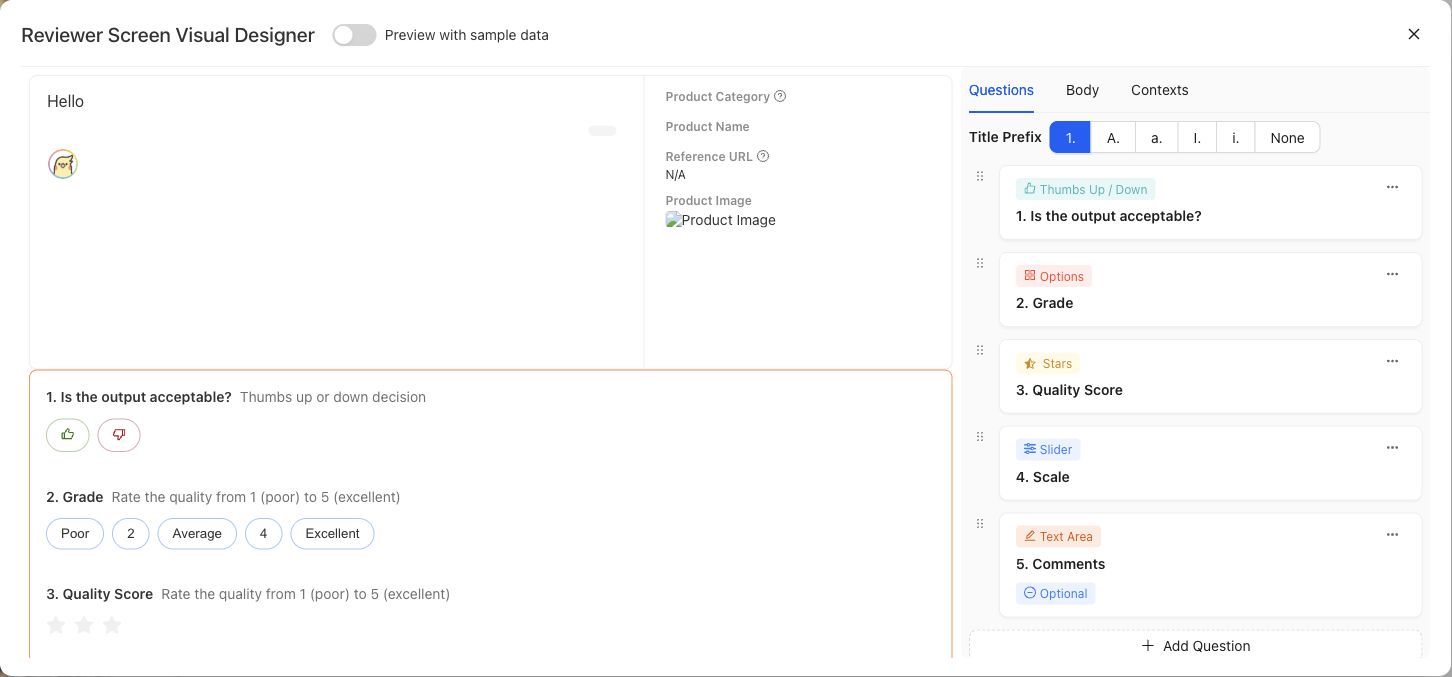
Preview the expert-facing Case and question layout with representative data before using it in a Contribution.
{% example-demo title="Example: source-grounding screen" %}
For a grounding Contribution, the screen displays the user request, candidate response, current source document, superseded source document, and source-freshness Dimension. It omits internal ingestion metadata so the expert can compare the response with both documents and explain which source controls.
{% /example-demo %}
## Source confidence
Code-backed: the active Review Screens library and detail routes provide paginated browsing, usage filtering, creation, editing, preview, and screen-authoring controls. The stable responsibility boundary is documented here without claiming every visual control is permanent.
## Related task pages
{% related-card-grid title="Related task pages" %}
- [Assets](/docs/assets)
- [Configure Project Input Schema](/docs/project-settings/input-schema)
- [Request an Expert Contribution](/docs/expert-contributions/request-contribution)
{% /related-card-grid %}
---
id: assets.weights
title: Weights
summary: Understand the current Weights asset surface and the absence of a public model-weight lifecycle.
kind: reference
product_area: assets
status: stable
updated: 2026-09-07
canonical: /docs/assets/weights
---
# Weights
## Definition
Weights is a visible project-level Asset category for model-weight artifacts. The current page presents an empty state and does not expose upload, registration, versioning, activation, deployment, or evaluation controls.
Model provider, model name, configuration, and execution receipts can appear in Harness Version or Run evidence. Those fields are not a Weights asset lifecycle.
> Current capability boundary
>
> Do not claim that model weights can be imported, fine-tuned, deployed, or compared from Assets until those actions and their durable identities are exposed by the product.
## Fields, states, or lifecycle rules
The current page defines no public weight fields, artifact states, or lifecycle actions. Model and provider facts in candidate or Run evidence remain owned by those records.
## What to record instead
When candidate behavior depends on a model, preserve the exact Harness Version and the model or provider configuration recorded by its source, runtime facts, Run Metadata, or evaluation receipt. Do not create a fictional Weights asset to make an experiment look versioned. Candidate code and dependency changes belong in Harness publication; evaluation evidence belongs to the Run and immutable Benchmark Version.
Run telemetry can report tokens, cost, or latency when captured. Those values describe execution and do not establish that a model checkpoint has been registered in Weights. Likewise, an Improvement Session candidate remains a saved Harness Version even when its behavior depends on model selection.
The empty state does not provide a weight artifact ID, supported format, upload action, version, Harness attachment, fine-tuning job, or deployment control. Use active Harness, Run, and provider-evidence surfaces for currently inspectable candidate identity.
{% related-card-grid title="Current related boundaries" %}
- [Manage Harnesses](/docs/assets/harnesses)
- [Configure Run Metadata](/docs/benchmark-evaluations/run-metadata)
- [Inspect evaluation results](/docs/benchmark-evaluations/inspect-results)
{% /related-card-grid %}
## Related task pages
{% related-card-grid title="Related task pages" %}
- [Manage Harnesses](/docs/assets/harnesses)
- [Run a benchmark evaluation](/docs/benchmark-evaluations/run-evaluation)
{% /related-card-grid %}
## Source confidence
Code-backed: the Assets layout exposes the Weights tab and the current route renders “No Weights yet.” No additional public behavior is claimed.
---
id: assets.worlds
title: Worlds
summary: Understand the current Worlds asset surface without inferring an environment lifecycle that the product does not expose.
kind: reference
product_area: assets
status: stable
updated: 2026-09-07
canonical: /docs/assets/worlds
---
# Worlds
## Definition
Worlds is a visible project-level Asset category for executable or queryable environments. The current Worlds page presents an empty state and does not expose creation, configuration, versioning, activation, or lifecycle controls.
The Harness execution contract can carry an optional supported World instance reference, but that runtime boundary does not establish a user-facing Worlds management workflow.
> World versus case material
>
> Static files, documents, images, and values supplied with a case are case materials. Do not call them Worlds. A World requires an observable executable-environment identity and lifecycle, which the current Assets page does not yet expose.
## Fields, states, or lifecycle rules
The current page defines no public World fields or states. The optional runtime reference is the only verified adjacent contract and must not be expanded into a management lifecycle.
## What the runtime reference does establish
A saved Harness can receive an optional supported `world_instance_ref` with its request. That establishes a boundary between executable environment context and static `case_material_refs`. It does not reveal who creates the instance, how long it lives, which benchmark owns it, whether state resets between attempts, or how a user chooses one.
Treat the reference as optional runtime input. It does not promise deterministic reset, persistence, query APIs, tool availability, or replay. If a Run depends on a World reference, preserve the exact Harness and Run evidence that Teammately exposes and state any known environment limitation separately.
## What to use today
Use Project Input Schema and Case materials for static evidence. Use Harness source for supported candidate orchestration. Do not upload a directory or service endpoint to the Worlds empty state, invent a World ID, or describe a Case fixture as a managed environment.
The empty state does not provide a World ID, configuration, version, instance-creation action, reset control, Harness attachment, telemetry view, or archive action.
{% related-card-grid title="Current related boundaries" %}
- [Manage Harnesses](/docs/assets/harnesses)
- [Configure Project Input Schema](/docs/project-settings/input-schema)
- [Understand Dataset Snapshots](/docs/benchmark-datasets/snapshots)
{% /related-card-grid %}
## Related task pages
{% related-card-grid title="Related task pages" %}
- [Manage Harnesses](/docs/assets/harnesses)
- [Configure Project Input Schema](/docs/project-settings/input-schema)
{% /related-card-grid %}
## Source confidence
Code-backed: the Assets layout exposes the Worlds tab and its current route renders “No Worlds yet.” Runtime types support optional World references but do not justify additional public management claims.
---
id: benchmark-datasets.overview
title: Benchmark Datasets
summary: Select benchmark Cases, inspect representation, and freeze immutable Snapshots for reproducible evidence.
kind: concept
product_area: benchmark_datasets
status: stable
updated: 2026-08-22
canonical: /docs/benchmark-datasets
---
# Benchmark Datasets
Benchmark Datasets defines the evidence set for one benchmark through **Cases**, **Representation**, and **Snapshots**.
The current dataset is editable. It selects reusable project Cases and reflects current facet, policy, rubric, and contributor facts. A Snapshot freezes the exact dataset state needed by a Benchmark Version and its evaluations. These are deliberately different surfaces: editing the current set must not rewrite historical evidence.
## Decision checkpoint
| Surface | Use it to | Evidence rule |
| --- | --- | --- |
| Cases | Inspect and change current benchmark membership | Selection is live until snapshotted |
| Representation | Find concentration and absence across governed facets | Read distribution together with distinct Case counts |
| Snapshots | Freeze Cases, evaluator links, and representation facts | Snapshot content is read-only |
Coverage Management acts on gaps found in the dataset. Assets remains the project-level reusable pool. Benchmark Evaluations runs exact Harness Versions against an immutable Benchmark Version rather than an unspecified “current dataset.”
## Evidence flow
Cases usually begin in project Assets or materialize through Case Review or Expert Contributions. Selecting them makes them part of the current benchmark dataset. Representation then summarizes the current assignments and evaluator relationships. Snapshot readiness checks whether that state can be frozen. A Snapshot supplies the immutable dataset facts used by a Benchmark Version.
This flow is one-way for historical evidence. Later edits to an Asset, facet assignment, Policy, Rubric, or current membership may improve the next Snapshot, but they do not update a previous Snapshot. Compare candidates within one Benchmark Version unless the analysis explicitly accounts for a moved evidence boundary.
## Before creating evidence
Check Case clarity and schema conformance, then inspect Representation for intended behavior and provenance. Confirm approved eligible evaluator links. Resolve Snapshot blockers and preserve the resulting label, version, content hash, creation time, and Case count.
A Snapshot can be reproducible while still being incomplete as product coverage. Reproducibility answers which evidence was evaluated; Representation and Coverage Management answer whether that evidence supports the intended product claim.
{% example-demo title="Example: editable set versus frozen evidence" %}
The current dataset gains four Cases and a corrected Rubric link after an expert Contribution is reconciled. An earlier Run still points to its old Benchmark Version. The operator creates a new Snapshot and Version for the changed set rather than comparing the new candidate against the old Run as though only Harness behavior moved.
{% /example-demo %}
{% related-card-grid title="Dataset workflows" %}
- [Manage benchmark Cases](/docs/benchmark-datasets/cases)
- [Inspect Representation](/docs/benchmark-datasets/representation)
- [Create and inspect Snapshots](/docs/benchmark-datasets/snapshots)
- [Manage coverage](/docs/coverage-management)
{% /related-card-grid %}
## Source confidence
Code-backed: the active dataset routes establish the editable current set, representation workspace, and immutable Snapshot boundary.
---
id: benchmark-datasets.cases
title: Benchmark Dataset Cases
summary: Inspect benchmark Case membership, coverage traces, references, and scoped bulk actions.
kind: task
product_area: benchmark_datasets
status: stable
updated: 2026-08-22
canonical: /docs/benchmark-datasets/cases
---
# Benchmark Dataset Cases
## Prerequisites
- A selected benchmark and permission to inspect or manage its current dataset.
- Project Cases that conform to the intended Input Schema.
The Cases tab is the benchmark-scoped view of the current editable case set. It shows Case content and membership together with coverage trace, output or reference mapping, and evaluator relationships.
Select one or more rows to request an Expert Contribution, create another benchmark from the selection, remove the Cases from the current benchmark, or download them. Removal changes current membership; it does not delete the reusable Case from project Assets or mutate an existing Snapshot.
## Review before snapshotting
1. Confirm each Case still conforms to Project Input Schema and has the intended materials.
2. Inspect Coverage Facet assignments and source or contributor provenance.
3. Check policy and rubric application, including whether eligible evaluator links are approved.
4. Resolve missing or ambiguous output/reference mapping when the workflow requires reference outputs.
5. Use Representation to check whether the set supports the intended claim.
> Membership is not evidence yet
>
> The editable Cases tab can change. Use a Dataset Snapshot and Benchmark Version when an evaluation, comparison, or Improvement Session must remain reproducible.
## After changing membership
Open Representation and confirm that the change affected the intended facet or evaluator population. Removing redundant Cases can improve balance even when total Case count falls. Adding many near-duplicates can increase count without adding meaningful coverage.
If a selected Case needs content correction, edit it through the owning Case workflow and review every future benchmark that selects it. Existing Snapshots stay unchanged. If the Case reveals an unclear standard, request an Expert Contribution before compensating with more examples.
{% example-demo title="Example: scoped bulk action" %}
An operator selects five Cases tied to an unresolved exception and requests one Expert Contribution. The Cases remain in the current set while the expert works. After the controlling Rubric is clarified, the team reviews membership and creates a new Snapshot with the approved evaluator links.
{% /example-demo %}
## Object and state changes
Selected-row removal changes current benchmark membership; creating another benchmark creates a separate benchmark; requesting a Contribution creates scoped expert work. Downloads and inspection are read-only. No action here mutates an existing Snapshot.
## Success criteria
- Current membership, Case identity, coverage trace, and evaluator relationships are understood.
- Any bulk action affects only the intended selected Cases.
- A new Snapshot is created when changed membership must become evaluation evidence.
## Common failure modes
- Treating removal from the benchmark as project-level Case deletion.
- Assuming editable membership changed an old Benchmark Version.
- Selecting Cases by visible text while ignoring their durable IDs.
## Related reference pages
{% related-card-grid title="Related reference pages" %}
- [Benchmark Datasets](/docs/benchmark-datasets)
- [Cases](/docs/assets/cases)
- [Project Input Schema](/docs/project-settings/input-schema)
{% /related-card-grid %}
## Related troubleshooting pages
{% related-card-grid title="Related troubleshooting pages" %}
- [Dataset upload](/docs/troubleshooting/dataset-upload)
- [Unclear Cases](/docs/troubleshooting/unclear-cases)
- [Unbalanced coverage](/docs/troubleshooting/unbalanced-coverage)
{% /related-card-grid %}
## Source confidence
Code-backed: the active Cases route defines the benchmark membership table, coverage trace, selected-row operations, downloads, and output/reference presentation.
---
id: benchmark-datasets.representation
title: Dataset Representation
summary: Analyze how distinct benchmark Cases are distributed across facets, evaluator rules, and provenance.
kind: task
product_area: benchmark_datasets
status: stable
updated: 2026-08-22
canonical: /docs/benchmark-datasets/representation
---
# Dataset Representation
## Prerequisites
- A current benchmark dataset or Snapshot with representation facts.
- Coverage Facets and evaluator relationships meaningful enough to interpret.
Representation groups the current or snapshotted dataset by governed facts. Available groupings include Dimension ontology values, Topic Groups, Project Topics, Case Construction Patterns, Policies, policy application, Rubrics, rubric application, presence of rubrics, and contributors.
Choose **distinct Cases** when counts matter, or **Case share** when comparing proportions. Policy and rubric views can split by application state. Filters and drilldowns narrow the visible population, and the resulting table or chart can be exported as CSV.
## Reading the view
- A large bar means concentration, not correctness.
- An empty category can indicate a true coverage gap, an inactive facet, missing classification, or a filter that excludes the Cases.
- Topic Groups do not merge their member Topics; group-level handling and Topic-level representation remain distinct.
- Policy and rubric presence is not the same as approved eligible application.
- Contributor distribution is provenance evidence, not a substitute for agreement or evaluator quality.
Use Coverage Management when a gap should drive a Coverage Story or Case Foundry work. Use Expert Contributions when the missing evidence requires governed expert judgment.
> Historical availability
>
> Representation is preserved when the Snapshot contains the required representation facts. Some older Snapshots may not expose this view; do not reconstruct their distribution from current mutable classifications.
{% example-demo title="Example: count and share tell different stories" %}
A Topic Group has twenty Cases but represents 60% of a small dataset, while a required ontology value has only two. Distinct count reveals the thin required value; Case share reveals the concentration. The operator records a Coverage Story instead of presenting the large Topic count as balanced coverage.
{% /example-demo %}
## Object and state changes
Grouping, metrics, filtering, splitting, drilldown, and CSV export change only the analysis view. They do not classify Cases, edit facets, or modify Snapshot content.
## Success criteria
- Counts and shares use the intended Case population.
- Missing, thin, and concentrated categories are distinguished.
- A governed Coverage Story or follow-up owns any actionable gap.
## Common failure modes
- Reading a filtered percentage as the whole dataset.
- Equating high volume with representative coverage.
- Reconstructing an old Snapshot from current classifications.
## Related reference pages
{% related-card-grid title="Related reference pages" %}
- [Coverage Dimensions and ontology](/docs/coverage-engineering/dimensions-ontology)
- [Project Topics](/docs/coverage-engineering/project-topics)
- [Case Construction Patterns](/docs/coverage-engineering/case-construction-patterns)
{% /related-card-grid %}
## Related troubleshooting pages
{% related-card-grid title="Related troubleshooting pages" %}
- [Unbalanced coverage](/docs/troubleshooting/unbalanced-coverage)
- [Stale Dimensions](/docs/troubleshooting/stale-dimensions)
- [Dimension classification](/docs/troubleshooting/dimension-classification)
{% /related-card-grid %}
## Source confidence
Code-backed: the active Representation route defines grouping, split, metric, filtering, drilldown, chart/table, and CSV behavior.
---
id: benchmark-datasets.snapshots
title: Dataset Snapshots
summary: Freeze Cases, evaluator links, and representation facts as an immutable benchmark evidence boundary.
kind: task
product_area: benchmark_datasets
status: stable
updated: 2026-08-22
canonical: /docs/benchmark-datasets/snapshots
---
# Dataset Snapshots
## Prerequisites
- A reviewed current Case set.
- Approved eligible evaluator links and no Snapshot readiness blockers.
- Permission to create benchmark evidence.
A Dataset Snapshot freezes the benchmark's selected Cases, eligible evaluator links, and representation facts at a point in time. The live dataset remains editable; the Snapshot opens read-only **Cases** and **Representation** views.
## Create a Snapshot
The readiness check reports Case count, approved eligible Policy and Rubric counts, and blockers. Resolve every blocker before creation. Record a meaningful Snapshot label, then verify the displayed version, content hash, creation time, and Case count.
Creation does not make weak input trustworthy. Review Case clarity, coverage, materials, and evaluator applicability first. After creation, do not describe later mutable classifications or links as if they were part of the frozen state.
## Evidence rules
- Identify the exact Snapshot or resulting Benchmark Version in every Run and comparison.
- Create a new Snapshot when Case membership, material content, or admitted evaluator relationships change in a way that affects the claim.
- Do not mutate a Snapshot to “fix” historical evidence; correct the live dataset and freeze a new one.
- If historical Representation is unavailable, report that limitation instead of substituting current facts.
{% example-demo title="Example: preserving a coverage expansion" %}
After Case Review adds eight exception-handling Cases, the team verifies approved rubric links and creates a new Snapshot. Runs against the earlier Benchmark Version remain comparable within their old boundary, while new Runs explicitly use the expanded version.
{% /example-demo %}
## Object and state changes
Creation adds a new immutable Snapshot with its own label, version, hash, time, Case membership, evaluator links, and representation facts. It does not lock or copy edits back into the current dataset.
## Success criteria
- Readiness has no blockers.
- Identity fields and Case count match the intended boundary.
- Future Runs cite the resulting exact Benchmark Version.
## Common failure modes
- Snapshotting weak or invalid Cases because readiness passes structurally.
- Treating current classifications as part of an older Snapshot.
- Comparing candidates across moved Snapshot boundaries without disclosure.
## Related reference pages
{% related-card-grid title="Related reference pages" %}
- [Benchmark Datasets](/docs/benchmark-datasets)
- [Benchmark versioning](/docs/governance/benchmark-versioning)
- [Reproducibility](/docs/governance/reproducibility)
{% /related-card-grid %}
## Related troubleshooting pages
{% related-card-grid title="Related troubleshooting pages" %}
- [Dataset upload](/docs/troubleshooting/dataset-upload)
- [Benchmark results changed unexpectedly](/docs/troubleshooting/benchmark-results-changed-unexpectedly)
{% /related-card-grid %}
## Source confidence
Code-backed: the active Snapshots route defines readiness, blockers, immutable content, identity fields, and read-only Snapshot inspection.
---
id: benchmark-evaluations.overview
title: Benchmark Evaluations
summary: Run and inspect exact Harness Versions against an immutable Benchmark Version through Dashboard, List, Arena, and Compare.
kind: concept
product_area: benchmark_evaluations
status: stable
updated: 2026-09-13
canonical: /docs/benchmark-evaluations
---
# Benchmark Evaluations
Benchmark Evaluations is the version-scoped workspace for executing and comparing candidate systems. The active top-level tabs are **Dashboard**, **List**, **Arena**, and **Compare**. Every managed Run binds an exact saved Harness Version to the immutable Benchmark Version shown in the route.
> Evaluation boundary
>
> Interpret evidence inside its recorded Benchmark Version, Harness Version, Run or Run Group, evaluator set, and metadata. Run counts belong to launches. Additional launches add evidence without rewriting earlier Runs.
## Surfaces and objects
Dashboard summarizes progress, leaderboards, rank progression across Runs, and available resource telemetry. List is segmented into **Runs**, **Evaluation results**, and **Traces / Spans**. The results segment summarizes Case outcomes and Policy or Rubric failures. Arena compares candidate pairs across governed metrics. Compare is a symmetric matrix of Harness Versions across selected evidence rows.
A Run Group can collect one standard attempt or repeated attempts. A Run records one candidate execution and its per-Case progress. Evaluation results record the admitted Policy and Rubric outcomes. Costs, tokens, and latency are telemetry only when the provider or execution path captured them.
> Traces / Spans capability fence
>
> The List navigation exposes Traces / Spans, but the current benchmark API does not expose evaluation execution traces. Do not claim that trajectories, spans, private reasoning, or tool traces can be inspected from Benchmark Evaluations today.
## Decision checkpoint
| Need | Open | Evidence to preserve |
| --- | --- | --- |
| Configure and launch managed Runs | Evaluation Settings and New evaluation run | Machine, saved Harness Versions, and per-Harness Run counts |
| Start candidate execution | Run modal | Exact Harness and Benchmark Versions |
| Inspect status and output summaries | List → Runs or Evaluation results | Run Group, attempt, Case counts, incomplete state |
| Compare candidate pairs | Arena | Metric family, pair count, only-A, only-B, shared failures |
| Compare many candidates by governed rows | Compare | Harness columns and chosen Case or facet row mode |
| Admit external reference outputs | Output mapping | Case mapping, attempt assignment, insert/update report |
## Rankings and repeated sampling
Dashboard aggregates compatible observed Runs for each saved Harness Version across launches. Average score weights Runs equally. Supported binary views report passed at least once or passed every time over the observed case outcomes. Counts and missing evidence are shown; unequal counts do not prevent comparison. Historical group metrics retain their recorded meanings.
Ranking is a routing signal. A candidate can lead overall while failing required Policy or high-impact Rubric evidence. Use Arena or Compare to locate the disagreement and List to confirm completeness before starting Improve work.
## External outputs
Uploaded or API-supplied reference outputs create output-only Runs that can be scored and inspected in List. They are not saved Harness Versions and therefore cannot be optimized in Improve or selected as Harness columns in Compare or Arena.
{% example-demo title="Example: repeated evaluation without evidence drift" %}
A team launches three Runs of Harness Version 8 and one Run of Version 11 against the same Benchmark Version. Both appear with their evidence counts. A later launch of Version 11 adds two Runs to its aggregate evidence without changing either launch group. The team can inspect individual Runs before deciding whether more evidence is useful.
{% /example-demo %}
## Related workflows
{% related-card-grid title="Related workflows" %}
- [Configure evaluation execution](/docs/benchmark-evaluations/execution-settings)
- [Run a benchmark evaluation](/docs/benchmark-evaluations/run-evaluation)
- [Inspect evaluation results](/docs/benchmark-evaluations/inspect-results)
- [Use Arena and rankings](/docs/benchmark-evaluations/arena-and-rankings)
- [Compare Harness Versions](/docs/benchmark-evaluations/compare)
- [Map external outputs](/docs/benchmark-evaluations/output-mapping)
{% /related-card-grid %}
## Source confidence
Code-backed: the active version-scoped workspace, settings, Run modal, List segments, Dashboard, Arena, and Compare routes define the current evaluation model and capability fences.
---
id: benchmark-evaluations.arena-rankings
title: Arena and Rankings
summary: Interpret pairwise candidate disagreement, governed metric families, repeated-sampling ranks, and uncertainty.
kind: task
product_area: benchmark_evaluations
status: stable
updated: 2026-09-13
canonical: /docs/benchmark-evaluations/arena-and-rankings
---
# Arena and Rankings
## Prerequisites
- At least two Harness Versions with comparable results for one Benchmark Version.
- Enough complete pairs to interpret the selected metric.
Arena explains pairwise candidate movement. It summarizes overall, required-Policy, preferred-Policy, Case, Rubric, and coverage metrics, then reports disagreement counts such as only A passed, only B passed, shared failures, incomplete pairs, and total comparable pairs.
## Use Arena
1. Confirm both Harness Versions and the Benchmark Version.
2. Choose the metric family that matches the decision. Required-Policy evidence should not be hidden behind overall performance.
3. Check comparable and incomplete pair counts before reading the direction.
4. Inspect only-A and only-B rows to locate tradeoffs. Shared failures identify work neither candidate solves.
5. Move to Compare or List when the pair summary needs Case, Rubric, or Coverage Facet explanation.
Arena does not conduct a new subjective preference interview and does not expose private trajectories. It computes pair evidence from the admitted evaluation results.
## Read leaderboard metrics
Arena and Dashboard summarize observed Runs across launches of each saved Harness Version. Average score gives each evaluated Run equal weight. Passed at least once and passed every time summarize observed binary case outcomes where supported. These are descriptions of the collected evidence, not estimates of guaranteed future success. Counts may differ, and the notice about unequal evidence does not block comparison.
Uncertainty such as a Wilson interval communicates the limits of the observed sample. A small lead with overlapping uncertainty and many incomplete pairs is not a robust decision. Resource telemetry can add cost, token, and latency context when captured, but missing values remain unknown.
{% example-demo title="Example: reliability tradeoff" %}
Harness A has three observed Runs and B has one. A passes more Cases at least once, while B passes more Cases in every observed Run. The team inspects the unequal evidence counts and individual results before deciding whether another launch would help.
{% /example-demo %}
## Object and state changes
Arena and leaderboard controls read existing evidence. They do not run candidates, approve a winner, or change frontier retention. A follow-up Improve Session is a separate object.
## Success criteria
- Metric family, pair count, incomplete count, and uncertainty are reported.
- Only-A, only-B, and shared failures guide concrete inspection.
- Observed-run metrics have explicit labels, Run counts, and coverage. Historical group-specific pass@n and pass^n remain distinguishable.
## Common failure modes
- Hiding required-Policy regressions behind overall rank.
- Treating overlapping uncertainty as a decisive lead.
- Equating missing telemetry with zero resource use.
## Related reference pages
{% related-card-grid title="Related reference pages" %}
- [Benchmark Evaluations](/docs/benchmark-evaluations)
- [Evaluation Execution Settings](/docs/benchmark-evaluations/execution-settings)
- [Candidates and the Current Frontier](/docs/improve/candidates-and-frontier)
{% /related-card-grid %}
## Related troubleshooting pages
{% related-card-grid title="Related troubleshooting pages" %}
- [Benchmark results changed unexpectedly](/docs/troubleshooting/benchmark-results-changed-unexpectedly)
- [Benchmark runs](/docs/troubleshooting/benchmark-runs)
{% /related-card-grid %}
## Source confidence
Code-backed: the active Arena route, scoreboard, and leaderboard model define the pair metrics, disagreement counts, repeated-sampling summaries, uncertainty, and telemetry presentation.
---
id: benchmark-evaluations.compare
title: Compare Harness Versions
summary: Compare two or more saved Harness Versions in a symmetric evidence matrix across Cases, evaluators, and Coverage Facets.
kind: task
product_area: benchmark_evaluations
status: stable
updated: 2026-09-13
canonical: /docs/benchmark-evaluations/compare
---
# Compare Harness Versions
Compare shows aggregate observed evidence for saved Harness Versions. Choose the Versions, compatible evaluation configuration, and measurement to compare. Use **Inspect individual Run comparisons** for the detailed result matrix.
## Prerequisites
Saved Harness Versions with evaluation results are shown for the selected Benchmark Version. Choose one or more Versions to inspect; Run counts may differ. An output-only imported reference Run cannot become a Harness column because it has no executable saved Version.
## Select a row mode
The individual Run matrix offers row modes including Cases, all results, Policies, Rubrics, Dimension ontology values, Project Topics, Topic Groups, and Case Construction Patterns. Use Cases to inspect concrete disagreement, Policies or Rubrics to locate correctness movement, and Coverage Facets to see whether gains concentrate in one behavior slice.
## Steps
1. Confirm the immutable Benchmark Version and choose at least two visible Harness Versions.
2. Select an aggregate measurement, or open individual Run comparisons and choose a row mode.
3. Check evidence completeness for each Harness column. A blank or incomplete cell is not a failure.
4. Locate rows with material disagreement and connect them back to Case and evaluator evidence.
5. Preserve regressions and required-criterion failures next to gains.
6. Use the exact candidate and row evidence when starting an Improvement Session or requesting an Expert Contribution.
Compare reads existing evidence and does not mutate Runs. Selecting aggregate Harness Versions recomputes their comparison on compatible evidence; individual matrix visibility is local presentation. It does not activate Harnesses or choose a winner.
{% example-demo title="Example: facet-local improvement" %}
Three Harness Versions look similar overall. The Project Topic row mode shows that Version 14 improves source-authority Topics but regresses escalation Topics. Switching to Cases identifies two regressions, and the team starts Improve with those exact failures instead of claiming a uniform improvement.
{% /example-demo %}
## Common mistakes
- Comparing different Benchmark Versions as though only the candidate moved.
- Treating missing evidence as a failed cell.
- Reading a facet aggregate without checking the distinct Cases behind it.
- Describing an imported output-only Run as a Harness Version.
- Selecting the newest Version solely because it is newest.
## Object and state changes
Compare reads existing evidence. Selecting aggregate Versions reads their observed evidence; selecting individual matrix row modes changes presentation; it does not activate a Harness, mutate a Run, or retain a candidate.
## Success criteria
- At least two exact Harness Versions share the same Benchmark Version.
- Incomplete cells remain distinct from failed evidence.
- Material movement resolves to Cases, evaluators, or Coverage Facets.
## Common failure modes
- Comparing moved evidence boundaries as candidate-only change.
- Treating local column visibility as product configuration.
- Using an output-only Run as a Harness column.
## Related reference pages
{% related-card-grid title="Related reference pages" %}
- [Benchmark Evaluations](/docs/benchmark-evaluations)
- [Arena and Rankings](/docs/benchmark-evaluations/arena-and-rankings)
- [Harnesses](/docs/assets/harnesses)
{% /related-card-grid %}
## Related troubleshooting pages
{% related-card-grid title="Related troubleshooting pages" %}
- [Benchmark results changed unexpectedly](/docs/troubleshooting/benchmark-results-changed-unexpectedly)
- [Unbalanced coverage](/docs/troubleshooting/unbalanced-coverage)
{% /related-card-grid %}
## Source confidence
Code-backed: the active Compare route and Evaluation Matrix define Harness columns, local visibility, symmetric comparison, and the current evidence row modes.
---
id: benchmark-evaluations.execution-settings
title: Evaluation Execution Settings
summary: Configure machines and choose saved Harness Versions and Run counts at launch.
kind: reference
product_area: benchmark_evaluations
status: stable
updated: 2026-09-13
canonical: /docs/benchmark-evaluations/execution-settings
---
# Evaluation Execution Settings
## Definition
Evaluation Settings contains machine settings for managed execution. Harness selection and repetition are choices made when launching an evaluation.
## Fields, states, or lifecycle rules
- Choose an exact saved project Harness Version when launching. Benchmark activation is not required.
- Choose a whole number of Runs from 1 through 50 for each selected Harness. The default is one, and different Harnesses may have different counts.
- Each managed Harness launch creates one Run Group containing the requested Runs, including a one-Run group.
- Existing Runs keep their immutable configuration and evidence. Launching more Runs creates another group rather than rewriting previous membership.
## Reliability choices
Dashboard, Compare, and Arena aggregate compatible observed Runs for each saved Harness Version across launch groups. Average score weights individual Runs equally. Passed at least once and passed every time summarize observed binary case outcomes where the evaluation framework supports them.
Run counts can differ. The product displays the counts and coverage and warns about unequal evidence without requiring another launch. Missing or infrastructure-failed observations are not numerical successes or failures.
## Before launching
Check the exact saved Version, machine selection, and requested execution volume. Runtime preparation and required access still apply. Imported external outputs remain a separate flow because they have no executable Harness Version.
## Related task pages
{% related-card-grid title="Related task pages" %}
- [Manage Harnesses](/docs/assets/harnesses)
- [Run a benchmark evaluation](/docs/benchmark-evaluations/run-evaluation)
{% /related-card-grid %}
## Source confidence
Code-backed: Evaluation Settings defines machine configuration; the shared Run modal defines saved-Version selection and per-launch Run counts.
---
id: benchmark-evaluations.inspect
title: Inspect Evaluation Results
summary: Trace Dashboard and List signals to Run, Case, Policy, Rubric, completeness, and telemetry evidence.
kind: task
product_area: benchmark_evaluations
status: stable
updated: 2026-09-13
canonical: /docs/benchmark-evaluations/inspect-results
---
# Inspect Evaluation Results
## Prerequisites
- A visible Run or Run Group with output or evaluation progress.
- Access to the exact Benchmark and Harness Version evidence.
Start with completeness and identity, then move from aggregate signals to the Cases and evaluator failures that support them.
## Steps
1. Open Dashboard and confirm the Benchmark Version, candidate Harness Version, Run Group type, attempt count, and evaluation progress.
2. Read rankings with their metric family and uncertainty. Distinguish average score, passed at least once, and passed every time over observed Runs. Inspect Run counts and coverage; historical group-specific pass@n and pass^n retain their original meanings.
3. Open **List → Runs** to inspect group and Run status, output progress, evaluation progress, metadata, and available resource telemetry.
4. Open **List → Evaluation results** for the Case summary, outcome, failed Policies, failed Rubrics, and evaluated count.
5. Use Arena for pairwise disagreement or Compare for a Harness matrix across Cases, evaluator facts, or Coverage Facets.
6. Classify the next action as candidate work, evaluator clarification, Case correction, coverage work, external-output remapping, or no action.
The List results surface is intentionally compact. Do not claim that it exposes full execution trajectories. The **Traces / Spans** segment currently reports a capability fence because the benchmark API does not provide evaluation execution traces.
## Reading incomplete and repeated evidence
An aggregate calculated over fewer evaluable Cases can look better while covering less evidence. Record evaluated, incomplete, and missing counts before comparing candidates. For repeated groups, inspect whether the configured number of attempts exists for every candidate and whether one failed attempt changes the metric interpretation.
Cost, tokens, and latency help route operational work but are nullable telemetry. Missing capture means unknown, not free or instantaneous execution.
> Evaluator authority
>
> Policy and Rubric results are the correctness evidence admitted by the Benchmark Version. Rankings and telemetry summarize that evidence; they do not create a new standard.
{% example-demo title="Example: apparent gain from incomplete evidence" %}
Harness B leads the overall table, but List shows that twelve difficult Cases are still unevaluated for B. Arena also reports incomplete pairs. The operator waits for terminal evidence instead of starting Improve from a ranking that covers a smaller Case population.
{% /example-demo %}
## Object and state changes
Inspection, filtering, and navigation are read-only. Starting Improve, a Contribution, coverage work, or a later Run creates separate durable work while preserving the inspected evidence.
## Success criteria
- Identity, completeness, metric family, and uncertainty are explicit.
- Important signals resolve to Cases and admitted evaluator outcomes.
- The next action targets the responsible artifact or candidate boundary.
## Common failure modes
- Reporting rank without the evaluated population.
- Inventing execution traces from the unavailable segment.
- Starting candidate work when the Case or Rubric is wrong.
## Related reference pages
{% related-card-grid title="Related reference pages" %}
- [Benchmark Evaluations](/docs/benchmark-evaluations)
- [Arena and Rankings](/docs/benchmark-evaluations/arena-and-rankings)
- [Dataset Snapshots](/docs/benchmark-datasets/snapshots)
{% /related-card-grid %}
## Related troubleshooting pages
{% related-card-grid title="Related troubleshooting pages" %}
- [Benchmark results changed unexpectedly](/docs/troubleshooting/benchmark-results-changed-unexpectedly)
- [Benchmark runs](/docs/troubleshooting/benchmark-runs)
- [Missing outputs](/docs/troubleshooting/missing-outputs)
{% /related-card-grid %}
## Source confidence
Code-backed: Dashboard, List, Run detail, and workspace types establish result summaries, completion, rankings, repeated metrics, telemetry, and the current trace capability fence.
---
id: benchmark-evaluations.output-mapping
title: Map External Evaluation Outputs
summary: Import reference outputs, map them to immutable benchmark Cases and attempts, and inspect the resulting output-only Run.
kind: task
product_area: benchmark_evaluations
status: stable
updated: 2026-08-22
canonical: /docs/benchmark-evaluations/output-mapping
---
# Map External Evaluation Outputs
## Prerequisites
- External outputs for the exact Benchmark Version.
- Durable Case IDs and, for repeated groups, an attempt-assignment plan.
- Permission to create or update the output-only Run.
Output mapping admits responses produced outside the managed Harness runtime as an output-only Run. Use upload or the displayed API path, then map every row to an immutable Case in the current Benchmark Version.
## Row contract
The mapping template uses `case_id`, `input`, `context`, and `output`. Optional fields can carry latency, usage, and cost. `case_id` is the reliable join key; input and context help operators verify that the external row represents the intended immutable Case.
For repeated Run Groups, assign an attempt explicitly or use automatic assignment when the incoming rows can be distributed unambiguously. Never combine two external attempts into one output simply to satisfy the configured sample count.
## Steps
1. Open Runs and start the external or reference-output mapping flow.
2. Download or inspect the template for the current Benchmark Version.
3. Populate exact Case IDs and outputs. Preserve the source system's telemetry only when it is measured.
4. Upload or submit through the displayed API workflow and review the preview.
5. Resolve unknown Cases, missing benchmark Cases, duplicates, or ambiguous attempt assignments.
6. Commit the mapping and inspect inserted, updated, missing, and unknown counts.
7. Follow evaluation progress and inspect the output-only Run from List.
> Reference output boundary
>
> An imported output-only Run can be scored and inspected, but it is not a saved Harness Version. It cannot be activated, optimized in Improve, or used as a Harness column in Compare or Arena.
## Common mistakes
- Inventing Case IDs or joining only on input text.
- Reporting missing telemetry as zero.
- Mapping current editable Cases instead of the immutable Benchmark Version.
- Ignoring updated rows when the operation was expected to insert only.
- Assuming a successful upload proves that Rubric evaluation is complete.
## Object and state changes
Committing inserts or updates mapped output rows and creates or updates the scoped output-only Run and attempt assignment. It does not create a Harness Version or modify immutable Cases.
## Success criteria
- Every admitted row maps to the intended Case and attempt.
- Inserted, updated, missing, and unknown counts are understood.
- Evaluation completion remains separate from upload completion.
## Common failure modes
- Joining on text while ignoring Case IDs.
- Overwriting an attempt unintentionally.
- Presenting the reference Run as an executable candidate.
## Related reference pages
{% related-card-grid title="Related reference pages" %}
- [Benchmark Evaluations](/docs/benchmark-evaluations)
- [Dataset Snapshots](/docs/benchmark-datasets/snapshots)
- [Connect model outputs](/docs/integrations/connect-model-outputs)
{% /related-card-grid %}
## Related troubleshooting pages
{% related-card-grid title="Related troubleshooting pages" %}
- [Output mapping](/docs/troubleshooting/output-mapping)
- [Missing outputs](/docs/troubleshooting/missing-outputs)
- [Dataset upload](/docs/troubleshooting/dataset-upload)
{% /related-card-grid %}
## Source confidence
Code-backed: the current output-mapping modal and Runs workspace define the row template, immutable Case mapping, attempt handling, result counts, and output-only Run boundary.
---
id: benchmark-evaluations.run
title: Run a Benchmark Evaluation
summary: Launch exact active Harness Versions against an immutable Benchmark Version as standard or repeated Run Groups.
kind: task
product_area: benchmark_evaluations
status: stable
updated: 2026-09-13
canonical: /docs/benchmark-evaluations/run-evaluation
---
# Run a Benchmark Evaluation
Launch a managed evaluation when the immutable Benchmark Version, governed evaluators, and candidate runtimes are ready.
## Prerequisites
- A Benchmark Version backed by the intended Dataset Snapshot.
- Approved eligible Policies and Rubrics.
- At least one saved project Harness Version.
- Prepared Harness runtime and required secret grants.
- A chosen number of Runs for each selected Harness.
## Steps
1. Open **Benchmark Evaluations** for the intended Benchmark Version.
2. Open Evaluation Settings if you need to adjust the machine configuration.
3. Start a Run and select one or more offered Harness Versions. Confirm the exact version labels rather than relying on Harness names alone.
4. Choose the number of Runs for each Harness. Counts may differ; review the total execution volume.
5. Supply any requested Run Metadata. Keep credentials out of descriptive fields.
6. Launch. Each selected Harness creates its own Run Group containing the requested independent Runs, including when the count is one.
7. Follow output and evaluation progress. Distinguish queued, running, complete, failed, cancelled, and incomplete work rather than inferring completion from partial scores.
8. Inspect List, Dashboard, Arena, or Compare only after checking which attempts and Cases are evaluable.
## Evidence created
The launch creates Run Groups and Runs bound to exact Harness and Benchmark Versions. Per-Case outputs and evaluator outcomes accrue separately, so output completion can precede evaluation completion. Provider telemetry can include tokens, cost, and latency when captured; absence of telemetry is not zero usage.
Dashboard aggregates compatible observed Runs across launches. Choose average score, passed at least once, or passed every time where supported. Each Run retains its own outputs and status; inspect the group and individual Runs when work is incomplete.
> No Draft execution
>
> A managed benchmark Run does not evaluate the mutable Harness Draft. Save the candidate and select its exact saved Version when launching.
{% example-demo title="Example: two candidates, three attempts" %}
Harness Versions 6 and 9 are active with `n=3`. One launch creates two Run Groups and six independent Runs against the same Benchmark Version. If one attempt fails preparation, the group reports incomplete evidence instead of silently treating the remaining two as the configured cohort.
{% /example-demo %}
## Object and state changes
Launching creates one Run Group per Harness and one or more independent Runs. Outputs, evaluator outcomes, progress, metadata, and telemetry accrue to those records. A later launch creates new evidence and does not overwrite the cohort.
## Success criteria
- Exact Harness and Benchmark Versions are recorded.
- Each launch group contains the number of Runs requested for that Harness.
- Output and evaluation progress reach an interpretable terminal state.
- Incomplete or failed attempts remain visible.
## Common failure modes
- Selecting the wrong saved Version or assuming Draft execution.
- Reading partial evaluation as a complete cohort.
- Treating absent telemetry as zero usage.
## Related reference pages
{% related-card-grid title="Related reference pages" %}
- [Evaluation Execution Settings](/docs/benchmark-evaluations/execution-settings)
- [Harnesses](/docs/assets/harnesses)
- [Run Metadata](/docs/benchmark-evaluations/run-metadata)
{% /related-card-grid %}
## Related troubleshooting pages
{% related-card-grid title="Related troubleshooting pages" %}
- [Benchmark runs](/docs/troubleshooting/benchmark-runs)
- [Missing outputs](/docs/troubleshooting/missing-outputs)
- [Authentication](/docs/troubleshooting/authentication)
{% /related-card-grid %}
## Source confidence
Code-backed: the current Run modal, Runs workspace, and Run Group route define selection, group creation, repeated attempts, progress, and evidence identity.
---
id: benchmark-evaluations.run-metadata
title: Benchmark Run Metadata
summary: Interpret benchmark-level descriptive fields without confusing them with project settings or version identity.
kind: reference
product_area: benchmark_evaluations
status: stable
updated: 2026-09-07
canonical: /docs/benchmark-evaluations/run-metadata
---
# Benchmark Run Metadata
## Definition
Benchmark Run Metadata is descriptive context attached to benchmark-level evaluation work. It helps operators interpret a Run without replacing the exact Benchmark Version, Harness Version, Run Group, or published Regime Version that defines the evidence boundary.
Project-level Run Metadata templates are retired. When the current evaluation surface offers metadata fields, manage them at the benchmark or Run setup boundary and keep the values specific to the evidence being created.
## Fields, states, or lifecycle rules
- Metadata describes a benchmark evaluation context; it is not a Policy, Rubric, Case, Harness Version, Benchmark Version, or Regime Version.
- Existing Runs retain the metadata and exact version identities recorded with their evidence.
- Benchmark-level fields can be managed from the benchmark context when that surface exposes the control.
- External model configuration is declared when the Run is created rather than through a project-level template.
- Metadata can help compare or interpret Runs, but it does not make an external metric a Teammately-verified result.
## Choose the right boundary
Put executable candidate behavior in a Harness and its saved Version. Put Case content and materials in Assets and Benchmark Datasets. Put evaluation scoring behavior in the published Regime and governed Policies and Rubrics. Use Run Metadata only for descriptive context that should travel with a particular benchmark evaluation.
{% example-demo title="Example: benchmark-level experiment context" %}
Two Runs use the same Benchmark Version but different saved Harness Versions. Their benchmark-level metadata records the experiment labels and external model configuration needed to interpret the comparison. The metadata does not change either candidate identity or the published Regime used to score the evidence.
{% /example-demo %}
## Source confidence
Code-backed: the current Run presentation and setup surface expose benchmark-level metadata context and explicitly fence off retired project-level templates. Exact fields depend on the benchmark evaluation surface in use.
## Related task pages
{% related-card-grid title="Related task pages" %}
- [Run a benchmark evaluation](/docs/benchmark-evaluations/run-evaluation)
- [Inspect evaluation results](/docs/benchmark-evaluations/inspect-results)
- [Compare evaluation results](/docs/benchmark-evaluations/compare)
{% /related-card-grid %}
---
id: concepts.benchmarks-versions
title: Benchmarks and versions
summary: Understand benchmarks, benchmark versions, snapshots, and why versioned measurement matters.
kind: concept
product_area: object_model
status: stable
updated: 2026-08-23
canonical: /docs/concepts/benchmarks-and-versions
---
# Benchmarks and versions
## Definition
A Benchmark is the durable workspace for one evaluation program. Its current Dataset and coverage work can change over time. A Dataset Snapshot freezes selected Case membership; a Benchmark Version fixes the evidence boundary used by an Evaluation Run.
## Why it matters
This separation keeps evidence interpretable. A score can change because the saved Harness Version changed, the Dataset changed, or the governed evaluator boundary changed. Naming the Benchmark Version prevents those causes from being collapsed into “the model changed.”
## Version sanity check
| Before comparing runs, confirm... | Otherwise... |
| --- | --- |
| The same benchmark version was used, or the version change is intentional and named. | Score movement may be caused by changed cases or standards. |
| The Dataset Snapshot and governed evaluator boundary are identifiable. | A comparison can hide the evidence that actually changed. |
| The saved Harness Version, settings, and Run Metadata are attached. | The result cannot explain which candidate configuration was evaluated. |
## Where it appears in the product
Use the Benchmark selector to enter a Benchmark workspace. **Benchmark Datasets** owns selected Cases and Snapshots. **Coverage Management** explains representation and gaps. **Expert Contributions** scopes specialist work. **Benchmark Evaluations** runs and compares saved Harness Versions. **Improve** explores evidence-backed candidate changes.
## Artifacts it affects
The Benchmark connects Dataset membership, Snapshots, coverage work, Contributions, Benchmark Versions, Runs, comparisons, and Improvement Sessions. Project Cases, Coverage Facets, Policies, Rubrics, and Harnesses remain reusable project objects rather than becoming owned by the Benchmark.
{% example-demo title="Coverage refresh version" %}
Reviewers discover an unsupported compatibility boundary after a candidate passes Benchmark Version 3. They add reviewed Cases to the current Dataset and create a new Snapshot and Benchmark Version 4. The original Run remains evidence for Version 3. A new Run against Version 4 answers the expanded question, and any customer-owned human review context names both versions.
{% /example-demo %}
## Related workflows
{% related-card-grid title="Related workflows" %}
- [Run a benchmark](/docs/benchmark-evaluations/run-evaluation)
- [Compare Harness Versions](/docs/benchmark-evaluations/compare)
- [Read run results](/docs/benchmark-evaluations/inspect-results)
- [Work with Benchmark Datasets](/docs/benchmark-datasets)
- [Refresh coverage after product change](/docs/coverage-engineering/coverage-refresh)
{% /related-card-grid %}
## Related reference pages
{% related-card-grid title="Related reference pages" %}
- [Benchmarks](/docs/object-model/benchmarks)
- [Dataset Snapshots](/docs/benchmark-datasets/snapshots)
- [Benchmark Versioning](/docs/governance/benchmark-versioning)
- [Reproducibility](/docs/governance/reproducibility)
{% /related-card-grid %}
## Source confidence
Code-backed: the Benchmark type establishes durable identity; Dataset Snapshots freeze selected Case membership; the version-scoped evaluation workspace consumes an exact Benchmark Version; current navigation establishes the benchmark workspaces named above.
---
id: concepts.coevolve
title: Coevolve
summary: Explore multiple evidence-backed candidate directions while keeping goals, benchmark receipts, trajectories, and the current frontier connected.
kind: concept
product_area: coevolve
status: stable
updated: 2026-08-22
canonical: /docs/concepts/coevolve
---
# Coevolve
Coevolve is the improvement capability inside Teammately correctness infrastructure. It lets agents and engineers pursue multiple candidate directions from benchmark evidence, evaluate those candidates through the same canonical path, and continue from stronger branches without losing the goal, chronology, or evidence behind the current frontier.
## Definition
Coevolve is realized through **Improve** and durable **Improvement Sessions**. A session starts from selected benchmark evidence and a target Harness. A Goal Contract turns a free-form objective into pinned target identities, measurement bindings, constraints, unresolved items, and permitted intervention boundaries. Once confirmed, that contract governs future work without rewriting earlier evidence.
Sessions can use Work or Evolve behavior. Work supports bounded implementation and review. Evolve supports parallel candidate exploration across epochs and retains a frontier based on current evaluation evidence. Candidate Harness versions become meaningful only when canonical Runs return observable results.
## Decision checkpoint
| Situation | Improvement action | Evidence requirement |
| --- | --- | --- |
| One known candidate change needs implementation | Start a Work session | Confirmed Goal Contract and pinned target evidence |
| Several hypotheses should compete | Start an Evolve session | Explicit authorization, measurement bindings, and comparable evaluation path |
| An external coding worker will implement | Prepare a scoped worker package | Returned Harness version or evaluation request before claiming observable progress |
| A candidate looks stronger | Inspect the current frontier | Canonical evaluation receipts support the retained position |
| Exploration exposes missing correctness or coverage | Return the observation upstream | Identify the policy, rubric, case, or coverage artifact that must change |
## Evidence-backed branching
Candidate exploration is not a sequence of undocumented edits. Each proposal should state the hypothesis and its relationship to the Goal Contract. Evaluation receipts bind candidate identity to benchmark identity and result. Narrated trajectories can explain the work performed, while chronology records durable transitions, agent activity, pauses, resumptions, and terminal state.
The current frontier is not simply the newest candidate. It represents the candidates retained by the session's evidence and goal constraints. A candidate can improve one slice and regress another; the frontier and comparison views keep that tradeoff visible.
## Bridge between experts and engineers
Improvement can reveal that the candidate is not the only incomplete part of the system. A missing coverage tuple, unclear rubric, contradictory policy, or insufficient case material should become an upstream contribution opportunity. This is how Coevolve connects coding agents to domain experts: engineering work is guided by benchmark evidence, and newly discovered correctness questions return to focused expert work.
External workers remain bounded. Teammately may prepare a package for Codex, Claude Code, or another worker, but it records only the work returned through the defined contract. It does not infer private activity or fabricate a working state.
{% example-demo title="Parallel grounding hypotheses" %}
An Evolve session starts from failures involving conflicting policy documents. One candidate changes retrieval filtering, another changes source ranking, and a third changes answer construction. Each saved Harness version is evaluated against the pinned benchmark. The frontier retains the candidates supported by grounding and uncertainty rubrics, while a newly observed source-authority ambiguity becomes an Expert Contribution opportunity.
{% /example-demo %}
## Related workflows
{% related-card-grid title="Related workflows" %}
- [Start an Improvement Session](/docs/improve/start-improvement-session)
- [Inspect evaluation results](/docs/benchmark-evaluations/inspect-results)
- [Request an Expert Contribution](/docs/expert-contributions/request-contribution)
{% /related-card-grid %}
## Related reference pages
{% related-card-grid title="Related reference pages" %}
- [Improve](/docs/improve)
- [Harnesses](/docs/assets/harnesses)
- [Product boundaries](/docs/introduction/product-boundaries)
{% /related-card-grid %}
## Source confidence
Doctrine-backed: this page defines Coevolve as the public capability. The Improve pages provide code-backed session, contract, candidate, and frontier behavior.
---
id: concepts.correctness-elicitation
title: Correctness Elicitation
summary: Turn tacit specialist judgment into attributable contributions, governed policies, applicability conditions, and binary rubrics.
kind: concept
product_area: correctness_elicitation
status: stable
updated: 2026-09-07
canonical: /docs/concepts/correctness-elicitation
---
# Correctness Elicitation
Correctness Elicitation is the capability for turning specialist judgment into explicit, reusable correctness specifications. It handles the parts of AI behavior that cannot be settled by a generic score: domain preferences, exceptions, conflicts between sources, applicability boundaries, unacceptable failure modes, and the evidence an expert needs before making a decision.
## Definition
Elicitation begins before the expert opens a task. Teammately agents can organize relevant Reference Materials, cases, candidate responses, possible policies, rubric questions, and unresolved conflicts into a focused Contribution. The expert then works through forms, chat, interviews, case review, or checkpoints according to the requested components.
The contribution remains attributable. Accepted learning can be materialized into policies, rubrics, cases, or coverage observations, while drafts and unresolved statements keep their own state. Correctness Governance owns the resulting policies and rubrics; Expert Contributions owns the benchmark-scoped human work that produced them.
## Decision checkpoint
| Need | Elicitation method | Durable destination |
| --- | --- | --- |
| Confirm a known rule across several cases | Focused form or case review | Policy, applicability, or rubric contribution |
| Discover reasoning that is hard to pre-structure | Chat or interview | Attributable transcript, checkpoints, and contributed artifacts |
| Resolve disagreement or ambiguity | Targeted comparison and checkpoint | Explicit unresolved or accepted statement |
| Identify missing benchmark behavior | Cases plus coverage questions | Contributed case or coverage observation |
| Configure reviewer presentation | Assets → Review Screens | Reusable Review Screen |
| Set a contribution's agent behavior | Expert Contribution | Contribution behavior and selected components |
## Why preparation matters
An expert should not have to reconstruct the project, search for the controlling source, or infer why a case was selected. Project Context gives the agent the stable brief. Reference Materials provide indexed project knowledge. The Contribution selects the benchmark evidence, states the objective, and configures agent behavior. Review Screen controls presentation.
This separation preserves authority. Reference material can inform an answer without becoming a policy. Agent-authored draft wording can focus the expert without becoming approved. A completed expert task can contribute evidence without automatically changing every project artifact.
## Relationship to the product
Correctness Elicitation is broader than any single screen. Use **Expert Contributions** to request and track benchmark-scoped expert work. Use **Correctness Governance** to inspect and maintain policies and rubrics after they are materialized. Use **Agent Setup** to configure what agents understand, **Assets → Review Screens** for reusable expert-facing presentation, and the Contribution itself for scoped behavior and components.
The capability also returns learning to Coverage Engineering and Weave. An expert may identify a missing behavior combination, contribute a new case, or explain that existing material is insufficient. Those outputs should update the owning coverage or case artifacts instead of being flattened into a general review note.
{% example-demo title="Exception handling" %}
An agent prepares three cases where a procurement rule might allow an exception, attaches the controlling policy material, and asks a specialist to distinguish approved exceptions from escalation-only situations. The specialist completes a case review and confirms a checkpoint. The accepted contribution materializes a scoped policy and binary rubric, while one unresolved source conflict becomes a coverage observation for follow-up.
{% /example-demo %}
## Related workflows
{% related-card-grid title="Related workflows" %}
- [Request an Expert Contribution](/docs/expert-contributions/request-contribution)
- [Manage policies and rubrics](/docs/correctness-governance)
- [Configure Agent Setup](/docs/agent-setup)
{% /related-card-grid %}
## Related reference pages
{% related-card-grid title="Related reference pages" %}
- [Human Approval Boundaries](/docs/governance/human-approval-boundaries)
- [Policies](/docs/object-model/policies)
- [Rubrics](/docs/object-model/rubrics)
{% /related-card-grid %}
## Source confidence
Doctrine-backed: this page defines the public capability. The linked product pages are code-backed and define the active contribution, governance, and agent-configuration surfaces.
---
id: concepts.dimensions-ontology
title: Dimensions and ontology
summary: Learn how dimensions and ontology values define the coverage space for a Teammately project.
kind: concept
product_area: object_model
status: stable
updated: 2026-09-07
canonical: /docs/concepts/dimensions-and-ontology
---
# Dimensions and ontology
## Definition
Dimensions and ontology describe how Teammately classifies cases into behavior segments that humans can reason about. Dimensions name the axes that matter, while ontology values provide the controlled labels used for coverage planning, case review, and result analysis.
## Why it matters
This matters because aggregate benchmark results can hide an unsafe gap. A candidate may pass common cases while missing a stale-source segment, a boundary condition, a product tier, or a policy exception that reviewers care about.
## Coverage vocabulary check
| Good coverage vocabulary does... | Weak vocabulary does... |
| --- | --- |
| Names behavior slices that change judgment or risk. | Uses labels that only describe where the case came from. |
| Keeps ontology values consistent enough for comparison. | Lets free-form tags drift until segment results are meaningless. |
| Makes missing or thin segments visible before review. | Treats a large case count as representative coverage. |
## Where it appears in the product
Create and maintain Dimensions and ontology values under **Coverage Facets → Dimensions and Ontology**. Benchmark Datasets uses them to inspect representation, while Benchmark Evaluations can group existing evidence by supported Coverage Facets. The Case Pool and Case Review surfaces use the same vocabulary when classifying and preparing Cases.
## Artifacts it affects
Dimensions affect Case classification, Benchmark Dataset representation, Coverage Stories, synthesis targets, Case Review, and result grouping. Changing the current vocabulary does not rewrite the labels or interpretation of historical Snapshots and Runs.
{% example-demo title="Stale-source segment" %}
An enterprise-search team adds a **Source freshness** Dimension with current, superseded, and unknown values. Benchmark Datasets then reveals that superseded-source Cases are thinly represented. The team prepares additional Cases, reviews their classifications, and creates a new Snapshot before using that segment in evaluation interpretation.
{% /example-demo %}
## Related workflows
{% related-card-grid title="Related workflows" %}
- [Generate a dimension schema](/docs/coverage-engineering/generate-dimension-schema)
- [Inspect Dataset representation](/docs/benchmark-datasets/representation)
- [Review prepared Cases](/docs/coverage-management/case-review)
- [Diagnose classification](/docs/troubleshooting/dimension-classification)
- [Refresh changed coverage](/docs/coverage-engineering/coverage-refresh)
{% /related-card-grid %}
## Related reference pages
{% related-card-grid title="Related reference pages" %}
- [Coverage Dimensions](/docs/object-model/coverage-dimensions)
- [Ontology](/docs/object-model/ontology)
- [Project Topics](/docs/coverage-engineering/project-topics)
- [Case Construction Patterns](/docs/coverage-engineering/case-construction-patterns)
{% /related-card-grid %}
## Source confidence
Code-backed: Dimension types and the Dimensions and Ontology surfaces define the project vocabulary and editable fields; Benchmark Dataset Representation shows how that vocabulary is used to inspect selected Cases.
---
id: concepts.policies-rubrics
title: Policies and rubrics
summary: Learn how Teammately turns product judgment into reusable policies and scoring rubrics.
kind: concept
product_area: object_model
status: stable
updated: 2026-08-23
canonical: /docs/concepts/policies-and-rubrics
---
# Policies and rubrics
## Definition
Policies state governed expectations for behavior and the situations to which those expectations apply. Rubrics are evaluator definitions used to judge Case responses. A Policy can link relevant Cases and Rubrics, but the objects remain separately versioned and reviewable.
## Why it matters
This separation lets a team correct the right layer. A mistaken rule belongs in the Policy; an overbroad scope belongs in applicability; an unreliable check belongs in the Rubric. Evaluation evidence should show which applicable Rubric produced each outcome rather than treating an aggregate score as the standard itself.
## Standard pair check
| The pair is healthy when... | Rework it when... |
| --- | --- |
| The policy states the product behavior rule. | The policy is only tone, preference, or broad quality advice. |
| Applicability names the cases where the rule belongs. | The same rubric could apply to nearly everything. |
| The Rubric tests one observable requirement. | The Rubric combines several decisions into one unclear result. |
## Where it appears in the product
Create and inspect Policies and Rubrics under **Correctness Governance**. Expert Contributions can supply attributable candidate artifacts, but contributed content is not automatically approved. Benchmark Evaluations reports applicable Rubric outcomes for the frozen Benchmark Version.
## Artifacts it affects
Policies and Rubrics affect Case links, applicability, Benchmark Versions, evaluator coverage, Run results, failure clusters, and staleness. Changing either governed object requires a new version boundary before the revised standard is treated as current evaluation evidence.
{% example-demo title="Eligibility policy to must-level rubric" %}
A support Policy requires entitlement answers to use the controlling contract or state uncertainty. Its applicability is limited to plan limits, contract exceptions, and admin-controlled access. A linked binary Rubric checks whether the response identifies that source or explicitly withholds an unsupported eligibility claim. Evaluation results can then show the failed Rubric on the affected Cases without broadening the rule to unrelated setup questions.
{% /example-demo %}
## Related workflows
{% related-card-grid title="Related workflows" %}
- [Work with Policies and Rubrics](/docs/correctness-governance/policies-and-rubrics)
- [Design binary Rubrics](/docs/correctness-governance/binary-rubrics)
- [Request an Expert Contribution](/docs/expert-contributions/request-contribution)
- [Inspect evaluation results](/docs/benchmark-evaluations/inspect-results)
{% /related-card-grid %}
## Related reference pages
{% related-card-grid title="Related reference pages" %}
- [Applicability logic](/docs/object-model/applicability-logic)
- [Cases](/docs/object-model/cases)
- [Policies](/docs/object-model/policies)
- [Rubrics](/docs/object-model/rubrics)
- [Human Approval Boundaries](/docs/governance/human-approval-boundaries)
{% /related-card-grid %}
## Source confidence
Code-backed: the current Policy and Rubric list and detail routes define their separate identities, editable fields, links, versions, and approval state. Expert Contribution and Benchmark Evaluation pages define how attributable input and evaluator outcomes enter those objects' wider lifecycle.
---
id: concepts.trialground
title: Trialground
summary: Evaluate exact Harness and Benchmark Versions in a managed proving ground with inspectable responses and Rubric evidence.
kind: concept
product_area: trialground
status: stable
updated: 2026-09-07
canonical: /docs/concepts/trialground
---
# Trialground
Trialground is the evaluation capability inside Teammately correctness infrastructure. It gives AI engineers a managed proving ground for running exact candidate implementations against exact Benchmark Versions while preserving the response, Rubric outcomes, settings, and metadata needed to explain the result.
## Definition
A candidate is represented by a saved Harness version rather than an informal description of a prompt or code state. A benchmark version provides the cases and governed correctness boundary. Benchmark Evaluations binds those inputs into Runs, computes rubric-level evidence, and exposes results through Dashboard, List, Compare, Arena, and run-detail views.
Trialground names the capability; **Harnesses** and **Benchmark Evaluations** are the current UI surfaces. The distinction matters when giving instructions: users edit and save a Harness under Assets, then select its saved version for a benchmark evaluation.
## Decision checkpoint
| Question | Inspect | Required boundary |
| --- | --- | --- |
| What code or prompt was evaluated? | Harness and saved version | Draft editor state is not the candidate identity |
| What behavior space was tested? | Benchmark version and dataset snapshot | Dataset membership is fixed for interpretation |
| Which standards judged each case? | Applicable policies and rubrics | Suggested or unrelated standards are excluded |
| Why did a candidate pass or fail? | Case response and applicable Rubric outcomes | Aggregate movement is traced to Case-level evidence |
| Can two candidates be compared? | Compare or Arena | Both candidates expose compatible benchmark and settings boundaries |
## Managed evaluation
Harness Assets provide a multi-file editing surface, Draft and Saved states, coding-agent assistance, secret references, and benchmark activation. Evaluation setup selects the relevant Harness version and preserves run metadata. Managed execution can scale case work while keeping every result attached to the benchmark and candidate identities.
The current Benchmark Evaluations API does not expose execution trajectories, spans, private reasoning, or tool traces. The visible **Traces / Spans** segment is therefore a capability fence, not inspectable Run evidence. Improve's narrated trajectories are separate session chronology and must not be described as evaluation execution traces. Rubric outcomes remain the governed evidence within the evaluation contract.
## Reading evidence
Start with Dashboard to understand overall progress and distribution, then use List for Run and Case-level results. Compare is a symmetric matrix whose columns are saved Harness Versions and whose rows can group Cases, all results, Policies, Rubrics, Dimensions, Topics, Groups, or Patterns. Arena computes pair evidence from admitted results; it is not a subjective preference interview. Run detail is the place to resolve execution state, output mapping, response evidence, and failures.
When a result is surprising, check versions and configuration before changing the candidate. A different benchmark snapshot, Harness version, output mapping, evaluation setting, or run-metadata value can explain movement that otherwise looks like a behavior change.
{% example-demo title="Retrieval candidate comparison" %}
Two saved Harness versions use different source-selection strategies. Both run against the same benchmark version containing current-source, stale-source, and missing-source cases. Compare shows that one candidate improves current-source grounding but regresses when no controlling source exists. The team opens the failed cases and rubric results before deciding whether the candidate belongs in the next Improvement Session.
{% /example-demo %}
## Related workflows
{% related-card-grid title="Related workflows" %}
- [Run a benchmark evaluation](/docs/benchmark-evaluations/run-evaluation)
- [Inspect evaluation results](/docs/benchmark-evaluations/inspect-results)
- [Start an Improvement Session](/docs/improve/start-improvement-session)
{% /related-card-grid %}
## Related reference pages
{% related-card-grid title="Related reference pages" %}
- [Harnesses](/docs/assets/harnesses)
- [Benchmarks](/docs/object-model/benchmarks)
- [Run metadata](/docs/benchmark-evaluations/run-metadata)
{% /related-card-grid %}
## Source confidence
Doctrine-backed: this page defines Trialground as the public capability. Harness and Benchmark Evaluation pages provide code-backed behavior and state details.
---
id: concepts.weave
title: Weave
summary: Construct deliberate challenge sets from coverage structure, canonical cases, variants, multimodal materials, and supported worlds.
kind: concept
product_area: weave
status: stable
updated: 2026-09-07
canonical: /docs/concepts/weave
---
# Weave
Weave is the case-construction capability inside Teammately correctness infrastructure. It turns structured coverage intent into the cases, response variants, supporting materials, and supported environments needed to challenge a specialist AI system. Its goal is deliberate representation, not undirected synthetic volume.
## Definition
Coverage Engineering supplies the structure: Dimensions, Project Topics, Case Construction Patterns, coverage tuples, and known gaps. Weave uses that structure to prepare candidate cases that exercise meaningful combinations and boundaries. Cases follow the project's Input Schema, so their primary input and required materials have a consistent, inspectable shape.
A case can include text, chat messages, structured data, images, documents, tabular files, presentations, source text, or audio when the Project Input Schema accepts those artifacts. Static support belongs to case materials. An executable or queryable environment is a separate world boundary and should only be used where the product supplies an inspectable world reference and runtime.
## Decision checkpoint
| Construction need | Use | Verify before benchmark membership |
| --- | --- | --- |
| Add a known real example | Assets → Cases or dataset import | Input and materials conform to Project Input Schema |
| Cover a missing facet combination | Coverage Management and Case Foundry | The case targets a named tuple or gap |
| Generate a meaningful output variation | Case construction plus Comparison Directions | The idea guides variation without pretending the output is already reviewed |
| Include supporting files | Canonical case materials | Artifact family and extension are accepted by the project |
| Exercise changing state or tools | Supported World | World identity, capabilities, visibility, and lifecycle are explicit |
## Deliberate construction
Case count is a weak target. A useful challenge set explains why every important slice exists and which behavior boundary it exercises. Case Construction Patterns provide reusable ways to instantiate a behavior problem. Coverage Management shows where cases already exist and where the benchmark remains thin. Case Review lets operators inspect generated materials before those cases become trusted dataset members.
Comparison Directions are reusable Assets selected by comparative Contributions. They guide how candidate responses should vary—for example, changing evidence quality or reasoning approach—without serving as a coverage taxonomy or an automatically accepted collection of variants.
## Canonical case boundary
`content.input` is the primary case input. Optional `content.case_materials` contains declared supporting values or artifacts. `record_content.case_view` is a rendered projection for users and execution adapters; it is not a second source of truth. Static runtime delivery uses case-material references. Executable worlds use a world instance reference.
This distinction keeps the same case understandable to case authors, experts, harness code, and evaluation services. It also lets the system reject material that is missing, undeclared, or incompatible before a Run produces misleading evidence.
{% example-demo title="Conflicting-source case" %}
Coverage Management identifies a thin tuple combining policy exception, superseded source, and high customer impact. A Case Construction Pattern describes how to pair a current rule with a plausible older document. Weave creates a chat input and attaches both documents as case materials. Case Review confirms that the conflict is visible and realistic before the case enters the benchmark dataset snapshot.
{% /example-demo %}
## Related workflows
{% related-card-grid title="Related workflows" %}
- [Configure Project Input Schema](/docs/project-settings/input-schema)
- [Manage benchmark coverage](/docs/coverage-management)
- [Work with Benchmark Datasets](/docs/benchmark-datasets)
{% /related-card-grid %}
## Related reference pages
{% related-card-grid title="Related reference pages" %}
- [Assets and cases](/docs/assets)
- [Cases](/docs/object-model/cases)
- [Comparison Directions](/docs/assets/comparison-directions)
{% /related-card-grid %}
## Source confidence
Doctrine-backed: this page defines Weave as the public construction capability. It deliberately limits world claims to the verified runtime boundary and delegates current controls to linked code-backed pages.
---
id: concepts.workspaces-projects
title: Workspaces and projects
summary: Learn how Teammately organizes teams, projects, product goals, and access boundaries.
kind: concept
product_area: object_model
status: stable
updated: 2026-09-07
canonical: /docs/concepts/workspaces-projects
---
# Workspaces and projects
## Definition
The Workspace is the organization-level container. A Project is the operating boundary for one body of correctness work: its Project Agent Brief, Coverage Facets, Cases, Policies, Rubrics, Harnesses, Agent Setup, Project Settings, and Benchmarks.
## Why it matters
The distinction matters because Workspace membership and Project participation are not interchangeable. A person can belong to the organization without having access to every Project, and a role label must not be treated as proof of a specific permission.
## Where it appears in the product
Project Settings exposes General configuration, Regime, Input Schema, and Project Members. Organization-level administration belongs to the Admin Console. Benchmark work remains nested inside the selected Project and reuses that Project's governed objects.
## Artifacts it affects
The boundary affects navigation, identifiers, membership, permissions, Project Agent Brief generations, Cases, governed standards, Harnesses, Benchmarks, Runs, and Contributions. Moving or copying artifacts between Projects is not implied by shared Workspace membership.
## Boundary check
When a user cannot reach an object, confirm the Workspace, Project ID, Project membership, and object-specific assignment separately. When an artifact appears reusable across Projects, verify its source context, owner, and correctness boundary before recreating it. Shared organizational membership is never evidence that two Projects use the same Cases, standards, or Benchmark Versions.
{% example-demo title="Same policy shape, different projects" %}
One Workspace contains a billing-assistant Project and a security-assistant Project. The teams may use similar Rubric-writing practices, but their Project Agent Briefs, Cases, Policies, Harnesses, reviewers, and Benchmark evidence remain project-scoped. A user who can administer the billing Project is not assumed to have the same access in the security Project.
{% /example-demo %}
## Related workflows
{% related-card-grid title="Related workflows" %}
- [Configure Project settings](/docs/project-settings)
- [Manage Project Members](/docs/project-settings/project-members)
- [Understand organization administration](/docs/admin-console)
- [Troubleshoot permissions](/docs/troubleshooting/permissions)
{% /related-card-grid %}
## Related reference pages
{% related-card-grid title="Related reference pages" %}
- [IDs and keys](/docs/reference/ids)
- [Permissions](/docs/reference/permissions)
- [Workspaces, Projects, and target systems](/docs/object-model/workspaces-projects-and-target-systems)
- [Project Context](/docs/agent-setup/project-context)
{% /related-card-grid %}
## Source confidence
Code-backed: Workspace and Project types establish the container boundary; Project Settings, Members, and Permissions expose the current project-scoped configuration and access surfaces. Organization-level behavior is intentionally left to the separately bounded Admin Console documentation.
---
id: correctness.overview
title: Correctness Governance
summary: Govern project policies and rubrics, their applicability, linked cases, approval state, and contribution provenance.
kind: concept
product_area: correctness_governance
status: stable
updated: 2026-09-07
canonical: /docs/correctness-governance
---
# Correctness Governance
Correctness Governance is the project-level surface for policies and rubrics. It makes the specialist standards used by expert work and benchmark evaluation inspectable, attributable, and reusable across benchmark workspaces.
## Definition
The surface has **Policies** and **Rubrics**. Policy pages describe a behavior rule, its scope, linked examples, approval state, activity, and connected rubrics. Rubric pages define testable evaluation criteria and show how they relate to cases, policies, and evaluation use.
Correctness Elicitation is the broader capability that discovers and resolves specialist judgment. Correctness Governance is the product surface that owns the resulting governed project artifacts. Expert Contributions may propose or contribute policies and rubrics, but those artifacts retain their own lifecycle and provenance.
## Decision checkpoint
| Need | Inspect or change | Boundary |
| --- | --- | --- |
| State a reusable behavior rule | Policy | Keep source and expert rationale visible |
| Decide where a rule applies | Policy scope and applicability | Do not encode broad intent only in rubric wording |
| Make the rule testable | Binary rubric | Define observable pass and fail evidence |
| Connect standards to examples | Linked cases | A linked case does not automatically belong to every benchmark |
| Review expert-originated material | Contribution provenance and approval | Contribution output is not silently governed |
| Explain evaluation movement | Policy, rubric, case, and version context | Do not rely on an aggregate score alone |
## Policies and rubrics
A policy explains what behavior should occur and why. Applicability determines the situations in which the rule controls. A rubric turns that rule into an evaluation question whose result can be traced to observable behavior. Several rubrics may operationalize different parts of one policy, and cases can help demonstrate where each rubric applies.
Rubrics should remain atomic enough to interpret. If one rubric simultaneously checks grounding, tone, escalation, and completeness, a failure does not identify the responsible behavior. Split criteria where independent failure evidence matters.
## Human and agent roles
Agents can draft possible wording, surface linked cases, identify proposed applications, and prepare follow-up questions. Experts contribute domain authority through benchmark-scoped work. Project operators inspect and maintain the governed artifacts. Approval history and activity should make the transition between proposal, contribution, and governed state visible.
Changing a project-level policy or rubric may affect several benchmarks. Before interpreting a later Run, confirm which benchmark version and standard boundary it used.
{% example-demo title="Unsupported compatibility" %}
A specialist confirms that compatibility may be claimed only when an authoritative source explicitly supports the exact equipment combination. Correctness Governance records the policy, scopes it to recommendation and validation responses, links representative cases, and defines a binary rubric that passes only when the response cites support or clearly states uncertainty.
{% /example-demo %}
## Related workflows
{% related-card-grid title="Related workflows" %}
- [Build policies and rubrics](/docs/operating-manual/build-policies-and-rubrics)
- [Write binary rubrics](/docs/correctness-governance/binary-rubrics)
- [Request an Expert Contribution](/docs/expert-contributions/request-contribution)
{% /related-card-grid %}
## Related reference pages
{% related-card-grid title="Related reference pages" %}
- [Policies](/docs/object-model/policies)
- [Applicability Logic](/docs/object-model/applicability-logic)
- [Rubrics](/docs/object-model/rubrics)
{% /related-card-grid %}
## Source confidence
Code-backed: the active Correctness Governance layout, policy list, rubric list, and detail surfaces establish the current ownership and relationships described here.
---
id: correctness.binary-rubrics
title: Write Binary Rubrics
summary: Write atomic pass-or-fail criteria grounded in governed policies, applicable cases, and observable candidate behavior.
kind: task
product_area: correctness_governance
status: stable
updated: 2026-08-22
canonical: /docs/correctness-governance/binary-rubrics
---
# Write Binary Rubrics
Write a rubric when a governed policy needs an observable pass-or-fail check for benchmark evaluation. A strong rubric identifies one behavior, the cases where it applies, and the evidence that distinguishes pass from fail.
## Prerequisites
- A policy or expert-grounded correctness statement.
- Representative passing, failing, and boundary cases.
- Clear applicability for the behavior being checked.
- Access to Correctness Governance → Rubrics.
## Steps
1. State one behavior that can be inspected in the candidate response and visible case evidence.
2. Name the policy or specialist judgment that authorizes the criterion.
3. Define applicability before writing exceptions into the pass condition.
4. Write explicit pass evidence and fail evidence. Avoid “good,” “appropriate,” or “high quality” without observable conditions.
5. Link representative cases and test whether two informed reviewers would reach the same binary result.
6. Split independent requirements into separate rubrics when each failure should be diagnosed separately.
7. Inspect contribution provenance and approval state before relying on the rubric in benchmark interpretation.
## Object and state changes
This task creates or updates a project-level rubric and can change its wording, policy relationship, linked cases, evaluation use, activity, and approval context. Linking a case does not add it to a benchmark dataset. Editing a rubric does not alter historical Run evidence that used an earlier benchmark boundary.
## Success criteria
- The rubric tests one behavior and can be answered from visible evidence.
- Applicability excludes irrelevant cases without hidden reviewer judgment.
- Pass and fail conditions are explicit.
- Linked cases include at least one meaningful boundary.
- Policy authority and expert provenance are inspectable.
## Common failure modes
- Combining several behaviors into one criterion.
- Restating the policy without defining observable evidence.
- Encoding applicability only as exceptions inside the rubric.
- Using a suggested or contributed draft as if it were already governed.
- Changing rubric wording and comparing Runs without checking the benchmark version boundary.
{% example-demo title="Example: grounding rubric" %}
Policy: material claims must use the controlling source or state uncertainty. Rubric: pass only when every material claim is supported by the current controlling source, or the response explicitly says the available sources do not resolve the claim. Unsupported blending of current and superseded sources fails.
{% /example-demo %}
## Related reference pages
{% related-card-grid title="Related reference pages" %}
- [Policies and Rubrics](/docs/correctness-governance/policies-and-rubrics)
- [Applicability Logic](/docs/object-model/applicability-logic)
- [Rubrics](/docs/object-model/rubrics)
{% /related-card-grid %}
## Related troubleshooting pages
{% related-card-grid title="Related troubleshooting pages" %}
- [Overlapping rubrics](/docs/troubleshooting/overlapping-rubrics)
- [Weak applicability logic](/docs/troubleshooting/weak-applicability-logic)
- [Low expert agreement](/docs/troubleshooting/low-expert-agreement)
{% /related-card-grid %}
## Source confidence
Code-backed: the active Correctness Governance rubric list and detail surfaces support rubric inspection, relationships, and lifecycle context. The drafting guidance is constrained to those verified artifact boundaries.
---
id: correctness.policies-rubrics
title: Policies and Rubrics
summary: Understand the governed relationship between behavior policies, applicability, binary rubrics, linked cases, and expert provenance.
kind: reference
product_area: correctness_governance
status: stable
updated: 2026-08-23
canonical: /docs/correctness-governance/policies-and-rubrics
---
# Policies and Rubrics
## Definition
A **Policy** is a reusable statement of expected specialist AI behavior. Its applicability explains the situations in which the rule controls. A **Rubric** is an evaluation criterion that turns the policy into observable evidence for a case and candidate response.
Correctness Governance owns both artifact types. Expert Contributions can supply proposed or accepted policy and rubric material, while the governance surfaces preserve the artifact's current state, links, activity, and provenance.
## Fields, states, or lifecycle rules
- Policies have identity, descriptive rule content, scope or applicability, linked cases, linked rubrics, activity, and approval context.
- Rubrics have identity, criterion wording, policy or case relationships, evaluation relevance, and lifecycle context.
- A policy can connect to several rubrics when its behavior requirements need separate checks.
- A rubric should express one inspectable criterion wherever independent diagnosis matters.
- Linked cases demonstrate applicability or behavior; benchmark dataset membership remains a separate benchmark-scoped decision.
- Proposed applications and agent suggestions remain proposals until the owning workflow records acceptance.
- Expert contribution provenance should remain visible when contributed material becomes a governed artifact.
- Editing a project-level standard does not retroactively change the standard boundary used by an already recorded Run.

Read the rule, state, links, and owner together; a plausible title alone does not establish governed authority.
## Reading the pair
Begin with the policy when deciding what should happen and why. Inspect applicability before assuming the policy governs a case. Then read the linked rubric as the testable question applied to candidate behavior. If the rubric cannot be answered from the response and visible case evidence, revise the criterion or the case rather than relying on reviewer intuition.
When standards overlap, distinguish complementary criteria from contradictory authority. Preserve unresolved conflict until an accountable expert contribution or governance action settles the intended rule.
{% example-demo title="Example: escalation policy and rubrics" %}
A policy states that unresolved eligibility exceptions must be escalated. One rubric checks that the response does not promise the exception; another checks that it gives the correct escalation path. Separating the checks lets an evaluation show whether a candidate avoided the unsupported promise but still failed to guide the user correctly.
{% /example-demo %}
## Source confidence
Code-backed: active policy and rubric detail routes expose linked cases, linked rubrics, approval and activity context, and evaluation relationships. Exact editable fields can vary by artifact state.
## Related task pages
{% related-card-grid title="Related task pages" %}
- [Build policies and rubrics](/docs/operating-manual/build-policies-and-rubrics)
- [Write binary rubrics](/docs/correctness-governance/binary-rubrics)
- [Request an Expert Contribution](/docs/expert-contributions/request-contribution)
{% /related-card-grid %}
---
id: coverage.overview
title: Coverage Engineering
summary: Design the behavior space a benchmark must represent and connect reusable project facets to benchmark coverage work.
kind: concept
product_area: coverage_engineering
status: stable
updated: 2026-09-07
canonical: /docs/coverage-engineering
---
# Coverage Engineering
Coverage Engineering is the capability for designing what a specialist AI benchmark must represent. It turns requirements, project knowledge, existing cases, and observed failures into a structured coverage map that guides dataset selection, case construction, expert contributions, and evaluation interpretation.
## Definition
Coverage work has two scopes. At project scope, **Coverage Facets** manages reusable Dimensions, Project Topics, and Case Construction Patterns. At benchmark scope, **Coverage Management** applies those facets to setup, representation, Coverage Stories, Case Review, Case Foundry, and contribution requests. **Benchmark Datasets** owns the selected Cases and snapshots that embody the resulting coverage.
Coverage Engineering is therefore broader than adding cases. It explains why a behavior slice matters, how it is represented, which combinations are thin, and what work should close the gap.
## Decision checkpoint
| Question | Product surface | Durable result |
| --- | --- | --- |
| Which axes distinguish important behavior? | Coverage Facets → Dimensions | Reusable coverage axes |
| Which domain subjects must be represented? | Coverage Facets → Project Topics | Project topic structure |
| How should cases be constructed repeatedly? | Coverage Facets → Case Construction Patterns | Reusable construction guidance |
| What should this benchmark cover? | Coverage Management → Get Started | Benchmark-specific coverage guidance |
| Where is the selected dataset thin? | Representation and Coverage Stories | Named gaps and sourcing work |
| Which exact cases define evidence? | Benchmark Datasets | Selection and snapshot boundary |
## Coverage map and benchmark evidence
A coverage map should identify meaningful combinations rather than isolated tags. A source-freshness Dimension may be well populated overall while the combination of superseded source, high customer impact, and exception request remains absent. Coverage Stories make those combinations operational; Case Foundry and expert contribution requests can then target them.
Representation is evidence about the dataset, not proof that the benchmark is complete. A large or balanced count can still omit a critical boundary. Product teams should use specialist judgment to decide which gaps materially affect trust.
## Relationship to correctness and construction
Correctness Elicitation answers what should count as correct in a represented situation. Weave constructs or imports the cases and materials needed to exercise the situation. If the team cannot judge a coverage slice, request an Expert Contribution. If the judgment is clear but no case exists, use Case Foundry or other case-construction work. If cases exist but are not selected, update Benchmark Datasets.
Comparison Directions are not Coverage Facets. They guide comparative response variation and belong to **Assets → Comparison Directions**. Keep benchmark representation in Dimensions, Topics, Patterns, Stories, and dataset snapshots.
{% example-demo title="Authority-conflict coverage" %}
A project creates source authority and customer impact Dimensions, a Project Topic for eligibility exceptions, and a pattern for pairing current and superseded documents. Coverage Management shows that the high-impact conflict tuple has no selected cases. A Coverage Story justifies the gap, Case Foundry prepares cases, and the accepted cases enter a new dataset snapshot.
{% /example-demo %}
## Related workflows
{% related-card-grid title="Related workflows" %}
- [Plan benchmark coverage](/docs/coverage-engineering/plan-benchmark-coverage)
- [Manage Coverage](/docs/coverage-management)
- [Work with Benchmark Datasets](/docs/benchmark-datasets)
{% /related-card-grid %}
## Related reference pages
{% related-card-grid title="Related reference pages" %}
- [Coverage Dimensions](/docs/object-model/coverage-dimensions)
- [Ontology](/docs/object-model/ontology)
- [Cases](/docs/assets/cases)
{% /related-card-grid %}
## Source confidence
Code-backed: current navigation and benchmark coverage routes establish project Coverage Facets, benchmark Coverage Management, setup, representation, Stories, Case Review, and Case Foundry responsibilities.
---
id: coverage.benchmark-snapshots
title: Benchmark snapshots
summary: Freeze a benchmark into a version so every run measures the same cases and judgment rules.
kind: concept
product_area: coverage_engineering
status: stable
updated: 2026-08-23
canonical: /docs/coverage-engineering/benchmark-snapshots
---
# Benchmark snapshots
## Definition
A Benchmark Dataset Snapshot is the immutable evidence boundary created from a benchmark's current editable dataset. It records the selected Cases, eligible Policy and Rubric relationships, representation facts, label, content hash, Case count, and creation time used to establish a Benchmark Version.
The live dataset can continue changing after the Snapshot exists. Those later changes do not rewrite an earlier Snapshot or any Run that used its Benchmark Version.
## Why it matters
Evaluation results are comparable only when readers know which evidence boundary each Run used. Without the Snapshot identity, a score can move because the Harness changed, because Case membership changed, because evaluator relationships changed, or because representation shifted. Freezing the dataset keeps those explanations separate.
## Where it appears in the product
Use **Benchmark Datasets → Snapshots** to run readiness checks, create the immutable Snapshot, and inspect its read-only Cases and Representation. Use Coverage Management to improve gaps before snapshotting. Use Benchmark Evaluations after the resulting Benchmark Version is available.
## Artifacts it affects
A Snapshot binds selected Case versions, admitted evaluator relationships, and representation facts. It does not freeze the entire project, lock the current dataset, approve weak Cases, or prove that coverage is sufficient. Project Cases, Policies, Rubrics, and Coverage Facets remain reusable objects with their own lifecycle.
Create a new Snapshot when a change affects the claim an evaluation will support—for example Case membership, relevant Case content or materials, admitted evaluator relationships, or the represented behavior boundary. A label-only correction that does not change evidence should not be described as new behavioral coverage.
## Operational check
Before creating a Snapshot, confirm that readiness has no blockers, Cases are interpretable, required materials are ready, evaluator links are eligible and approved, and Representation supports the intended benchmark claim. After creation, record the Snapshot or Benchmark Version identity in every Run, comparison, and Improvement Session that depends on it.
{% example-demo title="Preserving a coverage expansion" %}
A source-authority Coverage Story produces eight reviewed Cases covering conflicts between current and superseded documents. The team adds those Cases to the current dataset and confirms their Rubric relationships. Earlier Runs remain attached to the old Benchmark Version. The operator creates a new Snapshot and uses its resulting version for the next evaluation, making the coverage change explicit instead of presenting the score movement as a Harness-only change.
{% /example-demo %}
## Related workflows
{% related-card-grid title="Related workflows" %}
- [Benchmarks and versions](/docs/concepts/benchmarks-and-versions)
- [Create a Dataset Snapshot](/docs/benchmark-datasets/snapshots)
- [Run a benchmark evaluation](/docs/benchmark-evaluations/run-evaluation)
- [Inspect evaluation results](/docs/benchmark-evaluations/inspect-results)
- [Product quickstart](/docs/quickstart)
- [Task index](/docs/operating-manual/task-index)
{% /related-card-grid %}
## Source confidence
Code-backed: the active Snapshot manager and benchmark-scoped Snapshots route define readiness, immutable Snapshot identity, content hashes, Case counts, and read-only inspection. Coverage sufficiency remains a human interpretation supported by Representation and Coverage Management.
---
id: coverage.benchmarks
title: Benchmarks
summary: Create and manage benchmark sets that measure important AI product behavior.
kind: concept
product_area: coverage_engineering
status: stable
updated: 2026-09-07
canonical: /docs/coverage-engineering/benchmarks
---
# Benchmarks
## Definition
A Benchmark is the durable project object that organizes one intended evaluation program. It owns benchmark-scoped work across Benchmark Datasets, Coverage Management, Expert Contributions, Benchmark Evaluations, and Improve. The Benchmark itself persists while its selected Cases, coverage work, standards, and executable candidates evolve through explicit versions and related artifacts.
Do not use “benchmark” interchangeably with a Case collection, a score, or a single Run. The current Benchmark Dataset is editable; a Dataset Snapshot and Benchmark Version freeze an evidence boundary; a Run evaluates an exact saved Harness Version against that boundary.
## Why it matters
A Benchmark keeps the work for one behavioral claim connected. Teams can see why Cases were selected, which expert work established the standard, what candidate version ran, and what evidence justified the next improvement. Without that object boundary, coverage, evaluator rules, and candidate results can drift independently while still being summarized under one ambiguous score.
## Where it appears in the product
The project-level Benchmarks list creates and routes into individual Benchmark workspaces. Inside a Benchmark, use Benchmark Datasets for selected Cases and Snapshots, Coverage Management for representation and gaps, Expert Contributions for scoped specialist work, Benchmark Evaluations for Runs and comparisons, and Improve for evidence-backed candidate changes.
## Artifacts it affects
A Benchmark references reusable project Cases, Coverage Facets, Policies, Rubrics, and Harnesses; it does not take ownership away from those project objects. Benchmark-scoped membership, contributions, Snapshots, Runs, and Improvement Sessions retain their own identities. Deleting or editing a project object must not be described as silently rewriting historical Benchmark Versions.
## Operational check
Before interpreting a Benchmark result, confirm the Benchmark purpose, exact Benchmark Version, selected Case population, evaluator boundary, saved Harness Version, and Run completeness. When the benchmark's intended behavior changes, update its coverage and dataset deliberately and create a new evidence boundary instead of treating current mutable state as historical truth.
{% example-demo title="One benchmark, two evidence boundaries" %}
A support-assistant Benchmark initially covers ordinary return requests. After specialists document an exception for opened safety equipment, Coverage Management identifies the missing boundary and the current dataset gains reviewed Cases and a new Rubric relationship. The Benchmark remains the same program, but the team creates a new Snapshot and Benchmark Version. Comparisons name the version so readers can separate candidate improvement from the expanded correctness boundary.
{% /example-demo %}
## Related workflows
{% related-card-grid title="Related workflows" %}
- [Benchmarks and versions](/docs/concepts/benchmarks-and-versions)
- [Create a benchmark](/docs/coverage-engineering/create-a-benchmark)
- [Plan benchmark coverage](/docs/coverage-engineering/plan-benchmark-coverage)
- [Benchmark snapshots](/docs/coverage-engineering/benchmark-snapshots)
- [Product quickstart](/docs/quickstart)
{% /related-card-grid %}
## Source confidence
Code-backed: the active Benchmarks list, benchmark-scoped workspace routes, and Benchmark types establish the durable Benchmark identity and its relationship to datasets, versions, and evaluation work. Linked pages define the exact behavior of each workspace.
---
id: coverage.boundary-cases
title: Boundary Cases
summary: Use edge and ambiguous cases to sharpen policies, applicability logic, and rubrics.
kind: concept
product_area: coverage_engineering
status: stable
updated: 2026-09-07
canonical: /docs/coverage-engineering/boundary-cases
---
# Boundary Cases
## Definition
A Boundary Case sits near a meaningful change in expected behavior: a Policy exception, an applicability edge, conflicting source authority, missing information, an escalation threshold, or another condition where a small contextual change should alter the correct output or action.
Boundary Cases are not simply unusual examples. They are deliberate tests of a named distinction in the benchmark's coverage and correctness model.
## Why it matters
Ordinary Cases can make a weak rule appear reliable because they never force the team to decide where it stops applying. Boundary Cases expose vague Policy scope, overlapping Rubrics, missing exceptions, and unsupported assumptions before those problems are hidden inside aggregate results.
## Where it appears in the product
Coverage Stories can name a boundary as a missing or thin behavior slice. Case Foundry or another sourcing workflow can prepare candidate Cases against that need. Case Review checks whether the input, materials, and contrast are realistic. If the expected judgment is unclear, route the selected Cases into an Expert Contribution instead of inventing the answer during case construction.
## Artifacts it affects
A useful Boundary Case records the exact contextual feature that changes the expectation, the controlling source material, the relevant Coverage Facets, and the Policy or Rubric question it exercises. Admission to the current Benchmark Dataset is a separate selection decision; admission to a Snapshot is a later immutable evidence decision.
## Operational check
Compare the Boundary Case with a nearby ordinary Case. The pair should differ in the intended condition, not in several unrelated dimensions. Confirm that specialists can explain why the expected behavior changes, that the Rubric tests one observable criterion, and that the Case materials make the boundary visible to the evaluated system.
{% example-demo title="Current versus superseded source" %}
Two Cases ask the same eligibility question. One contains only the current policy document; the other also contains a plausible superseded document with conflicting terms. Specialists confirm that the response must follow the controlling current source or state uncertainty. The pair becomes a Boundary Case set for source authority, and its Rubric fails unsupported blending rather than generic factual error.
{% /example-demo %}
## Related workflows
{% related-card-grid title="Related workflows" %}
- [Manage Coverage Stories](/docs/coverage-management/coverage-stories)
- [Review prepared Cases](/docs/coverage-management/case-review)
- [Applicability Logic](/docs/object-model/applicability-logic)
- [Comparison Directions](/docs/assets/comparison-directions)
- [Product quickstart](/docs/quickstart)
- [Task index](/docs/operating-manual/task-index)
{% /related-card-grid %}
## Source confidence
Code-backed: Coverage Stories can represent named coverage needs, Case Review exposes prepared Cases and materials, and Case sourcing types preserve coverage targets and source context. Specialist authority and evaluator approval remain separate workflows.
---
id: coverage.candidate-in-use-cases
title: Candidate and In-Use Cases
summary: Distinguish examples under consideration from cases that actively support benchmark evidence.
kind: reference
product_area: coverage_engineering
status: stable
updated: 2026-09-07
canonical: /docs/coverage-engineering/candidate-and-in-use-cases
---
# Candidate and In-Use Cases
## Definition
Candidate Cases are Cases or prepared Case proposals still being considered for reuse or benchmark membership. In-use Cases are already selected by one or more Benchmarks. The distinction describes current use, not intrinsic quality: a Candidate can be excellent but not yet selected, while an in-use Case can later require correction or removal from the editable dataset.
## Fields, states, or lifecycle rules
- Case Pool rows can retain source type, source label, coverage targets, review notes, and the Benchmarks that currently include the Case.
- Adding a Case to a Benchmark changes editable membership. It does not retroactively add the Case to an existing Snapshot or Benchmark Version.
- Removing a Case from a Benchmark does not delete the reusable project Case.
- A Case can be in use by several Benchmarks at once; membership must be interpreted per Benchmark.
- Generated or contributed Cases still require review for schema conformance, materials, realism, and intended coverage before selection.
- Historical Runs continue to reference the Case versions frozen into their Benchmark Version.
## Related objects
Use [Case Pool](/docs/coverage-engineering/case-pool) to inspect reusable Cases and sourcing work. Use [Benchmark Dataset Cases](/docs/benchmark-datasets/cases) to inspect or change membership for one Benchmark. Use [Dataset Snapshots](/docs/benchmark-datasets/snapshots) when that membership must become immutable evaluation evidence.
{% example-demo title="Promotion without rewriting history" %}
Case Foundry prepares a Case for a missing high-impact exception tuple. It remains a Candidate while reviewers inspect its input and materials. After approval, the operator adds it to the current dataset for the support Benchmark, so it becomes in use there. Earlier Snapshots remain unchanged; the Case enters evaluation evidence only after the team creates a new Snapshot and Benchmark Version.
{% /example-demo %}
## Source confidence
Code-backed: Case Pool navigation, benchmark Dataset Case actions, and Case sourcing types expose candidate counts, in-use counts, source context, coverage targets, and benchmark inclusion. Snapshot pages define the separate immutable evidence boundary.
## Related task pages
{% related-card-grid title="Related task pages" %}
- [Case Pool](/docs/coverage-engineering/case-pool)
- [Case pool](/docs/object-model/case-pool)
- [Importing cases](/docs/operating-manual/import-and-prepare-cases)
- [Product quickstart](/docs/quickstart)
- [Task index](/docs/operating-manual/task-index)
{% /related-card-grid %}
---
id: coverage.case-construction-patterns
title: Case Construction Patterns
summary: Define reusable mechanisms for constructing cases and steer how benchmarks use or avoid them.
kind: reference
product_area: coverage_engineering
status: stable
updated: 2026-09-07
canonical: /docs/coverage-engineering/case-construction-patterns
---
# Case Construction Patterns
## Definition
A Case Construction Pattern describes a reusable mechanism for building cases. It answers “how should this situation be constructed?” while Dimensions describe differentiating values and Project Topics describe subject matter.
Examples include conflicting authorities, missing prerequisite evidence, ambiguous user intent, multi-step state change, or a plausible but superseded source. A good Pattern is portable across Topics rather than tied to one case's wording.
## Fields, states, or lifecycle rules
Each Pattern has a name, description, origin, usage counts, examples, and benchmark statistics. Origins currently distinguish manual, AI-generated, expert-input, and imported Patterns. Usage can show Case Pool cases, benchmark cases, requirements, and benchmark steering.
Pattern suggestions can be grounded in Project Topics, source material, existing cases and Patterns, the Project Agent Brief, Dimensions and ontology, or expert input. Generated candidates include the proposed definition, why they were suggested, and source references. Accept or reject each candidate explicitly.
## Benchmark steering
Get Started can use one of three modes:
- **System choose:** allow construction to select appropriate Patterns from the project library.
- **Prefer:** encourage named Patterns when building Coverage Stories and cases.
- **Avoid:** prevent named Patterns from shaping this benchmark's intended case supply.
Coverage Story tuples can also reference specific Patterns. The tuple reference is the concrete construction instruction for that part of the story; the project Pattern remains reusable and independently editable.
## Design rules
- Name the mechanism, not the domain example. “Conflicting authorities” travels better than “Conflicting HR policies.”
- Explain what makes a case instantiate the Pattern.
- Keep Topics out of the Pattern definition unless they are only examples.
- Do not encode an expected answer or rubric verdict as a construction pattern.
- Inspect examples and usage before deleting or materially changing a Pattern.
- Treat AI and expert suggestions as reviewable proposals. Origin is provenance, not approval.
> Pattern versus requirement
>
> A Pattern describes a reusable structure. Benchmark requirements describe constraints for one benchmark, and a Coverage Tuple combines the relevant Dimensions, Topic Groups, Patterns, proof statement, and target case count.
{% example-demo title="Example: portable construction pattern" %}
The project defines **Plausible superseded authority**: construct a case where an older source appears credible but a newer source controls. Coverage Stories reuse the Pattern for procurement, support, and compliance Topics while applying different source-condition and impact ontology values.
{% /example-demo %}
## Related task pages
{% related-card-grid title="Related task pages" %}
- [Work with Project Topics](/docs/coverage-engineering/project-topics)
- [Configure benchmark Get Started](/docs/coverage-management/get-started)
- [Edit Coverage Stories](/docs/coverage-management/coverage-stories)
- [Review prepared cases](/docs/coverage-management/case-review)
{% /related-card-grid %}
## Source confidence
Code-backed: the current Pattern list, detail, generation, recommendation, usage, examples, classification, and benchmark-steering contracts establish this behavior.
---
id: coverage.case-pool
title: Case Pool
summary: Use the Case Pool to collect, triage, enrich, and promote candidate cases.
kind: concept
product_area: coverage_engineering
status: stable
updated: 2026-09-07
canonical: /docs/coverage-engineering/case-pool
---
# Case Pool
## Definition
Case Pool is the project-level working set for reusable Cases and Case sourcing activity. The current UI routes Case inspection through **Assets → Cases** and keeps **Sourcing Tasks** under Coverage Engineering. Together they let operators inspect Case content and provenance, follow preparation tasks, classify coverage, and select Cases for one or more Benchmarks.
## Why it matters
Cases often arrive before the team knows whether they are clear, representative, or tied to a meaningful coverage need. The Case Pool provides a project boundary where imported, generated, or contributed Cases can be reviewed without treating every item as benchmark evidence.
## Where it appears in the product
Use Assets → Cases for the reusable Case collection. Use Sourcing Tasks to inspect find, synthesize, classification, and preparation activity. From selected Cases, use the supported add-to-benchmark action to change editable Benchmark Dataset membership. Use Benchmark Datasets to inspect the selected set and create Snapshots.
## Artifacts it affects
Each Case keeps backend-issued identity, canonical content, materials, source or contributor context, Coverage Facet assignments, and benchmark inclusion where available. Task state is not Case approval, and benchmark inclusion is not Snapshot membership. Preserve those separate states when reporting progress.
## Operational check
Before selecting a Case, inspect its canonical input, required materials, source trace, coverage assignments, and any supported reference output or evaluator relationship relevant to the intended Benchmark. Check for near duplicates and verify that selection closes a named need rather than merely increasing row count.
Selection is explicit: choose the intended Benchmark in this dialog. The action changes editable dataset membership, not a historical Snapshot.
{% example-demo title="Routing a sourced Case" %}
A sourcing task finds a production-informed question involving a superseded policy attachment. The operator opens the Case in Assets, confirms the current Input Schema and both materials, assigns the source-authority Coverage Facet, and adds it to the support Benchmark's current dataset. The team reviews Representation and creates a new Snapshot later; the selection action alone does not change historical Runs.
{% /example-demo %}
## Related workflows
{% related-card-grid title="Related workflows" %}
- [Assets](/docs/assets)
- [Importing cases](/docs/operating-manual/import-and-prepare-cases)
- [Synthesize cases](/docs/coverage-engineering/synthesize-cases)
- [Dimensions and ontology](/docs/coverage-engineering/dimensions-ontology)
- [Product quickstart](/docs/quickstart)
{% /related-card-grid %}
## Source confidence
Code-backed: current Case Pool navigation separates reusable Assets Cases from Sourcing Tasks, while Case sourcing types expose provenance, coverage targets, classification context, and benchmark inclusion. Benchmark Dataset pages own selection and Snapshot evidence.
---
id: coverage.case-segmentation
title: Case Segmentation
summary: Segment cases into meaningful behavior groups so benchmark coverage is explainable.
kind: concept
product_area: coverage_engineering
status: stable
updated: 2026-08-23
canonical: /docs/coverage-engineering/case-segmentation
---
# Case Segmentation
## Definition
Case segmentation is the act of reading a Case population by meaningful behavior slices instead of only as a total count. In Teammately, reusable Dimensions and ontology values provide governed segmentation axes; Project Topics and Case Construction Patterns provide additional intent; Benchmark Dataset Representation shows how selected Cases occupy those axes.
A segment is an analytical grouping, not a new Case object or a hidden approval state.
## Why it matters
Aggregate benchmark results can hide concentrated success and consequential absence. A candidate may score well overall while failing every Case with missing evidence, a particular jurisdiction, or a high-impact exception. Segmentation makes those differences inspectable and gives Coverage Stories a concrete population to address.
## Where it appears in the product
Define reusable axes in **Coverage Facets → Dimensions & Ontology**. Classify Cases against those values through supported Case and coverage workflows. Use **Benchmark Datasets → Representation** to inspect the current selected population. Use Coverage Management when a sparse or absent intersection needs a Story, Case Foundry work, or an Expert Contribution.
## Artifacts it affects
Keep three identities separate: the reusable Dimension, the ontology value assigned to a Case, and the Benchmark Dataset membership being analyzed. Changing a value can alter current Representation without modifying an older Snapshot. Adding a Case can change counts without changing the segmentation model. A filter is a view over evidence, not a new evidence object.
## Operational check
Choose axes that describe material behavior, context, risk, or source conditions. Check distinct Case counts as well as assignments, inspect unclassified and conflicting values, and avoid interpreting overlapping segments as additive totals. When reporting a result by segment, name the Benchmark Version whose Case assignments support the analysis.
{% example-demo title="Finding a hidden source-authority gap" %}
The dataset contains many high-impact Cases and many Cases with superseded sources, but Representation shows almost no Cases where both conditions occur together. The team creates a Coverage Story for that intersection. Case Foundry prepares candidates, reviewers confirm their realism, and a later Snapshot records the expanded segment. The Dimension definitions remain reusable across other Benchmarks.
{% /example-demo %}
## Related workflows
{% related-card-grid title="Related workflows" %}
- [Dimensions and ontology](/docs/coverage-engineering/dimensions-ontology)
- [Coverage dimensions](/docs/object-model/coverage-dimensions)
- [Coverage Gaps](/docs/coverage-engineering/coverage-gaps)
- [Product quickstart](/docs/quickstart)
- [Task index](/docs/operating-manual/task-index)
{% /related-card-grid %}
## Source confidence
Code-backed: the Representation explorer and Dimension classification types establish facet-based Case grouping, assigned and missing values, and benchmark-scoped distribution views. Coverage significance and gap priority remain accountable human judgments.
---
id: coverage.coverage-gaps
title: Coverage Gaps
summary: Find missing or underrepresented behavior areas before benchmark evidence becomes misleading.
kind: task
product_area: coverage_engineering
status: stable
updated: 2026-08-23
canonical: /docs/coverage-engineering/coverage-gaps
---
# Coverage Gaps
## When to use it
Use this task when the team suspects that a benchmark result is incomplete because the case set does not represent an important behavior area. A coverage gap is not just a low score. It is a missing or thin slice of the behavior space: a dimension value, ontology category, source condition, user intent, boundary scenario, policy exception, failure cluster, or product flow that should be represented before results are trusted.
Coverage gaps matter because Teammately helps the team reason about whether the benchmark actually represents the correctness space, instead of only running checks over available examples.
## Prerequisites
- A Benchmark Dataset or a named intended behavior slice already exists.
- Dimensions or ontology values are available, or the team knows which behavior axis is missing.
- Relevant Evaluation Runs, failure clusters, Expert Contribution findings, or product signals are available for inspection.
- Policies and rubrics are clear enough that the team can tell whether the problem is missing coverage rather than weak standards.
## Required role or permission
AI engineers, evaluation owners, and product owners usually identify coverage gaps together. Experts may be needed when the missing behavior depends on domain judgment. If the UI blocks investigation or case changes, inspect project membership and artifact access before changing the benchmark.
### Task steps: Coverage Gaps
1. Name the behavior area that may be missing: dimension, ontology value, product flow, policy exception, source condition, or boundary scenario.
2. Inspect **Benchmark Datasets → Representation** and the current Benchmark Version. Check whether the area is absent, represented by too few selected Cases, or represented only by easy examples.
3. Compare the suspected gap against evaluation failures, failure clusters, Expert Contribution notes, and recent product signals.
4. Rule out look-alike problems: missing outputs, stale cases, weak applicability logic, overly broad policies, ambiguous rubrics, or output mapping errors.
5. Route the gap: update Coverage Facets, create a Coverage Story, source or synthesize Cases, request an Expert Contribution, or select already reviewed Cases in Benchmark Datasets.
6. Review candidates in Case Review, create a new Snapshot when membership changes, and preserve the gap rationale in the owning coverage surfaces.
When a gap points to specific candidates, the operator can select cases and prepare them for benchmark membership.
## Object and state changes
Confirming a gap can create a Coverage Story, candidate Cases, Coverage Facet changes, Case Review work, selected Dataset changes, or an Expert Contribution. A gap does not silently change historical Benchmark meaning. When selected membership changes, create a new Dataset Snapshot and Benchmark Version before treating the revised set as reproducible evidence.
## Success criteria
- The missing or underrepresented behavior area is named precisely.
- The team can explain why the issue is a true coverage gap rather than missing outputs, weak applicability, stale artifacts, or mapping errors.
- The resulting case, dimension, ontology, or benchmark change is traceable to source evidence or expert judgment.
- Future benchmark results can distinguish behavior improvement from coverage refresh.
## Common failure modes
- Treating a model failure as a coverage gap when the benchmark already contains representative cases.
- Adding many similar cases without naming the missing dimension or ontology value.
- Refreshing benchmark coverage without preserving the version boundary.
- Mistaking missing outputs or output mapping failures for missing coverage.
- Creating synthetic cases that are unrealistic because they lack source context or expert judgment.
- Ignoring a small high-risk slice because aggregate coverage looks balanced.
{% example-demo title="Boundary case for enterprise search" %}
Raw case: An employee asks for a policy that changed last week, and the retrieved documents contain both old and new guidance.
Expert judgment: Coverage must include cases where stale and current sources conflict.
Policy: Answers must prefer the approved current source and disclose conflicts when confidence is low.
Applicability: Applies when retrieval includes multiple policy versions or stale documents.
Binary rubric: The answer identifies the current source or asks for confirmation instead of blending policies.
Benchmark result: A candidate output fails because it combines old and new terms into one invented policy.
Interpretation: Coverage notes show whether stale-source boundary behavior is represented before the next run is trusted.
{% /example-demo %}
## Related reference pages
{% related-card-grid title="Related reference pages" %}
- [Candidate and In-Use Cases](/docs/coverage-engineering/candidate-and-in-use-cases)
- [Case pool](/docs/coverage-engineering/case-pool)
- [Dimensions and ontology](/docs/coverage-engineering/dimensions-ontology)
- [Benchmark snapshots](/docs/coverage-engineering/benchmark-snapshots)
- [Case versions](/docs/governance/case-versioning)
{% /related-card-grid %}
## Related troubleshooting pages
{% related-card-grid title="Related troubleshooting pages" %}
- [Access troubleshooting](/docs/troubleshooting/authentication)
- [Unbalanced coverage](/docs/troubleshooting/unbalanced-coverage)
- [Weak applicability logic](/docs/troubleshooting/weak-applicability-logic)
- [Missing outputs](/docs/troubleshooting/missing-outputs)
- [Benchmark results changed unexpectedly](/docs/troubleshooting/benchmark-results-changed-unexpectedly)
{% /related-card-grid %}
## Source confidence
Code-backed: Benchmark Dataset Representation exposes selected distribution; Coverage Management and Coverage Stories expose benchmark needs; Case Review exposes the admission boundary for prepared Cases. Human judgment determines whether an observed thin slice is consequential.
---
id: coverage.refresh
title: Refresh coverage after product change
summary: Reconcile coverage facets, Cases, benchmark membership, and Snapshots after the target system or its evidence changes.
kind: task
product_area: coverage_engineering
status: stable
updated: 2026-09-07
canonical: /docs/coverage-engineering/coverage-refresh
---
# Refresh coverage after product change
## When to use it
Refresh coverage when new Cases reveal an unrepresented behavior, source material or product behavior changes, experts qualify an earlier assumption, or a governed Policy changes which situations matter. This is a coordinated workflow across Coverage Engineering—not a single refresh action.
## Prerequisites
- Name the changed signal and the date or version at which it changed.
- Identify the Benchmark whose claims may be affected.
- Preserve the current Snapshot and historical Runs; do not edit them to resemble the new state.
- Decide who can confirm the changed behavior and who owns the resulting Benchmark Version.
### Task steps: Refresh benchmark coverage
1. Open the Benchmark's **Coverage Management** overview and identify which coverage claim is no longer supported.
2. Review **Coverage Facets**. Update Dimensions, ontology values, Project Topics, or Case Construction Patterns only when the behavior model itself changed.
3. Return to the **Case Pool**. Source, upload, draft, or synthesize candidate Cases for the missing or changed region.
4. Inspect the candidates for source context, realistic inputs, duplication, and the intended coverage labels. Keep uncertain Cases out of benchmark use.
5. Use **Coverage Management → Get Started** and the overview to update coverage guidance. Use **Case Review** and **Benchmark Datasets** to change selected Cases deliberately.
6. Create a new Dataset Snapshot and Benchmark Version for the revised evidence boundary.
7. Run a new evaluation when current candidate evidence is required. Compare it with older Runs using the named Benchmark Versions.
## Object and state changes
A refresh may change coverage-facet definitions, Case classifications, candidate Cases, selected benchmark Cases, and the next Snapshot. It does not rewrite an earlier Snapshot or make its Runs invalid. Older results remain evidence for their original version; the new version answers the current coverage question.
If only candidate behavior changed, keep the Benchmark Version fixed and run the new candidate against it. If the Case set, applicable standards, or coverage boundary changed, create a new Benchmark Version before interpreting a new Run as comparable.
## Success criteria
- The changed product reality maps to an explicit coverage facet or documented boundary.
- Candidate Cases have enough source context to be reviewed and are not mistaken for in-use benchmark evidence.
- The new selected set addresses the gap without silently removing still-important behavior.
- The new Snapshot names a reproducible evidence boundary.
- Comparisons distinguish candidate changes from Benchmark Version changes.
## Common failure modes
- Treating refresh as a single button and missing a changed facet, Case set, or Snapshot boundary.
- Rewriting a historical Snapshot instead of creating a new one.
- Adding generated or newly sourced Cases to a Benchmark before review.
- Comparing Runs without naming whether the candidate, Benchmark Version, or both changed.
{% example-demo title="A newly supported exception" %}
A support assistant gains an approved exception path for one account tier. The team adds or revises the account-tier ontology, sources Cases for eligible and ineligible requests, reviews them in Case Review, updates the coverage guidance, and changes the selected Benchmark Dataset. A new Snapshot freezes the revised membership. Previous Runs still describe the old rule; new Runs evaluate the approved exception boundary.
{% /example-demo %}
## Source confidence
Code-backed: Coverage Management, Coverage Facets, the Case Pool, Case Review, Benchmark Datasets, and Dataset Snapshots establish the current sequence and the objects that can change. The decision that a product change requires a refresh remains a team-owned interpretation of evidence.
## Related reference pages
{% related-card-grid title="Continue the workflow" %}
- [Coverage gaps](/docs/coverage-engineering/coverage-gaps)
- [Dimensions and ontology](/docs/coverage-engineering/dimensions-ontology)
- [Case Pool](/docs/coverage-engineering/case-pool)
- [Plan benchmark coverage](/docs/coverage-engineering/plan-benchmark-coverage)
- [Benchmark Snapshots](/docs/coverage-engineering/benchmark-snapshots)
{% /related-card-grid %}
## Related troubleshooting pages
{% related-card-grid title="Diagnose refresh problems" %}
- [Stale Dimensions](/docs/troubleshooting/stale-dimensions)
- [Unbalanced coverage](/docs/troubleshooting/unbalanced-coverage)
- [Synthetic Cases That Feel Unrealistic](/docs/troubleshooting/unrealistic-synthetic-cases)
{% /related-card-grid %}
---
id: coverage.create-benchmark
title: Create a benchmark
summary: Create the durable Benchmark workspace in which you will define coverage, select Cases, and create reproducible Snapshots.
kind: task
product_area: coverage_engineering
status: stable
updated: 2026-08-23
canonical: /docs/coverage-engineering/create-a-benchmark
---
# Create a benchmark
## Prerequisites
Write one sentence describing the behavior claim the Benchmark should support. You should also know the target system, the intended reviewers, and where candidate Cases will come from. You do not need a finished Case set to create the Benchmark.
### Task steps: Create and prepare a benchmark
1. Open the Benchmark selector in the project navigation.
2. Select **Create New Benchmark**.
3. Enter a name that identifies the target behavior or decision boundary, then select **Create Benchmark**.
4. Open the new Benchmark and describe its purpose before curating evidence.
5. Open **Coverage Management → Get Started** to define the benchmark denominator and coverage guidance.
6. Use **Coverage Management** and **Benchmark Datasets** to prepare, review, and select Cases. Keep candidate material distinct from the selected Dataset.
7. Create a Dataset Snapshot only when the selected Cases are ready to become an immutable evidence boundary.
## Object and state changes
Creating a Benchmark establishes its identity and workspace; it does not create a complete Benchmark Version. The initial description is empty in the current creation flow, and the default name is **New Benchmark** when no name is supplied. Rename and describe it before teammates depend on it.
A Benchmark can evolve through coverage planning and Case selection. A Snapshot is the point at which a particular evidence set becomes reproducible. A Run belongs to a Benchmark Version; it is not the Benchmark itself.
## Name benchmarks for durable interpretation
Prefer a name such as **Support assistant — refund eligibility** over **August test**. Dates and change markers belong in Snapshots, Benchmark Versions, or version notes. The Benchmark name should remain meaningful as the Case set improves.
## Success criteria
- The Benchmark has a durable name and an explicit behavior claim.
- Its owner can explain the target system and intended decision.
- Coverage planning identifies what must be represented before Snapshot creation.
- Candidate Cases are not treated as selected benchmark evidence by default.
## Common failure modes
- Naming the Benchmark after a date or experiment rather than its durable behavior claim.
- Treating creation as though a complete Benchmark Version or Snapshot now exists.
- Selecting convenient Cases before defining the intended coverage boundary.
- Starting Runs before selected Cases and governed standards are ready.
{% example-demo title="Support escalation benchmark" %}
An AI engineer creates **Support assistant — escalation decisions**. The description says the Benchmark tests whether the assistant escalates high-risk cases while resolving routine ones. The team plans risk, account tier, and source-authority coverage, then curates Cases from the Case Pool. Only after review does the team create its first Snapshot.
{% /example-demo %}
## Source confidence
Code-backed: the Benchmark selector and creation modal define the current creation path; Coverage Management Get Started and Benchmark Datasets define the immediate next work. A newly created Benchmark is a durable workspace, not ready evaluation evidence.
## Related reference pages
{% related-card-grid title="Continue the workflow" %}
- [Benchmarks](/docs/coverage-engineering/benchmarks)
- [Plan benchmark coverage](/docs/coverage-engineering/plan-benchmark-coverage)
- [Case Pool](/docs/coverage-engineering/case-pool)
- [Benchmark Snapshots](/docs/coverage-engineering/benchmark-snapshots)
{% /related-card-grid %}
## Related troubleshooting pages
{% related-card-grid title="Diagnose benchmark setup" %}
- [Unbalanced coverage](/docs/troubleshooting/unbalanced-coverage)
- [Unclear Cases](/docs/troubleshooting/unclear-cases)
- [Benchmark run troubleshooting](/docs/troubleshooting/benchmark-runs)
{% /related-card-grid %}
---
id: coverage.dimensions-ontology
title: Dimensions and Ontology
summary: Define reusable behavior axes and their allowed values, then inspect how cases and benchmarks cover them.
kind: reference
product_area: coverage_engineering
status: stable
updated: 2026-09-07
canonical: /docs/coverage-engineering/dimensions-ontology
---
# Dimensions and Ontology
## Definition
Dimensions are reusable project-level axes for describing how cases differ. Each Dimension contains ontology values: the named members used to classify cases and measure representation. A Dimension might be **Source condition**, with values such as **Current**, **Superseded**, **Conflicting**, and **Missing**.
Use **Project Foundations → Coverage Facets → Dimension** to create, generate, inspect, and maintain them.
## Fields, states, or lifecycle rules
### What a Dimension contains
| Element | Purpose |
| --- | --- |
| Name and description | Explain the behavior axis and its boundary |
| Ontology values | Define the values used for classification |
| Examples | Show classified cases and the reason for a value assignment |
| Statistics | Show case-pool and benchmark distribution by ontology value |
| Benchmark focus | Show whether values are required, sampled, diagnostic, or ignored in benchmark setup |
Dimensions and ontology values are project foundations. A benchmark does not copy them. **Get Started** assigns benchmark-specific roles to the project values, and **Representation** reports how the selected cases cover them.
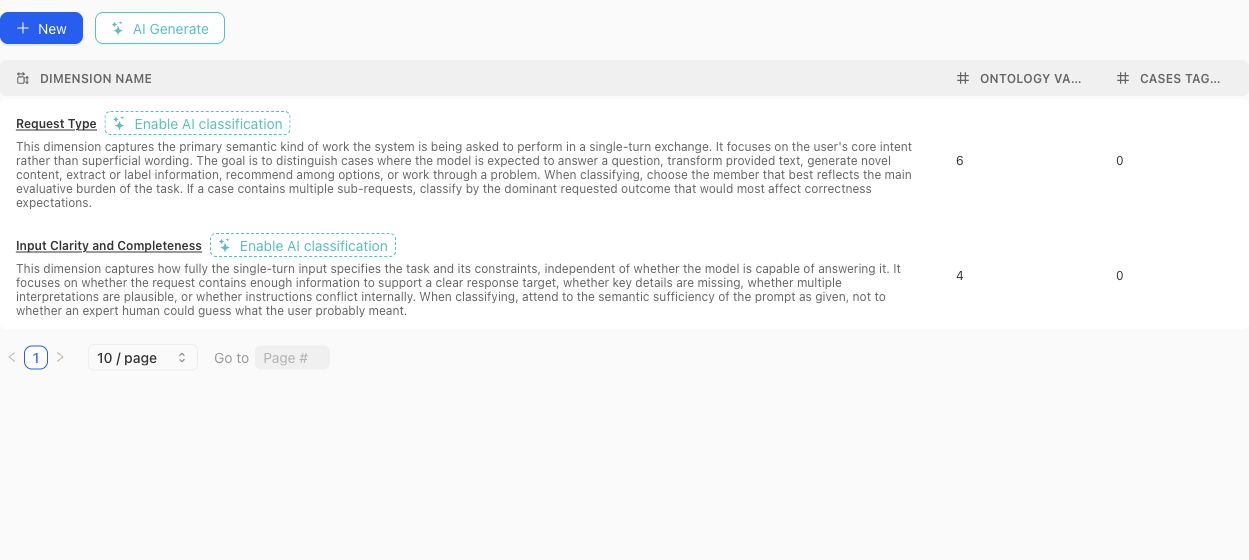
Use the table to compare each Dimension's definition with its ontology and current classification footprint before opening the detail view.
### Create or generate a schema
Create a Dimension manually when the axis and vocabulary are already understood. Use the dimension-schema generator when project context or source material should produce a reviewable proposal. Generated proposals can include a definition, why the Dimension matters, proposed ontology members, and warnings.
A proposal is not the active schema. Review each proposed Dimension and value before accepting it. Avoid accepting near-duplicates simply because they use different wording.
> Classification boundary
>
> Creating or editing a Dimension does not instantly classify every existing case. Missing or stale classifications can be queued and monitored separately. Treat unclassified cases as missing evidence, not as an implicit ontology value.
### Design rules
- Make the Dimension answer one stable question. Split axes that mix several independent concerns.
- Give every ontology value a definition that distinguishes it from neighboring values.
- Prefer values that can be applied consistently to real cases.
- Do not use a Dimension to encode case quality, policy approval, or a desired model score.
- Review distributions after changing values. A clean schema can still leave important cases unclassified.
- Delete only after checking Case Pool and benchmark usage; removal changes the project coverage vocabulary.
### Benchmark roles
In benchmark Get Started, each Dimension and ontology value can receive a focus role:
- **Required:** the benchmark is expected to cover this value.
- **Sampled:** include it as part of the desired mix.
- **Diagnostic:** track it for analysis without making it part of the main denominator.
- **Ignored:** exclude it from the benchmark coverage intention.
- **Unset:** no explicit benchmark instruction has been recorded.
Those roles shape Coverage Story generation and interpretation. They do not alter the project-level definition of the value.
{% example-demo title="Example: source condition" %}
The project defines a Source condition Dimension with Current, Superseded, Conflicting, and Missing values. One benchmark marks all four as required; another marks Current as required and the remaining values as diagnostic. The same project vocabulary supports different benchmark intentions without duplicating the Dimension.
{% /example-demo %}
## Related task pages
{% related-card-grid title="Related task pages" %}
- [Generate a dimension schema](/docs/coverage-engineering/generate-dimension-schema)
- [Work with Project Topics](/docs/coverage-engineering/project-topics)
- [Plan Benchmark Coverage](/docs/coverage-engineering/plan-benchmark-coverage)
- [Analyze dataset representation](/docs/benchmark-datasets/representation)
{% /related-card-grid %}
## Source confidence
Code-backed: the current Dimension list, detail, settings, proposal, classification, examples, and statistics surfaces establish these fields and lifecycle boundaries.
---
id: coverage.generate-dimension-schema
title: Generate a dimension schema
summary: Ask Teammately for coverage-dimension proposals, then accept only the dimensions and ontology values that describe meaningful behavior.
kind: task
product_area: coverage_engineering
status: stable
updated: 2026-09-07
canonical: /docs/coverage-engineering/generate-dimension-schema
---
# Generate a dimension schema
## When generation helps
Generate ideas when a project has enough Cases or product context to reveal recurring differences, but the team has not yet named the axes needed for coverage planning. Generation is useful for discovery and vocabulary. It does not prove that a proposed dimension is complete, mutually exclusive, or appropriate for benchmark governance.
## Prerequisites
State the target behavior, what the existing Case set fails to distinguish, and any constraints the proposal must preserve. A prompt such as “separate refund requests by source authority and exception eligibility” produces a more reviewable proposal than “make better dimensions.”
### Task steps: Generate and review dimension ideas
1. Open **Coverage Engineering → Coverage Facets → Dimensions and Ontology**.
2. Start **Generate dimension idea**.
3. Add context describing the behavior boundary, important Cases, and the decision the dimension should support.
4. Generate the proposal and read its dimension name, definition, proposed ontology members, why-it-matters note, and review warnings.
5. Compare it with current Dimensions and ontology values for overlap, ambiguous labels, and gaps.
6. Accept only proposals the team can classify consistently. Reject unsuitable proposals or regenerate with narrower context.
7. Inspect the accepted Dimension, refine its definition if necessary, and sample real Cases before using it in coverage plans.
## Object and state changes
The proposal timeline preserves generated attempts and decisions. Each proposed Dimension can be accepted or rejected independently. Acceptance creates product state; it does not automatically classify every Case, revise a Benchmark, or approve generated Cases.
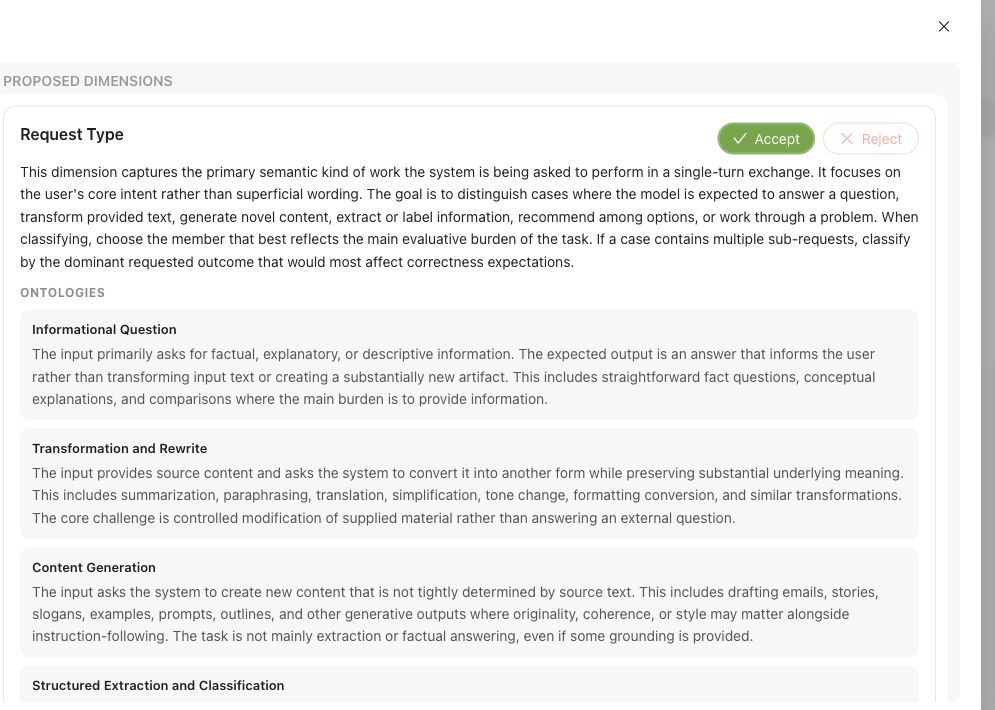
Review the Dimension definition and every proposed ontology value before accepting the proposal.
Project-context refreshes may produce updated recommendations and explain which context changes were considered. Treat those as review cues. A changed proposal is not evidence that the existing schema is wrong.
## Success criteria
- Does the Dimension represent one behavior axis rather than several bundled concerns?
- Are ontology values distinct enough that two reviewers would usually classify the same Case alike?
- Is there a clear treatment for unknown, conflicting, or not-applicable cases?
- Does it add information beyond existing Dimensions, Project Topics, or Case Construction Patterns?
- Will the classification support an actual coverage or evaluation decision?
## Common failure modes
- Supplying generic instructions that produce broad, overlapping Dimensions.
- Accepting a fluent proposal without comparing it with existing coverage facets.
- Treating acceptance as automatic Case classification or Benchmark approval.
- Using ontology values that reviewers cannot distinguish on real boundary Cases.
{% example-demo title="Source-authority dimension" %}
The team asks for a dimension that separates how an assistant handles conflicting product sources. Teammately proposes **Source authority** with values for canonical source, secondary source, conflicting sources, and unavailable source, plus a warning that “secondary” needs a project-specific definition. The team defines that boundary, samples Cases, and accepts the proposal. Classification and benchmark selection remain separate work.
{% /example-demo %}
## Source confidence
Code-backed: the Dimensions and Ontology route and generation components expose proposal instructions, a timeline, per-Dimension acceptance or rejection, definitions, ontology members, rationale, and review warnings. Consistency and fitness for a project remain human review decisions.
## Related reference pages
{% related-card-grid title="Continue the workflow" %}
- [Dimensions and ontology](/docs/coverage-engineering/dimensions-ontology)
- [Coverage dimensions](/docs/object-model/coverage-dimensions)
- [Dimension classification troubleshooting](/docs/troubleshooting/dimension-classification)
- [Coverage gaps](/docs/coverage-engineering/coverage-gaps)
{% /related-card-grid %}
## Related troubleshooting pages
{% related-card-grid title="Diagnose Dimension problems" %}
- [Dimension classification troubleshooting](/docs/troubleshooting/dimension-classification)
- [Stale Dimensions](/docs/troubleshooting/stale-dimensions)
- [Unbalanced coverage](/docs/troubleshooting/unbalanced-coverage)
{% /related-card-grid %}
---
id: coverage.plan-benchmark-coverage
title: Plan Benchmark Coverage
summary: Apply project Coverage Facets to one benchmark, inspect representation, and turn important gaps into concrete case or contribution work.
kind: task
product_area: coverage_engineering
status: stable
updated: 2026-09-07
canonical: /docs/coverage-engineering/plan-benchmark-coverage
---
# Plan Benchmark Coverage
Plan coverage by applying reusable project facets to one benchmark and comparing the intended behavior space with the selected dataset representation.
## Prerequisites
- A selected project and benchmark.
- A clear benchmark purpose.
- Relevant Dimensions, Project Topics, and Case Construction Patterns, or enough project knowledge to create them.
- Existing Cases or a plan for sourcing and constructing them.
## Steps
1. Review **Coverage Facets** at project scope. Confirm that Dimensions, Project Topics, and Case Construction Patterns describe reusable behavior structure rather than one benchmark's current case count.
2. Open the benchmark and select **Coverage Management → Get Started**.
3. Define the benchmark-specific coverage guidance and confirm setup readiness.
4. Open Coverage Management and inspect current dataset representation across the relevant facets and tuples.
5. Name important thin or absent combinations as Coverage Stories. Explain why each slice matters and what evidence would make it usable.
6. Route the gap according to its cause: Case Foundry or case sourcing for missing situations, Expert Contributions for missing judgment, Correctness Governance for missing standards, or Benchmark Datasets for missing selection.
7. Review generated or contributed cases in Case Review before relying on them.
8. Update dataset selection and create a new snapshot when the represented evidence changes materially.
## Object and state changes
This task can update benchmark coverage setup, representation guidance, Coverage Stories, Case Foundry work, case-review state, contribution requests, dataset selection, and snapshots. Project Coverage Facets may also change when the work discovers a reusable missing axis or construction pattern.
## Success criteria
- The benchmark purpose maps to explicit project Coverage Facets.
- Important combinations have selected evidence or a named gap.
- Each gap is routed to a responsible artifact or workstream.
- Constructed cases pass case review and Project Input Schema checks.
- Dataset snapshots make material coverage changes explicit.
## Common failure modes
- Using case count as the coverage goal.
- Creating benchmark-only tags where a reusable Dimension or Topic is needed.
- Treating response-variation guidance as coverage structure.
- Generating cases before defining which gap they should close.
- Trusting representation after selection changes without a new snapshot boundary.
{% example-demo title="Example: plan high-impact exception coverage" %}
The team maps exception type, source authority, and customer impact. Representation shows many low-impact ordinary cases but no high-impact cases with conflicting authority. A Coverage Story names the gap, an expert Contribution clarifies the controlling rule, and Case Foundry prepares cases for the missing tuple before a new snapshot is created.
{% /example-demo %}
## Related reference pages
{% related-card-grid title="Related reference pages" %}
- [Coverage Engineering](/docs/coverage-engineering)
- [Coverage Management](/docs/coverage-management)
- [Benchmark Datasets](/docs/benchmark-datasets)
{% /related-card-grid %}
## Related troubleshooting pages
{% related-card-grid title="Related troubleshooting pages" %}
- [Unbalanced coverage](/docs/troubleshooting/unbalanced-coverage)
- [Stale dimensions](/docs/troubleshooting/stale-dimensions)
- [Unrealistic synthetic cases](/docs/troubleshooting/unrealistic-synthetic-cases)
{% /related-card-grid %}
## Source confidence
Code-backed: current setup, overview, representation, Coverage Story, Case Foundry, and Case Review routes support this workflow.
---
id: coverage.project-topics
title: Project Topics
summary: Maintain source-grounded subject areas, editable groups, and Atlas relationships used to organize project and benchmark coverage.
kind: reference
product_area: coverage_engineering
status: stable
updated: 2026-09-07
canonical: /docs/coverage-engineering/project-topics
---
# Project Topics
## Definition
Project Topics are reusable subject areas derived from project knowledge, entered by an administrator, or contributed by an expert. They organize cases by what they are about. Unlike a Dimension, a Project Topic is not one value on a fixed behavior axis: a case can belong to several Topics.
The Project Topics workspace contains **Topics**, **Groups**, and **Atlas**.
## Fields, states, or lifecycle rules
### Topics
Each Topic has a name, description, active state, author type, case usage, benchmark usage, and source mentions where available. Source mentions retain evidence such as the originating Reference Material, Project Agent Brief, manual entry, or expert suggestion.
The Topic detail shows its definition and source grounding, linked and example cases, coverage confidence, nearby-topic signals, coverage by Dimensions and ontology values, and editable membership in Topic Groups.
An AI-created or source-extracted Topic remains an editable project artifact. Review its definition and grounding before using it to steer a benchmark.
### Groups
A Project Topic Group is an editable bundle of Topics. It does not merge or replace its members. Groups let benchmark setup express intent at a useful scale while retaining Topic-level traceability.
In **Get Started**, a Group can be handled as:
- **Cover every topic:** the benchmark should represent each member Topic.
- **Cover the group:** the group should be represented without requiring every member.
- **Use as guidance:** it can guide story construction without becoming a coverage obligation.
- **Do not use:** exclude the Group from this benchmark's setup.
- **Unset:** no explicit instruction.
Groups can start from manual work, AI suggestions, source material, or Atlas exploration. Manual edits remain significant; regenerating a suggestion should not be treated as authority to overwrite the reviewed group.
### Atlas
Atlas visualizes Topics, relationships, and Groups. Use it to inspect neighborhoods, redundancy, missing nearby Topics, and possible groupings. Relationships are analytical evidence, not a taxonomy merge. A close position or strong relation score does not mean two Topics are interchangeable.
The Topic coverage view can distinguish direct case grounding from breadth, Dimension spread, and binding confidence. When a Topic looks thin, inspect the linked cases before generating more. The problem may be missing cases, weak classification, an overly broad definition, or a duplicate Topic.
### Refresh and review
Project Topics can be refreshed from current project context and indexed sources. Refreshing can create or update Topics, source mentions, evidence, and relationship analysis. Review the resulting changes and recommendation runs before incorporating them into Groups or benchmark setup.
{% example-demo title="Example: group without flattening" %}
The project has Topics for Contract renewal, Price adjustment, and Termination notice. An administrator groups them as Agreement lifecycle. One benchmark chooses Cover every topic because each action has distinct risk. Another chooses Use as guidance because it only needs broad agreement-related examples. The individual Topics remain traceable in both benchmarks.
{% /example-demo %}
## Related task pages
{% related-card-grid title="Related task pages" %}
- [Work with Dimensions and Ontology](/docs/coverage-engineering/dimensions-ontology)
- [Define Case Construction Patterns](/docs/coverage-engineering/case-construction-patterns)
- [Configure benchmark Get Started](/docs/coverage-management/get-started)
- [Analyze dataset representation](/docs/benchmark-datasets/representation)
{% /related-card-grid %}
## Source confidence
Code-backed: the current Topic, Group, source-mention, statistics, relationship, Atlas, suggestion, and benchmark-handling contracts establish this model.
---
id: coverage.synthesize-cases
title: Synthesize cases
summary: Generate candidate cases to fill coverage gaps before adding them to benchmarks or curated datasets.
kind: task
product_area: coverage_engineering
status: stable
updated: 2026-09-07
canonical: /docs/coverage-engineering/synthesize-cases
---
# Synthesize cases
Synthesize candidate cases to fill a known coverage gap without pretending synthetic examples are automatically review context.
## When to use it
Use **Assets → Cases → Synthesize** when creating reusable project Case candidates. Use **Coverage Management → Case Foundry** when the work begins from a named need in one Benchmark. In either path, generated output is candidate material until reviewed.
## Prerequisites
- A named coverage gap.
- Policies, rubrics, or dimensions that define the behavior boundary.
- A review plan for synthetic cases.
- A way to mark synthetic source and realism concerns.
## Role or permission
AI engineers or coverage owners generate candidate cases. Experts or product owners review realism before benchmark promotion.
## Steps
Synthesis starts from a named tuple or coverage gap, not from a generic request for more cases.
1. Name the Coverage Facet tuple, Coverage Story, or Case Construction Pattern the synthesis should fulfill.
2. Choose the Assets synthesis path or benchmark-scoped Case Foundry path.
3. Supply representative source Cases, applicable Comparison Directions, and explicit target-system constraints.
4. Inspect generated candidates for realism, duplication, source context, and compatibility with the intended Coverage Facets.
5. Keep impossible, misleading, or context-incomplete candidates out of Benchmark selection.
6. Use **Coverage Management → Case Review** for benchmark-scoped preparation and admission.
7. Select reviewed Cases in **Benchmark Datasets** and create a Snapshot only when the intended set is ready.
## Object and state changes
Completed generation registers candidate Cases in the project Case collection. Case Review and Benchmark Datasets determine whether suitable Cases become selected membership for a Benchmark. Generation completion alone does not change a Snapshot or Benchmark Version.
## Success criteria
- Each synthetic case maps to a named gap or boundary.
- Reviewers can tell synthetic cases from production-derived cases.
- Only realistic, context-complete cases affect benchmark evidence.
## Common failure modes
- Synthetic cases are generated for volume rather than a specific gap.
- Cases combine many variations and obscure the failure reason.
- Unreviewed synthetic cases enter benchmark evidence.
- The generated case lacks the context needed for expert judgment.
## Related reference pages
{% related-card-grid title="Related reference pages" %}
- [Case pool](/docs/object-model/case-pool)
- [Coverage dimensions](/docs/object-model/coverage-dimensions)
- [Comparison Directions](/docs/assets/comparison-directions)
{% /related-card-grid %}
## Related troubleshooting pages
{% related-card-grid title="Related troubleshooting pages" %}
- [Synthetic cases that feel unrealistic](/docs/troubleshooting/unrealistic-synthetic-cases)
- [Unbalanced coverage](/docs/troubleshooting/unbalanced-coverage)
- [Unclear cases](/docs/troubleshooting/unclear-cases)
{% /related-card-grid %}
{% example-demo title="Fill a stale-source gap" %}
Coverage shows few stale-source cases. The engineer synthesizes examples with old and new policy documents, experts reject unrealistic ones, and only reviewed cases enter the benchmark candidate pool.
{% /example-demo %}
## Source confidence
Code-backed: the Assets synthesizer defines generation input, candidate cards, and lifecycle; Case Foundry supplies benchmark-scoped coordination; Case Review supplies the preparation and admission boundary. The product does not treat generation completion as Snapshot membership.
---
id: coverage-management.overview
title: Coverage Management
summary: Manage benchmark coverage from setup through representation, Coverage Stories, case review, Case Foundry, and contribution requests.
kind: concept
product_area: coverage_management
status: stable
updated: 2026-09-07
canonical: /docs/coverage-management
---
# Coverage Management
Coverage Management is the benchmark-scoped workspace for deciding whether the current dataset represents the behavior space the benchmark is meant to test. It connects project Coverage Facets to dataset representation, coverage guidance, Coverage Stories, case preparation, and expert contribution requests.
## Definition
Project Coverage Facets define reusable Dimensions, Project Topics, and Case Construction Patterns. Coverage Management applies those foundations to one benchmark. **Get Started** establishes benchmark coverage guidance. The overview shows representation and operational status. Coverage Stories organize meaningful slices or gaps. Case Review inspects prepared cases and materials. Case Foundry coordinates case construction work.
The goal is to make missing or thin behavior explicit before evaluation evidence is trusted. Coverage Management does not replace Benchmark Datasets; it explains and improves the representation of the selected data.
## Decision checkpoint
| Observation | Use | Next durable result |
| --- | --- | --- |
| Benchmark purpose or guidance is missing | Get Started | Saved coverage setup and readiness |
| A facet tuple is thin or absent | Representation and Coverage Stories | Named coverage need and intended evidence |
| More cases are needed | Case Foundry | Bounded construction work tied to the gap |
| Generated cases may be unclear | Case Review | Reviewed case and material quality |
| Specialist judgment is required | Contribution request from coverage context | Benchmark-scoped Expert Contribution |
| Coverage changed materially | Benchmark Datasets | Updated selection and snapshot boundary |
## Coverage Stories and case work
A Coverage Story gives a gap or behavior slice an operational narrative: why it matters, which facet combinations define it, what evidence exists, and what sourcing work remains. It should be concrete enough to guide case construction and expert attention.
Case Foundry can prepare case work from that structure. Case Review checks the resulting inputs and generated materials before they enter trusted dataset evidence. AI assistance can accelerate preparation, but selection and benchmark interpretation remain explicit human and product-state decisions.
## Coverage and correctness
Coverage gaps sometimes reveal missing correctness rather than missing cases. If experts cannot say how a represented situation should be judged, request an Expert Contribution and update policies or rubrics. If the standard is clear but no case exercises it, use Weave and Case Foundry. If cases exist but are not selected or snapshotted, use Benchmark Datasets.
This routing prevents Comparison Directions, Contribution-scoped agent behavior, and coverage structure from being mixed together. Comparison Directions guide response variation; Coverage Facets and Coverage Stories describe the benchmark behavior space.
{% example-demo title="Conflicting-source story" %}
Representation shows that the benchmark covers current-source questions but almost never combines them with a plausible superseded document. A Coverage Story names the conflict pattern, relevant source-freshness and impact facets, and the desired case count. Case Foundry prepares candidates, Case Review rejects unrealistic material, and the accepted cases enter a new dataset snapshot.
{% /example-demo %}
## Related workflows
{% related-card-grid title="Related workflows" %}
- [Set up benchmark coverage](/docs/coverage-management/get-started)
- [Work with Coverage Stories](/docs/coverage-management/coverage-stories)
- [Run Case Foundry](/docs/coverage-management/case-foundry)
- [Review prepared Cases](/docs/coverage-management/case-review)
- [Plan benchmark coverage](/docs/coverage-engineering/plan-benchmark-coverage)
- [Work with Benchmark Datasets](/docs/benchmark-datasets)
- [Request an Expert Contribution](/docs/expert-contributions/request-contribution)
{% /related-card-grid %}
## Related reference pages
{% related-card-grid title="Related reference pages" %}
- [Coverage Engineering](/docs/coverage-engineering)
- [Cases](/docs/assets/cases)
- [Comparison Directions](/docs/assets/comparison-directions)
{% /related-card-grid %}
## Source confidence
Code-backed: the active benchmark coverage routes expose setup, overview, Coverage Stories, Case Review, Case Foundry integration, realtime state, and contribution-request entry points.
---
id: coverage-management.case-foundry
title: Case Foundry
summary: Generate or update bounded case candidates from the saved coverage setup and Story map.
kind: task
product_area: coverage_management
status: stable
updated: 2026-08-22
canonical: /docs/coverage-management/case-foundry
---
# Case Foundry
## Prerequisites
- Ready coverage setup, active Stories, and actionable tuple targets.
- A current input snapshot whose freshness can be verified.
Case Foundry coordinates bounded case preparation from the saved coverage setup and Coverage Stories. Use **Generate** for the first run and **Update** after the governed inputs change. A blocked action means required setup, readiness, or upstream evidence is not yet available.
## Run states and freshness
A Foundry run reports `QUEUED`, `RUNNING`, `COMPLETED`, `PARTIAL`, `FAILED`, or `CANCELLED`. Keep the run identity and input snapshot together when diagnosing it. Completion can report Cases added, synthesized, or retrieved; these counts explain construction activity, not acceptance into trusted benchmark evidence.
The workspace distinguishes a fresh result from one whose input snapshot changed. If coverage setup, Story structure, or relevant dataset context changed after the run began, update the Foundry work. Do not use an old completion badge as proof that the current coverage contract has been handled.
## Before and after Foundry
Before running, make the setup ready, activate the intended Stories, and check tuple targets. If a specialist must settle an ambiguous standard, request an Expert Contribution instead of generating around the ambiguity.
After running, open Case Review. Prepared candidates start as reviewable material rather than automatically becoming durable benchmark Cases. Inspect their evidence fit, sources, facet traces, inputs, and generated artifacts. Remove weak or redundant candidates and resolve material failures before inclusion.
> Case Foundry is not a Dataset Snapshot
>
> Foundry prepares candidates. Case Review admits suitable Cases into the current benchmark set, and Benchmark Datasets creates the immutable Snapshot used for evaluation.
## Failure handling
For a partial or failed run, preserve successful bounded work, read the failure detail, and retry only the missing scope when the product offers that action. Cancellation stops the current operation; it does not roll back Cases already materialized by a completed portion. Recheck freshness after any retry.
## Object and state changes
A Foundry action creates a run and can prepare, synthesize, retrieve, or add candidate Cases. Update creates new bounded work from changed input. The run does not create a Dataset Snapshot or bypass Case Review.
## Success criteria
- Terminal status and input freshness are known.
- Summary counts are interpreted as construction activity.
- Prepared candidates move to review rather than automatic trust.
## Common failure modes
- Treating `COMPLETED` as Case acceptance.
- Retrying stale work without updating its input.
- Generating around an unresolved correctness question.
## Related reference pages
{% related-card-grid title="Related reference pages" %}
- [Coverage Management](/docs/coverage-management)
- [Coverage Stories](/docs/coverage-management/coverage-stories)
- [Benchmark Dataset Cases](/docs/benchmark-datasets/cases)
{% /related-card-grid %}
## Related troubleshooting pages
{% related-card-grid title="Related troubleshooting pages" %}
- [Unrealistic synthetic Cases](/docs/troubleshooting/unrealistic-synthetic-cases)
- [Unclear Cases](/docs/troubleshooting/unclear-cases)
{% /related-card-grid %}
## Source confidence
Code-backed: the active Foundry API, run types, and workspace hook define actions, states, freshness, and summary counts. Case acceptance is verified in the separate Case Review surface.
---
id: coverage-management.case-review
title: Case Review
summary: Prepare, inspect, refine, and admit Case candidates and generated materials into the benchmark dataset.
kind: task
product_area: coverage_management
status: stable
updated: 2026-08-22
canonical: /docs/coverage-management/case-review
---
# Case Review
## Prerequisites
- Prepared candidates tied to a frozen setup, Story map, input contract, and output formats.
- Permission to admit or remove candidates from current benchmark membership.
Case Review is the admission boundary between prepared coverage candidates and the current benchmark dataset. Preparation freezes the relevant setup, Stories, input contract, and output formats so a candidate can be judged against the instructions that produced it.
Preparation can move through planning, searching, evaluating, generating, synthesizing, materializing, ready, partial, failed, and cancelled states. Read this state together with the frozen input rather than assuming every visible card is complete.
## Review candidates
Candidates begin included for review. Remove a candidate when it is weak, redundant, misplaced, unsupported, or does not prove its tuple. Inspect its fit explanation, source and facet trace, input content, materials, and relationship to the tuple target. Inclusion should mean the candidate is suitable to enter the current benchmark set, not merely that generation succeeded.
For one tuple, **Generate more** appends candidates using count and operator instructions. **Regenerate** can reuse or synthesize source evidence, or run in synthesize-only mode. These actions have different provenance implications; preserve the displayed source relationship when deciding which candidate to keep.
## Resolve generated materials
Artifact expectations from coverage setup can be mandatory or optional. Material resolution reports generating, verifying, ready, failed, or skipped. A mandatory artifact failure blocks trustworthy inclusion. An optional artifact may be skipped when the Case remains coherent without it.
Retry uses the original material specification. If the specification itself is wrong, correct the governed setup or candidate design rather than repeatedly retrying the same request. Verify that a ready file actually supports the Case and conforms to Project Input Schema.
## Complete the review
Accepted included candidates materialize into the benchmark's current Case set. Then inspect Dataset Representation and create a new Snapshot only after evaluator readiness and Snapshot blockers are clear. Existing Snapshots remain unchanged.
{% example-demo title="Example: rejecting decorative evidence" %}
A tuple requires the candidate system to reconcile two contradictory tables. One prepared Case has a table that never affects the answer, while another requires comparing two columns and citing the newer record. The reviewer removes the decorative Case, verifies the second table, and admits only the candidate that proves the intended transformation.
{% /example-demo %}
## Object and state changes
Inclusion and removal change the review selection; accepted included candidates materialize into the current Case set. Generate-more and regenerate create new candidates. Material retries update resolution state without changing the original specification.
## Success criteria
- Included Cases prove their tuples and have usable provenance.
- Mandatory materials are ready and verified.
- Dataset membership and the next Snapshot reflect only accepted work.
## Common failure modes
- Keeping decorative or redundant candidates to meet a count.
- Treating material-generation success as Case quality.
- Assuming acceptance changed an existing Snapshot.
## Related reference pages
{% related-card-grid title="Related reference pages" %}
- [Project Input Schema](/docs/project-settings/input-schema)
- [Benchmark Dataset Cases](/docs/benchmark-datasets/cases)
- [Dataset Snapshots](/docs/benchmark-datasets/snapshots)
{% /related-card-grid %}
## Related troubleshooting pages
{% related-card-grid title="Related troubleshooting pages" %}
- [Unclear Cases](/docs/troubleshooting/unclear-cases)
- [Unrealistic synthetic Cases](/docs/troubleshooting/unrealistic-synthetic-cases)
{% /related-card-grid %}
## Source confidence
Code-backed: the active Case Review page, preparation modal, tuple actions, and Generated Materials component define frozen inputs, run states, inclusion, generation modes, and artifact resolution.
---
id: coverage-management.coverage-stories
title: Coverage Stories
summary: Organize benchmark coverage intent into governed Stories and testable facet tuples.
kind: task
product_area: coverage_management
status: stable
updated: 2026-08-22
canonical: /docs/coverage-management/coverage-stories
---
# Coverage Stories
## Prerequisites
- Ready coverage setup or a clearly justified manual Story.
- Coverage Facets that can name the intended behavior slice.
A Coverage Story turns benchmark intent into a coherent behavior slice. It explains what matters, why it matters, and which facet combinations must be exercised without pretending that a chart category alone describes a real product situation.
Stories can be created manually or proposed by generation. Their lifecycle is `draft`, `active`, or `archived`, and their origin remains visible as AI-generated or manual. A Story contains a title, description, rationale, intent, budget, referenced facets, suggested Topic Groups, and one or more tuples.
## Make tuples testable
Each tuple names a smaller test obligation through its title, `must_prove` statement, facet references, target, accepted count, status, and flags. Write `must_prove` so Case Review can decide whether a candidate actually supplies the required evidence. Avoid vague goals such as “good edge cases.” Name the actor, conflict, evidence, constraint, or transformation that distinguishes the tuple.
Targets express desired evidence volume; accepted counts report materialized evidence. Neither number proves quality. A tuple can meet its count while still containing redundant or unrealistic Cases, so review remains mandatory.
## Edit and govern the Story map
Use the editor to create or revise a Story and add, edit, or remove tuples. Archive a Story whose behavior is no longer in benchmark scope. Do not delete or rewrite the rationale merely because the current dataset already covers it; that rationale explains why the evidence exists.
When generation is running, partial, failed, or based on changed setup, read the displayed generation state before acting. A generated Story remains a proposal until the saved story and tuple structure reflects the benchmark intent.
{% example-demo title="Example: superseded-source conflict" %}
A Story covers answers that cite a plausible but superseded policy. One tuple must prove that the candidate detects the date conflict; another must prove that it asks for clarification when the current source is incomplete. Their separate targets prevent several near-duplicate date cases from masquerading as coverage of both behaviors.
{% /example-demo %}
## Object and state changes
Creating or editing changes the saved Story and tuple map. Archiving removes a Story from active planning while preserving it. Generation can propose Stories but does not accept Cases into the dataset.
## Success criteria
- Every active Story has a clear rationale and testable tuples.
- Targets and accepted counts remain distinguishable.
- Story origin and generation freshness are visible.
## Common failure modes
- Writing tuples that cannot be judged in Case Review.
- Treating target count as evidence quality.
- Merging distinct Topic or facet obligations into vague coverage prose.
## Related reference pages
{% related-card-grid title="Related reference pages" %}
- [Coverage Management](/docs/coverage-management)
- [Project Topics](/docs/coverage-engineering/project-topics)
- [Case Construction Patterns](/docs/coverage-engineering/case-construction-patterns)
{% /related-card-grid %}
## Related troubleshooting pages
{% related-card-grid title="Related troubleshooting pages" %}
- [Unbalanced coverage](/docs/troubleshooting/unbalanced-coverage)
- [Stale Dimensions](/docs/troubleshooting/stale-dimensions)
{% /related-card-grid %}
## Source confidence
Code-backed: the current Coverage Stories page, editor, and types define Story origin, lifecycle, fields, tuple structure, counts, and generation presentation.
---
id: coverage-management.get-started
title: Set Up Benchmark Coverage
summary: Define benchmark intent, facet handling, artifact preferences, and evidence requirements before generating coverage work.
kind: task
product_area: coverage_management
status: stable
updated: 2026-08-22
canonical: /docs/coverage-management/get-started
---
# Set Up Benchmark Coverage
## Prerequisites
- Project Coverage Facets and Input Schema are available.
- The benchmark intent and evidence risk can be stated concretely.
**Get Started** records the coverage contract that drives Coverage Stories and Case Foundry. Complete it before treating generated coverage work as aligned to the benchmark.
## Define the intent and facet treatment
Describe the benchmark intent and concrete requirements. For each Dimension ontology value, choose the benchmark role required by the setup. Configure Topic Group handling and Case Construction Pattern behavior rather than assuming every active project facet must be represented equally.
Dimension roles, Topic Group handling, and Pattern modes are different controls. A required Dimension value constrains represented behavior. A Topic Group can require every Topic, require group-level coverage, provide guidance, or be excluded. A Pattern can be left to the system, preferred, or avoided. Preserve those distinctions when explaining the resulting coverage plan.
## Define artifact and evidence expectations
For image, document, tabular, presentation, source-text, and audio artifacts, choose **mandatory**, **optional**, or **never**. Set portfolio limits and accepted formats so construction does not create unsupported or gratuitous material.
The evidence profile can specify actor, workflow, grounding, evidence carriers, difficulty, transformation, and data-handling expectations. These fields make a behavior testable. They are not decorative prose: Case Review uses them to judge whether a prepared candidate proves the intended situation.
## Save and check readiness
Setup moves through `draft`, `ready`, `generated`, `changed_since_generation`, and `archived` states. Resolve the readiness guidance before generation. If the setup changes after stories or cases were generated, treat the previous work as based on an older input rather than silently presenting it as current.
A coverage guideline can apply to `foundry_only` or `overall_coverage`. Overall coverage can require provenance backfill for existing Cases. The coverage compiler can preview reconciled revisions, but an operator confirms the durable update.
> Generation boundary
>
> Saving setup does not create trusted Cases or a Dataset Snapshot. It defines the instructions and evidence profile for downstream story and case work.
## Object and state changes
Saving creates or revises benchmark-scoped coverage setup and its readiness status. Generation records which setup revision it used. Archiving stops the setup from acting as the current contract without erasing history.
## Success criteria
- Intent, requirements, facet treatment, artifacts, and evidence profile agree.
- Readiness is explicit and downstream generation can identify the exact setup.
- Overall-coverage provenance needs are handled deliberately.
## Common failure modes
- Requiring every active facet without regard to benchmark intent.
- Marking unsupported artifacts mandatory.
- Editing setup after generation and ignoring the stale result.
## Related reference pages
{% related-card-grid title="Related reference pages" %}
- [Coverage Management](/docs/coverage-management)
- [Project Input Schema](/docs/project-settings/input-schema)
- [Coverage Dimensions and ontology](/docs/coverage-engineering/dimensions-ontology)
{% /related-card-grid %}
## Related troubleshooting pages
{% related-card-grid title="Related troubleshooting pages" %}
- [Unbalanced coverage](/docs/troubleshooting/unbalanced-coverage)
- [Unrealistic synthetic Cases](/docs/troubleshooting/unrealistic-synthetic-cases)
{% /related-card-grid %}
## Source confidence
Code-backed: the active setup page, types, readiness rules, and save states define the benchmark-scoped coverage contract and its lifecycle.
---
id: expert-contributions.overview
title: Expert Contributions
summary: Coordinate benchmark-scoped expert work, attributable judgment, governed artifacts, and the decisions that move correctness forward.
kind: concept
product_area: expert_contributions
status: stable
updated: 2026-09-07
canonical: /docs/expert-contributions
---
# Expert Contributions
Expert Contributions is the benchmark-scoped workspace for requesting, conducting, and materializing specialist work. It coordinates the expert, objective, selected evidence, task sequence, checkpoints, attributable responses, and contributed artifacts needed to move a benchmark forward.
## Definition
The administrator workspace contains **Overview**, **Contributions**, **Contributed Artifacts**, and **Logs & Status**. **Request Contribution** opens the composer for a new contribution. The expert follows a contribution-specific experience that can contain form, chat, interview, and case-review tasks, along with checkpoints and completion states.
A Contribution is the unit of requested expert effort. It replaces broad workflow configuration with a bounded statement of what this benchmark needs from this expert now. The work can result in contributed policies, rubrics, cases, or coverage observations without flattening all expert activity into one generic approval record.
## Decision checkpoint
| Need | Contribution element | Result to inspect |
| --- | --- | --- |
| Resolve a specific benchmark question | Contribution statement and scoped objectives | The expert can explain the requested decision |
| Ground work in concrete behavior | Selected or designated cases | Case-level responses remain attributable |
| Supply supporting knowledge | Attachments and scoped statements | The expert sees the relevant source boundary |
| Choose the right interaction | Form, chat, interview, or case review task | Task output matches the kind of judgment needed |
| Confirm consequential learning | Checkpoint | Accepted, revised, or unresolved state is explicit |
| Reuse the result | Contributed Artifacts | Policies, rubrics, cases, and coverage observations retain provenance |
## Lifecycle and status
The durable Contribution statuses are `PREPARING_DIRECTION`, `AWAITING_DIRECTION_ALIGNMENT`, `MATERIALIZING_TASKS`, `READY`, `IN_PROGRESS`, `COMPLETED`, and `CANCELLED`. The interface presents these as planning direction, waiting for alignment, preparing tasks, ready, active, completed, or cancelled. The exact task sequence can vary by Contribution.
Realtime updates and durable transitions help the administrator and expert see current progress without inventing completion. A waiting state, checkpoint, or finalization step should be shown as such. Completing the expert experience does not imply that every proposed artifact has been accepted into its project-level owner.
## Contribution evidence
Logs & Status exposes operational and engagement records. Contributed Artifacts organizes materialized or contributed cases, policies, rubrics, and new coverage observations. Correctness Governance, Assets, or Coverage Management owns the resulting project or benchmark artifact after materialization.
This model improves return on expert effort. Agents prepare focused work from project context, indexed material, benchmark cases, and unresolved questions. The expert supplies the authority; the result can be reused across standards, coverage, evaluation, and improvement.
{% example-demo title="Resolve source authority" %}
A benchmark contains cases where an operational runbook conflicts with a newer policy page. The operator requests a Contribution from the policy owner, selects the conflicting cases, attaches both sources, and uses case review plus a checkpoint. The expert establishes which source controls, contributes a scoped policy and rubric, and records one coverage observation for an unrepresented exception.
{% /example-demo %}
## Related workflows
{% related-card-grid title="Related workflows" %}
- [Request an Expert Contribution](/docs/expert-contributions/request-contribution)
- [Complete an Expert Contribution](/docs/expert-contributions/complete-contribution)
- [Build policies and rubrics](/docs/operating-manual/build-policies-and-rubrics)
{% /related-card-grid %}
## Related reference pages
{% related-card-grid title="Related reference pages" %}
- [Contributed Artifacts](/docs/expert-contributions/contributed-artifacts)
- [Contribution lifecycle and status](/docs/expert-contributions/lifecycle-and-status)
- [Logs & Status](/docs/expert-contributions/logs-and-status)
- [Agent Setup](/docs/agent-setup)
- [Human Approval Boundaries](/docs/governance/human-approval-boundaries)
{% /related-card-grid %}
## Source confidence
Code-backed: the active benchmark workspace, Contribution dashboard, composer, administrator detail, and expert routes support the scope, task, status, and artifact model described here.
---
id: expert-contributions.complete
title: Complete an Expert Contribution
summary: Work through form, chat, interview, case-review, and checkpoint tasks while keeping specialist judgment attributable.
kind: task
product_area: expert_contributions
status: stable
updated: 2026-08-22
canonical: /docs/expert-contributions/complete-contribution
---
# Complete an Expert Contribution
Complete a Contribution by following its prepared task sequence and making the requested specialist judgments from the evidence shown. The expert experience can adapt between structured forms, agent chat, interviews, case review, and checkpoints.
## Prerequisites
- A valid Contribution link or authenticated expert entry point.
- Access to the Contribution and its assigned tasks.
- Enough source and case context to explain each answer.
- A stable connection when the task uses realtime agent interaction.
## Steps
1. Open the Contribution and read its objective, selected cases, and expected components before answering.
2. Complete each task according to its type. Planned activities can be Case Review, Form, Chat, or Interview; Curation, Comparative, and Trajectory components shape the prepared work those activities present.
3. Use attachments and visible case materials as the evidence boundary. State uncertainty when the supplied material does not resolve the question.
4. At a checkpoint, inspect the proposed summary or artifact meaning. Checkpoints prepare and reconcile requirements, consolidator or Policy statements, interview requests or records, and Rubrics. Confirm only what matches your judgment; retry, revise, or leave unresolved anything that does not.
5. Continue through the task handoff until the Contribution reaches its final step.
6. Review the completion state. If the experience shows a waiting, retry, or synchronization state, do not assume the administrator has received final evidence until the product confirms it.
## Object and state changes
Answers create durable task responses and can advance task sessions, checkpoints, handoffs, and Contribution status. Chat or interview activity can produce transcripts and structured learning. Case review can attach judgment to selected cases. Completion makes the contribution available for reconciliation and materialization but does not itself make every proposed artifact governed.
Review tasks can be `PREPARING`, `BLOCKED`, `READY`, `IN_PROGRESS`, `COMPLETED`, `SKIPPED`, or `SUPERSEDED`. The expert runtime can be `PREPARING`, `READY`, `ACTIVE`, `FINAL_CHECKPOINT`, `COMPLETED`, or `EXHAUSTED`. Checkpoints can be preparing, ready, or reconciled, with individual requirements pending, retryable, materialized, empty, or failed. These layered states explain why a Contribution can be active while one task is blocked or a final checkpoint is still pending.
## Success criteria
- Every answer addresses the Contribution objective and cites the visible evidence where needed.
- Case-level judgments remain connected to the relevant case.
- Checkpoints distinguish accepted, revised, and unresolved meaning.
- The final state is visibly complete rather than inferred from navigation.
- Uncertainty or source conflict remains explicit for the administrator.
## Common failure modes
- Answering from private background without identifying that the supplied evidence is incomplete.
- Treating an agent summary as accurate without checking the checkpoint.
- Leaving a form or chat task in a local unsynchronized state.
- Continuing after a stale task handoff instead of following the current Contribution route.
- Assuming that completion directly changes policies, rubrics, cases, or coverage.
{% example-demo title="Example: checkpoint correction" %}
An interview summary says that every expired agreement should be ignored. The expert corrects the checkpoint: expired agreements may still be relevant when the current agreement explicitly incorporates them. The corrected statement remains attributable and prevents an overbroad policy from being materialized.
{% /example-demo %}
## Related reference pages
{% related-card-grid title="Related reference pages" %}
- [Expert Contributions](/docs/expert-contributions)
- [Contributed Artifacts](/docs/expert-contributions/contributed-artifacts)
- [Human Approval Boundaries](/docs/governance/human-approval-boundaries)
{% /related-card-grid %}
## Related troubleshooting pages
{% related-card-grid title="Related troubleshooting pages" %}
- [Expert Contribution problems](/docs/troubleshooting/expert-contributions)
- [Permissions](/docs/troubleshooting/permissions)
- [Authentication](/docs/troubleshooting/authentication)
{% /related-card-grid %}
## Source confidence
Code-backed: the current expert experience supports form, chat, interview, case-review, checkpoint, completion, waiting, and task-handoff routes with durable command and reconciliation behavior.
---
id: expert-contributions.artifacts
title: Contributed Artifacts
summary: Inspect policies, rubrics, cases, and coverage observations produced through attributable expert contribution work.
kind: reference
product_area: expert_contributions
status: stable
updated: 2026-09-07
canonical: /docs/expert-contributions/contributed-artifacts
---
# Contributed Artifacts
## Definition
Contributed Artifacts is the benchmark workspace for inspecting durable material produced through Expert Contributions. It organizes contributed **Policies**, **Rubrics**, **Cases**, and **new coverage observations** while preserving their relationship to the Contribution and expert work that produced them.
The view is a provenance and reconciliation surface. The final owner of a materialized artifact remains Correctness Governance, Assets, or Coverage Management according to artifact type.
## Fields, states, or lifecycle rules
- Policy contributions represent expert-grounded behavior rules or revisions.
- Rubric contributions represent proposed or accepted evaluation criteria tied to specialist judgment.
- Case contributions represent situations supplied or corrected through expert work.
- Coverage observations identify missing, thin, conflicting, or newly important benchmark behavior.
- A coverage observation preserves its source, proposed facet applications, and application status so an operator can distinguish a recorded observation from one incorporated into coverage structure.
- Each artifact should remain traceable to the Contribution, expert, selected evidence, task responses, and checkpoints that support it.
- Contribution completion and artifact governance are separate transitions. Inspect the artifact's owning surface before treating it as active policy, active rubric, benchmark dataset membership, or resolved coverage.
- Reconciliation can accept, revise, route, or leave material unresolved according to the active workflow.
## Interpreting contributed material
Use the artifact type to choose the next surface. A contributed policy or rubric belongs in Correctness Governance. A contributed case belongs in the project Assets pool before benchmark selection. A coverage observation belongs in Coverage Management and may motivate a Coverage Story, case construction, or another focused Contribution.
Preserve disagreements. Two experts can contribute conflicting Policy interpretations, and the artifact view should help an operator trace each interpretation rather than merge them into an invented consensus. Materialization should keep the Contribution, activity, checkpoint, expert, and scoped evidence links needed to explain why the artifact exists.
{% example-demo title="Example: contribution provenance" %}
An expert contributes a policy limiting compatibility claims, a rubric for explicit uncertainty, and a new case involving an unsupported adapter. The policy and rubric move to Correctness Governance for their lifecycle. The case enters Assets and is later selected into a benchmark dataset snapshot. All three retain the Contribution as their provenance.
{% /example-demo %}
## Source confidence
Code-backed: the active Contributed Artifacts workspace exposes policy, rubric, case, and new-coverage groupings. This page preserves the separation between contribution provenance and the lifecycle of each owning artifact.
## Related task pages
{% related-card-grid title="Related task pages" %}
- [Request an Expert Contribution](/docs/expert-contributions/request-contribution)
- [Complete an Expert Contribution](/docs/expert-contributions/complete-contribution)
- [Build policies and rubrics](/docs/operating-manual/build-policies-and-rubrics)
{% /related-card-grid %}
---
id: expert-contributions.lifecycle
title: Contribution Lifecycle and Status
summary: Interpret Contribution, activity, task, expert-runtime, and checkpoint states without inferring completion.
kind: reference
product_area: expert_contributions
status: stable
updated: 2026-08-22
canonical: /docs/expert-contributions/lifecycle-and-status
---
# Contribution Lifecycle and Status
## Definition
Contribution status, task status, expert-runtime state, and checkpoint state describe different layers. Read them together before diagnosing delay or declaring completion.
## Fields, states, or lifecycle rules
### Contribution status
| Status | Meaning |
| --- | --- |
| `PREPARING_DIRECTION` | Teammately is planning the direction and requested work |
| `AWAITING_DIRECTION_ALIGNMENT` | An administrator decision or alignment is required |
| `MATERIALIZING_TASKS` | The confirmed plan is becoming executable expert activities |
| `READY` | Work is prepared and available to the expert |
| `IN_PROGRESS` | At least part of the expert work is active |
| `COMPLETED` | Required expert work and finalization reached the durable terminal state |
| `CANCELLED` | Further work was stopped while preserving the record |
Planned activities can be Case Review, Form, Chat, or Interview. An individual review task can be preparing, blocked, ready, in progress, completed, skipped, or superseded. A superseded task remains provenance for what changed; it should not be counted as current outstanding work.
### Runtime and checkpoints
The expert runtime moves through preparing, ready, active, final checkpoint, completed, or exhausted. `EXHAUSTED` means the current executable path has no further work; it is not a synonym for a successfully completed Contribution.
A checkpoint moves from preparing to ready to reconciled. Its requirements may be pending, retryable, materialized, terminal-empty, or failed. Checkpoints can consolidate requirements, capture Policy meaning, prepare or record an Interview, or materialize Rubric meaning. A ready checkpoint still needs the expert's reconciliation.
### Diagnosing state
If the Contribution is `IN_PROGRESS` but the expert sees no action, inspect the current task, runtime, and checkpoint. A blocked task may be waiting for evidence; a final checkpoint may need confirmation; an exhausted runtime may require administrator follow-up. Use Logs & Status for durable timing and engagement evidence rather than relying on a stale open browser view.
> Completion boundary
>
> `COMPLETED` makes contributed evidence available for downstream governance. It does not automatically approve a Policy or Rubric, select a Case into a benchmark, or apply a coverage observation.
## Related task pages
{% related-card-grid title="Related task pages" %}
- [Request an Expert Contribution](/docs/expert-contributions/request-contribution)
- [Complete an Expert Contribution](/docs/expert-contributions/complete-contribution)
{% /related-card-grid %}
## Source confidence
Code-backed: administrator and expert runtime sources define the layered Contribution, task, runtime, checkpoint, and requirement states described here.
---
id: expert-contributions.logs-status
title: Logs & Status
summary: Inspect contribution reviews, sessions, interviews, engagement, and operational records within the benchmark scope.
kind: reference
product_area: expert_contributions
status: stable
updated: 2026-09-07
canonical: /docs/expert-contributions/logs-and-status
---
# Logs & Status
## Definition
Logs & Status is the benchmark-scoped operational record for Expert Contributions. It exposes reviews, review sessions and plans, interviews, expert or contribution engagement, and related activity tables. Use it to answer when work happened, which record is active, and where a stalled or disputed result came from.
## Fields, states, or lifecycle rules
- Every table remains scoped to the selected benchmark.
- Review, session, interview, engagement, and artifact records keep separate identities and statuses.
- Filters, sorting, and detail views change presentation without rewriting the underlying Contribution.
- Available transcript and response detail follows the user's project permissions.
## Choose the right record
- **Reviews** shows review work and its Case or artifact relationship.
- **Review Sessions** and plans show the bounded sequence that presented work to an expert.
- **Interviews** exposes interview identity, targets, state, and available transcript detail.
- **Expert Engagement** and **Contribution Engagement** show participation and operational progress.
- Specialized tables can expose new-Case, output, draft-Policy, Case-specific Rubric, or review-question activity.
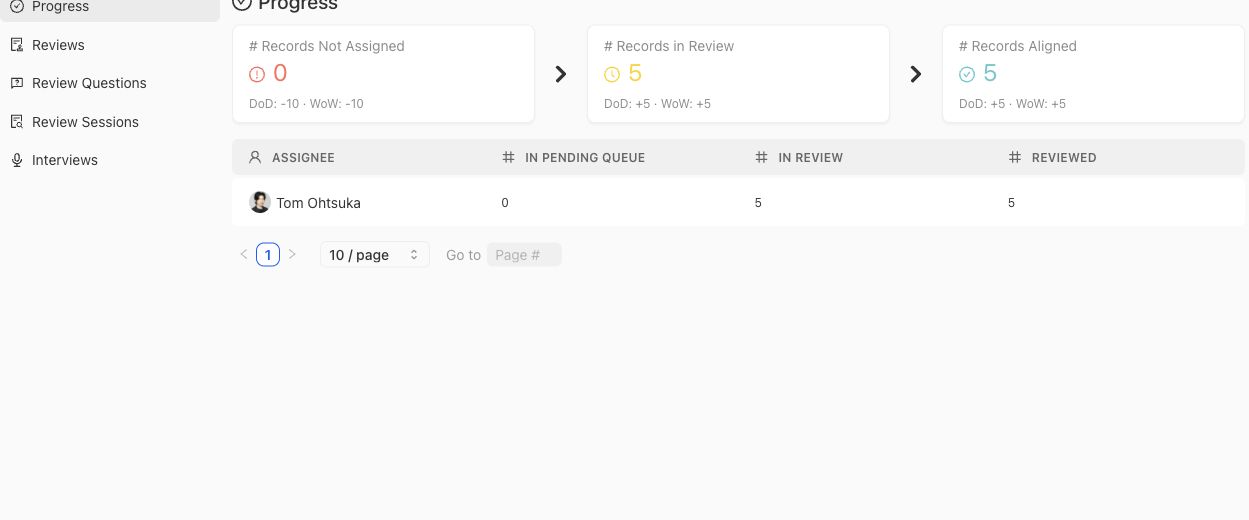
Use progress counts to locate work operationally; they do not establish whether contributed judgment was accepted.
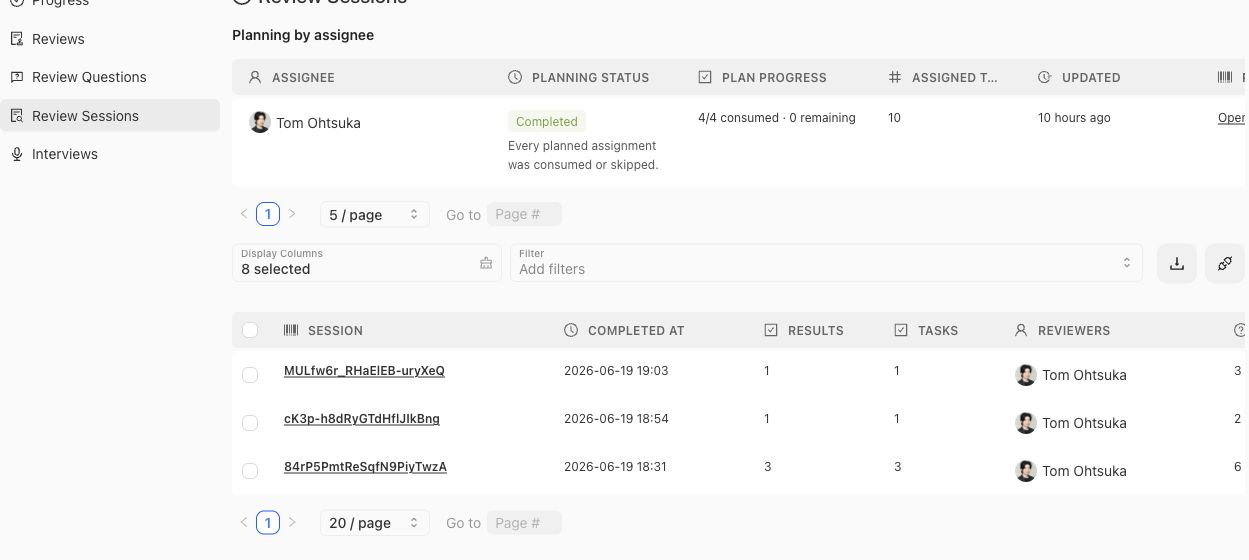
Open a session when you need its task and result provenance rather than inferring it from aggregate progress.
Filter and sort within the benchmark scope before comparing counts. A session, interview, review, and contributed artifact are separate objects and may have different completion times. Do not add their row counts together as a measure of unique Contributions or experts.
## Provenance and diagnosis
Start from the Contribution when explaining intent, then follow its planned activity to the session, review, interview, checkpoint, and materialized artifact. Transcript or response evidence may explain a decision, but the owning Policy, Rubric, Case, or coverage surface determines the artifact's current governance status.
When work appears stuck, compare durable status with the latest task or checkpoint rather than inferring from engagement alone. An expert can open a Contribution without completing a task, and a completed interview can still be waiting for checkpoint reconciliation or materialization.
> Operational evidence, not correctness proof
>
> Logs demonstrate activity and provenance. They do not prove that contributed content was accepted, that experts agreed, or that a candidate system passed an evaluation.
## Related task pages
{% related-card-grid title="Related task pages" %}
- [Request an Expert Contribution](/docs/expert-contributions/request-contribution)
- [Complete an Expert Contribution](/docs/expert-contributions/complete-contribution)
{% /related-card-grid %}
## Source confidence
Code-backed: the active Logs & Status routes define benchmark-scoped review, session, interview, and engagement tables and their detail surfaces.
---
id: expert-contributions.request
title: Request an Expert Contribution
summary: Create a focused benchmark contribution with an accountable expert, clear objectives, selected cases, attachments, and appropriate task components.
kind: task
product_area: expert_contributions
status: stable
updated: 2026-09-07
canonical: /docs/expert-contributions/request-contribution
---
# Request an Expert Contribution
Request a Contribution when a benchmark needs a bounded piece of specialist judgment. The request should make the expert's decision clear, prepare the relevant evidence, and choose only the task components needed to obtain an attributable answer.
## Prerequisites
- A selected project and benchmark.
- An expert eligible for the contribution domain.
- A concrete contribution statement or unresolved correctness question.
- Selected cases, attachments, or scoped statements when the question depends on them.
- Project Context and Reference Materials prepared in Agent Setup; use **Assets → Review Screens** when the Contribution needs reusable expert-facing presentation.
## Steps
1. Open the benchmark and select **Expert Contributions → Contributions**.
2. Choose **Request Contribution**.
3. Complete **Objectives & Missions**. State the decision or knowledge the benchmark needs and select the application domain: Coverage Model, Benchmark Setup, or Evaluation Validation.
4. Complete **Choose Experts** and confirm that each selected expert has the right authority for the mission.
5. Complete **Contribution Components**. Available components are Curation, Comparative, Trajectory, Form, Chat, and Interview. Choose conservative, balanced, or exploratory agent behavior; Comparative accepts two to five candidates and can allow improvement.
6. Designate the relevant Cases. Select exact Case IDs and decide whether the contribution may add Cases beyond that set.
7. Add attachments and scoped statements only when they help resolve the mission. Supported attachment scopes include completed Contributions, Policies, Rubrics, Dimensions, ontology values, Project Topics or Groups, Construction Patterns, and Case candidates.
8. Review the captured attachment snapshot version and hash, generated activities, and checkpoints. Confirm that controlling evidence is frozen and consequential meaning will be reconciled.
9. Send the request and follow its state through Overview, Contributions, or Logs & Status.
## Object and state changes
This task creates a benchmark-scoped Contribution, associates experts, and records missions, application domain, Case designation, attachments, scoped statements, component behavior, and improvement permission. Planning materializes activities such as Case Review, Form, Chat, and Interview. Sending or starting work moves the Contribution toward `READY` or `IN_PROGRESS`; cancellation preserves the record.
## Success criteria
- The Contribution asks one coherent specialist question.
- The selected expert and application domain are appropriate.
- Every case or attachment is relevant to the objective.
- The chosen task types match the judgment required.
- Checkpoints protect decisions that should not be silently inferred.
- Attachment identities, scope statements, snapshot version, and hash are visible.
- The administrator can tell what artifacts may result and where they will be governed.
## Common failure modes
- Asking for general review without a materializable objective.
- Selecting many cases that do not illuminate the same decision.
- Leaving one-time behavior directions outside the Contribution objective, components, or scoped statements.
- Omitting the source or case material needed to explain a judgment.
- Assuming that task completion automatically approves contributed policies or rubrics.
{% example-demo title="Example: focused coverage contribution" %}
The objective asks an expert to decide whether source-freshness and customer-impact should form a distinct coverage slice. The operator selects six cases spanning those facets, attaches the controlling policy, and chooses case review plus a final checkpoint. The request can yield a coverage observation and a scoped rubric without asking the expert to redesign the entire benchmark.
{% /example-demo %}
## Related reference pages
{% related-card-grid title="Related reference pages" %}
- [Expert Contributions](/docs/expert-contributions)
- [Contributed Artifacts](/docs/expert-contributions/contributed-artifacts)
- [Review Screen](/docs/assets/review-screens)
{% /related-card-grid %}
## Related troubleshooting pages
{% related-card-grid title="Related troubleshooting pages" %}
- [Expert Contribution problems](/docs/troubleshooting/expert-contributions)
- [Permissions](/docs/troubleshooting/permissions)
- [Low expert agreement](/docs/troubleshooting/low-expert-agreement)
{% /related-card-grid %}
## Source confidence
Code-backed: the active Contribution composer defines expert selection, objectives, cases, attachments, statements, settings, and contribution components. Exact available components can depend on project and benchmark context.
---
id: orientation.key-objects
title: Key objects and relationships
summary: Understand how project foundations, contributions, datasets, evaluations, and improvement artifacts connect.
kind: concept
product_area: reference
status: stable
updated: 2026-09-07
canonical: /docs/getting-oriented/key-objects-and-relationships
---
# Key objects and relationships
Teammately's evidence is trustworthy when a reader can move from project understanding and specialist authority to the exact Case, Benchmark version, Harness version, Run, and Improvement Session involved. This page gives the shared object graph.
> Artifact state matters
>
> An object name is not enough. Preserve project or benchmark scope, version or snapshot identity, provenance, and lifecycle state whenever the object supports evaluation or improvement.
## Definition
A **Project Agent Brief** and published **Reference block** give agents project understanding. **Project Input Schema** governs canonical **Case** input and materials. **Dimensions**, **Project Topics**, and Case Construction Patterns define reusable coverage structure. A saved **Harness version** identifies an executable candidate.
A benchmark selects Cases into a **Dataset snapshot** and combines them with governed **Policies** and **Rubrics** through a **Benchmark version**. An **Expert Contribution** requests specialist judgment through one or more Tasks and Checkpoints. Its **Contributed artifact** can become a policy, rubric, case, or coverage observation while retaining provenance.
A **Run** evaluates a saved Harness Version against a Benchmark Version. Its response, Rubric outcomes, settings, mapping, and metadata form evaluation evidence. An **Improvement Session** pins target evidence through a Goal Contract, creates or receives candidates, records evaluation receipts and safe session narration, and maintains a **Current frontier**.
## Decision checkpoint
| Object | Scope | Relationship that must remain visible |
| --- | --- | --- |
| Project Agent Brief / Reference block | Project | What agents understood and which source generation was available |
| Case / Harness version | Project | Which reusable asset and exact candidate state was selected |
| Contribution / Checkpoint | Benchmark | Which expert supplied or confirmed the judgment |
| Policy / Rubric | Project governance | Which authority, applicability, cases, and provenance support it |
| Dataset snapshot / Benchmark version | Benchmark | Which cases and correctness boundary define evidence |
| Run | Benchmark version | Which Harness, settings, mapping, and metadata produced results |
| Improvement Session / Current frontier | Benchmark version | Which goal and evaluation receipts justify retained candidates |
{% artifact-map title="How correctness artifacts connect" %}
{% /artifact-map %}
## Static materials and executable worlds
Canonical Case content separates `content.input` from optional `content.case_materials`. Static execution support uses case-material references. A `world_instance_ref` represents an executable or queryable environment and follows a separate capability and lifecycle boundary. The rendered case view helps people and adapters inspect canonical content; it does not create another authoring source.
## Provenance across scopes
Project assets can be reused across benchmarks, while dataset snapshots, Contributions, Runs, and Improvement Sessions remain benchmark-scoped. Materializing a contributed policy moves its governed owner to project scope without erasing the benchmark Contribution that supplied it. Evaluating a candidate records the saved Harness version rather than whichever Draft is currently open.
{% example-demo title="Contribution to frontier" %}
An Expert Contribution confirms a source-authority Policy and Rubric from selected Cases. The Cases enter a Dataset snapshot and the standard enters a Benchmark version. A Run evaluates Harness version 8 and exposes three failures. An Improvement Session pins those failures, evaluates versions 9 and 10, and retains version 10 in the Current frontier with canonical evaluation receipts.
{% /example-demo %}
## Related workflows
{% related-card-grid title="Related workflows" %}
- [First correctness loop](/docs/operating-manual/first-correctness-loop)
- [Request an Expert Contribution](/docs/expert-contributions/request-contribution)
- [Start an Improvement Session](/docs/improve/start-improvement-session)
{% /related-card-grid %}
## Related reference pages
{% related-card-grid title="Related reference pages" %}
- [Object model](/docs/object-model)
- [Project Input Schema](/docs/project-settings/input-schema)
- [Product map](/docs/getting-oriented/product-map)
{% /related-card-grid %}
## Source confidence
Code-backed: active navigation, canonical case contracts, Contribution surfaces, versioned evaluation routes, and Improvement Session contracts support this object graph.
---
id: orientation.end-to-end
title: Operating Teammately end to end
summary: Operate the current product from project foundations through benchmark coverage, expert contribution, evaluation, and improvement.
kind: task
product_area: operating_manual
status: stable
updated: 2026-09-07
canonical: /docs/getting-oriented/operating-teammately-end-to-end
---
# Operating Teammately end to end
Use this workflow to coordinate the full correctness system while keeping project foundations, benchmark work, expert authority, evaluation evidence, and candidate improvement separate.
## Decision checkpoint
| Phase | Owning scope | Exit condition |
| --- | --- | --- |
| Establish project understanding | Project | Project Agent Brief and Indexed Reference are usable |
| Define content and reusable assets | Project | Project Input Schema, Cases, Harnesses, and Coverage Facets are explicit |
| Establish benchmark evidence | Benchmark | Dataset snapshot and coverage state are reviewable |
| Resolve specialist correctness | Benchmark Contribution and project governance | Attributable artifacts have explicit lifecycle state |
| Evaluate candidates | Benchmark version | Exact Runs and case/rubric evidence are available |
| Improve behavior | Benchmark version | Goal Contract, candidates, receipts, and frontier are durable |
## Prerequisites
- A workspace and project.
- An accountable operator, domain expert, and AI engineer or candidate owner.
- Source knowledge, examples, and a candidate system appropriate to the intended benchmark.
## Before and after
| Before | Operation | After |
| --- | --- | --- |
| Agents lack a shared project model | Configure Agent Setup | Project understanding is reusable and inspectable |
| Examples have inconsistent shape | Save Project Input Schema and prepare Cases | Inputs and materials share a canonical contract |
| Coverage and correctness are implicit | Define Coverage Facets and request Contributions | Benchmark intent and specialist standards are explicit |
| Candidate claims depend on anecdotes | Run Benchmark Evaluations | Evidence is bound to versions, cases, and rubrics |
| Engineering iterations lack chronology | Use Improve | Goals, candidates, receipts, and current frontier stay connected |
## Steps
1. Configure Project Context and Reference Materials in **Agent Setup**. Create or select Comparison Directions and Review Screens under **Assets** when a Contribution needs them.
2. Save Project Input Schema and establish reusable Coverage Facets.
3. Create or import Cases and save candidate Harness versions under Assets.
4. Create or select a benchmark, configure Coverage Management, select Cases in Benchmark Datasets, inspect Representation, and preserve a snapshot.
5. Request focused Expert Contributions for unresolved standards, cases, or coverage. Reconcile contributed artifacts in their owning project or benchmark surfaces.
6. Confirm governed policies and rubrics and the benchmark version that will use them.
7. Run exact saved Harness versions through Benchmark Evaluations. Inspect Dashboard, List, Compare, Arena, and Run detail according to the question.
8. Start an Improvement Session only from evidence that identifies measurable candidate work.
9. Return newly discovered correctness or coverage gaps to Expert Contributions, Correctness Governance, Coverage Management, or Cases.
## Object and state changes
This workflow touches project context, reference indexes, input schema, facets, assets, benchmark datasets and snapshots, coverage state, Contributions and contributed artifacts, policies, rubrics, Harness versions, Runs, evaluation results, and Improvement Sessions. Each object remains in its owning scope and retains historical evidence.
## Success criteria
- Project and benchmark scope is explicit at every operation.
- Agent preparation, expert judgment, and governed artifacts remain distinguishable.
- Dataset and candidate versions make evaluation reproducible.
- Improvement begins with a measurable goal and pinned evidence.
- New learning returns to one responsible upstream artifact.
## Common failure modes
- Putting benchmark-specific instructions into permanent Project Context.
- Treating connected sources as approved standards.
- Selecting generated Cases without case review or schema conformance.
- Comparing Runs after multiple evidence boundaries changed.
- Treating external-worker activity as observable before an artifact returns.
{% example-demo title="Example: full grounding loop" %}
A team indexes source repositories, defines source-authority coverage, imports canonical cases, and requests a Contribution to resolve conflicting guidance. The governed rubric enters a benchmark version, two saved Harness versions are compared, and an Improvement Session tests retrieval changes. A missing-source pattern discovered during improvement returns to Coverage Management.
{% /example-demo %}
## Related reference pages
{% related-card-grid title="Related reference pages" %}
- [Product map](/docs/getting-oriented/product-map)
- [Key objects and relationships](/docs/getting-oriented/key-objects-and-relationships)
- [Product boundaries](/docs/introduction/product-boundaries)
{% /related-card-grid %}
## Related troubleshooting pages
{% related-card-grid title="Related troubleshooting pages" %}
- [Expert Contribution problems](/docs/troubleshooting/expert-contributions)
- [Benchmark runs](/docs/troubleshooting/benchmark-runs)
- [Unbalanced coverage](/docs/troubleshooting/unbalanced-coverage)
{% /related-card-grid %}
## Source confidence
Doctrine-backed: the sequence follows the current public capability model and active product topology. Linked pages provide code-backed operation details.
---
id: orientation.product-map
title: Product map
summary: Navigate Teammately across workspace entry points, project foundations, benchmark workspaces, expert contribution UI, and administration.
kind: concept
product_area: introduction
status: stable
updated: 2026-09-07
canonical: /docs/getting-oriented/product-map
---
# Product map
Teammately separates reusable project foundations from benchmark-scoped work. The Main UI uses the selected project and benchmark to route operators to the right scope. Experts receive a focused Expert contribution UI. Admin Console owns organization-level controls, while AI-assisted background work prepares and coordinates bounded tasks.
> Surface routing
>
> Before changing an artifact, identify its scope. Project foundations can affect several benchmarks; dataset selection, Contributions, Evaluations, and Improvement Sessions belong to a selected benchmark or benchmark version.
## Definition
The **Main UI** begins at Project Home and groups project-level work into Correctness Governance, Coverage Facets, Assets, Agent Setup, and Project Settings. After a benchmark is selected, its workspace exposes Benchmark Overview, Benchmark Datasets, Coverage Management, Expert Contributions, Benchmark Evaluations, and Improve.
The **Expert contribution UI** presents one Contribution and its form, chat, interview, case-review, checkpoint, waiting, and completion states. The expert does not need the full project navigation to supply attributable judgment.
The **Admin Console** contains organization administration such as members, groups, roles, domain controls, integrations, and other code-backed administrative surfaces. Public docs keep detailed security, billing, retention, and compliance claims outside the boundary unless separately verified.
**AI-assisted background work** can index reference material, prepare contributions, suggest coverage or standards, construct cases, run evaluations, and coordinate candidate exploration. Its outputs retain the authority of the owning artifact and workflow.
## Decision checkpoint
| Work | Scope | Surface |
| --- | --- | --- |
| Project purpose and knowledge | Project | Agent Setup |
| Policies and rubrics | Project | Correctness Governance |
| Dimensions, Topics, and construction patterns | Project | Coverage Facets |
| Reusable Cases and Harnesses | Project | Assets |
| Input architecture | Project | Project Settings |
| Benchmark-level run fields | Benchmark | Benchmark Evaluations |
| Selected Cases, representation, and snapshots | Benchmark | Benchmark Datasets |
| Coverage setup, Stories, Case Review, and Foundry | Benchmark | Coverage Management |
| Specialist requests and contributed artifacts | Benchmark | Expert Contributions |
| Runs, results, Compare, and Arena | Benchmark version | Benchmark Evaluations |
| Goal Contracts, candidates, and frontier | Benchmark version | Improve |
## How selection affects navigation
Project surfaces require a project. Benchmark surfaces also require a benchmark, and Evaluations or Improve may resolve the current benchmark version. If a destination is unavailable, confirm the current selectors before assuming that the feature or data is missing.
Project folders and search help users move across a larger workspace, but they do not change artifact ownership. Search results and creation actions should preserve the selected project or benchmark scope.
{% surface-map title="Teammately product surfaces" %}
{% /surface-map %}
{% example-demo title="Route a new rubric need" %}
An evaluation exposes inconsistent handling of expired agreements. The operator uses the benchmark workspace to request an Expert Contribution with the failed cases. The expert works in the focused contribution UI. The resulting rubric is reconciled in Correctness Governance at project scope, then included in a later benchmark version and evaluation.
{% /example-demo %}
## Related workflows
{% related-card-grid title="Related workflows" %}
- [Task index](/docs/operating-manual/task-index)
- [Operating Teammately end to end](/docs/getting-oriented/operating-teammately-end-to-end)
- [Product quickstart](/docs/quickstart)
{% /related-card-grid %}
## Related reference pages
{% related-card-grid title="Related reference pages" %}
- [Key objects and relationships](/docs/getting-oriented/key-objects-and-relationships)
- [User roles](/docs/getting-oriented/user-roles)
- [Product boundaries](/docs/introduction/product-boundaries)
{% /related-card-grid %}
## Source confidence
Code-backed: current navigation and active project, benchmark, Contribution, and administration routes establish the scope and labels described here.
---
id: orientation.user-roles
title: User roles
summary: Understand the responsibilities of project operators, domain experts, AI engineers, accountable owners, and organization administrators.
kind: reference
product_area: reference
status: stable
updated: 2026-08-22
canonical: /docs/getting-oriented/user-roles
---
# User roles
## Definition
Teammately work is coordinated across responsibilities rather than one universal operator. A **project operator** maintains reusable context, assets, standards, and benchmark work. A **domain expert** supplies specialist judgment through Contributions. An **AI engineer** owns candidate Harness behavior and evaluation interpretation. An **accountable owner** decides how customer-owned downstream processes use the evidence. An **organization administrator** manages membership and organizational controls.
Product roles and permissions determine access, but responsibility can still vary by team. The important rule is to preserve who supplied judgment, who changed an artifact, and who owns the next action.
## Fields, states, or lifecycle rules
- Project operators configure Agent Setup, Project Input Schema, Coverage Facets, Assets, and benchmark work according to their access.
- Domain experts use the focused Contribution experience and do not require the full project workbench to complete assigned work.
- Expert profiles are global rather than a project-specific roster; a Contribution selects an appropriate expert for its application domain.
- AI engineers save Harness versions, start or inspect Benchmark Evaluations, and participate in Improvement Sessions.
- Accountable owners inspect versioned evidence and retain authority over downstream product, governance, or operational choices.
- Organization administrators manage organization-level access and controls without becoming the automatic approver of every policy, rubric, or Contribution.
- AI agents prepare and coordinate work but do not inherit human authority.
## Responsibility handoffs
An operator can prepare a Contribution, but the expert owns the specialist judgment. The resulting material can be reconciled into Correctness Governance, Assets, or Coverage Management. An AI engineer can change the Harness and produce new Runs, but cannot rewrite the expert provenance behind a rubric. An accountable owner can act on the evidence without turning that action into a Teammately artifact unless a source-backed workflow exists.
{% example-demo title="Example: role handoff" %}
A project operator requests a grounding Contribution from the policy owner. The expert confirms source authority and contributes a rubric. The operator reconciles it in Correctness Governance. An AI engineer evaluates a saved Harness version and starts an Improvement Session from the failures. The accountable product owner later decides what downstream action to take from the evidence.
{% /example-demo %}
## Source confidence
Code-backed: current project navigation, Contribution expert routes, and administration surfaces support these responsibility boundaries. Exact permissions remain governed by the active role configuration.
## Related task pages
{% related-card-grid title="Related task pages" %}
- [Request an Expert Contribution](/docs/expert-contributions/request-contribution)
- [Complete an Expert Contribution](/docs/expert-contributions/complete-contribution)
- [Run a Benchmark Evaluation](/docs/benchmark-evaluations/run-evaluation)
{% /related-card-grid %}
---
id: governance.overview
title: Governance Overview
summary: Govern correctness standards, expert decisions, versions, and evidence without overstating unsupported enterprise claims.
kind: concept
product_area: governance
status: stable
updated: 2026-09-07
canonical: /docs/governance
---
# Governance Overview
Use Governance when the reader needs to know whether correctness evidence is accountable: who approved it, which version was used, whether it is stale, and whether the user has the right access to act.
## What this area is
Governance covers human approval boundaries, versioning, staleness, reviewer activity, project access, roles, permissions, conflict resolution, reproducibility, and data-handling expectations for AI-assisted features. It is about the correctness artifact graph: who approved what, which version was used, when an artifact became stale, and what context is needed to repeat or explain a benchmark result.
This page does not promise compliance, retention, billing, deployment, tenant-isolation, or security guarantees beyond the code-backed product surfaces cited in the source refs. Use the Admin Console page for organization administration and the permissions references for exact access boundaries where they are source-backed.
## Decision checkpoint
| Governance question | Inspect | Do not infer |
| --- | --- | --- |
| Can this standard govern evidence? | Human approval boundary | Suggested or AI-drafted text is approved. |
| Why did evidence change? | Case, policy, rubric, benchmark, and run versions | Score movement is only candidate behavior. |
| Who can act? | Project access, reviewer access, and admin references | Role label equals permission. |
| Is the artifact stale? | Staleness and versioning pages | Old benchmark evidence still reflects current standards. |
| Is this an enterprise trust claim? | Source-backed admin/security docs | Compliance, retention, or deployment guarantees. |
## Who uses it
Project owners use Governance to keep artifact ownership clear. Experts rely on it to know when their judgment has become an approved standard. AI engineers use it to avoid comparing stale or mismatched versions. Organization administrators use adjacent admin surfaces for members, roles, security controls, integrations, and API keys.
Interpret people through the surface they are using: Project member, Contribution recipient, accountable artifact owner, or organization administrator. A descriptive persona such as AI engineer or domain expert explains work but does not grant permission.
## Artifacts created or changed
Governance affects approval records, policy and rubric versions, case versions, benchmark versions, reviewer activity, access records, conflict-resolution notes, stale-state handling, and reproducibility context. It can also constrain whether AI-generated suggestions are allowed to become approved artifacts.
These surfaces do not establish compliance certification, retention guarantees, tenant isolation, audit-log completeness, or a general security posture. Organization controls belong to the separately bounded Admin Console.
## What governance protects
Governance protects the line between suggestion and approval. AI assistance can draft, classify, summarize, or propose changes, but a suggestion becomes a governed standard only through the owning artifact's accountable approval state. Governance also protects version boundaries: a benchmark result is interpretable only when the Case set, governed evaluators, saved Harness Version, settings, published Regime Version, and benchmark-level run fields are clear.
When a benchmark changes unexpectedly, Governance asks which artifact changed. When experts disagree, it asks how the decision was resolved. When a reviewer lacks access, it asks whether the user is a project participant, reviewer, workspace member, or organization administrator. These distinctions keep the product trustworthy without inventing unsupported enterprise claims.
Before using a result in human review, inspect approval, version, access, staleness, and source-confidence boundaries. Hold the interpretation when any required boundary is unknown.
## Governance readiness check
| Evidence is ready for accountable review when... | Hold the decision when... |
| --- | --- |
| Approved policies and rubrics are separated from suggestions and drafts. | Any governing standard is unapproved, stale, or ambiguous. |
| Benchmark evidence names case, standard, benchmark, run, and candidate versions. | A score is detached from version boundaries. |
| Access and reviewer roles are checked against source-backed permission pages. | A role label is used as a permission guarantee. |
| Unsupported enterprise claims are left out or routed to source-backed docs. | The page implies compliance, retention, security, billing, or deployment behavior without evidence. |
## Common starting tasks
- [Conflict Resolution](/docs/governance/conflict-resolution)
- [Staleness Detection](/docs/governance/staleness-detection)
- [Compare Harness Versions](/docs/benchmark-evaluations/compare)
- [Read run results](/docs/benchmark-evaluations/inspect-results)
- [Run a benchmark](/docs/benchmark-evaluations/run-evaluation)
## Related reference pages
{% related-card-grid title="Related reference pages" %}
- [Human Approval Boundaries](/docs/governance/human-approval-boundaries)
- [Versions, staleness, and resolution](/docs/object-model/versions-staleness-and-resolution)
- [Approval History and Reviewer Activity](/docs/governance/approval-history-and-reviewer-activity)
- [Benchmark Versioning](/docs/governance/benchmark-versioning)
- [Case Versioning](/docs/governance/case-versioning)
{% /related-card-grid %}
## Related troubleshooting pages
{% related-card-grid title="Related troubleshooting pages" %}
- [Access troubleshooting](/docs/troubleshooting/authentication)
- [Benchmark Results Changed Unexpectedly](/docs/troubleshooting/benchmark-results-changed-unexpectedly)
- [Benchmark run troubleshooting](/docs/troubleshooting/benchmark-runs)
- [Case upload troubleshooting](/docs/troubleshooting/dataset-upload)
- [Dimension classification troubleshooting](/docs/troubleshooting/dimension-classification)
{% /related-card-grid %}
{% example-demo title="Human approval boundary" %}
An Expert Contribution produces a suggested refund Policy and a candidate binary Rubric. The Contribution preserves who supplied the judgment, but the suggestion does not govern evaluation yet. The accountable owner reviews and approves the Policy and Rubric in Correctness Governance, then the team creates the Benchmark Version that uses those governed objects. Earlier Runs remain attached to their original boundary.
{% /example-demo %}
## Source confidence
Code-backed: Project Members, Policy and Rubric detail, Policy activity, Dataset Snapshots, and Evaluation Run detail expose the access, approval, version, and evidence boundaries summarized here. Linked pages provide narrower object-specific behavior.
---
id: governance.approval-history-reviewer-activity
title: Approval History and Reviewer Activity
summary: Understand how approvals and reviewer actions support explainable correctness decisions.
kind: reference
product_area: governance
status: stable
updated: 2026-08-23
canonical: /docs/governance/approval-history-and-reviewer-activity
---
# Approval History and Reviewer Activity
## Definition
Approval history records attributable decisions about a governed artifact. Reviewer activity records observable actions such as contribution progress, edits, comments, Checkpoint decisions, or materialization. They answer different questions: history explains which decision established the current governed state, while activity explains what work occurred around it.
Neither should be inferred from a final label alone. A Policy marked approved does not reveal every preceding suggestion, and activity does not become approval merely because an expert performed it.
## Fields, states, or lifecycle rules
- Approval belongs to the exact artifact or version shown by its owning surface.
- A Checkpoint decision can authorize Contribution progress or materialization without approving every related project object.
- Comments, interviews, task answers, and agent suggestions remain inputs until the owning workflow records an accepted or approved result.
- Current state and chronological activity should be read together; an older approval does not automatically govern a newer version.
- Reviewer identity, timestamps, and rationale are useful only when the product exposes them. Do not reconstruct missing history from private memory or internal logs.
- This documentation does not promise audit-log completeness, retention, export, or compliance behavior.
## Related objects
Read this page with [Contribution Lifecycle and Status](/docs/expert-contributions/lifecycle-and-status) for Contribution state, [Contributed Artifacts](/docs/expert-contributions/contributed-artifacts) for materialized learning, and [Human Approval Boundaries](/docs/governance/human-approval-boundaries) for accountable decisions. Policy and Rubric detail pages remain the authority for their current governed state.
{% example-demo title="Contribution work versus policy approval" %}
An expert completes an interview, edits a proposed exception, and approves a Contribution Checkpoint. The Contribution activity shows that work and the Checkpoint decision. When the accepted statement materializes as a Policy, its Policy detail records the governed version and approval context. A later reader can distinguish the expert's working history from the Policy version that actually entered benchmark evidence.
{% /example-demo %}
## Source confidence
Code-backed: Policy detail exposes approval and activity sections, while Contribution detail exposes lifecycle and Checkpoint state. These surfaces support attributable current-state interpretation, not a general compliance or audit-retention guarantee.
## Related task pages
{% related-card-grid title="Related task pages" %}
- [Using Checkpoints](/docs/expert-contributions/complete-contribution)
- [Human Approval Boundaries](/docs/governance/human-approval-boundaries)
- [Expert Contributions](/docs/expert-contributions)
- [Product quickstart](/docs/quickstart)
- [Task index](/docs/operating-manual/task-index)
{% /related-card-grid %}
---
id: governance.benchmark-versioning
title: Benchmark Versioning
summary: Preserve benchmark snapshots so evidence can be compared across target and standard changes.
kind: reference
product_area: governance
status: stable
updated: 2026-08-23
canonical: /docs/governance/benchmark-versioning
---
# Benchmark Versioning
## Definition
A Benchmark Version is the immutable evidence boundary used by Runs. It identifies the frozen dataset state and admitted evaluator relationships that make a result interpretable. The Benchmark remains a durable program; its versions preserve successive evidence boundaries as Cases, materials, coverage, Policies, or Rubrics change.
## Fields, states, or lifecycle rules
- Create a new Snapshot and resulting Benchmark Version when changed evidence would alter what a Run claims to test.
- Existing Runs remain attached to their original Benchmark Version.
- Current Dataset edits do not mutate a historical version.
- A new Harness Version alone does not require a new Benchmark Version; candidate and evidence versions move independently.
- Comparisons within one Benchmark Version isolate candidate differences more cleanly.
- Cross-version comparisons must name the changed Cases, evaluators, or representation boundary.
- Version identity does not prove that coverage is sufficient or that every admitted Rubric is correct.
## Related objects
Use [Dataset Snapshots](/docs/benchmark-datasets/snapshots) to create the frozen dataset boundary. Use [Benchmark Evaluations](/docs/benchmark-evaluations) to inspect Runs inside one exact version, and [Compare Harness Versions](/docs/benchmark-evaluations/compare) to interpret candidate movement without hiding version changes.
{% example-demo title="Separating candidate change from standard change" %}
Harness Version 12 improves retrieval and is evaluated against Benchmark Version 4, the same boundary used for Version 11. That comparison isolates candidate behavior. Later, experts approve a stricter source-authority Rubric and the dataset gains conflict Cases. The team creates Benchmark Version 5 and reports subsequent Runs under that new boundary instead of presenting the lower score as a regression against unchanged evidence.
{% /example-demo %}
## Source confidence
Code-backed: Benchmark Datasets → Snapshots preserves immutable Dataset boundaries, and the version-scoped Evaluation route binds Runs to one selected Benchmark Version. Coverage quality and downstream decisions remain outside version identity itself.
## Related task pages
{% related-card-grid title="Related task pages" %}
- [Benchmark snapshots](/docs/coverage-engineering/benchmark-snapshots)
- [Benchmarks](/docs/object-model/benchmarks)
- [Compare Harness Versions](/docs/benchmark-evaluations/compare)
- [Product quickstart](/docs/quickstart)
- [Task index](/docs/operating-manual/task-index)
{% /related-card-grid %}
---
id: governance.case-versioning
title: Case Versioning
summary: Track meaningful changes to cases, metadata, context, and attached outputs.
kind: reference
product_area: governance
status: stable
updated: 2026-08-23
canonical: /docs/governance/case-versioning
---
# Case Versioning
## Definition
A Case has durable identity and versioned canonical content. The exact Case version records the input shape and Case Materials that an evaluator or Harness received. Customer provenance and classification context can help find and interpret the Case, but they must not obscure which canonical version a historical Benchmark Version froze.
## Fields, states, or lifecycle rules
- A change to canonical input or required Case Materials creates a new evidence meaning and must remain distinguishable from the earlier version.
- Project Input Schema determines the accepted input kind and named Case Material slots.
- Correcting a filename label or customer-owned filter may be operational metadata; do not claim that every metadata edit has the same consequence as changed evaluated content.
- Accepted or golden output changes affect reference-output interpretation and should be traced separately from the Case input version.
- Existing Snapshots and Runs continue to identify the Case version they used.
- A current Case can be selected by several Benchmarks; version review must consider each future dataset that uses it.
- Case IDs and version IDs are backend-issued opaque values.
## Related objects
Read [Cases](/docs/assets/cases) for canonical Case structure, [Project Input Schema](/docs/project-settings/input-schema) for input and material requirements, and [Dataset Snapshots](/docs/benchmark-datasets/snapshots) for the immutable benchmark boundary. Use Benchmark Versioning when corrected Cases need to enter future evaluation evidence.
{% example-demo title="Correcting a controlling document" %}
A Case asks whether an opened product is returnable, but its attached policy PDF is discovered to be superseded. Replacing that Case Material changes the evidence presented to the candidate and evaluator, so the corrected Case must remain distinguishable from the old version. Runs against the old Benchmark Version stay interpretable as historical evidence; the corrected Case enters a new Dataset Snapshot for future Runs.
{% /example-demo %}
## Source confidence
Code-backed: canonical Case content and Project Input Schema services define input and material structure, while Case view types preserve backend-issued Case identity for product surfaces. Exact persistence mechanics remain internal; Snapshot pages define public historical evidence behavior.
## Related task pages
{% related-card-grid title="Related task pages" %}
- [Cases](/docs/assets/cases)
- [Dataset Snapshots](/docs/benchmark-datasets/snapshots)
- [Benchmark Versioning](/docs/governance/benchmark-versioning)
- [Product quickstart](/docs/quickstart)
- [Task index](/docs/operating-manual/task-index)
{% /related-card-grid %}
---
id: governance.conflict-resolution
title: Resolve conflicting correctness evidence
summary: Reconcile disagreement without hiding the Cases, expert judgments, sources, or versions that produced it.
kind: task
product_area: governance
status: stable
updated: 2026-08-23
canonical: /docs/governance/conflict-resolution
---
# Resolve conflicting correctness evidence
## When a conflict needs resolution
Resolve a conflict when experts reach different conclusions from the same Case, when governed Policies contradict one another, when a Rubric tests a broader or narrower rule than its Policy, or when new source evidence changes the standard that earlier Benchmark Versions used.
Disagreement is not automatically a reviewer-quality problem. It often exposes missing context, mixed applicability, an unresolved source hierarchy, or two legitimate product boundaries that should be modeled separately.
## Prerequisites
- Name the exact Case versions, outputs, Policies, Rubrics, expert responses, and sources in conflict.
- Preserve attribution and timestamps. Do not collapse opposing judgments into an unattributed summary.
- Separate factual disagreement from scope disagreement and from differences in desired product behavior.
- Identify the accountable owner for any governed object that may change.
### Task steps: Resolve a correctness conflict
1. Open the affected governed object or Contribution and collect the linked Cases, expert rationale, source material, and activity history.
2. Reconstruct each position in its strongest form: what evidence it uses, which situations it covers, and which outcome it recommends.
3. Test whether the conflict disappears when applicability, target-system context, user segment, source authority, or time boundary is made explicit.
4. If one position lacks required evidence, record that finding without erasing the original contribution.
5. If both positions are valid in different contexts, split or refine the Policy, applicability, Rubric, Case, or coverage facet that conflated them.
6. Have the accountable owner approve the resulting governed change. Expert participation alone does not approve it.
7. Mark affected current evidence for follow-up, create new versions or a Snapshot where required, and preserve older Runs under their original boundary.
## Object and state changes
- Correct the **Case** when required context or the judged output is wrong.
- Correct the **Policy** when the behavioral rule or its scope is wrong.
- Correct the **Rubric** when the test does not faithfully check the Policy.
- Correct **coverage facets or membership** when the benchmark over- or under-represents a boundary.
- Create a new **Benchmark Version** when the governed evaluation boundary changes.
- Keep an unresolved observation explicit when the source evidence cannot yet support a decision.
## Success criteria
- A reviewer can see the original positions and the evidence behind each.
- The resolution names the artifact and version that changed.
- Approval authority is explicit.
- Downstream Case selection, standards, Snapshots, Runs, or customer-owned human review context are either still valid under a named boundary or routed for refresh.
- The team did not manufacture agreement by deleting dissenting evidence.
## Common failure modes
- Voting before reconstructing the evidence and applicability behind each position.
- Editing a downstream Rubric when the conflict belongs to a Case or Policy boundary.
- Treating expert participation as approval of a governed object.
- Erasing dissent or historical versions after a resolution is approved.
{% example-demo title="Two valid refund rules" %}
One specialist rejects every refund exception; another approves exceptions for enterprise accounts. Their Cases reveal that both followed different authoritative programs. The team adds an account-program applicability boundary, revises the Policy and linked Rubrics, records the approval in activity history, and creates a new Benchmark Version. The earlier expert responses remain attributable evidence for why the split was needed.
{% /example-demo %}
## Source confidence
Code-backed: Policy and Rubric detail routes expose governed objects, linked Cases, approval, and activity history, while Contribution review results preserve attributable expert learning. The evidence-reconciliation method is doctrine-backed; no single product screen automatically adjudicates every cross-object conflict.
## Related reference pages
{% related-card-grid title="Related workflows" %}
- [Human Approval Boundaries](/docs/governance/human-approval-boundaries)
- [Versions, staleness, and resolution](/docs/object-model/versions-staleness-and-resolution)
- [Approval History and Reviewer Activity](/docs/governance/approval-history-and-reviewer-activity)
{% /related-card-grid %}
## Related troubleshooting pages
{% related-card-grid title="Diagnose disagreement" %}
- [Low expert agreement](/docs/troubleshooting/low-expert-agreement)
- [Unclear Cases](/docs/troubleshooting/unclear-cases)
- [Overlapping Rubrics](/docs/troubleshooting/overlapping-rubrics)
{% /related-card-grid %}
---
id: governance.human-approval-boundaries
title: Human Approval Boundaries
summary: Define which AI-assisted suggestions require accountable human review before becoming standards.
kind: reference
product_area: governance
status: stable
updated: 2026-09-07
canonical: /docs/governance/human-approval-boundaries
---
# Human Approval Boundaries
## Definition
Human approval boundaries separate preparation from governed correctness evidence. A suggestion, reviewer comment, interview answer, or draft standard can inform the loop, but it should not govern benchmark interpretation until the relevant human approval state is clear.
Use this page when prepared or contributed material is about to become a governed Policy, Rubric, Case-scoped reference output, or selected Benchmark Dataset evidence.
Comparison Directions are a narrower configuration object, not a governed standard. An AI-suggested Comparison Direction can be active without a separate approval step, but generated Cases, Benchmark membership, Policies, Rubrics, and reference outputs still follow their owning review or approval boundaries. A customer-owned human review packet is assembled from evidence; it is not a Teammately approval state.
> Approval is a state transition
>
> AI-assisted suggestions do not become governed standards until an accountable human approves the relevant artifact.
## Fields, states, or lifecycle rules
- Draft suggestions and reviewer notes are preparation material.
- Approved Policies and Rubrics, reviewed Case changes, selected Dataset membership, and supported Case-scoped reference outputs can affect governed evidence.
- AI-suggested Comparison Directions can affect future variant generation as active directions, but they do not approve the generated cases or standards they help explore.
- Approval should name the artifact being approved, not only the discussion that produced it.
- Stale or superseded approvals should be visible before older benchmark evidence is reused.
- This page does not claim external compliance approval, legal signoff, or production deployment authorization.
## Related objects
Read this with [What AI Features Can and Cannot Do](/docs/governance/what-ai-features-can-and-cannot-do), [Comparison Directions](/docs/assets/comparison-directions), [Approving Suggested Policies](/docs/correctness-governance/policies-and-rubrics), [Editing Suggested Rubrics](/docs/correctness-governance/policies-and-rubrics), and [Approval History and Reviewer Activity](/docs/governance/approval-history-and-reviewer-activity).
{% example-demo title="Human Approval Boundaries boundary" %}
Reviewer context: Several experts reject unsupported refund exceptions.
Suggested policy: The system proposes a policy that exceptions require approved support.
Approval boundary: The suggestion becomes governed only when a human owner approves the policy and its applicability.
Benchmark interpretation: Runs should cite the approved policy, not the unapproved suggestion that preceded it.
{% /example-demo %}
## Source confidence
Code-backed: Policy approval and activity components expose accountable approval state and history; contributed-artifact types keep expert learning distinct from materialized governed objects. Comparison Directions deliberately use active, archived, and advisory-stale behavior instead of the Policy approval lifecycle.
## Related task pages
{% related-card-grid title="Related task pages" %}
- [What AI Features Can and Cannot Do](/docs/governance/what-ai-features-can-and-cannot-do)
- [Comparison Directions](/docs/assets/comparison-directions)
- [Review Policies and Rubrics](/docs/correctness-governance/policies-and-rubrics)
- [Product quickstart](/docs/quickstart)
- [Task index](/docs/operating-manual/task-index)
{% /related-card-grid %}
---
id: governance.policy-versioning
title: Policy Versioning
summary: Preserve policy changes so decisions can be interpreted against the standard used at the time.
kind: reference
product_area: governance
status: stable
updated: 2026-08-23
canonical: /docs/governance/policy-versioning
---
# Policy Versioning
## Definition
A Policy version preserves one governed statement of intended behavior together with its applicability and approval context. The durable Policy identity connects revisions; the version identity tells readers which wording and boundary informed linked Rubrics, Cases, Benchmark Versions, and evaluation results.
## Fields, states, or lifecycle rules
- Editing meaning, scope, precedence, exception handling, or applicability requires a distinguishable version.
- Draft or suggested wording is not an approved Policy version.
- Rubrics linked to a Policy must be reviewed when the Policy meaning changes; versioning the Policy does not silently repair every Rubric.
- Existing Benchmark Versions and Runs retain the Policy version admitted at their evidence boundary.
- A later current Policy does not make an older result false; it makes the result historical under the old standard.
- Activity and approval context explain why a version changed, but do not replace the version identity.
- Policy versions do not authorize downstream deployment or governance decisions.
## Related objects
Use Correctness Governance to inspect the current Policy, related Rubrics, linked Cases, approval context, and activity. Use Versioning and Staleness to route follow-up when changed Policy meaning affects current dataset readiness or future benchmark interpretation.
{% example-demo title="Adding an exception" %}
The current Policy says opened items cannot be returned. Experts confirm an exception for documented safety recalls. The revised Policy creates a new version, and its applicability and linked Rubrics are reviewed. Runs under the earlier Benchmark Version remain evidence of behavior against the old rule. A new Snapshot and Benchmark Version admit the changed standard for later evaluation.
{% /example-demo %}
## Source confidence
Code-backed: Policy types and detail routes expose durable identity, current version context, approval, activity, related Rubrics, and linked Cases. Benchmark pages define how an exact Policy version enters immutable evaluation evidence.
## Related task pages
{% related-card-grid title="Related task pages" %}
- [Policies](/docs/object-model/policies)
- [Policies and Rubrics](/docs/correctness-governance/policies-and-rubrics)
- [Versioning and Staleness](/docs/governance/versioning-and-staleness)
- [Product quickstart](/docs/quickstart)
- [Task index](/docs/operating-manual/task-index)
{% /related-card-grid %}
---
id: governance.reproducibility
title: Reproducibility
summary: Preserve enough source context to explain and repeat correctness decisions.
kind: reference
product_area: governance
status: stable
updated: 2026-08-23
canonical: /docs/governance/reproducibility
---
# Reproducibility
## Definition
Reproducibility means preserving enough exact identity and observable configuration to explain what was evaluated and to repeat the supported execution path. It does not mean every future execution will produce an identical stochastic output. It means a reader can distinguish changes in candidate, evidence, evaluator, sampling, and runtime metadata instead of attributing every result difference to the model.
## Fields, states, or lifecycle rules
- Preserve Project, Benchmark, Benchmark Version, Dataset Snapshot, and Run identity.
- Preserve the exact saved Harness Version rather than an editable draft or display label.
- Preserve admitted Case, Policy, and Rubric version boundaries through the Benchmark Version.
- Record Run Group, attempt, sampling profile, evaluator set, and visible execution settings.
- Retain run metadata and measured telemetry when captured; missing values remain unknown.
- Record completeness, incomplete Cases, and terminal state beside scores.
- Use canonical evaluation receipts for Improvement Session candidate claims.
- Do not claim private worker activity, hidden reasoning, infrastructure internals, or unavailable traces as reproducibility evidence.
## Related objects
Dataset Snapshots preserve the evidence set. Benchmark Evaluations preserves candidate, Run, settings, results, and available telemetry. Compare and Arena interpret candidates inside compatible evidence boundaries. Improve adds Goal Contract, candidate, and canonical receipt identity when evaluation drives code or Harness changes.
{% example-demo title="Diagnosing a score change" %}
Two Runs use the same Harness Version but report different pass rates. The operator confirms that one Run used Benchmark Version 6 and the other used Version 7, which added source-conflict Cases and a revised grounding Rubric. The version and completeness record explains the movement. The team avoids filing a candidate regression until it compares Runs inside the same evidence boundary.
{% /example-demo %}
## Source confidence
Code-backed: Snapshot, Run detail, and run-metadata surfaces expose the immutable evidence boundary, candidate identity, status, counts, settings, and available metadata needed for supported reproducibility. They do not promise deterministic model output or unrestricted execution traces.
## Related task pages
{% related-card-grid title="Related task pages" %}
- [Benchmark Versioning](/docs/governance/benchmark-versioning)
- [Compare Harness Versions](/docs/benchmark-evaluations/compare)
- [Benchmark Evaluations](/docs/benchmark-evaluations)
- [Product quickstart](/docs/quickstart)
- [Task index](/docs/operating-manual/task-index)
{% /related-card-grid %}
---
id: governance.reviewer-project-access
title: Reviewer and Project Access
summary: Route reviewers and project participants to the work they are qualified to inspect or approve.
kind: reference
product_area: governance
status: stable
updated: 2026-09-07
canonical: /docs/governance/reviewer-and-project-access
---
# Reviewer and Project Access
## Definition
Reviewer access combines several explicit boundaries. Organization roles are managed in the Admin Console. Project membership determines access to a particular project. Expert Contribution assignment determines which scoped work an expert receives. Artifact approval authority belongs to the owning workflow and must not be inferred from a general role label.
## Fields, states, or lifecycle rules
- A workspace or organization role does not automatically prove access to every Project.
- Project membership does not automatically assign a person to every Expert Contribution.
- Assignment makes work available to the intended expert; it does not pre-approve the expert's response.
- Checkpoint and artifact approval state must be read from the Contribution or governed object itself.
- Removing access can prevent future interaction without erasing already recorded attributable evidence.
- API keys, service scopes, and customer integrations are separate authorization boundaries.
- Exact permission keys and enforcement behavior should be read from current administration and project surfaces, not inferred from persona names.
## Related objects
Use [Admin Console](/docs/admin-console) for organization roles and directory controls, [Project Members](/docs/project-settings/project-members) for project participation, and [Expert Contributions](/docs/expert-contributions) for assignment and expert-runtime state. Use the owning Policy, Rubric, Case, or Contribution page to determine approval.
{% example-demo title="Qualified expert without project access" %}
A specialist is the right reviewer for a source-authority Contribution but cannot open the assigned task. The operator checks organization membership, then Project membership, then Contribution assignment. Granting the missing Project access makes the task reachable; the assignment still controls which work is presented, and the specialist's later Checkpoint decision remains a separate recorded action.
{% /example-demo %}
## Source confidence
Code-backed: Project Permissions, Project Members, user, and workspace types establish project participation and role presentation. Contribution pages define assignment, runtime, and approval state separately; this page does not claim a complete authorization matrix.
## Related task pages
{% related-card-grid title="Related task pages" %}
- [Roles and Permissions](/docs/governance/roles-and-permissions)
- [Reviewer Assignments and Statuses](/docs/expert-contributions)
- [Permissions](/docs/reference/permissions)
- [Product quickstart](/docs/quickstart)
- [Task index](/docs/operating-manual/task-index)
{% /related-card-grid %}
---
id: governance.roles-permissions
title: Roles and Permissions
summary: Use roles and permissions to route ownership, review, and approval work clearly.
kind: reference
product_area: governance
status: stable
updated: 2026-09-07
canonical: /docs/governance/roles-and-permissions
---
# Roles and Permissions
## Definition
Roles and Permissions covers the access controls visible in the current product source. It is not a generic enterprise RBAC promise.
The main product exposes project permission management for users and groups. The Admin Console exposes workspace role management and permission keys. Orientation pages may describe common personas such as product owner, reviewer, expert, AI engineer, or administrator, but those personas are not exact permission values unless a code-backed source says so.
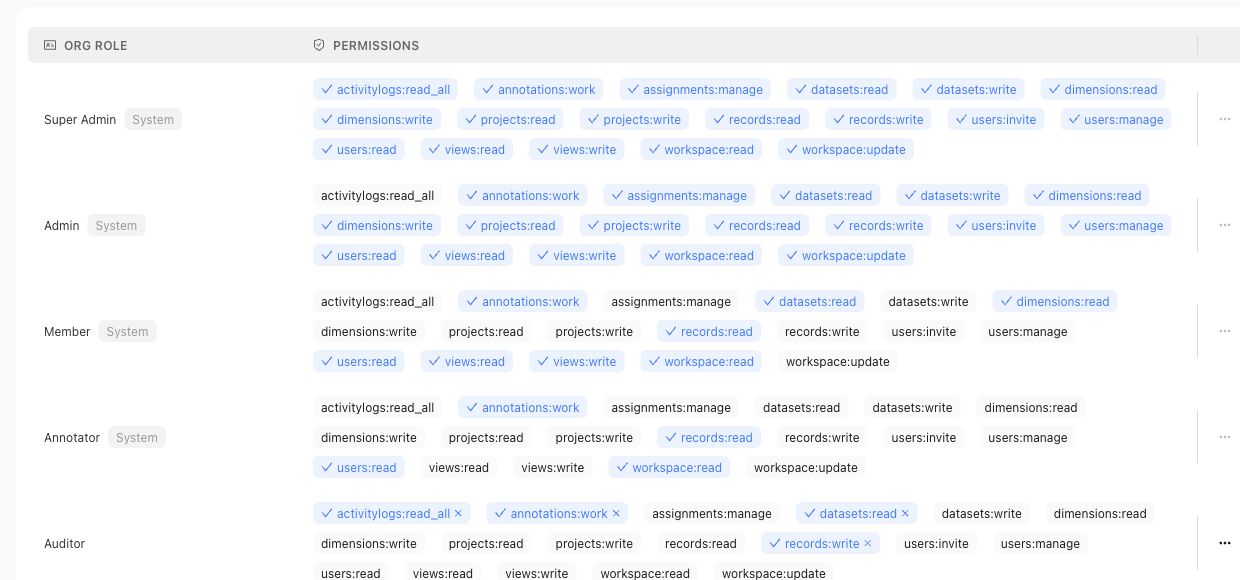
Use the roles table for organization access claims, and use project permission pages for project-level access claims.
## Fields, states, or lifecycle rules
- Main-product project permissions use user or group subjects and code-backed `ADMIN` or `MEMBER` project roles.
- Admin Console roles are workspace roles with permission keys managed through the admin app.
- Reviewer assignments and review ownership are workflow concepts; they should not be treated as workspace role names.
- Approval actions require accountable ownership; AI suggestions do not approve themselves.
## Related objects
Related objects may include workspace users, workspace groups, workspace roles, permission keys, project permission assignments, reviewer assignments, review sessions, approvals, and the correctness artifacts those users can access.
{% example-demo title="Human approval boundary" %}
A domain expert receives a Contribution and can complete its assigned Tasks. The same person is also a member of one Project, so they can inspect that Project's permitted surfaces. Neither fact makes them an organization administrator or grants authority to approve every governed artifact. Read access, Contribution assignment, artifact approval, and Workspace administration from their owning surfaces.
{% /example-demo %}
## Source confidence
Code-backed: this page is grounded in the main product project permission routes and Admin Console role management source listed in source_refs.
## Related task pages
{% related-card-grid title="Related task pages" %}
- [Request an Expert Contribution](/docs/expert-contributions/request-contribution)
- [Build policies and rubrics](/docs/operating-manual/build-policies-and-rubrics)
- [Manage Project Members](/docs/project-settings/project-members)
{% /related-card-grid %}
---
id: governance.rubric-versioning
title: Rubric Versioning
summary: Track changes to pass/fail criteria and the evidence they produce.
kind: reference
product_area: governance
status: stable
updated: 2026-08-23
canonical: /docs/governance/rubric-versioning
---
# Rubric Versioning
## Definition
A Rubric version preserves one observable binary evaluation criterion and its relationship to a Policy, applicability boundary, and normative force. The durable Rubric identity connects revisions; the version identity explains which exact criterion produced a historical result.
## Fields, states, or lifecycle rules
- Change the version when criterion meaning, pass/fail threshold, applicability, Policy relationship, or normative force changes.
- Editorial cleanup that genuinely preserves meaning should not be described as a new correctness rule without evidence.
- A Rubric must remain testable as one binary criterion; combining several independent requirements makes failures ambiguous.
- Suggested or contributed wording is not admitted evaluation authority until the owning workflow approves it.
- Existing Runs retain the exact Rubric version they evaluated.
- A new Rubric version can require a new Benchmark Version before it affects future evidence.
- Prefer-level improvement does not cancel a must-level regression.
## Related objects
Use Correctness Governance to inspect criterion text, Policy linkage, applicability, Cases, and approval state. Use Binary Rubrics when authoring or splitting a criterion. Use Benchmark Versioning when the revised Rubric should become part of future evaluation evidence.
{% example-demo title="Splitting an ambiguous criterion" %}
A Rubric currently passes only when an answer cites the controlling source and states uncertainty when no source is available. Reviewers find that the combined criterion produces unclear failures. They retain the original historical version and approve two narrower Rubrics for citation support and missing-source uncertainty. Future Benchmark Versions admit the new criteria; old Runs keep their original result meaning.
{% /example-demo %}
## Source confidence
Code-backed: Rubric types and detail routes expose criterion, version, Policy relationship, applicability, normative force, linked Cases, and evaluation context. Linked authoring and Benchmark pages define approval and admission boundaries.
## Related task pages
{% related-card-grid title="Related task pages" %}
- [Rubrics](/docs/object-model/rubrics)
- [Binary Rubrics](/docs/correctness-governance/binary-rubrics)
- [Versioning and Staleness](/docs/governance/versioning-and-staleness)
- [Product quickstart](/docs/quickstart)
- [Task index](/docs/operating-manual/task-index)
{% /related-card-grid %}
---
id: governance.staleness-detection
title: Detect and route stale correctness evidence
summary: Identify which current claims need review after Cases, standards, coverage, sources, or target behavior change.
kind: task
product_area: governance
status: stable
updated: 2026-09-07
canonical: /docs/governance/staleness-detection
---
# Detect and route stale correctness evidence
## What staleness means
Staleness means a downstream claim may no longer be supported by the current upstream state. It is a review signal, not automatic deletion and not a claim that historical evidence was invalid when produced.
Teammately objects change independently. A revised Policy may affect linked Rubrics and current benchmark interpretation without changing the exact evidence captured in an earlier Snapshot. A changed Harness may require a new Run while leaving the Benchmark Version unchanged.
## Common triggers
- A Case input, context, source attachment, or supported reference output changes.
- A Policy rule, scope, approval, or applicable boundary changes.
- A Rubric criterion or link changes.
- Coverage facets or selected Case membership change.
- A source becomes superseded or the target product changes.
- A saved Harness version changes before candidate comparison.
## Prerequisites
- The changed object and its earlier and current versions can be identified.
- The team can trace current downstream artifacts that rely on the changed fact.
- An owner can decide whether current evidence needs qualification, replacement, or no action.
### Task steps: Assess and route staleness
1. Name the changed object, its earlier and current versions, and the reason for change.
2. Identify downstream artifacts that rely on the changed fact: linked standards, selected Cases, Snapshots, Runs, comparisons, or customer-owned human review context.
3. Classify each artifact as historically valid, current and unaffected, current but requiring qualification, or requiring replacement.
4. Route the correction to the owning workflow: edit a Case, govern a new Policy or Rubric version, refresh coverage, create a Snapshot, or run a saved Harness again.
5. Preserve the old version and its evidence. Add a note that states which boundary the evidence still supports.
6. Confirm that current navigation and handoff material point to the new canonical version.
## Object and state changes
A changed object does not make every connected artifact unusable. If a Policy wording change does not affect a particular Case or Rubric, document that determination. If a candidate configuration changes, create a new Run rather than a new Benchmark Version. If selected membership changes, create a new Snapshot rather than editing an old one.
Comparison Directions have a narrower advisory state. **Potentially stale** applies to untouched AI-suggested directions considered inconsistent with newer project context. It does not automatically apply to user-created or user-edited directions, and dismissing the label does not delete the direction or govern any downstream artifact.
## Success criteria
- The trigger and affected version boundaries are named.
- Historical evidence remains interpretable under its original boundary.
- Current artifacts are explicitly unaffected, qualified, or routed to the owning workflow.
- New Snapshots or Runs are created only when their respective evidence boundary changed.
## Common failure modes
- Treating every connected artifact as invalid after one upstream change.
- Editing a historical Snapshot or Run to resemble current state.
- Creating a new Benchmark Version when only the Harness changed.
- Confusing the advisory Comparison Direction label with governed-object staleness.
{% example-demo title="Source document superseded" %}
A new service policy supersedes the source used by twelve refund Cases. The operator preserves the old Snapshot and its Runs, updates affected current Cases, checks the linked Policy and Rubrics, and creates a new Snapshot. Two Cases describe historical behavior and remain unchanged with an explicit time boundary; ten move to the current version.
{% /example-demo %}
## Source confidence
Code-backed: Policy and Rubric types, Benchmark Version and Snapshot surfaces, and Run detail preserve the version boundaries needed for this assessment. Comparison Directions explicitly expose their narrower advisory stale label. Cross-object dependency assessment and the decision to rerun or revise remain owner-reviewed work.
## Related reference pages
{% related-card-grid title="Related workflows" %}
- [Versioning and Staleness](/docs/governance/versioning-and-staleness)
- [Coverage Refresh](/docs/coverage-engineering/coverage-refresh)
- [Benchmark Versioning](/docs/governance/benchmark-versioning)
- [Comparison Directions](/docs/assets/comparison-directions)
{% /related-card-grid %}
## Related troubleshooting pages
{% related-card-grid title="Diagnose stale evidence" %}
- [Stale Dimensions](/docs/troubleshooting/stale-dimensions)
- [Benchmark results changed unexpectedly](/docs/troubleshooting/benchmark-results-changed-unexpectedly)
- [Weak applicability logic](/docs/troubleshooting/weak-applicability-logic)
{% /related-card-grid %}
---
id: governance.versioning-staleness
title: Versioning and Staleness
summary: Know when correctness objects changed and when old evidence may need review.
kind: concept
product_area: governance
status: stable
updated: 2026-09-07
canonical: /docs/governance/versioning-and-staleness
---
# Versioning and Staleness
## Definition
Versioning preserves the exact artifact state used by an earlier decision or evaluation. Staleness is the signal that current evidence, configuration, or interpretation may no longer support the same claim after a related object changes. A stale signal routes review; it does not automatically delete an artifact, invalidate every historical result, or approve a replacement.
## Why it matters
Cases, Policies, Rubrics, Benchmark Versions, Harness Versions, and Improvement Session goals can change independently. Named versions keep old evidence interpretable. Staleness helps teams decide which current Datasets, evaluator links, Runs, or customer-owned human review context need attention before being treated as current.
## Where it appears in the product
Use the owning object page to inspect its current version and activity. Use Dataset Snapshots and Benchmark Versioning for immutable evaluation boundaries. Use Staleness Detection to identify downstream artifacts affected by a change. Use Conflict Resolution when expert or source evidence disagrees about what the new governed state should be.
## Artifacts it affects
Common triggers include changed Case input or materials, revised Policy scope, revised Rubric criteria, changed dataset membership, changed Harness configuration, and superseded source material. The responsible next action depends on the owner: correct a Case, approve a new standard version, refresh coverage, create a new Snapshot, run a new evaluation, or preserve an old result as historical context.
Comparison Directions use a narrower stale signal. **Potentially stale** is an advisory label for untouched AI-suggested directions, not a versioned approval state and not automatic removal. User-created and user-edited directions remain user-owned even when Teammately considers them while avoiding duplicate suggestions.
## Operational check
Name the changed artifact and version, identify which downstream claim depended on it, and decide whether the old evidence remains historically valid, requires qualification, or needs replacement through a new canonical workflow. Never “resolve” staleness by editing a label while leaving the evidence boundary ambiguous.
When the object is a Comparison Direction, also check whether a **Potentially stale** label is only advisory. Dismiss the label if the team decides the direction still represents a useful boundary.
{% example-demo title="Revised applicability after evaluation" %}
Experts revise a Policy so it applies only when the customer explicitly requests a recommendation. Runs against the old Benchmark Version remain valid evidence under the former applicability rule. The current Dataset and linked Rubrics are reviewed, a new Snapshot and Benchmark Version establish the revised boundary, and new Runs use it. Any customer-owned human review context names both boundaries instead of marking every old result simply “wrong.”
{% /example-demo %}
## Related workflows
{% related-card-grid title="Related workflows" %}
- [Versions, staleness, and resolution](/docs/object-model/versions-staleness-and-resolution)
- [Staleness Detection](/docs/governance/staleness-detection)
- [Compare Harness Versions](/docs/benchmark-evaluations/compare)
- [Product quickstart](/docs/quickstart)
- [Task index](/docs/operating-manual/task-index)
{% /related-card-grid %}
## Source confidence
Code-backed: current Policy and Rubric types preserve versioned governance facts, Snapshot routes preserve immutable benchmark evidence, and Comparison Directions expose a deliberately narrower advisory stale label. Cross-object staleness remains a review and routing decision, not an automatic global state transition.
---
id: governance.ai-feature-boundaries
title: What AI Features Can and Cannot Do
summary: Explain the difference between AI-assisted suggestions and approved correctness infrastructure.
kind: reference
product_area: governance
status: stable
updated: 2026-09-07
canonical: /docs/governance/what-ai-features-can-and-cannot-do
---
# What AI Features Can and Cannot Do
## Definition
AI-assisted features can help prepare correctness work, but they do not own the approval boundary. They may draft, classify, summarize, propose, or organize artifacts; a human still needs to approve governed standards and review context before benchmark evidence depends on them.
Use this page when a reader needs to separate preparation from authority. A fluent suggestion can be useful, but it is not an approved Policy, Rubric, Case-scoped reference output, Benchmark evidence, or downstream customer decision by itself.
> Human approval boundary
>
> AI features can draft, summarize, classify, or suggest; they do not approve policies, rubrics, benchmark evidence, or customer-owned decisions by themselves.
## Fields, states, or lifecycle rules
- AI-assisted output can be draft material, review support, classification help, or summarization.
- AI-assisted output should not be treated as approved standards, benchmark evidence, or customer-owned decisions without human approval.
- Suggested policies, rubrics, and classifications need visible approval or rejection state before they affect governed evidence.
- AI-suggested Comparison Directions are different from suggested standards: they can become active directions immediately, but they still do not approve policies, rubrics, cases, benchmark membership, or review context.
- AI-assistance language does not establish model-provider behavior, data retention, compliance posture, or autonomous approval.
- Source-backed product pages decide exact supported behavior; this page defines the public boundary.
## Related objects
Read this with [Human Approval Boundaries](/docs/governance/human-approval-boundaries), [Comparison Directions](/docs/assets/comparison-directions), [Using Expert Judgment](/docs/concepts/correctness-elicitation), [Using Checkpoints](/docs/expert-contributions/complete-contribution), and [Noisy AI Suggestions](/docs/troubleshooting/noisy-ai-suggestions).
{% example-demo title="What AI Features Can and Cannot Do boundary" %}
Draft suggestion: An AI-assisted workflow proposes a new compatibility policy after reading rejected cases.
Allowed use: The suggestion can help a reviewer start the policy draft.
Not allowed as governed evidence: A benchmark should not cite the policy until an accountable human approves the artifact and its applicability.
Interpretation: The AI feature accelerated preparation; the human approval boundary still controls whether the standard can govern benchmark evidence.
{% /example-demo %}
{% example-demo title="Example: active AI-suggested direction" %}
AI-suggested direction: Teammately suggests a stale-source conflict Comparison Direction after project cases and ontology values show that gap.
Allowed use: The direction can become active immediately and can guide preview examples or future variant generation.
Not allowed as governed evidence: The direction does not approve a policy, rubric, generated case, benchmark membership, or downstream decision. Users still review generated examples and manage the direction normally.
{% /example-demo %}
## Source confidence
Code-backed: generation surfaces can propose Dimension schemas, synthesize candidate Cases, and suggest Comparison Directions; Policy approval and contributed-artifact state establish separate human-governance boundaries. These sources support the product-state distinction here, not claims about model providers, retention, or autonomous authority.
## Related task pages
{% related-card-grid title="Related task pages" %}
- [Human Approval Boundaries](/docs/governance/human-approval-boundaries)
- [Comparison Directions](/docs/assets/comparison-directions)
- [Using Expert Judgment](/docs/concepts/correctness-elicitation)
- [Using Checkpoints](/docs/expert-contributions/complete-contribution)
- [Product quickstart](/docs/quickstart)
- [Task index](/docs/operating-manual/task-index)
{% /related-card-grid %}
---
id: governance.workspace-administration
title: Workspace Administration
summary: Administer workspace and project boundaries so correctness work has clear ownership and scope.
kind: reference
product_area: governance
status: stable
updated: 2026-09-07
canonical: /docs/governance/workspace-administration
---
# Workspace Administration
## Definition
Workspace Administration covers two code-backed layers:
- Organization administration in the Admin Console, including members, groups, roles, domain control, IP address control, audit log, usage statistics, profile, support settings, integrations, and API keys.
- Project administration in the main product, including project members, groups, and project permission assignments.
Keep these layers separate when writing or operating from the docs. A workspace-level admin control is not the same as a project-specific correctness workflow.

Organization groups belong to the admin layer. Project membership and correctness artifact ownership remain separate concepts.
## Fields, states, or lifecycle rules
- Project permissions in the main product are code-backed for user and group subjects with `ADMIN` or `MEMBER` project roles.
- The Admin Console exposes additional organization-level controls such as roles, domain control, IP address control, integrations, and API keys.
- Do not infer compliance status, retention rules, SSO behavior, billing behavior, rate limits, or deployment options from the existence of an admin screen.
- Approval actions in correctness workflows require accountable ownership; AI suggestions do not approve themselves.
## Related objects
Related objects may include workspace members, groups, workspace roles, permission keys, project permission assignments, domain controls, IP controls, API keys, notification integrations, and the project artifacts those people can access.
{% example-demo title="Human approval boundary" %}
A Workspace administrator manages an organization group in the Admin Console. A Project owner then grants that group access under Project Settings. The group can inspect the Project according to the current Project membership surface, but this does not change organization security controls or create authority over every governed correctness artifact.
{% /example-demo %}
## Source confidence
Code-backed: this page is grounded in the Admin Console navigation and the main product project settings routes listed in source_refs.
## Related task pages
{% related-card-grid title="Related task pages" %}
- [Request an Expert Contribution](/docs/expert-contributions/request-contribution)
- [Manage Project Members](/docs/project-settings/project-members)
- [Import and prepare cases](/docs/operating-manual/import-and-prepare-cases)
{% /related-card-grid %}
---
id: improve.overview
title: Improve
summary: Coordinate durable Improvement Sessions from pinned benchmark evidence through Goal Contracts, candidates, evaluations, trajectories, and frontiers.
kind: concept
product_area: improve
status: stable
updated: 2026-09-07
canonical: /docs/improve
---
# Improve
Improve is the benchmark-scoped workspace for coordinating candidate work from benchmark evidence. Each Improvement Session pins the exact starting evidence it uses, including any Benchmark Version, Harness Version, and Run identities. Sessions preserve the goal, authorization, agent and worker activity, candidate Harness Versions, canonical evaluation receipts, and Current frontier.
## Definition
A new session begins with **Start from evidence**. The operator selects the target and relevant benchmark evidence, then prepares a **Goal Contract**. The contract binds the free-form objective to canonical target identities, measurement bindings, constraints, unresolved items, and intervention boundaries.
The current Improve workspace offers **Coevolve**, **External Agents**, and **External fine-tuning** experiences where enabled. Coevolve supports bounded Work and Evolve behavior; external experiences use explicit handoff or provider boundaries. All retained candidates still rely on observable Harness Versions and canonical Benchmark Evaluations rather than unrecorded claims of progress.
## Decision checkpoint
| Need | Session choice | Required evidence |
| --- | --- | --- |
| Investigate or implement one bounded direction | Work | Confirmed Goal Contract and pinned failures or target evidence |
| Explore several competing hypotheses | Evolve | Comparable measurement plan and explicit exploration authorization |
| Delegate implementation externally | Worker package | Pinned target, return contract, and observable returned candidate |
| Decide which candidates remain viable | Current frontier | Canonical evaluation receipts and goal constraints |
| Stop scheduling new work temporarily | Pause | Retained evidence and chronology remain available |
| Correct missing benchmark meaning | Contribution or coverage follow-up | Upstream policy, rubric, case, or coverage observation is named |
## Goal Contract and chronology
The Goal Contract is the session's authority boundary. Confirm it only after the target and measurement plan are resolvable. Later revisions should remain explicit rather than silently changing what earlier candidates attempted.
Chronology records durable session transitions, agent activity, proposed approaches, candidates, evaluations, pauses, resumptions, cancellation, and terminal state. Narrated trajectories expose bounded work segments and can identify unannounced durable activity without pretending to know private external-worker behavior.
## Candidates and current frontier
A candidate should identify its Harness version, hypothesis, parent or branch context, and evaluation evidence. The current frontier represents retained candidates supported by the latest valid evidence and Goal Contract. It is not synonymous with the most recent candidate or the highest aggregate score.
Evaluation receipts link candidates back to Benchmark Evaluations. If a candidate improves one objective but violates a constraint or regresses a must-level rubric, the frontier should keep that tradeoff visible.
## Human and external-worker boundary
Operators can pause, resume, cancel, review, or redirect work through the available session controls. External worker packages can carry the confirmed goal and evidence to Codex, Claude Code, or another worker. Teammately records only returned artifacts and requests that satisfy the return contract; it does not infer private work state.
{% example-demo title="Evolve a grounding harness" %}
The Goal Contract targets unsupported blends of current and superseded sources without regressing missing-source uncertainty. Evolve explores retrieval filtering, source ranking, and response-construction branches. Each candidate Harness version is evaluated against the pinned benchmark. The current frontier retains the candidates supported by both grounding and uncertainty evidence, while a newly discovered policy conflict becomes an Expert Contribution opportunity.
{% /example-demo %}
## Related workflows
{% related-card-grid title="Related workflows" %}
- [Start an Improvement Session](/docs/improve/start-improvement-session)
- [Write and confirm a Goal Contract](/docs/improve/goal-contracts)
- [Choose Work or Evolve](/docs/improve/work-and-evolve)
- [Interpret candidates and the current frontier](/docs/improve/candidates-and-frontier)
- [Read chronology and trajectories](/docs/improve/chronology-and-trajectories)
- [Inspect evaluation results](/docs/benchmark-evaluations/inspect-results)
- [Request an Expert Contribution](/docs/expert-contributions/request-contribution)
{% /related-card-grid %}
## Related reference pages
{% related-card-grid title="Related reference pages" %}
- [Coevolve](/docs/concepts/coevolve)
- [Harnesses](/docs/assets/harnesses)
- [Product boundaries](/docs/introduction/product-boundaries)
{% /related-card-grid %}
## Source confidence
Code-backed: the active versioned Improve workspace and session contract define starting evidence, Goal Contracts, Work and Evolve behavior, candidates, receipts, chronology, frontiers, and lifecycle controls. Internal coordinator implementation is supporting evidence, not a public API.
---
id: improve.candidates-frontier
title: Candidates and the Current Frontier
summary: Interpret candidate stages, canonical receipts, constraints, retained Candidate Systems, and the current frontier.
kind: reference
product_area: improve
status: stable
updated: 2026-09-07
canonical: /docs/improve/candidates-and-frontier
---
# Candidates and the Current Frontier
## Definition
An Improve candidate moves through `working`, `focused_evaluated`, `canonical_evaluated`, `retained`, `rejected`, or `incomparable`. Stage describes evidence maturity, not source quality or recency.
## Fields, states, or lifecycle rules
Candidate stage, Harness Version, Benchmark Version, canonical Run, provenance, scores, constraint results, parent branch, and receipts form the durable evidence record. Frontier membership is a retained evidence decision rather than another candidate stage.
## Candidate System requirements
A retained Candidate System identifies an exact saved Harness Version, immutable Benchmark Version, canonical Run, provenance, scores, and constraint results. Focused evaluation can route exploration, but only canonical evaluation against the pinned cohort supports frontier retention.
A rejected candidate remains useful evidence when it reveals a regression or failed hypothesis. An incomparable candidate lacks the common evidence boundary needed for a valid decision. Do not fill that gap with aggregate intuition.
Candidate Exploration evidence is scoped to the session and branch that produced it. It is not automatically the project's global best candidate. The current frontier contains retained candidates supported by the latest valid Goal and receipts, but “current” does not mean newest or highest aggregate score.
## Harness materialization boundary
The active Improve model does not require a separate legacy “Save candidate as Harness” action. A candidate eligible for retention already references an immutable saved Harness Version. Use Assets → Harnesses to inspect that Version or select it directly in a future Benchmark Evaluation launch.
If an external worker returns only a patch, prose, or private claim, the candidate is not yet a Candidate System. Materialize the return through the supported contract so the saved Version and evaluation request become observable.
## Retention checklist
- Exact Harness and Benchmark Versions are present.
- The canonical Run is complete enough for the measurement bindings.
- Hard constraints pass; soft-constraint tradeoffs are visible.
- Evaluation receipts and hashes resolve to the claimed Case cohort.
- Parent branch and source provenance are recorded.
- The candidate is retained for evidence, not merely because it is latest.
{% example-demo title="Example: aggregate winner outside the frontier" %}
A new candidate has the highest overall pass rate but violates a hard required-Policy constraint. Its canonical receipt remains visible, but the candidate is rejected and does not displace two lower-scoring retained candidates that satisfy the confirmed Goal.
{% /example-demo %}
## Related task pages
{% related-card-grid title="Related task pages" %}
- [Start an Improvement Session](/docs/improve/start-improvement-session)
- [Compare Harness Versions](/docs/benchmark-evaluations/compare)
{% /related-card-grid %}
## Source confidence
Code-backed: the active session contract, archive view, and coordinator evidence define candidate stages, exact identities, canonical receipts, retention, rejection, incomparability, and frontier semantics.
---
id: improve.chronology-trajectories
title: Chronology, Trajectories, and Receipts
summary: Read durable session events, safe narrated work segments, evaluation receipts, external handoffs, and usage evidence.
kind: reference
product_area: improve
status: stable
updated: 2026-09-07
canonical: /docs/improve/chronology-and-trajectories
---
# Chronology, Trajectories, and Receipts
## Definition
Chronology is the durable ordered record of an Improvement Session. Event blocks can represent user or assistant messages, activity, Harness output, usage, Goal changes, input requests, external handoffs, and cancellation. Pagination preserves long sessions without implying that the initially loaded page is complete history.
## Fields, states, or lifecycle rules
- Chronology event types retain their identity and ordering.
- Trajectory segments link only to observable activity.
- Evaluation ledger rows preserve Case counts, completion, receipts, and hashes.
- Worker packages and sessions have independent lifecycle states.
## Safe trajectories
Trajectory segments narrate observable work and link to durable activity references. They may explain that a candidate was prepared, evaluated, retained, or rejected. They exclude hidden reasoning and private worker state. Do not rewrite silence between returned artifacts as a detailed external-worker trajectory.
Benchmark Evaluations does not currently expose Traces / Spans; Improve trajectories are a separate safe session narration surface. They should not be described as raw model reasoning, execution spans, or evaluator authority.
## Evaluation ledger and receipts
The evaluation ledger records exact Case counts, evaluable and incomplete populations, scores, constraint results, and receipt or content hashes. A receipt links a candidate claim to the canonical Benchmark Evaluation that supports it. When the cohort is incomplete, preserve that state in frontier and completion decisions.
Usage entries can identify provider use by model. Missing usage evidence is unknown, not zero. Harness output records candidate-visible results without granting access to private runtime reasoning.
## External handoffs
An external worker package is prepared only after a Goal Contract is confirmed. Its status can be prepared, submitted, expired, or closed. The return contract accepts an immutable Harness Version or a supported evaluation request. Expiration or closure describes the package lifecycle, not whether private work occurred.
## Session lifecycle
Sessions can be draft, active, paused, completing, completed, cancelling, cancelled, or failed. Attention states identify an input or review need. Pausing stops new scheduling while retaining chronology and evidence. Cancelling records a terminal path; it does not erase candidates, receipts, or usage already recorded.
> Observable-state rule
>
> Chronology may report only durable messages, events, returned artifacts, requests, and receipts. Never infer hidden chain of thought or fabricate progress for an external worker.
## Related task pages
{% related-card-grid title="Related task pages" %}
- [Start an Improvement Session](/docs/improve/start-improvement-session)
- [Choose Work or Evolve](/docs/improve/work-and-evolve)
{% /related-card-grid %}
## Source confidence
Code-backed: chronology rendering, the session contract, and archive model define event types, safe trajectories, ledger and receipt fields, handoff states, usage, pagination, and lifecycle controls.
---
id: improve.goal-contracts
title: Goal Contracts
summary: Bind an Improvement Session to exact targets, measurable objectives, constraints, and permitted intervention scope.
kind: reference
product_area: improve
status: stable
updated: 2026-09-07
canonical: /docs/improve/goal-contracts
---
# Goal Contracts
## Definition
A Goal Contract is the authority and measurement boundary for one Improvement Session. It turns a natural-language intent into canonical targets, prioritized objectives, protected constraints, and evaluable bindings.
## Fields, states, or lifecycle rules
### Contract contents
The contract identifies exact target IDs and records intent. Objectives carry priorities. Constraints are hard or soft. Measurement bindings name whether evidence should **improve**, **preserve**, or **reduce** a canonical Case, Policy, Rubric, metric, or other admitted reference. Intervention constraints state what work may change. Unresolved items remain explicit until the contract can be confirmed safely.
Every requested outcome needs an observable binding. “Make answers better” is not measurable; “improve the selected grounding Rubric while preserving the selected uncertainty Cases” is. A hard constraint disqualifies a candidate when violated. A soft constraint records a tradeoff that still requires review.
### Revisions and confirmation
Goal Contract revisions can be proposed, confirmed, superseded, or rejected. Keep superseded and rejected revisions as history so candidate activity can be explained against the contract that authorized it. Do not silently edit the meaning of a session after work has begun.
Evolve locks the Goal Contract after the first epoch begins. If new evidence reveals a fundamentally different goal, stop or complete the current session and create an explicit new boundary rather than retrofitting prior epochs.
### Confirmation checklist
- Target Harness, Harness Version, Benchmark Version, and starting Run resolve to exact identities.
- Each objective has a direction and canonical measurement binding.
- Non-regression behavior is represented by preserve bindings or constraints.
- Hard and soft constraints are distinguishable.
- Intervention scope permits the intended code, prompt, retrieval, or configuration work.
- No unresolved item makes evaluation or authorization ambiguous.
> Authority boundary
>
> The Goal Contract authorizes session work; it does not change the Benchmark Version, approve a new correctness standard, or waive human governance of upstream artifacts.
## Related task pages
{% related-card-grid title="Related task pages" %}
- [Start an Improvement Session](/docs/improve/start-improvement-session)
- [Choose Work or Evolve](/docs/improve/work-and-evolve)
{% /related-card-grid %}
## Source confidence
Code-backed: the active session contract and commands define canonical targets, objectives, constraints, measurement bindings, intervention scope, revision states, confirmation, and Evolve locking.
---
id: improve.start-session
title: Start an Improvement Session
summary: Start from benchmark evidence, prepare a measurable Goal Contract, and choose bounded Work or Evolve behavior.
kind: task
product_area: improve
status: stable
updated: 2026-09-07
canonical: /docs/improve/start-improvement-session
---
# Start an Improvement Session
Start an Improvement Session when evaluation evidence justifies a candidate change or bounded investigation. The setup should turn a free-form intention into a measurable Goal Contract before work begins.
Choose the saved Harness Version and a specific baseline launch. A baseline may contain one Run. Set the number of Runs for future candidate evaluations independently; a difference from the baseline count is informational. The work forecast and authorized budget use the chosen candidate count.
## Prerequisites
- A selected benchmark and evidence that identifies the relevant Benchmark Version or Run.
- An existing target Harness and saved starting version.
- Case, rubric, Run, comparison, or frontier evidence that explains the need.
- A measurable outcome and constraints that should remain protected.
- An operator authorized to start and control the session.
## Steps
1. Open the selected benchmark and choose **Improve**.
2. Choose the available Improve experience, then create a new Improvement Session and select **Work** or **Evolve** when using Coevolve.
3. Select the target Harness, exact starting Harness Version, starting Run, and execution source.
4. For Work, choose the available Coevolve or External Agents path. For Evolve, use Coevolve and choose user-gated or autonomous execution. External fine-tuning has its own provider and return boundary when available.
5. State the desired behavior change and important non-regression constraints.
6. Prepare the Goal Contract. Resolve canonical target identities, objectives, measurement bindings, intervention constraints, and unresolved items.
7. Inspect the proposed revision and confirm it only when the evidence can measure the requested outcome.
8. For Evolve, configure epoch authorization, Case pass target, and provider usage bounds before starting.
9. If using an external worker, verify the scoped package and return contract after the Goal is confirmed.
10. Start the session and use chronology, trajectories, candidates, receipts, and current frontier to follow observable progress.
## Object and state changes
This task creates a benchmark-scoped Improvement Session, records its mode, experience, source, target, and pinned starting evidence, and establishes a Goal Contract revision. Session lifecycle states are draft, active, paused, completing, completed, cancelling, cancelled, or failed, with attention states when operator action is needed. Starting work can create worker packages, candidate Harness Versions, canonical evaluation requests and receipts, frontier changes, chronology events, and usage records.
## Success criteria
- The target and starting evidence use canonical identities.
- Every objective has an observable measurement binding.
- Constraints protect important behavior from hidden regression.
- Work or Evolve is chosen deliberately.
- The exact starting Harness Version and Run are visible.
- Candidate progress is supported by returned artifacts and evaluation receipts.
- The current frontier is explainable from the Goal Contract and evidence.
## Common failure modes
- Starting from an aggregate score without selected case or rubric evidence.
- Confirming a Goal Contract whose outcome cannot be measured.
- Allowing Evolve without bounded authorization.
- Treating a worker package as proof that private work occurred.
- Retaining the newest candidate without checking constraints and regressions.
- Changing the benchmark boundary during the session without making the new evidence explicit.
{% example-demo title="Example: bounded Work session" %}
A Run fails three cases because the Harness uses a superseded source. The operator pins those cases and the grounding rubric, targets the exact saved Harness version, and writes a Goal Contract requiring current-source selection without reducing missing-source uncertainty performance. Work begins only after both objectives have measurement bindings.
{% /example-demo %}
## Related reference pages
{% related-card-grid title="Related reference pages" %}
- [Improve](/docs/improve)
- [Benchmark Evaluations](/docs/benchmark-evaluations)
- [Harnesses](/docs/assets/harnesses)
{% /related-card-grid %}
## Related troubleshooting pages
{% related-card-grid title="Related troubleshooting pages" %}
- [Benchmark runs](/docs/troubleshooting/benchmark-runs)
- [Benchmark results changed unexpectedly](/docs/troubleshooting/benchmark-results-changed-unexpectedly)
- [Unbalanced coverage](/docs/troubleshooting/unbalanced-coverage)
{% /related-card-grid %}
## Source confidence
Code-backed: the current Improve setup, session command, and Goal Contract behavior support this workflow. External workers remain bounded by observable return artifacts and requests.
---
id: improve.work-evolve
title: Work and Evolve
summary: Choose bounded implementation work or multi-branch evolutionary search with explicit epoch and provider authorization.
kind: task
product_area: improve
status: stable
updated: 2026-09-07
canonical: /docs/improve/work-and-evolve
---
# Work and Evolve
## Prerequisites
- A confirmed Goal Contract with exact starting evidence.
- A saved target Harness Version and canonical measurement bindings.
- Authorization for the selected worker source, epochs, and provider use.
Within the Coevolve experience, choose **Work** for one bounded implementation or investigation and **Evolve** when the confirmed Goal supports systematic exploration across several candidate branches and epochs. External Agents and External fine-tuning use different execution boundaries and should be selected only when their return or provider contracts are clear.
## Work
Work can run through Teammately or an offered external execution source such as Codex, Claude, or another worker. The source receives the confirmed Goal and scoped evidence. It must return an observable immutable Harness Version or evaluation request; a handoff package alone is not proof that private work occurred.
Use Work when the likely intervention is known, the change is narrow, or operator review should follow one candidate at a time. Review returned source, candidate identity, evaluation receipt, constraint result, and chronology before treating the work as complete.
## Evolve
Evolve uses Teammately and explores three Patch-to-Eval branches per epoch against the full pinned cohort. Choose **user-gated** to approve each epoch or **autonomous** to authorize a bounded number of epochs from 1 through 100. Set the target Case pass percentage and review provider usage by model.
An epoch does not merely generate text. Each viable branch must materialize an exact saved Harness Version and obtain canonical evaluation evidence before retention. Failed, incomparable, or constraint-violating branches remain visible rather than being presented as improvement.
## Select the mode
Use Work when evidence points to a specific retrieval filter, prompt rule, tool call, or output mapping change. Use Evolve when multiple independent interventions could satisfy the Goal and the benchmark can distinguish them. Do not use autonomous epochs when the Goal has unresolved authority, the evaluation boundary is unstable, or provider usage is not authorized.
> Epoch authorization
>
> User-gated and autonomous execution change how future epochs are scheduled, not the acceptance criteria. Every retained candidate still needs exact identity, canonical evaluation, and Goal-constraint compliance.
## Object and state changes
Starting Work or Evolve advances the Session and can create handoff packages, epoch branches, saved Harness Versions, evaluations, receipts, usage, and frontier decisions. Pause and cancellation preserve recorded evidence.
## Success criteria
- Mode and execution source match the problem.
- Every retained branch has exact candidate identity and canonical evidence.
- Epoch limits, pass target, and provider usage remain within authorization.
## Common failure modes
- Using Evolve before the benchmark can distinguish hypotheses.
- Treating a handoff package as returned implementation.
- Retaining a focused-only or constraint-violating candidate.
## Related reference pages
{% related-card-grid title="Related reference pages" %}
- [Goal Contracts](/docs/improve/goal-contracts)
- [Candidates and the Current Frontier](/docs/improve/candidates-and-frontier)
- [Chronology, Trajectories, and Receipts](/docs/improve/chronology-and-trajectories)
{% /related-card-grid %}
## Related troubleshooting pages
{% related-card-grid title="Related troubleshooting pages" %}
- [Benchmark runs](/docs/troubleshooting/benchmark-runs)
- [Benchmark results changed unexpectedly](/docs/troubleshooting/benchmark-results-changed-unexpectedly)
{% /related-card-grid %}
## Source confidence
Code-backed: the active Improve setup, session contract, and work-review model define sources, Work and Evolve modes, authorization styles, epoch bounds, three branches, pinned cohort, pass target, and provider usage.
---
id: integrations.overview
title: Integrations
summary: Move Cases, source materials, external outputs, and benchmark evidence across Teammately's supported product boundaries.
kind: concept
product_area: data_integrations
status: stable
updated: 2026-09-07
canonical: /docs/integrations
---
# Integrations
## Definition
An integration connects customer-owned data or execution systems to a specific Teammately workflow. The useful boundary is not “send arbitrary records.” It is preserving enough identity, context, and version information for imported material to remain reviewable and for exported evidence to remain interpretable.
## Choose the boundary
| need | Teammately boundary | preserve |
| --- | --- | --- |
| Bring behavior examples into a Project | Assets Cases or the Case import workflow | source identity, input, materials, attributes, current Project Input Schema |
| Give agents Project knowledge | Agent Setup → Reference Materials | source document identity, indexing state, intended use |
| Evaluate outputs produced elsewhere | Benchmark Evaluations → Import reference outputs | immutable Benchmark Version, exact Case IDs, output identity, measured telemetry |
| Send work to specialists | Expert Contributions and Expert UI | assignment, task context, Contribution state, Checkpoint, provenance |
| Use evidence in another system | Run and Case result context | Run, Benchmark Version, Case version, Policy version, Rubric version, incomplete states |
Each pattern has a different lifecycle. Reference Materials are not Case materials. An external response is neither a Case-scoped reference output nor a Harness Version. A Contribution assignment is not a generic notification integration.
## Data movement principles
1. Read the owning product contract before transforming data. For Cases, start with Project Input Schema; for outputs, start with the immutable Benchmark Version.
2. Use backend-issued IDs as join keys and customer IDs as correlation keys.
3. Preserve versions when a downstream result depends on mutable source objects.
4. Distinguish acceptance from completion. Upload, artifact processing, evaluation, and expert work can have separate states.
5. Keep missing values missing. Do not turn unknown telemetry or incomplete evaluation into zero or false.
6. Reconcile a small sample before moving a full collection.
## Product UI and API boundaries
The product UI owns interactive setup, mapping, preview, conflict resolution, and human decisions. Automated integrations should use only a supported external contract that preserves the same object and version boundaries.
Internal browser endpoints, event payloads, database shapes, and service-to-service handlers are not customer integration contracts. Their presence in source code does not make them stable or safe to automate against.
{% example-demo title="External candidate evaluation" %}
A team produces assistant outputs in its own evaluation pipeline. It selects an immutable Benchmark Version, downloads the exact Case IDs, and maps one output to each Case. The imported output set becomes an output-only reference Run.
The team retains its own generation ID as correlation metadata while using the Teammately Run, Benchmark Version, and Case IDs as correctness-evidence identity. Missing cost remains absent. The Run becomes interpretable after Rubric evaluation completes; successful upload alone is not a result.
{% /example-demo %}
## Fields, states, or lifecycle rules
- Projects scope reusable Cases, Project Context, Reference Materials, Harness assets, and correctness governance. Contribution-specific agent behavior and direction selection belong to benchmark-scoped Contributions.
- Benchmark Versions freeze the Case and evaluator boundary used by a Run.
- API keys belong to organization administration and do not replace Project permissions.
- Imports and evaluations can be asynchronous.
- External outputs create non-Harness reference evidence.
- Teammately evidence informs customer review; it does not record a customer deployment decision.
## Source confidence
Code-backed: current Case, Reference Materials, Expert Contributions, and Benchmark Evaluation output-mapping surfaces prove the product data-movement boundaries described here. Exact Public API serialization remains separately publication-gated until the refreshed external service implements its contract.
## Related task pages
{% related-card-grid title="Integration workflows" %}
- [Import case examples](/docs/integrations/import-case-examples)
- [Reference Materials](/docs/agent-setup/reference-materials)
- [Connect model outputs](/docs/integrations/connect-model-outputs)
- [Expert UI](/docs/integrations/reviewer-workspace)
- [Check candidate correctness](/docs/integrations/check-candidate-correctness)
{% /related-card-grid %}
---
id: integrations.check-candidate-correctness
title: Check candidate correctness
summary: Use Teammately benchmark evidence to compare a candidate behavior change against a baseline before internal human review.
kind: recipe
product_area: benchmark_evaluations
status: stable
updated: 2026-08-23
canonical: /docs/integrations/check-candidate-correctness
---
# Check candidate correctness
This page belongs with Benchmark Evaluations because it uses benchmark runs, comparisons, failures, and coverage gaps to prepare evidence for internal human review.
## When to use this check
Use this when a candidate behavior change already has comparable benchmark runs and the team needs human-readable context before an internal reviewer decides what to do next.
## Operating pattern
1. Confirm the baseline and candidate runs use the intended benchmark version and run metadata.
2. Inspect comparison results, must-level rubric failures, incomplete evidence, and coverage gaps.
3. Separate improvements from regressions by policy, rubric, case segment, or benchmark dimension.
4. Identify failures that require expert judgment before the candidate can be trusted.
5. Prepare review context from Benchmark Evaluations results without claiming Teammately records the final approval.
6. Link reviewers to the relevant run results, comparison view, and failing case details.
{% example-demo title="Candidate review" %}
Raw case: A team compares the current assistant with a candidate assistant before human review.
Expert judgment: Downstream action should depend on approved standards, representative coverage, and explainable failures.
Policy: Must-level policies are hard gates; prefer-level policies are quality signals for tradeoff review.
Applicability: Applies to benchmark cases included in the approved benchmark version.
Binary rubric: Each applicable rubric produces pass, fail, or incomplete evidence for the candidate output.
Benchmark result: The candidate improves grounding but fails several must-level compatibility rubrics.
Human review context: If the customer assembles a review packet, it names the exact Benchmark Version and saved Harness Version and separates compatibility failures from unresolved coverage gaps.
{% /example-demo %}
## Evidence to collect
- Baseline run, candidate run, benchmark version, and run metadata.
- Comparison results for must-level rubrics, incomplete evidence, regressions, and improvements.
- Failing cases, relevant policies, applicability logic, and rubric results.
- Coverage gaps or missing-output states that limit confidence.
- Review notes that explain what Teammately evidence covers and what remains a human decision.
## Related docs
{% related-card-grid title="Related docs" %}
- [Read run results](/docs/benchmark-evaluations/inspect-results)
- [Compare Harness Versions](/docs/benchmark-evaluations/compare)
- [Run a benchmark](/docs/benchmark-evaluations/run-evaluation)
{% /related-card-grid %}
## Source confidence
Code-backed: this page is grounded in benchmark evaluations routes and types. It does not claim a code-backed downstream approval workflow.
---
id: integrations.connect-model-outputs
title: Connect Model Outputs
summary: Map externally produced outputs to immutable Benchmark Cases and create an output-only reference Run.
kind: task
product_area: benchmark_evaluations
status: stable
updated: 2026-08-22
canonical: /docs/integrations/connect-model-outputs
---
# Connect Model Outputs
## Prerequisites
- An immutable Benchmark Version containing the Cases to evaluate.
- One externally produced output per required Case.
- Durable Case IDs from that Benchmark Version.
- A reference label that identifies the external system or candidate.
- Measured latency, usage, or cost only when the source system actually recorded it.
## Before and after
| before | after |
| --- | --- |
| Outputs exist in an external file or system | Outputs are mapped to exact immutable Benchmark Cases |
| Candidate identity is customer-owned context | A Teammately reference Run preserves both its own ID and the external reference label |
| No Teammately evaluation state exists | Rubric evaluation proceeds as a separate Run lifecycle |
| Missing telemetry may be ambiguous | Unmeasured telemetry remains absent rather than becoming zero |
## Map outputs
### Task steps: Connect external model outputs
1. Open the intended Benchmark Version and go to **Benchmark Evaluations** → **Runs**.
2. Choose **Import reference outputs** and name the external system or candidate clearly.
3. Download the mapping template for the current Benchmark Version. Keep `case_id` unchanged; use input and context columns only to verify the match.
4. Populate `output` for each Case. Add latency, usage, or cost columns only for values measured by the producing system.
5. Upload the file and inspect unknown Case IDs, missing Benchmark Cases, duplicates, and output previews.
6. Resolve every mapping error. Do not join on input text or force an output onto a similar-looking Case.
7. Confirm the mapping and inspect the output-only reference Run.
8. Wait for evaluation to complete before interpreting result summaries or failures.
## Object and state changes
The workflow creates an ordinary output-only reference Run for one immutable Benchmark Version and associates submitted outputs with its Cases. It can also store measured telemetry supplied with those outputs.
It does not create or save a Harness Version, change Benchmark membership, mutate Cases, approve reference responses, or make the external candidate available to Improve as an executable Harness.
## Success criteria
- Every output joins through the exact Case ID from the intended Benchmark Version.
- The reference label distinguishes this output set from other Runs.
- Unknown, missing, duplicate, inserted, and updated counts are understood before interpretation.
- Unmeasured telemetry is absent.
- The output-only Run is not presented as a managed Harness candidate.
- Result interpretation waits for evaluation completion.
## Common failure modes
- Reusing IDs from the editable Project Case collection instead of the frozen Benchmark Version.
- Joining on input text, row order, or a customer ID without verifying the Teammately Case ID.
- Uploading outputs for two candidate versions under one reference label.
- Reporting missing latency or cost as zero.
- Treating successful mapping as successful evaluation.
- Assuming the reference Run can enter Harness Compare, Arena, or Improve as an executable candidate.
{% example-demo title="Retrieval candidate outputs" %}
A retrieval team evaluates a new indexing configuration outside Teammately. It exports one answer per frozen Benchmark Case and preserves its own generation ID. In the mapping template, each answer joins on `case_id`; the generation ID remains correlation context and measured latency is included.
The imported set becomes a reference Run. Teammately evaluates its outputs against the Benchmark Version's Policy and Rubric evidence, while the indexing configuration itself remains outside Teammately as a non-Harness system.
{% /example-demo %}
## Related reference pages
{% related-card-grid title="Related reference pages" %}
- [Map External Evaluation Outputs](/docs/benchmark-evaluations/output-mapping)
- [Benchmark Evaluations](/docs/benchmark-evaluations)
- [Dataset Snapshots](/docs/benchmark-datasets/snapshots)
- [Integrations](/docs/integrations)
{% /related-card-grid %}
## Related troubleshooting pages
{% related-card-grid title="Related troubleshooting pages" %}
- [Output mapping](/docs/troubleshooting/output-mapping)
- [Missing outputs](/docs/troubleshooting/missing-outputs)
- [Benchmark results changed](/docs/troubleshooting/benchmark-results-changed-unexpectedly)
{% /related-card-grid %}
## Source confidence
Code-backed: the current external-reference Run and output-mapping surfaces define the immutable Case join, template fields, reference-Run boundary, and result transition. Exact customer API serialization remains publication-gated separately.
---
id: integrations.import-case-examples
title: Import Case Examples
summary: Bring real product behavior examples into a Project and reconcile them against Project Input Schema before benchmark use.
kind: task
product_area: data_integrations
status: stable
updated: 2026-09-07
canonical: /docs/integrations/import-case-examples
---
# Import Case Examples
## Prerequisites
- A target Project and permission to work with Cases.
- The current Project Input Schema, including required input architecture and case-material fields.
- Source examples with stable provenance or customer correlation IDs.
- Any files referenced as Case materials.
- An operator who can resolve ambiguous column mappings and rejected rows.
## Before and after
| before | after |
| --- | --- |
| Source rows mix input, prior messages, context, outputs, and notes | Each admitted Case has canonical input, named Case materials, and customer-owned attributes |
| File references are local paths or source-system links | Required files are Teammately artifacts with processing state |
| Source identifiers are known only outside Teammately | Correlation IDs remain attached without replacing backend-issued Case IDs |
| No benchmark membership is implied | Imported Cases are reusable Project Assets and can be selected deliberately for benchmark work |
## Import workflow
### Task steps: Import Case examples
1. Open Project Settings and inspect **Project Input Schema**. Confirm whether the Project expects plain text, chat, or structured input and which Case materials are required.
2. Prepare a small representative sample. Separate the Case input from candidate output, human correction, and source-system bookkeeping.
3. Open the Case import flow from the Project's Cases or Case Pool surface and upload the supported source file.
4. Map source columns to input, named Case materials, and customer attributes. Do not map candidate output into Case input merely because it shares a row.
5. Preview the normalized Cases. Inspect conversations, structured values, file associations, empty required fields, and duplicate source identifiers.
6. Resolve validation and artifact-processing failures before admitting the full collection.
7. Complete the import, then inspect the admitted Cases in Assets. Confirm Case identity, current version, source context, and material readiness.
8. Add Cases to coverage or a Benchmark Dataset only after the team has reviewed whether they belong there.
## Object and state changes
Import creates reusable Project Cases and can create artifact-processing work for referenced files. Reimporting a synchronized source example can create a new Case version when canonical content changes.
Import does not automatically approve a Case, assign coverage facets, add it to every Benchmark, create a Dataset Snapshot, attach candidate outputs, or declare the Case representative.
## Success criteria
- Every admitted Case matches the current Project Input Schema.
- Input, conversation history, Case materials, attributes, and outputs remain distinct.
- Required artifacts are ready or visibly pending; none are silently missing.
- Source correlation survives without replacing Teammately Case identity.
- Rejected rows have an understood field-level reason.
- Benchmark membership remains a separate deliberate action.
## Common failure modes
- Treating every source column as arbitrary metadata instead of mapping the canonical input.
- Flattening a multi-turn conversation into one unstructured string.
- Attaching the model's answer as input rather than as external Run output.
- Relying on filenames or input text as durable Case identity.
- Importing the full corpus before validating a representative sample.
- Assuming upload completion means artifact processing and Case admission completed.
- Sending required context as a Reference Material when it must travel with each Case.
{% example-demo title="Support transcript import" %}
A source row contains a ticket ID, three messages, the assistant's answer, region, and the policy PDF used by the support specialist.
The importer keeps the ticket ID as customer correlation, represents the three-message history as chat input, attaches the PDF to the configured `policy_document` Case material, and keeps region as an attribute. The assistant answer is not stored in Case input; it can later enter as an external Run output or an accepted target through its owning workflow.
{% /example-demo %}
## Related reference pages
{% related-card-grid title="Related reference pages" %}
- [Project Input Schema](/docs/project-settings/input-schema)
- [Cases](/docs/assets/cases)
- [Integrations](/docs/integrations)
- [Case object](/docs/object-model/cases)
{% /related-card-grid %}
## Related troubleshooting pages
{% related-card-grid title="Related troubleshooting pages" %}
- [Dataset upload](/docs/troubleshooting/dataset-upload)
- [Unclear Cases](/docs/troubleshooting/unclear-cases)
- [Missing outputs](/docs/troubleshooting/missing-outputs)
{% /related-card-grid %}
## Source confidence
Code-backed: the active Case, Case Pool upload, mapping, and Project Input Schema sources define the workflow and validation boundary. File limits and exact automated import serialization remain outside this stable UI task until the Public API contract is implemented.
---
id: integrations.reviewer-workspace
title: Expert UI
summary: Understand how experts receive assigned work and how expert-facing tasks, interviews, and checkpoints fit into Teammately.
kind: concept
product_area: expert_contributions
status: stable
updated: 2026-09-07
canonical: /docs/integrations/reviewer-workspace
---
# Expert UI
## Definition
Expert UI is the reviewer-facing experience for completing assigned Expert Contribution work. The main Teammately product defines the Contribution, selected benchmark context, intended expert, tasks, and Checkpoints. Expert UI presents the executable activities—such as structured questions, Case review, or an interview—and returns attributable answers and artifacts to that Contribution.
It is not a second correctness-governance workspace. Experts contribute judgment in context; project operators use the main product to inspect Contribution state and reconcile accepted learning into Cases, Policies, Rubrics, or coverage observations.
## Why it matters
Scarce specialists should not have to reconstruct the project or navigate the full benchmark workspace. The assignment packages the relevant Cases, sources, questions, and reason for asking. Keeping the resulting answers attached to task, session, expert, and Checkpoint identity makes later materialization explainable without turning every interaction into approved truth.
## Where it appears in the product
Experts enter through the reviewer-facing route supplied by an assignment. Runtime navigation selects the current executable task and preserves resume or terminal behavior. In the main product, **Expert Contributions** shows preparation, alignment, task materialization, assigned work, progress, Checkpoints, logs, and contributed artifacts.
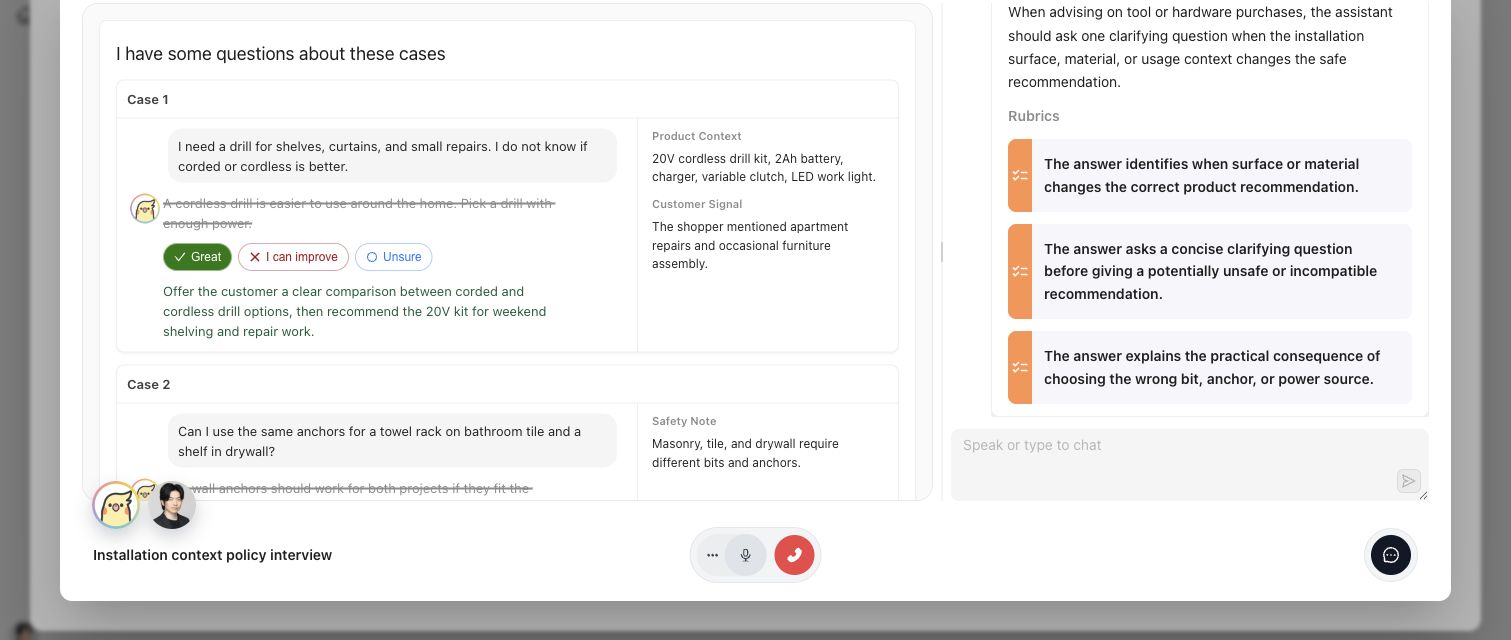
Expert UI keeps the Case, requested judgment, rationale, and relevant standards visible in one assigned activity.
## Artifacts it affects
An executable task contract identifies the Contribution and activity, presentation type, questions or Case context, allowed responses, and completion boundary. An expert answer can include rationale and suggested changes, but it is not automatically an approved Policy, Rubric, Case-scoped reference output, or Benchmark Dataset membership decision. Checkpoint and materialization state must be read from the owning Contribution.
## Operational check
Confirm that the expert is in the intended Project, the assignment opens the correct Contribution, the current activity displays the required source context, and submission reaches the expected completion or Checkpoint state. If the expert cannot answer from the supplied evidence, record that limitation rather than forcing a definitive judgment.
{% example-demo title="Interview returning governed learning" %}
A procurement specialist opens an assigned interview containing three Cases with conflicting source documents. The specialist explains which source controls, qualifies one unresolved exception, and confirms the proposed rule at a Checkpoint. Expert UI returns the attributed answers and state. In the main product, the Contribution materializes a Policy candidate and a coverage observation; neither becomes governed merely because the interview ended.
{% /example-demo %}
## Related workflows
{% related-card-grid title="Related workflows" %}
- [Correctness Elicitation](/docs/concepts/correctness-elicitation)
- [Expert Contributions](/docs/expert-contributions)
- [Complete an Expert Contribution](/docs/expert-contributions/complete-contribution)
- [Contribution Lifecycle and Status](/docs/expert-contributions/lifecycle-and-status)
- [Product quickstart](/docs/quickstart)
- [Task index](/docs/operating-manual/task-index)
{% /related-card-grid %}
## Source confidence
Code-backed: the main-product Contribution route and Review Screen establish assignment context, while the Expert UI executable-task and runtime-navigation contracts establish activity presentation, progression, resume, and terminal behavior. Linked Contribution pages define approval and materialization boundaries.
---
id: intro.correctness-infrastructure
title: What is correctness infrastructure?
summary: Learn how five connected capabilities turn specialist judgment into cases, executable standards, evaluation evidence, and improvement.
kind: concept
product_area: introduction
status: stable
updated: 2026-08-22
canonical: /docs/introduction/correctness-infrastructure
---
# What is correctness infrastructure?
Correctness infrastructure is the operating layer that lets a team specify, test, and improve the behavior of specialist AI. It connects the behavior space that matters, the expert judgment that defines acceptable behavior, the cases that challenge a system, the evidence produced by repeatable evaluation, and the engineering work that follows.
{% visual-hero src="/docs-assets/assets/correctness-infrastructure-workbench.png" alt="Workbench connecting coverage design, expert judgment, cases, evaluation evidence, and improvement." %}
The visual is a category anchor. The selectable capability names and current product mappings below are authoritative.
{% /visual-hero %}
## Definition
Teammately expresses correctness infrastructure through five capabilities:
1. **Coverage Engineering** designs what the benchmark must represent.
2. **Correctness Elicitation** captures policies, exceptions, applicability, and expert rubrics.
3. **Weave** constructs cases, variants, multimodal materials, and supported worlds from the coverage design.
4. **Trialground** runs harnesses and weights against benchmark cases and records rubric evidence.
5. **Coevolve** explores stronger candidate branches and missing correctness or coverage.
The sequence is connected rather than strictly linear. An evaluation failure may expose a missing rubric. An expert contribution may reveal a new coverage facet. An Improvement Session may find that the benchmark needs a harder case before a harness change can be trusted.
## Decision checkpoint
| Question | Inspect first | Expected durable result |
| --- | --- | --- |
| Does the benchmark represent the important behavior space? | Coverage Engineering | Dimensions, Project Topics, Case Construction Patterns, and benchmark coverage state |
| What should count as correct for this situation? | Correctness Elicitation | Governed policies, applicability, and binary rubrics |
| Do we have cases that exercise the difficult combinations? | Weave | Reviewable cases, variants, materials, and dataset membership candidates |
| How did this candidate behave against the benchmark? | Trialground | Runs, responses, Rubric results, comparisons, and rankings |
| What change is justified by the evidence? | Coevolve | A bounded Improvement Session with candidates and evaluation receipts |
> Keep the category centered
>
> Evaluation execution is one capability inside correctness infrastructure. The category also includes the expert-derived specification, deliberate coverage, case construction, and evidence-backed improvement that make evaluation meaningful.
## From expert effort to reusable infrastructure
Expert time is most valuable when it resolves ambiguity that agents and engineers cannot settle from existing evidence. Teammately therefore prepares a structured contribution: the relevant cases, reference materials, candidate interpretations, possible policies, rubric questions, and unresolved conflicts. Once an expert responds, the contribution can affect more than the immediate task. It can refine the coverage map, materialize a policy or rubric, qualify a case, or identify the next evaluation.
This creates a higher return on expert effort. The product does not ask specialists to repeatedly label disconnected outputs; it preserves why a judgment was made and where that judgment applies.
## Product realization
The project foundation holds reusable context and assets. Correctness Governance owns policies and rubrics. Coverage Facets owns Dimensions, Project Topics, and Case Construction Patterns. Assets owns cases, harnesses, and other project-level resources, including reusable Comparison Directions and Review Screens. Agent Setup gives agents reusable project understanding through Project Context and Reference Materials. Expert Contributions configure scoped agent behavior and select the presentation and variation assets needed for the work.
A benchmark workspace then creates a scoped operational loop. Benchmark Datasets defines the case set and snapshots. Coverage Management exposes represented and missing behavior. Expert Contributions requests governed human work. Benchmark Evaluations produces versioned evidence. Improve starts from that evidence and coordinates candidate exploration.
{% layer-map title="Five capabilities of correctness infrastructure" %}
{% /layer-map %}
{% example-demo title="Policy exception handling" %}
A support assistant must answer exception requests. Coverage Engineering identifies exception type, customer state, and source freshness as important facets. Correctness Elicitation records the expert rule for when an exception can be stated or must be escalated. Weave prepares ordinary, conflicting-source, and boundary cases. Trialground shows that a candidate handles ordinary cases but invents approval on ambiguous ones. Coevolve tests a harness change and keeps the resulting candidate tied to the exact failed cases and rubric evidence.
{% /example-demo %}
## Related workflows
{% related-card-grid title="Related workflows" %}
- [The correctness lifecycle](/docs/introduction/correctness-lifecycle)
- [The correctness loop](/docs/product-loop)
- [Product quickstart](/docs/quickstart)
{% /related-card-grid %}
## Related reference pages
{% related-card-grid title="Related reference pages" %}
- [Product map](/docs/getting-oriented/product-map)
- [Key objects and relationships](/docs/getting-oriented/key-objects-and-relationships)
- [Object model](/docs/object-model)
{% /related-card-grid %}
## Source confidence
Doctrine-backed: this page defines the current public category and capability model. Product-surface pages provide code-backed operational detail.
---
id: intro.correctness-lifecycle
title: The Teammately correctness lifecycle
summary: Follow specialist AI work from project foundations through coverage, elicitation, construction, evaluation, and improvement.
kind: concept
product_area: introduction
status: stable
updated: 2026-08-22
canonical: /docs/introduction/correctness-lifecycle
---
# The Teammately correctness lifecycle
The correctness lifecycle describes how a team turns domain knowledge into an improving specialist AI system. It begins with reusable project foundations, narrows into a benchmark workspace, and cycles through coverage, expert contribution, evaluation, and improvement without losing the evidence that explains each change.
## Definition
The lifecycle has three scopes:
1. **Project foundation.** Define Project Context and Reference Materials, configure the Project Input Schema, govern policies and rubrics, establish Coverage Facets, and manage reusable Assets. Reusable Review Screens and Comparison Directions are authored under Assets; Contribution-specific agent behavior and asset selection happen in benchmark work.
2. **Benchmark work.** Select a benchmark dataset and snapshot, manage coverage, request expert contributions, and bind the work to a benchmark version.
3. **Evaluation and improvement.** Evaluate saved harness versions, inspect cases and rubric results, compare candidates, and start an Improvement Session from pinned evidence.
The public five-capability model runs through these scopes. Coverage Engineering shapes representation. Correctness Elicitation captures judgment. Weave constructs the challenge set. Trialground produces evaluation evidence. Coevolve turns that evidence into bounded candidate work.
## Decision checkpoint
| Current condition | Next lifecycle action | Boundary to preserve |
| --- | --- | --- |
| Agents lack the project purpose or controlling knowledge | Complete Agent Setup | Project Context and Reference Materials remain distinct from governed policies |
| Case shape is ambiguous | Configure Project Input Schema | `content.input` and case materials follow one declared architecture |
| Coverage exists but correctness is tacit | Request an Expert Contribution | Human responses remain attributable before materialization |
| Cases and standards are ready | Create or select a benchmark snapshot and evaluate a saved Harness version | The run stays bound to exact versions and settings |
| Evaluation evidence exposes a candidate weakness | Start an Improvement Session | The Goal Contract and starting evidence remain pinned |
| Candidate exploration exposes a benchmark gap | Return to coverage, standards, or cases | Do not interpret missing evidence as candidate failure |
## Why ordering matters
Running evaluations before the benchmark has deliberate coverage can produce precise but misleading results. Writing rubrics without expert-grounded policies can turn vague preferences into brittle checks. Generating cases without a Project Input Schema can create records that reviewers or harnesses interpret differently. Starting improvement from an aggregate score can hide the cases and standards that actually justify a change.
The lifecycle prevents those shortcuts by giving each artifact an owner and scope. Project foundations are reusable across benchmarks. Benchmark datasets and versions define the evidence boundary. Contributions provide human authority. Runs and comparisons expose candidate behavior. Improvement Sessions retain the chronology between a goal, a proposed change, and its evaluation receipt.
## How learning returns to the system
The lifecycle closes when new evidence changes an upstream artifact. A failed run may show that a policy is too broad, a rubric is ambiguous, a case lacks required material, or a coverage tuple is absent. An expert can contribute a new policy, rubric, case, or coverage observation. An Improvement Session can test a harness candidate while also reporting missing correctness or coverage.
Each return path should name the responsible artifact. Simultaneously changing cases, standards, harness code, and evaluation settings makes the next result difficult to explain.
{% example-demo title="Specialist procurement assistant" %}
The team configures structured procurement inputs and indexes its buying rules. Coverage Engineering maps product category, contract state, and exception type. An expert contribution resolves when an exception requires escalation and materializes the policy and rubric. Weave prepares cases with conflicting contract material. Trialground evaluates a saved harness version and exposes failures on expired agreements. Coevolve tests a source-date validation change while retaining the original benchmark evidence.
{% /example-demo %}
## Where the lifecycle stops
Teammately makes correctness work inspectable and reusable. It does not determine the customer's downstream deployment, operational, or governance action. The product supplies governed artifacts, benchmark evidence, and improvement history so the accountable team can make that decision with a clear record.
## Related workflows
{% related-card-grid title="Related workflows" %}
- [First correctness loop](/docs/operating-manual/first-correctness-loop)
- [Product quickstart](/docs/quickstart)
- [Task index](/docs/operating-manual/task-index)
{% /related-card-grid %}
## Related reference pages
{% related-card-grid title="Related reference pages" %}
- [Project Input Schema](/docs/project-settings/input-schema)
- [Expert Contributions](/docs/expert-contributions)
- [Improvement Sessions](/docs/improve)
{% /related-card-grid %}
## Source confidence
Doctrine-backed: this lifecycle joins the current public capability model to code-backed product scopes. Linked pages define individual object and state behavior.
---
id: intro.product-boundaries
title: Product boundaries
summary: Understand what Teammately owns across correctness specification, benchmark development, evaluation, and improvement.
kind: concept
product_area: introduction
status: stable
updated: 2026-09-07
canonical: /docs/introduction/product-boundaries
---
# Product boundaries
Teammately owns the correctness system that connects specialist judgment to deliberate benchmark coverage, executable standards, constructed cases, evaluation evidence, and improvement history. This page distinguishes that system from adjacent inputs and downstream responsibilities.
> Adjacent systems are inputs
>
> Logs, traces, source repositories, model endpoints, coding environments, and external evaluation results can supply material or receive work. Their presence does not change the Teammately ownership boundary: Teammately governs the connected correctness artifacts and the evidence produced from them.
## Definition
The product boundary follows artifacts and authority. Teammately can index project knowledge, prepare an expert contribution, materialize an accepted policy or rubric, construct a case, execute an evaluation through a managed harness, and coordinate an Improvement Session. It preserves which inputs, versions, settings, and human decisions produced the resulting evidence.
Customer teams own the AI system outside that evidence graph and the action taken afterward. Teammately can prepare a scoped package for an external coding worker, but it does not claim private work performed outside the product. It can show benchmark evidence, but it does not turn that evidence into an automatic downstream decision.
## Decision checkpoint
| Area | Teammately owns | Boundary |
| --- | --- | --- |
| Project knowledge and agent context | Materials, Indexed Reference, Project Context, and Contribution-scoped agent behavior | Reference material is not automatically a governed policy or rubric |
| Expert work | Contribution scope, tasks, checkpoints, attributable responses, and contributed artifacts | Agent preparation does not substitute for the expert's judgment |
| Cases and worlds | Canonical case input, case materials, generated artifacts, and verified world references | Static materials and executable environments remain distinct |
| Evaluation | Benchmark Versions, saved Harness Versions, settings, Runs, responses, Rubric results, and comparisons | A score alone does not explain correctness; execution traces are not currently exposed |
| Improvement | Goal Contracts, candidates, evaluation receipts, frontiers, and chronology | External worker activity is represented only when returned through the defined contract |
| Downstream action | Inspectable correctness evidence and review context | The customer decides what operational action follows |
## Human and agent authority
AI agents scale preparation and exploration. They can organize source material, propose coverage structure, draft possible standards, generate cases, evaluate candidates, and suggest improvement directions. The owning surface determines when an artifact becomes durable or governed. An agent proposal does not silently acquire expert authority.
Expert Contributions make this boundary explicit. The product can prepare focused questions and relevant evidence, while the domain specialist supplies the judgment. Correctness Governance records policies and rubrics as governed project assets. Improvement Sessions can branch candidate hypotheses, but retained candidates require observable evaluation evidence.
## Data and execution boundary
Project Input Schema controls the accepted shape of case input and materials. Static context remains part of case content or case-material references. An executable or queryable environment uses a world reference and follows a separate runtime boundary. Public docs describe the behavior visible through stable product surfaces; they do not promote internal storage or service structures into customer-facing contracts.
Similarly, the presence of Harness Assets and managed Runs does not imply that Teammately owns a customer's model registry, production telemetry, or deployment system. A harness is the executable candidate boundary used by a benchmark evaluation.
{% example-demo title="External coding worker" %}
An Improvement Session starts from failed grounding Cases and a confirmed Goal Contract. Teammately prepares a scoped package for a coding worker with the pinned target and evidence. The worker's private activity is outside the product boundary. A returned Harness Version and canonical evaluation request become observable candidates; their Rubric results enter the session record, while Improve may add a safe narrated trajectory of observable session activity.
{% /example-demo %}
## Related workflows
{% related-card-grid title="Related workflows" %}
- [The correctness lifecycle](/docs/introduction/correctness-lifecycle)
- [Start an Improvement Session](/docs/improve/start-improvement-session)
- [Use Reference Materials](/docs/agent-setup/reference-materials)
{% /related-card-grid %}
## Related reference pages
{% related-card-grid title="Related reference pages" %}
- [Human Approval Boundaries](/docs/governance/human-approval-boundaries)
- [What AI Features Can and Cannot Do](/docs/governance/what-ai-features-can-and-cannot-do)
- [Project Input Schema](/docs/project-settings/input-schema)
{% /related-card-grid %}
## Source confidence
Doctrine-backed: this page states product ownership and authority boundaries. Exact UI and execution behavior is delegated to linked code-backed pages.
---
id: intro.what-is-teammately
title: What is Teammately?
summary: Understand Teammately as correctness infrastructure for building trustworthy specialist AI with expert judgment and AI agents.
kind: concept
product_area: introduction
status: stable
updated: 2026-08-22
canonical: /docs/introduction/what-is-teammately
---
# What is Teammately?
Teammately is correctness infrastructure for teams building specialist AI. It turns in-house experts' judgment into an operating system for designing benchmark coverage, making correctness explicit, constructing challenging cases, evaluating candidate behavior, and deciding what to improve next. AI agents prepare and connect the work so scarce expert attention is spent on consequential judgment rather than manual organization.
> Category boundary
>
> Teammately centers the definition and development of trustworthy AI behavior. Logs, traces, model endpoints, coding environments, and external data can enter the workflow, but the product's durable value is the connected correctness system built from expert judgment, cases, standards, evaluation evidence, and improvement history.
## Definition
The system has five connected capabilities. [Coverage Engineering](/docs/coverage-engineering) defines the behavior space a benchmark must represent. [Correctness Elicitation](/docs/concepts/correctness-elicitation) turns tacit preferences, exceptions, and disagreements into policies, applicability conditions, and binary rubrics. [Weave](/docs/concepts/weave) constructs cases, response variants, case materials, and—where supported—worlds from that structure. [Trialground](/docs/concepts/trialground) evaluates Harnesses and weights against benchmark Cases and preserves responses and Rubric results. [Coevolve](/docs/concepts/coevolve) explores candidate improvements and keeps every retained direction tied to current benchmark evidence.
These capability names explain how the system works. Procedures use the labels visible in the product, such as Correctness Governance, Agent Setup, Benchmark Datasets, Coverage Management, Expert Contributions, Benchmark Evaluations, and Improve.
## Decision checkpoint
| If the team needs... | Capability | Product surfaces to open |
| --- | --- | --- |
| A deliberate map of important behavior | Coverage Engineering | Coverage Facets and Coverage Management |
| Reusable standards grounded in specialist judgment | Correctness Elicitation | Correctness Governance and Expert Contributions |
| Challenging cases and supporting materials | Weave | Assets, Benchmark Datasets, Case Construction Patterns, and Case Foundry |
| Repeatable evidence about candidate behavior | Trialground | Harnesses and Benchmark Evaluations |
| Evidence-backed candidate improvement | Coevolve | Improve and Improvement Sessions |
## Why teams use it
A benchmark score cannot define correctness on its own. Specialist systems depend on domain rules, exceptions, source authority, interaction patterns, and consequences that generic criteria do not capture. Teammately gives experts and AI engineers a shared artifact graph: an expert contribution can inform a policy, a policy can produce a rubric, a coverage gap can motivate a case, a case can expose a harness weakness, and an evaluation can become the starting evidence for an Improvement Session.
This reuse is the practical meaning of scaling expert judgment. Teammately prepares coverage structure, candidate cases, possible standards, and unresolved questions before asking an expert. The expert's response remains attributable and can be materialized into governed artifacts instead of disappearing into meeting notes.
## Product scope
Project-level foundations hold reusable knowledge and assets: Correctness Governance, Coverage Facets, Assets, Agent Setup, and Project Settings. Benchmark workspaces bind those foundations to a concrete evaluation program through Benchmark Datasets, Coverage Management, Expert Contributions, Benchmark Evaluations, and Improve.
Teammately preserves correctness evidence and makes the next engineering question inspectable. Customer teams remain responsible for downstream product, governance, deployment, and operational choices.
> Human ownership
>
> AI agents can prepare, draft, classify, generate, evaluate, and propose. A suggestion is not a governed policy, accepted expert contribution, benchmark membership decision, or retained candidate merely because an agent produced it. Use the state shown by the owning product surface.
{% example-demo title="Grounded enterprise search" %}
Coverage Engineering identifies conflicting-current-source questions as an important behavior slice. Correctness Elicitation records the expert rule that material claims must cite the controlling source or state uncertainty. Weave creates cases with current and superseded documents. Trialground evaluates a retrieval harness and exposes unsupported blends of the two sources. Coevolve starts from those failures, tests a source-selection change, and retains only candidates supported by evaluation evidence.
{% /example-demo %}
## Related workflows
{% related-card-grid title="Related workflows" %}
- [Product quickstart](/docs/quickstart)
- [The correctness loop](/docs/product-loop)
- [First correctness loop](/docs/operating-manual/first-correctness-loop)
{% /related-card-grid %}
## Related reference pages
{% related-card-grid title="Related reference pages" %}
- [Product map](/docs/getting-oriented/product-map)
- [Key objects and relationships](/docs/getting-oriented/key-objects-and-relationships)
- [Product boundaries](/docs/introduction/product-boundaries)
{% /related-card-grid %}
## Source confidence
Doctrine-backed: this page follows the current public top-page story and the approved product-to-UI mapping. Linked code-backed pages define exact routes, states, and controls.
---
id: object-model.overview
title: Object model
summary: Understand how project foundations, benchmark artifacts, contributions, evaluations, and improvement sessions connect.
kind: reference
product_area: reference
status: stable
updated: 2026-09-07
canonical: /docs/object-model
---
# Object model
Use this reference when a workflow depends on artifact ownership, identity, version history, or provenance. Teammately keeps reusable project foundations separate from benchmark-scoped evidence so a later reader can reconstruct what the agent knew, what was evaluated, who supplied judgment, and why a candidate was retained.
> Preserve scope and version
>
> An artifact name alone is not sufficient evidence. Preserve its project or benchmark scope, version or snapshot identity, lifecycle state, and provenance whenever it affects evaluation or improvement.
## Definition
A **Project** owns reusable foundations: the Project Agent Brief, Reference blocks, policies, rubrics, coverage facets, Cases, Harnesses, Review Screen configuration, Comparison Directions, and Project Input Schema. These objects can support more than one benchmark.
A **Benchmark** owns a particular correctness boundary. Its workspace selects Cases into Dataset snapshots, organizes benchmark-scoped coverage work, requests Expert Contributions, and creates Benchmark versions. A Benchmark version is the fixed boundary against which a saved Harness version is evaluated.
An **Evaluation Run** records the response, Rubric outcomes, mapping, settings, and metadata produced by one saved Harness Version against one Benchmark Version. It does not currently expose execution trajectories. An **Improvement Session** pins target evidence through a Goal Contract, evaluates candidates, retains canonical receipts and safe narrated session activity, and updates a Current frontier. The frontier is evidence-backed session state, not an unnamed replacement for the saved Harness.
## Decision checkpoint
| Question | Object boundary to preserve | Common mistake |
| --- | --- | --- |
| What did the agent understand? | Project Agent Brief and Reference block generation | Treating the latest source file as the knowledge used by an earlier run |
| What behavior was evaluated? | Case, Dataset snapshot, Benchmark version, and saved Harness version | Describing only a prompt and score |
| What standard applied? | Policy, applicability, Rubric, and provenance | Letting a Rubric stand in for the Policy it checks |
| Who supplied judgment? | Contribution, Task, Checkpoint, expert, and Contributed artifact | Treating an unattributed comment as governed truth |
| Why was a candidate retained? | Improvement Session, Goal Contract, evaluation receipt, and Current frontier | Treating an unsaved draft as the evaluated candidate |
## Fields, states, or lifecycle rules
### Project foundations
- **Project Agent Brief:** Published project understanding used to orient agents.
- **Reference block:** Indexed knowledge with source and generation identity.
- **Policy and Rubric:** Governed meaning and executable judgment criteria, with applicability and provenance.
- **Coverage Facet:** Reusable Dimensions, Project Topics, and Case Construction Patterns that describe important behavior space.
- **Case:** Canonical `content.input`, optional `content.case_materials`, metadata, and optional executable world reference.
- **Harness:** An agent configuration with mutable Draft state and immutable saved versions used for evaluation.
- **Project Input Schema:** The project-level architecture that governs canonical Case input and materials.
### Benchmark artifacts
- **Dataset snapshot:** A reproducible selection and representation of benchmark Cases.
- **Coverage Story:** Benchmark-scoped intent that connects coverage structure to concrete case work.
- **Expert Contribution:** A benchmark-scoped request containing Tasks, context, statuses, and optional Checkpoints.
- **Contributed artifact:** A policy, Rubric, Case, or coverage observation supplied through a Contribution with attributable provenance.
- **Benchmark version:** The fixed evaluation boundary used by Runs and Improvement Sessions.
- **Evaluation Run:** One execution with candidate, benchmark, response, Rubric outcomes, settings, mapping, and metadata identity.
- **Improvement Session:** A goal-directed candidate exploration process with pinned evidence, receipts, trajectories, and frontier state.
{% artifact-map title="How correctness artifacts connect" %}
{% /artifact-map %}
## Static materials and executable worlds
Case materials and executable worlds are intentionally different. `content.case_materials` holds canonical material data or references that can accompany the input. A `world_instance_ref` identifies an executable or queryable environment with a separate capability and lifecycle boundary. Rendering either for inspection does not create another authoring source.
{% example-demo title="From contribution to frontier" %}
A benchmark Contribution asks a procurement specialist to resolve three ambiguous Cases. The expert confirms a Policy and binary Rubric at a Checkpoint. The artifacts are reconciled into Correctness Governance while retaining their Contribution provenance. The Cases enter a Dataset snapshot and the standard enters Benchmark version 6. An Evaluation Run tests Harness version 11 and exposes two failures. An Improvement Session pins those failures, evaluates versions 12 and 13, and retains version 13 in the Current frontier with canonical evaluation receipts.
{% /example-demo %}
## Source confidence
Code-backed: current navigation establishes project and benchmark scopes; canonical case-content code establishes the input and materials boundary; the active Improve session contract establishes Goal Contract, candidate, receipt, and frontier concepts. This page describes public object semantics, not a public API or export schema.
## Related task pages
{% related-card-grid title="Related task pages" %}
- [First correctness loop](/docs/operating-manual/first-correctness-loop)
- [Request an Expert Contribution](/docs/expert-contributions/request-contribution)
- [Run a Benchmark Evaluation](/docs/benchmark-evaluations/run-evaluation)
- [Start an Improvement Session](/docs/improve/start-improvement-session)
{% /related-card-grid %}
## Related reference pages
{% related-card-grid title="Related reference pages" %}
- [Key objects and relationships](/docs/getting-oriented/key-objects-and-relationships)
- [Cases](/docs/assets/cases)
- [Harnesses](/docs/assets/harnesses)
- [Glossary](/docs/reference/glossary)
{% /related-card-grid %}
---
id: object-model.applicability-logic
title: Applicability logic
summary: Explain when a policy or rubric should be used for a case, output, or coverage segment.
kind: reference
product_area: object_model
status: stable
updated: 2026-08-23
canonical: /docs/object-model/applicability-logic
---
# Applicability logic
## Definition
Applicability logic is the boundary that decides whether a policy or rubric should be considered for a specific case, output, or coverage segment. It prevents a good standard from being applied to the wrong behavior.
Use this reference when a benchmark result is hard to explain because a standard seems relevant in some cases but not others. The question is not only whether the policy is correct; it is whether the policy was eligible to judge that output.
## Fields, states, or lifecycle rules
- Applicability sits between the case/output and the policy/rubric that may judge it.
- Weak applicability makes benchmark failures noisy: a candidate can fail a good rubric on a case where the rule should not have applied.
- Strong applicability names the behavior condition, source context, or case segment that brings the standard into scope.
- Applicability changes can make old benchmark evidence stale because the same output may be judged by a different standard boundary.
- This page explains the public object relationship, not a public rule language, API schema, or export contract.
## Related objects
Applicability logic should be read with [Policies](/docs/object-model/policies), [Rubrics](/docs/object-model/rubrics), [Cases](/docs/object-model/cases), and [Coverage Dimensions](/docs/object-model/coverage-dimensions). Use the Correctness Governance workflow to write the boundary and troubleshooting when the observed Case set is wrong.
{% example-demo title="Applicability logic boundary" %}
Raw case: A user asks whether a product works with equipment they already own.
Policy: Compatibility claims require explicit source support.
Applicability logic: The policy applies only when the answer recommends, validates, or compares a product for a concrete use context.
Benchmark interpretation: If the case only asks for a product description, the compatibility rubric should not judge it. If the answer claims the product will work with the user's equipment, the rule is in scope.
{% /example-demo %}
## Source confidence
Code-backed: Policy and Rubric types and their detail routes expose applicability fields and the links among governed standards, Cases, and evaluation checks. This page describes those product relationships; it does not define a portable rule language.
## Related task pages
{% related-card-grid title="Related task pages" %}
- [Work with Policies and Rubrics](/docs/correctness-governance/policies-and-rubrics)
- [Fix weak applicability logic](/docs/troubleshooting/weak-applicability-logic)
- [Resolve conflicting correctness evidence](/docs/governance/conflict-resolution)
- [Product quickstart](/docs/quickstart)
- [Task index](/docs/operating-manual/task-index)
{% /related-card-grid %}
---
id: object-model.benchmarks
title: Benchmarks
summary: Understand a Benchmark as the durable program that owns benchmark-scoped coverage, evidence boundaries, evaluations, and improvement work.
kind: reference
product_area: object_model
status: stable
updated: 2026-09-07
canonical: /docs/object-model/benchmarks
---
# Benchmarks
## Definition
A Benchmark is the durable project object for one intended evaluation program. It owns benchmark-scoped work across Benchmark Datasets, Coverage Management, Expert Contributions, Benchmark Evaluations, and Improve while its selected Cases, governed standards, and candidate systems evolve.
The current Benchmark Dataset is editable. A Dataset Snapshot freezes selected Case membership, and a Benchmark Version provides the immutable boundary consumed by Runs. A Benchmark is therefore not a Snapshot, Benchmark Version, Run, or score.
## Fields, states, or lifecycle rules
- The Benchmark identity persists across changes to its current Dataset, coverage work, standards, and Harness candidates.
- Benchmark Datasets owns selected Cases and immutable Dataset Snapshots.
- A Benchmark Version fixes the evidence boundary used by a Run.
- Benchmark membership should be shaped by coverage work, not by whichever Cases are easiest to run.
- A Run result is weak if the Benchmark Version and saved Harness Version behind it are unclear.
- This page documents object semantics, not public execution, export, rate-limit, or API guarantees.
## Related objects
Benchmarks should be read with [Cases](/docs/assets/cases), [Policies](/docs/object-model/policies), [Rubrics](/docs/object-model/rubrics), [Coverage Engineering](/docs/coverage-engineering), and [Benchmark Evaluations](/docs/benchmark-evaluations). Use [Run an evaluation](/docs/benchmark-evaluations/run-evaluation) when the next step is execution.
{% example-demo title="Benchmarks boundary" %}
Raw case: A team refreshes coverage after finding unsupported compatibility claims.
Benchmark version: The refreshed version includes new unsupported-claim cases and the approved compatibility rubric.
Run: The candidate is evaluated against that version.
Interpretation: If the score drops, reviewers can see that the benchmark became harder instead of assuming the candidate behavior changed.
{% /example-demo %}
## Source confidence
Code-backed: the Benchmark type and workspace establish durable Benchmark identity; Benchmark Datasets → Snapshots establishes immutable Dataset boundaries; the evaluation-runs route consumes a specific Benchmark Version. The public object definition does not imply an execution or export API.
## Related task pages
{% related-card-grid title="Related task pages" %}
- [Benchmarks](/docs/coverage-engineering/benchmarks)
- [Benchmarks and versions](/docs/concepts/benchmarks-and-versions)
- [Benchmark Evaluations](/docs/benchmark-evaluations)
- [Product quickstart](/docs/quickstart)
- [Task index](/docs/operating-manual/task-index)
{% /related-card-grid %}
---
id: object-model.case-pool
title: Case Pool surface
summary: Understand Case Pool as the Assets view for reusable project Cases, candidates, and explicit Benchmark selection.
kind: reference
product_area: object_model
status: stable
updated: 2026-09-07
canonical: /docs/object-model/case-pool
---
# Case Pool surface
## Definition
**Case Pool** is a tab under **Assets → Cases**, not a separate Case object type. It shows reusable project Cases and candidate material that can be inspected before explicit selection into a Benchmark Dataset.
Use this reference when deciding whether a Case should stay in the project collection, be prepared further, or be selected for a Benchmark. **Sourcing Tasks** is the adjacent job and audit surface; it is not another Case state.
## Fields, states, or lifecycle rules
- Case Pool can contain useful Cases that are not selected into any Benchmark.
- Candidate and in-use labels describe curation and membership context; they do not create a different persisted Case type.
- Coverage dimensions and ontology values help explain what behavior the pool represents.
- Adding a Case to a current Benchmark Dataset changes mutable membership. A new Dataset Snapshot is required to freeze that change as an evidence boundary.
- This page does not define public upload schemas, export contracts, or retention behavior.
## Related objects
Read Case Pool with [Cases](/docs/object-model/cases), [Candidate and In-Use Cases](/docs/coverage-engineering/candidate-and-in-use-cases), [Coverage Dimensions](/docs/object-model/coverage-dimensions), and [Benchmark Dataset Cases](/docs/benchmark-datasets/cases). Use [Case Pool](/docs/coverage-engineering/case-pool) for operating instructions.
{% example-demo title="Case pool boundary" %}
Raw case: A new support transcript shows a refund exception question that reviewers have not seen before.
Case pool state: The example is a candidate case because it may close an exception-handling coverage gap.
Interpretation: It should not affect benchmark scores until source context, output identity, coverage labels, and benchmark membership are clear.
{% /example-demo %}
## Source confidence
Code-backed: the Assets Cases routes expose Case Pool and Sourcing Tasks tabs, candidate and in-use views, and an explicit add-to-Benchmark action. Case Pool is therefore a curation surface, not automatic Benchmark membership, a separate Case schema, or a public storage contract.
## Related task pages
{% related-card-grid title="Related task pages" %}
- [Case Pool](/docs/coverage-engineering/case-pool)
- [Candidate and In-Use Cases](/docs/coverage-engineering/candidate-and-in-use-cases)
- [Cases](/docs/object-model/cases)
- [Product quickstart](/docs/quickstart)
- [Task index](/docs/operating-manual/task-index)
{% /related-card-grid %}
---
id: object-model.cases
title: Cases
summary: Understand cases as the situations Teammately uses to represent important AI behavior.
kind: reference
product_area: object_model
status: stable
updated: 2026-08-23
canonical: /docs/object-model/cases
---
# Cases
## Definition
Cases are the behavior situations Teammately uses for review, coverage, and benchmark evidence. A case should preserve the input, source context, metadata, and version boundary needed to understand what behavior is being judged.
Use this reference when a workflow depends on whether an example is reviewable, benchmark-ready, stale, duplicated, or missing the context a reviewer needs.
## Fields, states, or lifecycle rules
- A case is not the same thing as an output; the case holds the situation and context, while the output is the behavior being judged.
- A case can be useful for coverage planning before it is ready for benchmark use.
- Case versions matter when source context, metadata, or expected behavior changes.
- A benchmark result is weak if the failed output cannot be traced back to the exact case version.
- Exact import schema and export behavior belong to source-backed integration pages, not this object reference.
## Related objects
Cases should be read with [Outputs](/docs/object-model/outputs), [Case versions](/docs/governance/case-versioning), [Case pool](/docs/object-model/case-pool), and [Benchmarks](/docs/object-model/benchmarks). Use [Importing cases](/docs/operating-manual/import-and-prepare-cases) when the next step is bringing source examples into Teammately.
{% example-demo title="Cases boundary" %}
Raw record: A transcript includes a customer question, assistant answer, account context, and later human correction.
Case: The reviewable unit preserves the customer question and account context.
Output: The candidate answer is attached separately so reviewers know which behavior is being judged.
Interpretation: If the candidate fails later, the run result can point to the exact case and output rather than to a vague transcript.
{% /example-demo %}
## Source confidence
Code-backed: Case view types and the Cases asset route establish the product object and its presentation; internal Case-content types establish how input and contextual material remain separate from outputs. These implementation sources support object semantics, not a customer-facing serialization contract.
## Related task pages
{% related-card-grid title="Related task pages" %}
- [Case model overview](/docs/assets)
- [Case Pool](/docs/coverage-engineering/case-pool)
- [Case pool](/docs/object-model/case-pool)
- [Product quickstart](/docs/quickstart)
- [Task index](/docs/operating-manual/task-index)
{% /related-card-grid %}
---
id: object-model.coverage-dimensions
title: Coverage dimensions
summary: Organize cases by the behavior axes that matter to product correctness.
kind: reference
product_area: object_model
status: stable
updated: 2026-09-07
canonical: /docs/object-model/coverage-dimensions
---
# Coverage dimensions
## Definition
Coverage dimensions are the axes used to explain what behavior space a case set represents. A dimension can describe source freshness, request type, risk level, product area, policy boundary, or another classification that matters for review and benchmark interpretation.
Use this reference when a benchmark score is not enough and the team needs to ask which kinds of behavior are represented or missing.
## Fields, states, or lifecycle rules
- Dimensions should describe meaningful behavior axes, not arbitrary tags.
- Ontology values should keep each dimension's labels consistent enough for coverage planning.
- Coverage dimensions can reveal untested segments even when aggregate benchmark scores look strong.
- Changing a dimension schema can change how old benchmark evidence is interpreted.
- This page describes object semantics, not a public schema contract.
## Related objects
Coverage dimensions should be read with [Ontology](/docs/object-model/ontology), [Case pool](/docs/object-model/case-pool), [Benchmarks](/docs/object-model/benchmarks), and [Dimensions and ontology](/docs/coverage-engineering/dimensions-ontology).
{% example-demo title="Coverage dimensions boundary" %}
Dimension: Source support level.
Ontology values: Explicit support, implied support, conflicting source, no source.
Interpretation: A compatibility benchmark can show whether failures concentrate in cases where the source does not explicitly support the claim.
{% /example-demo %}
## Source confidence
Code-backed: Dimension and classification types plus the Dimensions and Ontology list and detail routes establish Dimensions, ontology values, origin, examples, and Case classification. Whether a Dimension is meaningful or complete remains a coverage-design judgment.
## Related task pages
{% related-card-grid title="Related task pages" %}
- [Dimensions and ontology](/docs/coverage-engineering/dimensions-ontology)
- [Dimensions and ontology](/docs/concepts/dimensions-and-ontology)
- [Ontology](/docs/object-model/ontology)
- [Product quickstart](/docs/quickstart)
- [Task index](/docs/operating-manual/task-index)
{% /related-card-grid %}
---
id: object-model.ontology
title: Ontology
summary: Use ontology values to classify cases consistently within each coverage dimension.
kind: reference
product_area: object_model
status: stable
updated: 2026-09-07
canonical: /docs/object-model/ontology
---
# Ontology
## Definition
Ontology values are the controlled labels used inside a coverage dimension. They keep case classification consistent enough for teams to plan coverage, compare benchmark segments, and explain gaps.
Use this reference when free-form tags are making coverage hard to read or when a benchmark segment needs stable vocabulary before results are trusted. Ontology values remain project-scoped foundations.
## Fields, states, or lifecycle rules
- Ontology values belong to dimensions; they should not drift into unrelated free-form tags.
- Values should be specific enough to separate meaningful behavior, but not so narrow that coverage becomes fragmented.
- Changing ontology values can change segment-level benchmark interpretation.
- Ontology should support coverage decisions, not replace expert judgment or policies.
- This page does not define a public taxonomy API.
## Related objects
Ontology should be read with [Coverage dimensions](/docs/object-model/coverage-dimensions), [Dimensions and ontology](/docs/coverage-engineering/dimensions-ontology), and [Generate a dimension schema](/docs/coverage-engineering/generate-dimension-schema).
{% example-demo title="Ontology boundary" %}
Dimension: Source support level.
Ontology values: Explicit support, implied support, conflicting source, no source.
Interpretation: Segment results are easier to trust because the team knows which support condition each case represents.
{% /example-demo %}
## Source confidence
Code-backed: Dimension types and the Dimension settings, ontology-row, and proposal components establish ontology members as labels owned by a Dimension and used for classification. Vocabulary quality and cross-reviewer consistency require project review.
## Related task pages
{% related-card-grid title="Related task pages" %}
- [Dimensions and ontology](/docs/coverage-engineering/dimensions-ontology)
- [Coverage dimensions](/docs/object-model/coverage-dimensions)
- [Generate a dimension schema](/docs/coverage-engineering/generate-dimension-schema)
- [Product quickstart](/docs/quickstart)
- [Task index](/docs/operating-manual/task-index)
{% /related-card-grid %}
---
id: object-model.outputs
title: Outputs
summary: Distinguish managed Run responses, imported output-only Runs, and Case-scoped reference outputs.
kind: reference
product_area: object_model
status: stable
updated: 2026-08-23
canonical: /docs/object-model/outputs
---
# Outputs
Understand the outputs Teammately reviews, compares, and turns into correctness evidence.
## Definition
An output is response evidence associated with a Case, but its identity depends on the workflow that produced it. A managed Evaluation Run generates a response from a saved Harness Version. An imported output-only Run maps externally produced responses to immutable Case IDs. A Case may also expose a golden or reference response where the current surface supports it.
Do not collapse these into one generic “accepted output” lifecycle. Imported outputs are not Harness Versions, Run responses are not automatically reference answers, and reviewer comments are not outputs.
## Fields, states, or lifecycle rules
- A managed Run response is bound to the Run, saved Harness Version, Benchmark Version, and Case.
- An imported output-only Run joins external rows to immutable Case IDs and retains imported candidate metadata.
- Output-only Runs can be scored and inspected, but cannot be activated, optimized in Improve, or used as Harness columns in Compare or Arena.
- A golden or reference output is Case-scoped example evidence where exposed; it does not become a global Policy.
- Mapping errors can make evidence misleading even when the external response data is unchanged.
- This page documents object boundaries, not model execution, provider behavior, or public output schemas.
## Related objects
Read outputs with [Cases](/docs/object-model/cases), [Reference and golden outputs](/docs/object-model/reference-and-golden-outputs), [Run an evaluation](/docs/benchmark-evaluations/run-evaluation), and [Map external outputs](/docs/benchmark-evaluations/output-mapping).
{% example-demo title="Target model outputs boundary" %}
Case: A user asks whether a product is compatible with equipment they own.
Candidate output: The assistant says the product will work.
Interpretation: The benchmark failure belongs to the candidate output, but the reviewer still needs the case context and applicable rubric to explain why it failed.
{% /example-demo %}
## Source confidence
Code-backed: Benchmark Dataset output mapping and Evaluation Run detail distinguish imported output-only evidence from managed Run responses; review and Case-content sources preserve the Case boundary. Provider execution and customer serialization are outside this reference.
## Related task pages
{% related-card-grid title="Related task pages" %}
- [Run an evaluation](/docs/benchmark-evaluations/run-evaluation)
- [Map external outputs](/docs/benchmark-evaluations/output-mapping)
- [Connect model outputs](/docs/integrations/connect-model-outputs)
- [Inspect evaluation results](/docs/benchmark-evaluations/inspect-results)
{% /related-card-grid %}
---
id: object-model.policies
title: Policies
summary: Define policies as reusable statements of what correct AI behavior requires.
kind: reference
product_area: object_model
status: stable
updated: 2026-08-23
canonical: /docs/object-model/policies
---
# Policies
## Definition
Policies are reusable statements of what correct behavior requires. They preserve expert judgment as a governed standard that can later be tested by applicability logic and rubrics.
Use this reference when a team needs to know whether a rule is a draft suggestion, an approved correctness standard, or a standard whose version may affect benchmark evidence.
## Fields, states, or lifecycle rules
- A policy names the rule; a rubric tests the rule.
- A policy needs applicability logic before the team can know which cases it should judge.
- Policy approval state matters before benchmark use.
- Policy revisions can make older benchmark evidence stale or require comparison notes.
- This page does not define legal, compliance, retention, or external policy-management guarantees.
## Related objects
Policies should be read with [Applicability logic](/docs/object-model/applicability-logic), [Rubrics](/docs/object-model/rubrics), [Policy versions](/docs/governance/policy-versioning), and [Human Approval Boundaries](/docs/governance/human-approval-boundaries). Use [Create a policy](/docs/correctness-governance/policies-and-rubrics) for the operating workflow.
{% example-demo title="Policies boundary" %}
Expert judgment: Answers should not claim compatibility unless source data explicitly supports the claim.
Policy: Compatibility claims require explicit source support.
Interpretation: The policy explains the standard; linked applicability and rubrics decide when and how a specific output is judged.
{% /example-demo %}
## Source confidence
Code-backed: Policy types and list/detail routes expose identity, description, applicability, linked Cases and Rubrics, version facts, and approval state. The product object is a governed correctness standard, not an external legal-policy system.
## Related task pages
{% related-card-grid title="Related task pages" %}
- [Policies and Rubrics](/docs/correctness-governance/policies-and-rubrics)
- [Applicability logic](/docs/object-model/applicability-logic)
- [Product quickstart](/docs/quickstart)
- [Task index](/docs/operating-manual/task-index)
{% /related-card-grid %}
---
id: object-model.reference-outputs
title: Reference and golden outputs
summary: Understand Case-scoped example responses without treating them as generic approval state or candidate behavior.
kind: reference
product_area: object_model
status: stable
updated: 2026-09-07
canonical: /docs/object-model/reference-and-golden-outputs
---
# Reference and golden outputs
## Definition
A golden or reference output is a Case-scoped example response available on supported review, mapping, or Snapshot surfaces. It can help a reviewer understand intended behavior for that Case, but it is not a global Policy, a saved Harness Version, or a generic customer approval state.
Use this reference only where the product explicitly exposes a golden or reference response. Do not rename every expert answer, reviewed response, or imported candidate output as an “accepted output.”
## Fields, states, or lifecycle rules
- Keep the reference response attached to the Case and evidence context that justifies it.
- A candidate Run response does not become a reference response merely because it passed a Rubric.
- Reviewer comments and Contribution rationale remain attributable review input, not output state.
- A reference-output change can require a new Case, Snapshot, or Benchmark Version boundary when it affects governed interpretation.
- Policies and Rubrics remain the reusable correctness standard; a reference output illustrates one Case.
- This page does not define an export format or public output schema.
## Related objects
Read reference outputs with [Outputs](/docs/object-model/outputs), [Cases](/docs/object-model/cases), [Correctness Governance](/docs/correctness-governance), and [Expert Contributions](/docs/expert-contributions).
{% example-demo title="Case-scoped reference response" %}
A compatibility Case includes a reference response that says the available source does not confirm support and directs the user to an explicit compatibility check. The response illustrates desired behavior for that Case. The reusable requirement still belongs in the applicable Policy and Rubric.
{% /example-demo %}
## Source confidence
Code-backed: output mapping, Snapshot artifacts, linked Policy Cases, and Contribution review surfaces expose golden or reference responses as Case-scoped evidence with explicit review or overwrite actions. The sources do not establish a universal accepted-output lifecycle.
## Related task pages
{% related-card-grid title="Related task pages" %}
- [Map external outputs](/docs/benchmark-evaluations/output-mapping)
- [Review prepared Cases](/docs/coverage-management/case-review)
- [Complete an Expert Contribution](/docs/expert-contributions/complete-contribution)
- [Inspect evaluation results](/docs/benchmark-evaluations/inspect-results)
{% /related-card-grid %}
---
id: object-model.conversation-inputs
title: Represent conversations in Cases
summary: Preserve multi-message context inside canonical Case input without inventing a separate Conversation Case object.
kind: reference
product_area: object_model
status: stable
updated: 2026-08-23
canonical: /docs/object-model/represent-conversations-in-cases
---
# Represent conversations in Cases
## Definition
A canonical Case input can represent a multi-message interaction when correctness depends on prior turns, accumulated context, or state carried across an exchange. “Conversation” describes the shape of the Case input; it is not a separate first-class object or a public schema guarantee.
Use this reference when review or evaluation depends on exactly which messages were available before the response being judged.
## Fields, states, or lifecycle rules
- Preserve the message order and roles needed to interpret the Case.
- Identify the response being judged separately from prior user or assistant messages.
- Store supporting documents or structured material according to the Project Input Schema instead of flattening everything into message text.
- Removing, reordering, or summarizing material can change the Case and should follow the normal Case version boundary.
- Output mapping joins an external response to the Case ID; it does not repair missing conversational context.
- This page does not define a public conversation serialization contract.
## Related objects
Read this representation with [Cases](/docs/object-model/cases), [Outputs](/docs/object-model/outputs), [Project Input Schema](/docs/project-settings/input-schema), and [Metadata and Context](/docs/reference/metadata-and-context).
{% example-demo title="Plan context carried across turns" %}
A user first identifies an enterprise plan, then asks whether a feature is available. The later response can only be judged correctly if the earlier plan message remains part of the canonical Case input. If that message is removed, create a new Case version rather than trying to restore it during output mapping.
{% /example-demo %}
## Source confidence
Code-backed: Case-content services support structured project input and material fields, while record presentation and Case-view types preserve the context used for review. The sources support conversation-shaped Case input but not a distinct Conversation Case object or public import schema.
## Related task pages
{% related-card-grid title="Related task pages" %}
- [Configure the Project Input Schema](/docs/project-settings/input-schema)
- [Import and prepare Cases](/docs/operating-manual/import-and-prepare-cases)
- [Inspect evaluation results](/docs/benchmark-evaluations/inspect-results)
- [Troubleshoot unclear Cases](/docs/troubleshooting/unclear-cases)
{% /related-card-grid %}
---
id: object-model.rubrics
title: Rubrics
summary: Turn policies into binary, reviewable checks that explain pass and fail evidence.
kind: reference
product_area: object_model
status: stable
updated: 2026-08-23
canonical: /docs/object-model/rubrics
---
# Rubrics
## Definition
Rubrics turn policies into reviewable checks for a specific output. A good rubric makes pass, fail, or incomplete evidence explainable without replacing the policy it tests.
Use this reference when a benchmark failure needs to show exactly which condition a candidate output satisfied or violated.
## Fields, states, or lifecycle rules
- Rubrics should be tied to a policy and an applicability boundary.
- A binary rubric should be narrow enough to judge one output clearly.
- Linked Cases make the intended boundary concrete; they do not replace the Rubric's applicability rule.
- Overlapping rubrics can make failures hard to interpret.
- Rubric versions matter when pass/fail logic changes between benchmark runs.
- This page describes rubric semantics, not a public scoring API.
## Related objects
Rubrics should be read with [Policies](/docs/object-model/policies), [Applicability logic](/docs/object-model/applicability-logic), [Writing Binary Rubrics](/docs/correctness-governance/binary-rubrics), and [Overlapping rubrics](/docs/troubleshooting/overlapping-rubrics).
{% example-demo title="Rubrics boundary" %}
Policy: Compatibility claims require explicit source support.
Rubric: Pass only if the answer cites explicit compatibility support or states that compatibility is uncertain.
Interpretation: A candidate output that simply says "yes, it works" fails because the rubric names the missing evidence.
{% /example-demo %}
## Source confidence
Code-backed: Rubric types and list/detail routes expose criteria, Policy and Case links, applicability, and versioned evaluation context. The reference explains product semantics and does not promise a public scoring schema.
## Related task pages
{% related-card-grid title="Related task pages" %}
- [Writing Binary Rubrics](/docs/correctness-governance/binary-rubrics)
- [Create a rubric](/docs/correctness-governance/policies-and-rubrics)
- [Policies](/docs/object-model/policies)
- [Product quickstart](/docs/quickstart)
- [Task index](/docs/operating-manual/task-index)
{% /related-card-grid %}
---
id: object-model.versions-staleness-resolution
title: Versions, staleness, and resolution
summary: Track how correctness objects evolve and how teams resolve conflicting evidence.
kind: reference
product_area: object_model
status: stable
updated: 2026-08-23
canonical: /docs/object-model/versions-staleness-and-resolution
---
# Versions, staleness, and resolution
## Definition
Versions, staleness, and resolution describe how correctness artifacts evolve without making old evidence ambiguous. Cases, Policies, Rubrics, Benchmark Versions, supported Case-scoped reference outputs, and customer-owned review context can change at different times; version boundaries explain which evidence belongs to which state.
Use this reference when a result changed unexpectedly, a policy was revised, a case was refreshed, or reviewers need to know whether older benchmark evidence still applies.
## Fields, states, or lifecycle rules
- Versions preserve what changed and what evidence was produced before the change.
- Staleness means older evidence may no longer reflect the current case, standard, coverage, or candidate boundary.
- Resolution work should name whether the fix belongs to a case, output, policy, rubric, coverage plan, benchmark version, or run metadata.
- Comparisons are weak when artifact versions are hidden.
- This page describes public object semantics, not retention, audit-log completeness, or compliance guarantees.
## Related objects
Versions, staleness, and resolution should be read with [Versioning and Staleness](/docs/governance/versioning-and-staleness), [Benchmark versioning](/docs/governance/benchmark-versioning), [Case versioning](/docs/governance/case-versioning), and [Policy Conflicts and Revisions](/docs/governance/conflict-resolution).
{% example-demo title="Versions, staleness, and resolution boundary" %}
State change: Reviewers revise a compatibility policy after finding unsupported-claim failures.
Benchmark evidence: Runs against the old policy remain interpretable, but they should not be summarized as current evidence without naming the old policy version.
Interpretation: The resolution note explains whether to rerun, revise the benchmark version, or preserve the old result as historical context.
{% /example-demo %}
## Source confidence
Code-backed: Benchmark, Policy, and Rubric types carry version facts; Benchmark Datasets → Snapshots and Policy activity preserve named historical boundaries. Cross-object staleness and conflict resolution are explicit review decisions rather than a universal automatic state.
## Related task pages
{% related-card-grid title="Related task pages" %}
- [Versioning and Staleness](/docs/governance/versioning-and-staleness)
- [Conflict Resolution](/docs/governance/conflict-resolution)
- [Product quickstart](/docs/quickstart)
- [Task index](/docs/operating-manual/task-index)
{% /related-card-grid %}
---
id: object-model.workspaces-projects-systems
title: Workspaces, projects, and target systems
summary: Model organizational boundaries, product boundaries, and the AI system being governed.
kind: reference
product_area: object_model
status: stable
updated: 2026-09-07
canonical: /docs/object-model/workspaces-projects-and-target-systems
---
# Workspaces, projects, and target systems
## Definition
Workspaces, projects, and target systems define where organizational access, product-specific correctness work, and the AI behavior under evaluation are separated. A workspace groups people and administration; a project holds the cases, standards, coverage, and benchmark evidence for a specific target behavior.
Use this reference when a reader needs to know whether an artifact belongs to an organization boundary, a project boundary, or the target system being evaluated.
## Fields, states, or lifecycle rules
- Workspace boundaries should not be used to infer project-level correctness decisions.
- Project boundaries keep cases, policies, rubrics, coverage, benchmark versions, and review context tied to a specific target behavior.
- Target-system identity matters for benchmark-level run metadata and comparison interpretation.
- Cross-project reuse should not imply cross-project approval.
- This page does not make billing, tenancy, deployment, or compliance claims.
## Related objects
Workspaces, projects, and target systems should be read with [Product map](/docs/getting-oriented/product-map), [Product boundaries](/docs/introduction/product-boundaries), [Permissions](/docs/reference/permissions), and [Run metadata](/docs/benchmark-evaluations/run-metadata).
{% example-demo title="Workspaces, projects, and target systems boundary" %}
Scenario: The same company evaluates a support assistant and an internal policy-search assistant.
Project boundary: Each assistant has its own cases, policies, rubrics, benchmark versions, and benchmark-level run metadata.
Interpretation: A passing benchmark in the support project should not imply the policy-search assistant has approved evidence.
{% /example-demo %}
## Source confidence
Code-backed: Project and workspace types establish organization and Project identity; member settings expose Project participation; benchmark Run presentation identifies the evaluated target boundary. These sources do not establish billing, deployment, or tenancy guarantees.
## Related task pages
{% related-card-grid title="Related task pages" %}
- [Workspaces and projects](/docs/concepts/workspaces-projects)
- [Product map](/docs/getting-oriented/product-map)
- [Product boundaries](/docs/introduction/product-boundaries)
- [Product quickstart](/docs/quickstart)
- [Task index](/docs/operating-manual/task-index)
{% /related-card-grid %}
---
id: operating.build-policies-rubrics
title: Build policies and rubrics
summary: Materialize expert-grounded behavior rules, applicability, and binary criteria in Correctness Governance.
kind: task
product_area: operating_manual
status: stable
updated: 2026-08-22
canonical: /docs/operating-manual/build-policies-and-rubrics
---
# Build policies and rubrics
Build a governed policy and its rubrics when specialist judgment is clear enough to become reusable across cases, Contributions, and benchmark evaluations.
## Prerequisites
- Attributable expert judgment or another accountable source of authority.
- Representative and boundary Cases.
- A clear behavior rule and enough context to define applicability.
- Access to Correctness Governance.
## Steps
1. Inspect the Expert Contribution, source material, cases, and checkpoints that support the proposed rule.
2. Write the policy as expected behavior, not as a score or implementation technique.
3. Define applicability: the situations, inputs, or conditions where the policy controls.
4. Link representative cases that show ordinary, passing, failing, and boundary behavior.
5. Create binary rubrics that test observable parts of the policy.
6. Split independent criteria so each failure remains diagnosable.
7. Inspect approval, activity, provenance, and proposed application state in Correctness Governance.
8. Confirm the benchmark version boundary before using the standard in evaluation interpretation.
## Object and state changes
This task creates or updates project Policies, applicability, Rubrics, case links, activity, approval context, and contribution provenance. It can affect future benchmark versions and evaluations. Historical Runs retain the correctness boundary recorded when they ran.
## Success criteria
- The policy expresses one reusable behavior rule and its authority.
- Applicability distinguishes relevant from irrelevant Cases.
- Rubrics define observable pass and fail evidence.
- Linked cases demonstrate meaningful boundaries.
- Suggested, contributed, and governed states are not conflated.
- Later evaluation results can trace a failure back to the rule and evidence.
## Common failure modes
- Turning a source document directly into a policy without expert interpretation.
- Writing a policy so broad that applicability cannot be inspected.
- Combining unrelated criteria into one rubric.
- Treating contribution completion as automatic governance.
- Comparing Runs across a changed policy or rubric boundary without acknowledging it.
{% example-demo title="Example: exception escalation standard" %}
An expert confirms that unresolved eligibility exceptions must be escalated. The policy states the rule and its applicability. One rubric checks that the response avoids promising an exception; another checks the correct escalation path. Linked Cases include both ordinary and conflicting-source situations.
{% /example-demo %}
## Related reference pages
{% related-card-grid title="Related reference pages" %}
- [Correctness Governance](/docs/correctness-governance)
- [Policies and Rubrics](/docs/correctness-governance/policies-and-rubrics)
- [Contributed Artifacts](/docs/expert-contributions/contributed-artifacts)
{% /related-card-grid %}
## Related troubleshooting pages
{% related-card-grid title="Related troubleshooting pages" %}
- [Overly broad policies](/docs/troubleshooting/overly-broad-policies)
- [Weak applicability logic](/docs/troubleshooting/weak-applicability-logic)
- [Overlapping rubrics](/docs/troubleshooting/overlapping-rubrics)
{% /related-card-grid %}
## Source confidence
Code-backed: current policy and rubric list/detail surfaces support governed artifacts, links, approval context, and contribution provenance used in this task.
---
id: operating.first-correctness-loop
title: First correctness loop
summary: Complete one traceable path from project context and benchmark coverage to expert judgment, evaluation evidence, and improvement.
kind: task
product_area: operating_manual
status: stable
updated: 2026-09-07
canonical: /docs/operating-manual/first-correctness-loop
---
# First correctness loop
Complete one narrow loop that another operator can reconstruct. Choose one specialist behavior slice and preserve the path from project knowledge through coverage, expert contribution, governed standards, benchmark evidence, and any candidate change.
## Decision checkpoint
| State | Next action | Do not continue when... |
| --- | --- | --- |
| Project intent or sources are implicit | Complete Agent Setup | Agents cannot find the controlling context |
| Case shape varies | Configure Project Input Schema | Existing and planned cases do not share a valid contract |
| Important behavior is unnamed | Define Coverage Facets and benchmark guidance | The selected cases are merely convenient examples |
| Correctness remains tacit | Request a focused Expert Contribution | The expert lacks cases or source evidence |
| Cases and standards are ready | Snapshot the dataset and run an evaluation | Candidate, benchmark, mapping, or settings are ambiguous |
| Candidate weakness is confirmed | Start an Improvement Session | The target cannot be measured from pinned evidence |
## Prerequisites
- One project, one benchmark, and one narrow specialist behavior.
- An accountable operator and domain expert.
- Representative examples or enough Reference Materials to construct them.
- A candidate that can be saved as a Harness version.
## Before and after
| Before | Work | After |
| --- | --- | --- |
| Knowledge is distributed across people and sources | Project Context and Indexed Reference | Agents have inspectable project understanding |
| Benchmark examples lack deliberate structure | Coverage Facets, Coverage Management, and dataset selection | The behavior slice and snapshot are explicit |
| Judgment is tacit | Expert Contribution and Correctness Governance | Policies and rubrics preserve authority and applicability |
| Candidate quality is anecdotal | Benchmark Evaluation | Responses and rubric results bind to exact versions |
| Improvement is an informal edit | Improvement Session | Goal, candidate, receipt, and frontier remain connected |
## Steps
1. Write a concise Project Agent Brief and connect the controlling Reference Materials.
2. Configure Project Input Schema for the input architecture and required case materials.
3. Define the relevant Dimensions, Project Topics, and Case Construction Pattern.
4. Add or construct a small case set, inspect its representation, and record any known gap.
5. Request an Expert Contribution with selected cases and a concrete correctness objective.
6. Reconcile the resulting policy, rubric, case, or coverage observation in its owning surface.
7. Select the benchmark dataset cases and create or choose the intended snapshot.
8. Save the candidate Harness version and run a Benchmark Evaluation.
9. Inspect failures at case and rubric level; compare only after confirming evidence boundaries.
10. Start an Improvement Session if candidate work is justified, or return upstream to the specific coverage, correctness, or case artifact that needs change.
## Object and state changes
The loop can create or update project context, Reference Materials items and indexed blocks, Project Input Schema, Coverage Facets, Cases, benchmark coverage guidance, Contributions, contributed artifacts, policies, rubrics, dataset selection and snapshots, Harness versions, Runs, evaluation results, and Improvement Sessions. Each transition retains its own authority and scope.
## Success criteria
- The selected behavior slice has a named coverage reason.
- Expert judgment is attributable and materialized only through an explicit lifecycle.
- Case content follows the Project Input Schema.
- Evaluation evidence identifies exact candidate and benchmark versions.
- The next action names one responsible artifact or candidate boundary.
## Common failure modes
- Beginning with a broad benchmark and vague expert request.
- Treating Reference Materials as governed standards.
- Adding generated cases without a named coverage gap.
- Running an editable Harness Draft.
- Starting improvement from an aggregate result without pinned measurement evidence.
{% example-demo title="Example: one exception slice" %}
The first loop targets exception requests with conflicting sources. The project indexes both sources, defines the source-authority facet, asks an expert to establish the controlling rule, creates the corresponding rubric, snapshots ten reviewed cases, evaluates one saved Harness version, and starts improvement from the three exact grounding failures.
{% /example-demo %}
## Related reference pages
{% related-card-grid title="Related reference pages" %}
- [Agent Setup](/docs/agent-setup)
- [Benchmark Datasets](/docs/benchmark-datasets)
- [Expert Contributions](/docs/expert-contributions)
- [Benchmark Evaluations](/docs/benchmark-evaluations)
- [Improve](/docs/improve)
{% /related-card-grid %}
## Related troubleshooting pages
{% related-card-grid title="Related troubleshooting pages" %}
- [Unclear cases](/docs/troubleshooting/unclear-cases)
- [Low expert agreement](/docs/troubleshooting/low-expert-agreement)
- [Benchmark results changed unexpectedly](/docs/troubleshooting/benchmark-results-changed-unexpectedly)
{% /related-card-grid %}
## Source confidence
Doctrine-backed: this workflow applies the current five-capability model and links to code-backed pages for every exact product operation.
---
id: operating.import-prepare-cases
title: Import and prepare cases
summary: Bring cases into the project, conform them to Project Input Schema, inspect materials, and prepare benchmark selection.
kind: task
product_area: operating_manual
status: stable
updated: 2026-08-23
canonical: /docs/operating-manual/import-and-prepare-cases
---
# Import and prepare cases
Bring existing examples into the project and make them usable by experts, coverage work, and Harness execution without losing their input or material boundaries.
## Prerequisites
- A saved Project Input Schema.
- Source examples with identifiable primary input.
- Required case materials and accepted artifact formats.
- A selected project and permission to manage Cases.
## Steps
1. Review **Project Settings → Input Schema** and confirm plain-text, chat, or structured architecture.
2. Identify the primary input for each source example and map it to `content.input`.
3. Map supporting values or artifacts to declared `content.case_materials` keys.
4. Reject or correct records missing required materials, using unsupported artifact types, or violating the structured schema.
5. Import or create the Cases through the available product path.
6. Open representative Cases and inspect the rendered case view. Confirm that inputs, materials, labels, and source authority are understandable without private explanation.
7. Classify or connect the relevant Coverage Facets.
8. Select reviewed Cases in Benchmark Datasets and create a snapshot when the membership defines a new evaluation boundary.
The upload step stages source records. Continue through column mapping and inspect representative rendered Cases before selecting them for a Benchmark.
## Object and state changes
This task creates project Cases and may attach artifact records, material references, coverage classifications, and benchmark selection. The rendered case view is derived from canonical content. Selecting a Case for one benchmark does not remove it from the reusable project pool or select it for every benchmark.
## Success criteria
- Every Case conforms to the Project Input Schema.
- Required materials are present and use accepted formats.
- The rendered case view preserves the intended input and evidence.
- Cases can be understood by an expert and delivered to a Harness.
- Benchmark selection and snapshot state are explicit.
## Common failure modes
- Putting supporting documents into an unstructured metadata field.
- Treating candidate responses as the primary case input.
- Importing artifacts the project schema does not admit.
- Selecting unclear Cases into a benchmark before review.
- Changing case content while comparing Runs against an earlier snapshot.
{% example-demo title="Example: import chat cases with documents" %}
A project uses chat architecture and requires a `policy_document` material. The operator maps each conversation to canonical messages, attaches the controlling PDF, rejects rows without the document, and inspects rendered case views. Only reviewed Cases are selected for the benchmark snapshot.
{% /example-demo %}
## Related reference pages
{% related-card-grid title="Related reference pages" %}
- [Cases](/docs/assets/cases)
- [Project Input Schema](/docs/project-settings/input-schema)
- [Benchmark Datasets](/docs/benchmark-datasets)
{% /related-card-grid %}
## Related troubleshooting pages
{% related-card-grid title="Related troubleshooting pages" %}
- [Dataset upload](/docs/troubleshooting/dataset-upload)
- [Unclear cases](/docs/troubleshooting/unclear-cases)
- [Missing outputs](/docs/troubleshooting/missing-outputs)
{% /related-card-grid %}
## Source confidence
Code-backed: the active Cases surface and case-content contract support canonical input, materials, rendering, and schema validation. Exact import mechanisms can depend on the available product configuration.
---
id: operating.prepare-review-packet
title: Prepare human review context
summary: Assemble customer-owned review context from exact evaluation, contribution, coverage, and improvement evidence.
kind: task
product_area: operating_manual
status: stable
updated: 2026-08-22
canonical: /docs/operating-manual/prepare-review-packet
---
# Prepare human review context
Assemble review context when an accountable customer team needs to inspect what the benchmark evidence says, why it says it, and which uncertainty or follow-up remains. This is a customer-owned packet or process, not a separate Teammately product object.
## Prerequisites
- Completed or clearly bounded Benchmark Evaluation evidence.
- Exact benchmark, dataset snapshot, Harness, Run, settings, and metadata identities.
- Relevant Expert Contributions and governed policies or rubrics.
- Coverage and Improvement Session context where it affects interpretation.
## Steps
1. State the review question and the downstream owner without implying that Teammately makes the final decision.
2. Identify the exact benchmark version, dataset snapshot, candidate Harness version, Runs, settings, and Run Metadata.
3. Summarize overall movement, then list material case-level gains, regressions, and uncertainty.
4. Link each important conclusion to applicable policies, rubrics, cases, and expert provenance.
5. Include relevant coverage gaps or representation limits.
6. Describe Improvement Session candidates and frontier evidence without claiming unobserved external-worker activity.
7. Separate confirmed findings, unresolved correctness, missing evidence, and recommended next investigation.
8. Preserve the source links or identifiers another reviewer needs to reproduce the interpretation.
## Object and state changes
Preparing context should read existing Teammately artifacts rather than mutate them. Follow-up work may create a Contribution, policy or rubric revision, Coverage Story, Case, dataset snapshot, Run, or Improvement Session. Keep the reviewed evidence unchanged so the reason for follow-up remains available.
## Success criteria
- Every conclusion is traceable to exact product evidence.
- Aggregate results are supported by case and rubric detail.
- Coverage limitations and unresolved expert disagreement are explicit.
- Historical and current candidate boundaries are distinguishable.
- The customer-owned downstream decision is not represented as a Teammately state.
## Common failure modes
- Copying a score without versions and settings.
- Omitting must-level regressions because the average improved.
- Treating an AI summary or trajectory as expert authority.
- Hiding missing coverage or unresolved source conflict.
- Describing a downstream choice as if Teammately automatically made it.
{% example-demo title="Example: review context for a retrieval change" %}
The packet names the two saved Harness versions, benchmark snapshot, grounding and uncertainty rubrics, and compared Runs. It highlights improved current-source cases, regressed missing-source cases, one unresolved expert contribution, and the Improvement Session frontier. The accountable team can inspect the evidence and decide its own next action.
{% /example-demo %}
## Related reference pages
{% related-card-grid title="Related reference pages" %}
- [Benchmark Evaluations](/docs/benchmark-evaluations)
- [Expert Contributions](/docs/expert-contributions)
- [Improve](/docs/improve)
{% /related-card-grid %}
## Related troubleshooting pages
{% related-card-grid title="Related troubleshooting pages" %}
- [Benchmark results changed unexpectedly](/docs/troubleshooting/benchmark-results-changed-unexpectedly)
- [Unbalanced coverage](/docs/troubleshooting/unbalanced-coverage)
- [Low expert agreement](/docs/troubleshooting/low-expert-agreement)
{% /related-card-grid %}
## Source confidence
Doctrine-backed: this page defines the customer-owned human review boundary using current product artifacts without inventing a dedicated review-packet object or downstream-decision workflow.
---
id: operating.task-index
title: Task index
summary: Route correctness work to the current project foundation, benchmark workspace, evaluation, or improvement surface.
kind: concept
product_area: operating_manual
status: stable
updated: 2026-09-07
canonical: /docs/operating-manual/task-index
---
# Task index
Use this index when you know the work that must happen but need the current product surface. First decide whether the object is a reusable project foundation or belongs to one benchmark workspace.
## Decision checkpoint
| Need | Open | Task |
| --- | --- | --- |
| Give agents stable project understanding | Agent Setup | [Maintain Project Context](/docs/agent-setup/project-context) |
| Connect and verify project knowledge | Agent Setup → Reference Materials | [Use Reference Materials](/docs/agent-setup/reference-materials) |
| Define case input and material shape | Project Settings → Input Schema | [Configure Project Input Schema](/docs/project-settings/input-schema) |
| Govern policies and rubrics | Correctness Governance | [Build policies and rubrics](/docs/operating-manual/build-policies-and-rubrics) |
| Create or inspect reusable cases | Assets → Cases | [Import and prepare cases](/docs/operating-manual/import-and-prepare-cases) |
| Edit a candidate implementation | Assets → Harnesses | [Harnesses](/docs/assets/harnesses) |
| Define reusable coverage structure | Coverage Facets | [Coverage Engineering](/docs/coverage-engineering) |
| Select benchmark cases and snapshots | Benchmark Datasets | [Benchmark Datasets](/docs/benchmark-datasets) |
| Find and close coverage gaps | Coverage Management | [Plan benchmark coverage](/docs/coverage-engineering/plan-benchmark-coverage) |
| Ask a specialist for judgment | Expert Contributions | [Request an Expert Contribution](/docs/expert-contributions/request-contribution) |
| Evaluate a saved candidate | Benchmark Evaluations | [Run a Benchmark Evaluation](/docs/benchmark-evaluations/run-evaluation) |
| Diagnose candidate behavior | Dashboard, List, Compare, or Arena | [Inspect evaluation results](/docs/benchmark-evaluations/inspect-results) |
| Coordinate a justified candidate change | Improve | [Start an Improvement Session](/docs/improve/start-improvement-session) |
## Route by scope
Project foundations are reusable across benchmarks. Project Context, Reference Materials, policies, rubrics, Coverage Facets, Cases, Harnesses, and Project Input Schema belong at project scope. Changing one can affect future work in several benchmarks.
Benchmark work is deliberately scoped. Dataset selection and snapshots, Coverage Management, Expert Contributions, Benchmark Evaluations, and Improvement Sessions belong to the selected benchmark or benchmark version. Confirm the benchmark selector before making changes or interpreting evidence.
## Route by evidence problem
If an evaluation fails, do not assume the Harness is responsible. An unclear Case belongs in Assets or case preparation. Missing behavior belongs in Coverage Management. Ambiguous correctness belongs in an Expert Contribution or Correctness Governance. A changed snapshot, setting, mapping, or metadata value belongs in evaluation diagnosis. Use Improve only when candidate work is justified by pinned evidence.
If agents lack source authority, update Reference Materials or Project Context before asking experts or generating more cases. If experts see the wrong fields or interaction, update Review Screen or the scoped Contribution rather than changing benchmark correctness.
{% example-demo title="Route a grounding regression" %}
A Run regresses on conflicting-source cases. The operator opens List and confirms that the cases, rubric, and settings are valid. Because the candidate selects a superseded document, the work belongs in Improve. If the expert could not determine which source controls, the same evidence would instead route to an Expert Contribution and Correctness Governance.
{% /example-demo %}
## Related workflows
{% related-card-grid title="Related workflows" %}
- [Product quickstart](/docs/quickstart)
- [First correctness loop](/docs/operating-manual/first-correctness-loop)
- [Operating Teammately end to end](/docs/getting-oriented/operating-teammately-end-to-end)
{% /related-card-grid %}
## Related reference pages
{% related-card-grid title="Related reference pages" %}
- [Product map](/docs/getting-oriented/product-map)
- [Key objects and relationships](/docs/getting-oriented/key-objects-and-relationships)
- [Reference library](/docs/reference)
{% /related-card-grid %}
## Source confidence
Code-backed: the task routing follows current project and benchmark navigation and the active owning routes for each workflow.
---
id: playbooks.overview
title: Enterprise Playbooks
summary: Apply Teammately’s correctness lifecycle to common AI product operating scenarios.
kind: concept
product_area: playbooks
status: stable
updated: 2026-08-23
canonical: /docs/playbooks
---
# Enterprise Playbooks
Playbooks are scenario recipes for applying Teammately's correctness lifecycle to product-specific AI risks. They do not introduce separate product surfaces; they connect existing artifacts such as Cases, Expert Contributions, Policies, Rubrics, coverage, Benchmark Evaluations, and improvement evidence.
## Definition
Enterprise Playbooks names the scenario layer of the docs. Use it when a team knows the kind of AI system or operating problem it has, but needs a concrete path through Teammately's existing correctness artifacts.
## Why it matters
Enterprise AI teams often begin with examples, external logs, reviewer comments, or model outputs before they have explicit correctness standards. Playbooks route that material into current Teammately surfaces and state the decision gates that must be satisfied before evidence is trusted.
## Choose a playbook
| Starting problem | Playbook |
| --- | --- |
| Retrieved sources, citation, abstention, or answer grounding | [RAG correctness benchmark](/docs/playbooks/building-correctness-benchmark-rag) |
| Search intent, source authority, document conflicts, or freshness | [Enterprise search](/docs/playbooks/enterprise-search) |
| Refunds, commitments, account context, or escalation | [Customer support AI](/docs/playbooks/customer-support-ai) |
| Many rules, exceptions, or controlled source hierarchies | [Policy-heavy AI systems](/docs/playbooks/policy-heavy-ai-systems) |
| A bounded question requires accountable specialist judgment | [Run Expert Contributions](/docs/playbooks/running-expert-contributions-enterprise-assistant) |
| Contribution evidence needs to become reusable standards | [Turn judgment into Policies and Rubrics](/docs/playbooks/turning-expert-judgment-into-policies-and-rubrics) |
| Qualified experts disagree | [Handle conflicting opinions](/docs/playbooks/handling-conflicting-expert-opinions) |
| Important behavior may be absent from the selected Dataset | [Find coverage gaps](/docs/playbooks/finding-coverage-gaps-before-review) |
| New evidence or a changed rule makes the current boundary stale | [Refresh a Benchmark](/docs/playbooks/refreshing-a-benchmark-from-new-signals) |
| CI or another evaluation system already owns execution facts | [Use existing evaluation infrastructure](/docs/playbooks/using-teammately-alongside-existing-evaluation-infrastructure) |
## Where it appears in the product
Look for playbooks in this section of the docs. Product screens use operational labels for Cases, Expert Contributions, Policies, Rubrics, coverage, Benchmark Evaluations, and Improve; playbooks organize those existing surfaces around common scenarios.
## Artifacts it affects
Depending on the scenario, a playbook can affect imported Cases, supported reference responses, Contribution records, Policies, applicability, Rubrics, Coverage Facets, Dataset Snapshots, Benchmark Versions, Evaluation Runs, comparisons, Improvement Sessions, or customer-owned human review context.
{% example-demo title="Choosing a scenario path" %}
A support team with refund-policy failures should start with the customer support or policy-heavy system playbook. A search team with stale-source issues should start with the RAG or enterprise search playbook. A team that already has CI metrics should start with the existing-evaluation-infrastructure playbook.
The common thread is the same: turn human judgment and source context into explicit standards, cover the risky behavior slices, and use Benchmark Evaluations to produce benchmark interpretation grounded in real results.
{% /example-demo %}
## Related workflows
{% related-card-grid title="Related workflows" %}
- [Compare Harness Versions](/docs/benchmark-evaluations/compare)
- [Read run results](/docs/benchmark-evaluations/inspect-results)
- [Run a benchmark](/docs/benchmark-evaluations/run-evaluation)
- [Importing cases](/docs/operating-manual/import-and-prepare-cases)
- [Agent Setup](/docs/agent-setup)
{% /related-card-grid %}
## Related reference pages
{% related-card-grid title="Related reference pages" %}
- [Agent instructions](/docs/agent-instructions)
- [Case versions](/docs/governance/case-versioning)
- [Represent conversations in Cases](/docs/object-model/represent-conversations-in-cases)
- [Reference and golden outputs](/docs/object-model/reference-and-golden-outputs)
- [Input-only and output-attached cases](/docs/assets/cases)
{% /related-card-grid %}
## Source confidence
Doctrine-backed: the approved product doctrine defines the common correctness lifecycle and current capability boundaries. Each playbook links to code-backed operational pages for exact UI labels, object states, and evaluation limits.
---
id: playbooks.rag-benchmark
title: Building a Correctness Benchmark for a RAG System
summary: Represent retrieval-grounded behavior through cases, context, policies, rubrics, and benchmark evidence.
kind: recipe
product_area: playbooks
status: stable
updated: 2026-08-23
canonical: /docs/playbooks/building-correctness-benchmark-rag
---
# Building a Correctness Benchmark for a RAG System
Use this playbook when correctness depends on retrieved context, source authority, and whether the answer should cite, abstain, or explain uncertainty.
## Entry conditions
Use this when you can preserve the query, retrieved material, candidate response, and source identity for representative RAG behavior. If you have only aggregate retrieval metrics, first collect Case-level evidence; Teammately cannot infer source authority from a score.
## Route through Teammately
1. In **Agent Setup**, make the Project Agent Brief describe the retrieval architecture and connect the Reference Materials needed to interpret sources.
2. Configure Project Input Schema fields for the query, retrieved passages, source identifiers, and freshness or authority metadata actually available to the Harness.
3. Import representative Cases under **Assets → Cases**. Keep missing-source and conflicting-source Cases instead of filtering them out as bad data.
4. In **Coverage Facets**, model the slices that change grounding behavior: authority, freshness, answerability, retrieval completeness, and question type.
5. Request an **Expert Contribution** for Cases where the controlling source, required caveat, or abstention boundary is unclear.
6. Materialize and approve the resulting Policies and binary Rubrics in **Correctness Governance**.
7. Use **Coverage Management** to expose missing combinations, review new Cases, and select the intended set in **Benchmark Datasets**.
8. Run saved Harness Versions in **Benchmark Evaluations**. Read response and Rubric evidence; execution traces are not currently exposed.
## Decision gates
- If the correct source was never retrieved, route the finding to retrieval or coverage work.
- If the source was present but the response blended, ignored, or contradicted it, route the finding to Harness behavior.
- If specialists disagree about which source controls, resolve correctness before expanding the Dataset.
- If an important source condition has too few Cases, hold aggregate interpretation until representation improves.
{% example-demo title="Benefits policy retrieval" %}
An employee asks whether caregiver leave applies to contractors. The Case contains an obsolete handbook page and the current controlling policy, which does not state contractor eligibility. Experts approve a Policy requiring the controlling source and a Rubric that passes only when the answer cites it and withholds the unsupported eligibility claim. Results show one Harness succeeds when both passages are retrieved but still fails when the current policy is absent, separating answer behavior from retrieval coverage.
{% /example-demo %}
## Evidence to collect
- Canonical Case input containing the query and material actually available at execution.
- Source identifiers, authority, and freshness facts that reviewers can verify.
- Approved grounding, citation, contradiction, and abstention standards.
- Dataset representation across answerable, conflicting, stale, missing, and multi-source conditions.
- Saved Harness Version, Benchmark Version, execution settings, Run Metadata, response, and Rubric outcomes.
## Related docs
{% related-card-grid title="Related docs" %}
- [Configure Coverage Management](/docs/coverage-management/get-started)
- [Represent conversations in Cases](/docs/object-model/represent-conversations-in-cases)
- [Compare Harness Versions](/docs/benchmark-evaluations/compare)
- [Read run results](/docs/benchmark-evaluations/inspect-results)
- [Run a benchmark](/docs/benchmark-evaluations/run-evaluation)
- [Importing cases](/docs/operating-manual/import-and-prepare-cases)
{% /related-card-grid %}
## Source confidence
Doctrine-backed: the approved five-capability model establishes the RAG correctness loop. Linked code-backed pages define the current Agent Setup, Case, Coverage Management, Expert Contribution, Dataset, and Evaluation surfaces and their capability fences.
---
id: playbooks.customer-support-ai
title: Using Teammately for Customer Support AI
summary: Govern assistant behavior where correctness depends on policy, escalation, tone, and account context.
kind: recipe
product_area: playbooks
status: stable
updated: 2026-08-23
canonical: /docs/playbooks/customer-support-ai
---
# Using Teammately for Customer Support AI
Use this playbook when support behavior must respect customer policy, escalation rules, account context, and tone without reducing correctness to satisfaction scores.
## Start with one support decision
Choose one decision family—refund eligibility, service credit, account change, plan entitlement, or escalation. Do not begin with “support quality” as a single standard; the required context and accountable owner differ across those decisions.
## Build the support boundary
1. Configure the **Project Input Schema** for the account, channel, transcript, entitlement facts, and source material the assistant actually receives.
2. Import ordinary and failed interactions under **Assets → Cases**, preserving prior turns when they affect the answer.
3. Define Coverage Facets for intent, customer state, available account evidence, policy exception, escalation need, and interaction mode.
4. Request Contributions from the support or operations owners who can decide allowed commitments and escalation boundaries.
5. Approve separate Policies and Rubrics for eligibility, commitments, escalation, and communication requirements; do not combine them into one “helpful response” check.
6. In Coverage Management, add boundary Cases for missing account context, frustrated customers, conflicting sources, and exception requests.
7. Evaluate saved Harness Versions and inspect the applicable Rubric failures by Case and coverage slice.
## Hold or proceed
- Hold when the Case omits account facts that the real assistant would receive.
- Route an unclear exception to an Expert Contribution instead of encoding a guessed rule.
- Treat an unsupported promise as a correctness failure even if tone is acceptable.
- Proceed to candidate improvement only after the governing Policy and Dataset boundary are stable.
{% example-demo title="Refund exception handling" %}
A customer requests a refund outside the standard window after a service outage. The Case contains the outage fact but not the account evidence required to approve an exception. Support owners establish that the assistant may explain the standard rule and escalate, but may not promise approval. Evaluation shows the candidate passes routine refunds and fails only when an outage is mentioned, giving the Harness owner a specific commitment boundary to fix.
{% /example-demo %}
## Evidence to collect
- Conversation-shaped Case input and the account or policy material actually available.
- Attributable Contribution decisions about commitments, escalation, exceptions, and required language.
- Separately governed Policies and Rubrics for each decision boundary.
- Dataset representation across routine, ambiguous, exception, missing-context, and high-impact Cases.
- Case-level response and Rubric evidence tied to exact Harness and Benchmark Versions.
## Related docs
{% related-card-grid title="Related docs" %}
- [Request an Expert Contribution](/docs/expert-contributions/request-contribution)
- [Review prepared Cases](/docs/coverage-management/case-review)
- [Compare Harness Versions](/docs/benchmark-evaluations/compare)
- [Read run results](/docs/benchmark-evaluations/inspect-results)
- [Run a benchmark](/docs/benchmark-evaluations/run-evaluation)
- [Importing cases](/docs/operating-manual/import-and-prepare-cases)
- [Agent Setup](/docs/agent-setup)
{% /related-card-grid %}
## Source confidence
Doctrine-backed: the approved product model establishes the flow from support evidence to expert-owned standards, designed coverage, and versioned evaluation. Linked pages define the active Case, Contribution, governance, and Benchmark surfaces.
---
id: playbooks.enterprise-search
title: Using Teammately for Enterprise Search
summary: Build correctness standards for search and answer systems that must handle context, intent, and authority.
kind: recipe
product_area: playbooks
status: stable
updated: 2026-08-23
canonical: /docs/playbooks/enterprise-search
---
# Using Teammately for Enterprise Search
Use this playbook when an enterprise search or answer system must respect intent, source authority, document freshness, and uncertainty.
## Define the search contract
Use this when search results or generated answers look plausible but specialists disagree about intent, controlling source, freshness, or when the system should return partial evidence instead of a confident answer. Teammately does not ingest private search traces automatically; represent the evidence you need as Cases and materials.
## Route source authority into evidence
1. Choose a bounded search domain and identify who owns source authority in that domain.
2. Configure input fields for the query, result set, document identity, owning team, effective date, and any access context visible to the assistant.
3. Import Cases for navigational search, direct answers, ambiguous intent, conflicting documents, superseded documents, and no-result behavior.
4. Ask specialists to resolve which source controls, what partial answer is allowed, and when uncertainty or escalation is required.
5. Approve source-selection and answer-behavior Policies and Rubrics separately.
6. Inspect Dataset Representation by department, source family, intent, conflict type, and freshness before creating the Snapshot.
7. Compare saved Harness Versions by the relevant Coverage Facets and open failed Cases to distinguish ranking, selection, and answer failures.
## Failure ownership
- Wrong or missing document in the supplied result set: search/retrieval boundary.
- Controlling document present but ignored: Harness answer behavior.
- Source authority genuinely unresolved: Expert Contribution and governance.
- Segment absent from the Dataset: Coverage Management and Case preparation.
{% example-demo title="Conflicting HR search results" %}
An employee searches for remote-work reimbursement rules and receives an obsolete FAQ plus a newer policy page. HR establishes that the policy page controls and that unlisted reimbursement categories must remain unresolved. One Harness ranks the correct page first but still blends the obsolete exception into its answer. Because the Case preserves both documents and the governing Rubric, the failure belongs to answer synthesis rather than search ranking.
{% /example-demo %}
## Evidence to collect
- Canonical queries, result sets, source identity, ownership, and effective dates.
- Attributable specialist decisions for conflicts, ambiguity, partial answers, and no-result behavior.
- Separate governed standards for source selection and answer behavior.
- Representation evidence by domain, intent, source family, freshness, and conflict pattern.
- Exact Harness and Benchmark Version identities plus Case-level Rubric outcomes.
## Related docs
{% related-card-grid title="Related docs" %}
- [Inspect Dataset representation](/docs/benchmark-datasets/representation)
- [Compare Harness Versions](/docs/benchmark-evaluations/compare)
- [Read run results](/docs/benchmark-evaluations/inspect-results)
- [Run a benchmark](/docs/benchmark-evaluations/run-evaluation)
- [Importing cases](/docs/operating-manual/import-and-prepare-cases)
- [Agent Setup](/docs/agent-setup)
{% /related-card-grid %}
## Source confidence
Doctrine-backed: the approved product model grounds source authority in expert judgment, Coverage Facets, Cases, governed standards, and Benchmark evidence. Linked pages define the current operating surfaces and evaluation limits.
---
id: playbooks.coverage-gaps-before-review
title: Finding Coverage Gaps Before Review
summary: Use coverage dimensions, failures, and expert signals to decide where evidence is incomplete.
kind: recipe
product_area: playbooks
status: stable
updated: 2026-08-23
canonical: /docs/playbooks/finding-coverage-gaps-before-review
---
# Finding Coverage Gaps Before Review
Use this playbook when benchmark evidence looks plausible overall but the team needs to know whether important behavior slices are missing or underrepresented.
## Review-readiness trigger
Use this before a customer relies on Benchmark evidence for human review, especially when results are dominated by common Cases, a critical Rubric has few applicable Cases, or specialists identify behavior that the Dataset does not represent.
## Coverage audit
1. Confirm the exact Benchmark Version and Run completeness before interpreting its distribution.
2. Open **Benchmark Datasets → Representation** and inspect the selected Dataset across the configured Coverage Facets.
3. Compare thin or empty slices with Coverage Stories, failed Cases, specialist observations, and must-level Rubrics with few applicable Cases.
4. Classify each issue: missing vocabulary, missing Case, unreviewed candidate, missing Dataset membership, or unclear correctness standard.
5. Route vocabulary changes to Coverage Facets, unclear standards to Expert Contributions, and missing Cases to Assets Synthesis or Case Foundry.
6. Review candidates in **Case Review**, select the intended Cases in **Benchmark Datasets**, and create a new Snapshot.
7. Run the relevant saved Harness Versions against the new Benchmark Version and state any still-unrepresented risk in the customer's review context.
## Evidence threshold
Coverage is ready when critical slices are named, their selected Case counts are visible, candidate-only Cases are not counted as evidence, and remaining gaps are explicit. A balanced-looking aggregate count is not sufficient.
{% example-demo title="Compatibility gaps" %}
Dataset Representation shows many ordinary recommendations but only two accessory-compatibility Cases and no discontinued-model Cases. A Coverage Story records the gap. Case Foundry prepares cross-brand adapter, ambiguous model-number, and discontinued-model candidates; specialists review the source conditions in Case Review. Only the admitted Cases enter the new Snapshot, and the customer withholds compatibility conclusions until the rerun is complete.
{% /example-demo %}
## Evidence to collect
- Benchmark Version, Snapshot, selected Case count, and Dataset Representation.
- Coverage Stories and specialist observations that identify consequential gaps.
- Candidate lineage, Case Review decisions, and final Dataset membership.
- New Snapshot and Benchmark Version after membership changes.
- Rerun completeness and an explicit list of remaining unsupported conclusions.
## Related docs
{% related-card-grid title="Related docs" %}
- [Inspect Dataset representation](/docs/benchmark-datasets/representation)
- [Work with Coverage Stories](/docs/coverage-management/coverage-stories)
- [Review prepared Cases](/docs/coverage-management/case-review)
- [Read run results](/docs/benchmark-evaluations/inspect-results)
- [Run a benchmark](/docs/benchmark-evaluations/run-evaluation)
- [Importing cases](/docs/operating-manual/import-and-prepare-cases)
{% /related-card-grid %}
## Source confidence
Doctrine-backed: the approved product model requires deliberate coverage before Benchmark evidence is trusted. Linked code-backed pages define current Representation, Coverage Story, Case Review, Snapshot, and Run boundaries.
---
id: playbooks.conflicting-expert-opinions
title: Handling Conflicting Expert Opinions
summary: Turn expert disagreement into sharper standards instead of unresolved review noise.
kind: recipe
product_area: playbooks
status: stable
updated: 2026-08-23
canonical: /docs/playbooks/handling-conflicting-expert-opinions
---
# Handling Conflicting Expert Opinions
Use this playbook when experts disagree and the disagreement needs to become an explicit standard, not a hidden source of benchmark noise.
## Classify the disagreement
Use this when two or more qualified experts reach different judgments about the same Case, response, source hierarchy, Policy boundary, applicability condition, or Rubric. Do not average the answers before identifying the object in dispute.
## Resolution path
1. Preserve each answer, rationale, and source context within its Contribution provenance.
2. Determine whether the disagreement concerns a factual source, Case completeness, Policy rule, applicability boundary, Rubric wording, or a legitimate product tradeoff.
3. Reconstruct the strongest version of each position and test whether a missing context field or time boundary resolves it.
4. If both positions are valid in different situations, split the applicability or coverage boundary instead of forcing consensus.
5. Have the accountable owner approve the revised governed object in Correctness Governance. Contribution completion or a Checkpoint alone does not approve it.
6. Add boundary Cases that distinguish the resolved situations, review them, and create a new Benchmark Version when the evaluation boundary changes.
7. Run new evaluations without rewriting the earlier expert responses or Runs.
## Escalation outcomes
- Missing evidence: leave the question unresolved and request the controlling source.
- Different valid contexts: split applicability and add boundary Cases.
- Incorrect Case context: revise the Case through its normal version boundary.
- Incorrect reusable standard: revise and approve the Policy or Rubric.
- Product tradeoff: record the accountable owner's decision without presenting it as expert consensus.
{% example-demo title="Escalation threshold dispute" %}
One specialist accepts ordinary troubleshooting for an enterprise-managed account; another requires escalation. Their rationales reveal that one assumed a read-only action and the other assumed a contractual configuration change. The team adds the missing action-type context, splits applicability, approves the revised Policy and Rubrics, and adds two boundary Cases. Both original judgments remain attributable to the context each expert saw.
{% /example-demo %}
## Evidence to collect
- Conflicting reviewer judgments, rationales, and source context.
- The owning artifact: Case, source boundary, Policy, applicability, or Rubric.
- Human owner resolution, including any unresolved governance tradeoff.
- Boundary cases added to preserve the resolved standard.
- Benchmark comparison results after the standard is approved.
## Related docs
{% related-card-grid title="Related docs" %}
- [Handling Boundary Cases](/docs/coverage-engineering/boundary-cases)
- [Resolve conflicting correctness evidence](/docs/governance/conflict-resolution)
- [Complete an Expert Contribution](/docs/expert-contributions/complete-contribution)
- [Compare Harness Versions](/docs/benchmark-evaluations/compare)
- [Read run results](/docs/benchmark-evaluations/inspect-results)
{% /related-card-grid %}
## Source confidence
Doctrine-backed: the approved product model keeps attributable expert judgment, governed approval, applicability, coverage, and evaluation evidence distinct. Linked pages define the current Contribution, conflict-resolution, and versioning surfaces.
---
id: playbooks.policy-heavy-ai-systems
title: Using Teammately for Policy-Heavy AI Systems
summary: Govern AI behavior where correctness depends on many explicit rules and boundary cases.
kind: recipe
product_area: playbooks
status: stable
updated: 2026-08-23
canonical: /docs/playbooks/policy-heavy-ai-systems
---
# Using Teammately for Policy-Heavy AI Systems
Use this playbook when an AI system can appear fluent while still violating explicit rules, exceptions, ownership boundaries, or customer-impacting policy.
## Establish the policy inventory
Use this when correctness depends on several controlled rules, exceptions, or source hierarchies and each rule has an accountable owner. If the team cannot identify controlling sources and owners, begin with Reference Materials and Expert Contributions rather than drafting a large generic Policy set.
## Govern policy-heavy behavior
1. Connect the controlling sources in **Reference Materials** and identify the owner and effective boundary for each rule family.
2. Use Expert Contributions to resolve exceptions, cross-policy conflicts, missing facts, and operational interpretation.
3. In **Correctness Governance**, create narrow Policies with explicit applicability and one-obligation binary Rubrics.
4. Link representative passing, failing, and boundary Cases to the governed standards.
5. Configure Coverage Facets for policy family, exception type, authority, required context, and consequence.
6. Use Coverage Management to find Policy families or exception combinations with thin representation.
7. Create a Snapshot and Benchmark Version only after the selected Dataset and governing standards are ready.
8. Evaluate saved Harness Versions and inspect failures by Policy, Rubric, and Coverage Facet before changing the candidate.
## Maintenance triggers
Refresh the governed boundary when a controlling source changes, an exception is added, applicability changes, a Rubric no longer tests one observable requirement, or new Cases expose a conflict. Historical Runs remain evidence under their original Benchmark Version.
{% example-demo title="Subscription entitlement assistant" %}
An assistant answers whether an account can use an enterprise integration after a plan change. Specialists separate three governing boundaries: plan entitlement, contract exception, and administrator permission. Each gets distinct applicability and a binary Rubric. Evaluation shows that the candidate reads the plan correctly but assumes administrator permission and ignores contract overrides, so the team can fix two precise behaviors instead of tuning a generic entitlement score.
{% /example-demo %}
## Evidence to collect
- Policy sources, accountable owners, and effective boundaries.
- Applicability triggers for each policy family and risk tier.
- Must-level binary rubrics and any lower-priority preference criteria.
- Coverage dimensions for exceptions, conflicts, stale policy, and missing context.
- Benchmark evidence grouped by Policy, Rubric, and Coverage Facet, with unresolved authority questions kept explicit.
## Related docs
{% related-card-grid title="Related docs" %}
- [Handling Boundary Cases](/docs/coverage-engineering/boundary-cases)
- [Work with Policies and Rubrics](/docs/correctness-governance/policies-and-rubrics)
- [Inspect Dataset representation](/docs/benchmark-datasets/representation)
- [Compare Harness Versions](/docs/benchmark-evaluations/compare)
- [Read run results](/docs/benchmark-evaluations/inspect-results)
- [Run a benchmark](/docs/benchmark-evaluations/run-evaluation)
- [Importing cases](/docs/operating-manual/import-and-prepare-cases)
{% /related-card-grid %}
## Source confidence
Doctrine-backed: the approved product model separates source context, expert interpretation, governed standards, coverage, and evaluation. Linked code-backed pages define the active controls for each layer.
---
id: playbooks.benchmark-refresh
title: Refreshing a Benchmark from New Signals
summary: Update benchmark coverage and standards when new cases, review findings, or product changes appear.
kind: recipe
product_area: playbooks
status: stable
updated: 2026-08-23
canonical: /docs/playbooks/refreshing-a-benchmark-from-new-signals
---
# Refreshing a Benchmark from New Signals
Use this playbook when customer-provided production examples, Contribution findings, source changes, or target-system changes show that the current Benchmark no longer represents the intended behavior.
## Classify the signal before editing
Identify whether the signal changes the correctness standard, coverage vocabulary, available Cases, selected Dataset membership, or candidate behavior. These changes have different owners and version consequences.
## Refresh path
1. Record the signal, source, effective date, and latest Benchmark Version it may affect.
2. Route a source or rule change to Reference Materials, Expert Contributions, and Correctness Governance.
3. Route a changed behavior axis to Coverage Facets and review the impact on existing classifications.
4. Route missing examples to Assets Cases, Synthesis, or Coverage Management Case Foundry; review candidates in Case Review.
5. Change selected membership under Benchmark Datasets and create a new Dataset Snapshot.
6. Create the Benchmark Version that represents the revised Dataset and governed evaluator boundary.
7. Run the same saved Harness Version against the new boundary when you need to isolate the benchmark change. Run a new Harness Version separately when candidate behavior also changed.
8. Explain results using the two named boundaries; Compare does not implicitly normalize evidence across different Benchmark Versions.
## Preserve history
Do not edit an older Snapshot or Run to resemble current reality. Staleness means the evidence may no longer answer the current question; it does not erase what the old version measured.
{% example-demo title="Refund policy change" %}
A support team adds a new outage-credit exception. The existing Benchmark remains valid for the former rule but has no Cases for the new exception. Experts approve revised applicability and Rubrics; Case Foundry prepares eligible, ineligible, and missing-account-evidence Cases; Case Review admits them into the current Dataset. A new Snapshot and Benchmark Version show that the unchanged Harness still passes ordinary refunds but fails the new outage boundary.
{% /example-demo %}
## Evidence to collect
- The new signal, its source, and the benchmark version it affects.
- Cases, reference responses where supported, Policies, Rubrics, or Coverage Facets changed by the signal.
- Human approval for whether the change updates standards, coverage, or both.
- Previous and refreshed Snapshot and Benchmark Version IDs, saved Harness Version, settings, and Run Metadata.
- Case-level evidence that explains movement caused by the revised boundary rather than candidate behavior.
## Related docs
{% related-card-grid title="Related docs" %}
- [Coverage Refresh](/docs/coverage-engineering/coverage-refresh)
- [Staleness Detection](/docs/governance/staleness-detection)
- [Work with Dataset Snapshots](/docs/benchmark-datasets/snapshots)
- [Compare Harness Versions](/docs/benchmark-evaluations/compare)
- [Read run results](/docs/benchmark-evaluations/inspect-results)
{% /related-card-grid %}
## Source confidence
Doctrine-backed: the approved lifecycle routes new signals to the artifact that owns the change and preserves historical evidence. Linked code-backed pages define the current Coverage, Dataset, Snapshot, governance, and Evaluation operations.
---
id: playbooks.enterprise-assistant-review
title: Running Expert Contributions for an Enterprise Assistant
summary: Collect expert judgment for assistants that must follow product, domain, and policy expectations.
kind: recipe
product_area: playbooks
status: stable
updated: 2026-08-23
canonical: /docs/playbooks/running-expert-contributions-enterprise-assistant
---
# Running Expert Contributions for an Enterprise Assistant
Use this playbook when an enterprise assistant needs domain experts to judge outputs before the team turns that judgment into standards and benchmarks.
## Contribution boundary
Use this when a named specialist must resolve a bounded correctness question that prepared Cases and source context cannot answer automatically. Do not use a Contribution as a general request to “review the assistant.”
## Request and complete the work
1. Name the decision the expert owns and select the smallest set of Cases that exposes it.
2. Prepare the Project Agent Brief, source material, Case context, questions, and allowed response form before sending the request.
3. In the Benchmark's **Expert Contributions** workspace, choose the recipient, Tasks, materials, and any Checkpoints required to confirm progress or handoff.
4. Pilot the Contribution with one specialist and verify that the recipient can enter the executable Task and has enough context to answer.
5. Preserve expert responses, rationale, unresolved questions, and Checkpoint state as Contribution provenance.
6. Inspect **Contributed Artifacts** and reconcile candidate Policies, Rubrics, Cases, or coverage observations into their owning project surfaces.
7. Apply the owning approval and version controls. Contribution completion does not automatically approve a Policy, Rubric, reference response, or Dataset membership change.
## Contribution is complete when
The required Tasks and Checkpoints have reached their terminal states, the expert's attributable answer is preserved, and every contributed artifact is either reconciled, rejected through its owning workflow, or left explicitly unresolved.
{% example-demo title="Procurement assistant review" %}
A procurement specialist receives five Cases that differ by spend authority, vendor category, and contract status. The Contribution asks one bounded question: who must approve each purchase, and what source controls that answer? The specialist completes the Tasks, explains two exceptions, and confirms the proposed boundary at a Checkpoint. Contributed Policies and Rubrics retain that provenance but become governed only after the accountable owner approves them in Correctness Governance.
{% /example-demo %}
## Evidence to collect
- Cases, candidate outputs, Project Agent Brief, source context, and constraints shown to reviewers.
- Checkpoint or interview records that capture reviewer rationale.
- Attributable expert answers, rationale, unresolved concerns, and Checkpoint state.
- Contributed artifacts and their reconciliation into Cases, Policies, Rubrics, or coverage observations.
- Benchmark coverage and run results produced after standards are approved.
## Related docs
{% related-card-grid title="Related docs" %}
- [Request an Expert Contribution](/docs/expert-contributions/request-contribution)
- [Complete an Expert Contribution](/docs/expert-contributions/complete-contribution)
- [Inspect Contributed Artifacts](/docs/expert-contributions/contributed-artifacts)
- [Read run results](/docs/benchmark-evaluations/inspect-results)
- [Run a benchmark](/docs/benchmark-evaluations/run-evaluation)
- [Importing cases](/docs/operating-manual/import-and-prepare-cases)
{% /related-card-grid %}
## Source confidence
Doctrine-backed: the approved product model treats expert work as attributable contribution rather than automatic approval. Linked code-backed pages define request composition, executable Tasks, Checkpoints, lifecycle, and contributed-artifact reconciliation.
---
id: playbooks.expert-judgment-to-standards
title: Turning Expert Judgment into Policies and Rubrics
summary: Convert specialist judgment into explicit, versioned, and testable correctness standards.
kind: recipe
product_area: playbooks
status: stable
updated: 2026-08-23
canonical: /docs/playbooks/turning-expert-judgment-into-policies-and-rubrics
---
# Turning Expert Judgment into Policies and Rubrics
Use this playbook when Expert Contribution notes are rich enough to explain correctness, but not yet structured enough to run repeatable benchmark checks.
## Materialization trigger
Use this when several attributable expert answers reveal a recurring obligation, prohibition, exception, or source requirement. A single comment may justify investigation but should not silently become a reusable standard.
## From Contribution to governed standard
1. In **Contributed Artifacts**, select the attributable answers and Cases that express the same decision boundary.
2. Separate the reusable behavioral rule from applicability, supporting rationale, Case-specific preference, and unresolved disagreement.
3. Create or revise the Policy in **Correctness Governance** and link representative included and excluded Cases.
4. Create one binary Rubric for each observable must-level requirement. Keep “insufficient evidence” distinguishable from behavioral failure where the evaluator supports it.
5. Back-check the draft pair against the expert-reviewed Cases. A Rubric that cannot reproduce the intended boundary needs revision before approval.
6. Have the accountable owner approve and version the governed objects.
7. Create the Benchmark Version that uses the approved evaluator boundary, then evaluate saved Harness Versions.
## Do not materialize
Keep the input as Contribution evidence when experts remain divided, the source is missing, the rule applies only to one unusual Case, or the proposed Rubric adds assumptions the expert never made.
{% example-demo title="Eligibility answer standards" %}
Across several Contributions, benefits specialists repeatedly reject answers that infer account-specific eligibility without the required fields. The team materializes a Policy separating general rules from account determinations, defines its applicability, and creates a binary Rubric requiring either the necessary evidence or an explicit uncertainty statement. Back-checking succeeds on the reviewed Cases, the owner approves the pair, and later evaluation exposes confident unsupported claims as a precise Rubric failure.
{% /example-demo %}
## Evidence to collect
- Reviewed Cases, responses, and attributable Contribution rationale used to derive standards.
- Grouped obligations, prohibitions, exceptions, and source requirements.
- Approved policies, applicability logic, and binary rubrics with version history.
- Back-check evidence showing whether Rubrics reproduce the intended expert boundary.
- Benchmark runs and comparison results that use the approved standards.
## Related docs
{% related-card-grid title="Related docs" %}
- [Writing Binary Rubrics](/docs/correctness-governance/binary-rubrics)
- [Inspect Contributed Artifacts](/docs/expert-contributions/contributed-artifacts)
- [Work with Policies and Rubrics](/docs/correctness-governance/policies-and-rubrics)
- [Compare Harness Versions](/docs/benchmark-evaluations/compare)
- [Read run results](/docs/benchmark-evaluations/inspect-results)
- [Run a benchmark](/docs/benchmark-evaluations/run-evaluation)
- [Importing cases](/docs/operating-manual/import-and-prepare-cases)
{% /related-card-grid %}
## Source confidence
Doctrine-backed: the approved product model keeps expert provenance, governed approval, and evaluator evidence distinct. Linked code-backed pages define contributed artifacts, Policy and Rubric controls, versioning, and evaluation.
---
id: playbooks.alongside-existing-evals
title: Using Teammately Alongside Existing Evaluation Infrastructure
summary: Position Teammately as correctness infrastructure that can complement existing tests and metrics.
kind: recipe
product_area: playbooks
status: stable
updated: 2026-09-07
canonical: /docs/playbooks/using-teammately-alongside-existing-evaluation-infrastructure
---
# Using Teammately Alongside Existing Evaluation Infrastructure
Use this playbook when a team already has tests, traces, dashboards, or offline evals and wants Teammately to add expert-grounded correctness evidence rather than replace everything.
## Choose the integration boundary
Use this when existing infrastructure already owns candidate execution, CI status, traces, or metrics and the team wants Teammately to own deliberate coverage, expert-grounded standards, and Benchmark evidence. Keep external systems authoritative for facts Teammately does not ingest or compute.
## Two supported evidence paths
1. Inventory the external Case identity, candidate identity, metrics, CI status, and links needed by customer operators.
2. Import representative inputs as Teammately Cases and design their coverage and governed evaluator boundary.
3. For a candidate Teammately can execute, save it as a Harness Version and create a managed Run.
4. For responses produced externally, export immutable Teammately Case IDs, generate one response per intended Case, and map them into an output-only Run.
5. Store useful external candidate or run identifiers in the configured Run Metadata fields. Do not claim Teammately verified an external metric merely because its identifier is present.
6. Inspect Teammately Rubric evidence in List. Use Compare and Arena only for saved Harness Versions; output-only Runs are not Harness columns.
7. In customer-owned human review context, present Teammately evidence and external CI or telemetry as separately sourced facts.
## Ownership matrix
| Evidence | Owning system |
| --- | --- |
| Coverage Facets, Policies, Rubrics, Benchmark Versions | Teammately |
| Managed Harness response and Rubric outcomes | Teammately Run |
| Imported response mapping and Rubric outcomes | Teammately output-only Run |
| External latency, CI status, trace, or deployment fact | External system |
| Downstream operational decision | Customer |
{% example-demo title="CI benchmark handoff" %}
A team keeps latency and regression tests in CI. It exports Teammately Case IDs, produces candidate responses externally, and imports them as one output-only Run with the CI run ID in Run Metadata. Teammately reports must-level Policy failures for those responses; CI remains authoritative for latency. The customer's review context shows both facts with their sources and does not treat the imported candidate as a saved Harness Version.
{% /example-demo %}
## Evidence to collect
- External eval artifacts and the identifiers needed to trace candidates or runs.
- The Teammately-owned Cases, standards, coverage, Benchmark Version, output mapping, Rubric evidence, and Run Metadata.
- Mapping notes that explain which metrics remain outside Teammately.
- Benchmark comparisons under approved human standards.
- Review context that keeps external CI status separate from Teammately benchmark evidence.
## Related docs
{% related-card-grid title="Related docs" %}
- [Map external outputs](/docs/benchmark-evaluations/output-mapping)
- [Configure Run Metadata](/docs/benchmark-evaluations/run-metadata)
- [Compare Harness Versions](/docs/benchmark-evaluations/compare)
- [Read run results](/docs/benchmark-evaluations/inspect-results)
- [Run a benchmark](/docs/benchmark-evaluations/run-evaluation)
- [Importing cases](/docs/operating-manual/import-and-prepare-cases)
- [Agent Setup](/docs/agent-setup)
{% /related-card-grid %}
## Source confidence
Doctrine-backed: the approved product boundary keeps Teammately correctness evidence separate from external infrastructure facts and customer decisions. Linked code-backed pages define managed Runs, output-only Runs, Run Metadata, and comparison eligibility.
---
id: product-loop
title: The Teammately correctness loop
summary: See how coverage, elicitation, case construction, evaluation, and improvement reinforce one another.
kind: concept
product_area: introduction
status: stable
updated: 2026-08-22
canonical: /docs/product-loop
---
# The Teammately correctness loop
The correctness loop is how a team repeatedly turns domain knowledge into stronger AI behavior. It follows the five public capabilities while preserving a trace from every result back to the project context, expert contribution, case, policy, rubric, benchmark version, Harness version, and evaluation setting that made the result meaningful.
## Definition
1. **Design coverage.** Establish Dimensions, Project Topics, and Case Construction Patterns, then decide which combinations the benchmark must represent.
2. **Elicit correctness.** Use focused expert contributions to resolve policies, exceptions, applicability, disagreements, and binary rubric language.
3. **Construct the challenge set.** Create or import canonical cases, attach required materials, generate difficult variants, and curate benchmark dataset membership.
4. **Evaluate behavior.** Run an exact saved Harness Version against an exact Benchmark Version and inspect responses, Case-level Rubric evidence, comparisons, and rankings.
5. **Improve from evidence.** Start an Improvement Session with a bounded Goal Contract, explore candidates, evaluate them through the canonical path, and retain a current frontier.
6. **Return new learning.** Update coverage, correctness, cases, or the candidate according to what the evidence actually showed.
## Decision checkpoint
| Evidence says... | Responsible part of the loop | Change first |
| --- | --- | --- |
| Important behavior has no cases | Coverage Engineering or Weave | Coverage facet, construction pattern, or case set |
| Experts cannot apply the standard consistently | Correctness Elicitation | Policy scope, applicability, or rubric wording |
| A case cannot be interpreted or executed reliably | Weave and Project Input Schema | Input shape, case material, or world boundary |
| One saved candidate fails applicable rubrics | Trialground | Harness candidate or its runtime configuration |
| Several candidate branches improve different slices | Coevolve | Goal constraints, next experiment, or retained frontier |
| Result movement cannot be explained | Benchmark version and evaluation boundary | Versions, settings, mapping, or run metadata before any product change |
## How expert effort compounds
The loop should ask an expert only after agents have prepared the relevant structure and evidence. A Contribution can include selected Cases, source attachments, scoped statements, draft Policies, Rubric questions, or coverage uncertainty. Completed expert work can materialize as an attributable contributed Policy, Rubric, Case, or coverage observation through the owning workflow.
That same judgment can guide future case construction, determine which rubrics apply during evaluation, and identify missing correctness during improvement. Reuse across the loop is more valuable than maximizing the number of disconnected review actions.
## How product scope changes through the loop
Project foundations are reusable. Project Context, Reference Materials, policies, rubrics, Coverage Facets, Cases, and Harnesses do not belong to only one benchmark. A benchmark workspace selects and versions the relevant subset, manages coverage, coordinates contributions, evaluates candidates, and records improvement.
This scope distinction prevents accidental drift. Editing a project-level policy may affect several benchmarks. Changing dataset membership should create a new benchmark evidence boundary. Saving a Harness draft is different from selecting an exact saved Harness version for a Run.
## Before and after
| Before | Loop work | After |
| --- | --- | --- |
| Domain knowledge is distributed across people and files | Agent Setup and Correctness Elicitation organize it | Project context and governed correctness artifacts are inspectable |
| Examples are convenient rather than deliberate | Coverage Engineering and Weave shape the challenge set | Dataset representation and missing coverage are explicit |
| Candidate behavior is discussed from anecdotes | Trialground runs a versioned evaluation | Case-level rubric evidence and comparisons are available |
| Improvement is a sequence of untracked edits | Coevolve starts from pinned evidence | Candidate branches, receipts, chronology, and current frontier remain connected |
{% example-demo title="Changing a retrieval harness" %}
An evaluation shows failures only when current and superseded documents appear together. The team first confirms that the coverage slice and grounding rubric are valid. An Improvement Session pins those cases and the failing Harness version, then tests source-date filtering and citation-selection candidates. A stronger candidate becomes part of the current frontier only after a canonical evaluation produces the expected rubric evidence. If the work uncovers an unseen source-conflict pattern, that observation returns to Coverage Management.
{% /example-demo %}
## Related workflows
{% related-card-grid title="Related workflows" %}
- [Product quickstart](/docs/quickstart)
- [Run a benchmark evaluation](/docs/benchmark-evaluations/run-evaluation)
- [Start an Improvement Session](/docs/improve/start-improvement-session)
{% /related-card-grid %}
## Related reference pages
{% related-card-grid title="Related reference pages" %}
- [Product map](/docs/getting-oriented/product-map)
- [Project Input Schema](/docs/project-settings/input-schema)
- [Expert Contributions](/docs/expert-contributions)
{% /related-card-grid %}
## Source confidence
Doctrine-backed: this page explains the approved operating loop. Linked product pages are the authority for exact controls and lifecycle states.
---
id: project-settings.overview
title: Project Settings
summary: Configure the project identity, evaluation Regime, case input contract, and project members.
kind: concept
product_area: project_settings
status: stable
updated: 2026-09-07
canonical: /docs/project-settings
---
# Project Settings
Project Settings is a floating project-level surface rather than a benchmark workspace. Its current tabs are **General**, **Regime**, **Input Schema**, and **Project Members**.
| Setting | Governs | Does not replace |
| --- | --- | --- |
| General | Project name and Project Memo | Agent Setup context or instructions |
| Regime | How approved and applicable Rubrics contribute to future Benchmark Versions | Policies, Rubrics, or already-published Benchmark evidence |
| Input Schema | Canonical case input and material contract | A benchmark dataset snapshot |
| Project Members | User and group access to this project | Contribution task assignment |
Changes are project-scoped and may affect future work across multiple benchmarks. Treat input-contract and access changes as governance decisions, and preserve exact versions and snapshots wherever historical evidence depends on them.
## Change boundaries
Project Settings is intentionally separate from Agent Setup and benchmark workspaces. A settings change can influence what future work accepts or displays, but it does not silently rewrite a saved Harness Version, Dataset Snapshot, Contribution, or Run. When a project-wide contract changes, inspect downstream readiness and create new versioned evidence where the product workflow requires it.
Input Schema deserves the most caution because future Case validation follows it. Before tightening a required material or changing architecture, identify existing Cases that may no longer conform. Regime changes create a new immutable Regime Version for future Benchmark Versions; existing Benchmark Versions, Runs, and results retain their published Regime Version. Project Members affects access, not authorship or task history.
## Operating sequence
1. Set a clear project name and human-facing memo.
2. Review the locked Regime and publish a new version only when the scoring contract should change for future Benchmark Versions.
3. Define the Input Schema before importing or constructing substantial Case evidence.
4. Grant users and groups the project access needed for their role.
5. Revisit settings when the project contract changes, then check Assets, benchmarks, and active Contributions for downstream impact.
{% example-demo title="Example: adding a required document" %}
A project decides every future Case must include a controlling policy document. The operator updates Input Schema only after auditing current Cases. Existing Dataset Snapshots remain historical evidence; corrected live Cases enter a new Snapshot. The Project Memo may explain the ownership decision, but it does not enforce the material requirement.
{% /example-demo %}
## Relationship to governance
Workspace administration controls the wider account boundary. Correctness Governance owns Policies and Rubrics. Project Settings should therefore express project contracts and access, not become a catch-all place for evaluator rules, secret values, or informal candidate configuration.
{% related-card-grid title="Project settings" %}
- [General settings](/docs/project-settings/general)
- [Regime settings](/docs/project-settings/regime)
- [Project Input Schema](/docs/project-settings/input-schema)
- [Project Members](/docs/project-settings/project-members)
{% /related-card-grid %}
{% related-card-grid title="Connected workspaces" %}
- [Agent Setup](/docs/agent-setup)
- [Assets](/docs/assets)
- [Benchmark Datasets](/docs/benchmark-datasets)
{% /related-card-grid %}
## Source confidence
Code-backed: the active Project Settings surface defines the General, Regime, Input Schema, and Project Members tabs. Reference Materials is documented under Agent Setup because it supplies governed project knowledge rather than these four settings contracts.
---
id: project-settings.general
title: General Project Settings
summary: Manage the project name and Project Memo without confusing descriptive metadata with agent context.
kind: reference
product_area: project_settings
status: stable
updated: 2026-09-07
canonical: /docs/project-settings/general
---
# General Project Settings
## Definition
General settings contain the project **Name** and **Project Memo**. The name identifies the project in Teammately. The memo is project-level descriptive metadata for people working in the project.
> Project Memo is not agent context
>
> The Project Memo is not injected into prompts and does not replace Project Context, Reference Materials, or Review Screens. Put agent-facing operating context in Agent Setup.
Use the memo for a concise human-readable purpose, ownership note, or operating reminder. Avoid secrets and avoid relying on it for behavior that must be reproducible in a Harness or evaluation.
## Fields, states, or lifecycle rules
- Name is the editable project identifier shown to people.
- Project Memo is human-facing descriptive text and has no prompt-injection state.
- Saving either field changes current project metadata without versioning historical benchmark evidence.
## Choose the right surface
| Information | Put it in | Reason |
| --- | --- | --- |
| Human-facing project purpose or ownership note | Project Memo | Describes the project without affecting behavior |
| Domain and operating context for agents | Project Context | Enters the governed agent-facing setup |
| Contribution-specific review behavior | Expert Contribution | Keeps behavior visible in the scoped request |
| Source documents and connected knowledge | Reference Materials | Preserves source identity and indexing state |
| Candidate implementation or prompt logic | Harness | Gives the executable candidate an exact Version |
| Scoring behavior for future Benchmark Versions | Regime | Keeps the evaluation contract versioned and inspectable |
Changing the project name updates how people locate the project; it does not create a new Benchmark Version. Changing the memo likewise does not invalidate a Dataset Snapshot or alter historical Runs. If a memo change represents a real change in benchmark purpose, update the governed coverage, evaluator, and versioned evidence surfaces separately.
{% example-demo title="Example: memo versus context" %}
The memo says that the project is owned by the support automation team and covers policy-grounded replies. Project Context explains the product domain and operating constraints to Teammately agents. A grounding rule lives in the candidate Harness or governed policy, not in the memo.
{% /example-demo %}
{% related-card-grid title="Agent-facing configuration" %}
- [Configure Project Context](/docs/agent-setup/project-context)
- [Manage Harnesses](/docs/assets/harnesses)
{% /related-card-grid %}
## Related task pages
{% related-card-grid title="Related task pages" %}
- [Configure Project Context](/docs/agent-setup/project-context)
{% /related-card-grid %}
## Source confidence
Code-backed: the active General settings route defines the editable name and Project Memo and explicitly distinguishes the memo from prompt context.
---
id: project-settings.input-schema
title: Project Input Schema
summary: Define the canonical input architecture, case-material fields, and accepted artifact formats for project cases.
kind: reference
product_area: project_settings
status: stable
updated: 2026-09-07
canonical: /docs/project-settings/input-schema
---
# Project Input Schema
## Definition
Project Input Schema is the project-managed contract for future cases. It declares the primary input architecture, optional structured-input schema, named case-material fields, and artifact families or file extensions the project accepts.
The active architectures are **plain text**, **chat**, and **structured**. The schema is a project singleton rather than a versioned benchmark object. When no setting exists, the default accepts one plain-text user message and no case materials or artifacts.
## Fields, states, or lifecycle rules
- `architecture` is `plain_text`, `chat`, or `structured`.
- Structured architecture requires a bounded `structuredInputSchema`.
- `caseMaterialSchema` is a closed, flat object. Each material key has a label, optional description, required flag, type, and any accepted artifact rules.
- Material keys use lowercase letters, digits, and underscores, start with a letter, and remain flat.
- `acceptedArtifacts` declares project-level artifact families. Supported families are image, document, tabular, presentation, source text, and audio.
- A case-material artifact rule must be a subset of the artifact families admitted at the project root.
- Saving a new schema governs future case validation. Operators should inspect existing cases before making a change that would make current content invalid.
## Canonical case content
The primary case payload is `content.input`. Optional supporting values and artifacts live in `content.case_materials`. The product renders `record_content.case_view` so people and execution adapters can inspect the canonical content consistently; that view is a projection rather than an alternate authoring contract.
Static support passed to a Harness uses `case_material_refs`. An executable or queryable environment uses an optional `world_instance_ref`. Do not collapse static documents, images, or values into the world boundary merely because a candidate consumes them during a Run.
{% example-demo title="Example: structured support case" %}
A project selects structured input with `question` and `customer_tier` properties. It declares a required `policy_document` case material that accepts PDF documents and an optional `account_history` tabular material. A case is valid only when its structured input matches the schema and the required document is present in the accepted format.
{% /example-demo %}
## Source confidence
Code-backed: the active settings route and backend validator define the input architectures, closed case-material schema, artifact families, defaults, and canonical case paths. This page explains the product contract without presenting internal handlers as a public API.
## Related task pages
{% related-card-grid title="Related task pages" %}
- [Project Settings](/docs/project-settings)
- [Product quickstart](/docs/quickstart)
- [Work with cases](/docs/assets/cases)
- [Design Review Screen](/docs/assets/review-screens)
{% /related-card-grid %}
---
id: project-settings.project-members
title: Project Members
summary: Grant or remove user and group access to a project while keeping task assignment and artifact governance separate.
kind: reference
product_area: project_settings
status: stable
updated: 2026-09-07
canonical: /docs/project-settings/project-members
---
# Project Members
## Definition
Project Members manages which workspace users and groups can access a project. A grant names a principal of type **USER** or **GROUP**; removing the grant removes that project-level access path.
Membership is not the same as selecting an expert for a Contribution, assigning a review task, or approving an artifact. Those workflows add scoped responsibility inside an already accessible project.
Before removing access, check whether the person or group owns active Contribution work or operational follow-up. Reassign that work first; this page does not define what historical records remain visible after access changes.
## Fields, states, or lifecycle rules
- A grant targets a user or group principal.
- Adding a grant creates a project access path.
- Removing a grant removes that current Project access path.
- Effective access can remain through another user, group, or workspace-level path.
## Manage access
1. Open **Project Settings → Project Members**.
2. Review existing principals and whether each grant belongs to a user or group.
3. Add the smallest appropriate principal. Prefer a managed group when access follows a durable team responsibility.
4. Before removing a grant, check active Contributions, reviews, and operational ownership that may need reassignment.
5. Confirm the resulting member list and test the intended product path through ordinary authorization.
Group access follows the group relationship managed by the workspace; it should not be duplicated as many individual grants without an operational reason. A user can also have more than one access path, so removing one grant may not remove all effective access.
> Access boundary
>
> Grant the smallest appropriate project scope. Do not copy credentials or sensitive material into project content as a substitute for access control.
Project access does not grant secret values automatically. Harness secret grants remain explicit. Contribution selection also remains separate: an expert needs the applicable project access path and a scoped Contribution before completing assigned work.
This page makes no retention-period or post-removal visibility guarantee. Historical attribution and record access are governed by the records and permissions the current product exposes at the time they are inspected.
{% related-card-grid title="Related governance" %}
- [Roles and permissions](/docs/governance/roles-and-permissions)
- [Reviewer and project access](/docs/governance/reviewer-and-project-access)
- [Request an Expert Contribution](/docs/expert-contributions/request-contribution)
{% /related-card-grid %}
## Related task pages
{% related-card-grid title="Related task pages" %}
- [Request an Expert Contribution](/docs/expert-contributions/request-contribution)
- [Complete an Expert Contribution](/docs/expert-contributions/complete-contribution)
{% /related-card-grid %}
## Source confidence
Code-backed: the active members and project-permissions routes expose user and group grants and removal. Workspace-wide role administration remains a separate governance surface.
---
id: project-settings.regime
title: Regime Settings
summary: Inspect and publish the project scoring Regime that governs future Benchmark Versions.
kind: reference
product_area: project_settings
status: stable
updated: 2026-09-07
canonical: /docs/project-settings/regime
---
# Regime Settings
## Definition
Regime Settings define how approved and applicable Rubrics contribute to Case and Benchmark results. The Regime is part of the project contract, but its published version is pinned into later Benchmark Versions so historical evaluation evidence remains interpretable.
The settings surface shows the Project's locked framework, its decision rule, what the framework is suited for, and which scoring controls administrators can configure. A framework is not a Policy or Rubric; it determines how those governed artifacts are interpreted and aggregated for evaluation.
## Fields, states, or lifecycle rules
- The framework is locked for an existing Project. Other framework choices can be available when creating a new Project.
- Depending on the framework contract, administrators can configure Case aggregation, score range, penalty policy, Rubric role assignment, safe custom formulas, and an Importance scale.
- A custom formula is validated and stored as typed configuration; it is not executable code.
- Editing creates unpublished scoring changes. **Publish new Version** creates an immutable Regime Version after validation and concurrency checks.
- New drafts and finalized Benchmark Versions retain the Regime Version they were created or finalized with. Publishing a later version does not rewrite existing plans, Runs, or results.
- Published version history shows prior configurations and can show which open drafts or Benchmark Versions use a version.
- A concurrent publication requires the administrator to review the latest version before publishing retained edits.
## Configure safely
Review the framework decision rule before changing scoring behavior. Confirm that the desired aggregation, score range, penalties, and Importance semantics match the Policies and Rubrics that will be evaluated. Publish only after the resulting version can be explained to someone reading a future Benchmark result.
Do not use Regime Settings to change the meaning of a Policy or Rubric. Change those governed artifacts through Correctness Governance, then create or evaluate the appropriate versioned benchmark evidence.
{% example-demo title="Example: preserving historical scoring" %}
An administrator changes the score range and publishes Regime Version 4. New Benchmark Versions pin Version 4, while an existing finalized Benchmark Version continues to report under Version 3. The administrator can inspect both configurations and their usage without treating the new scoring choice as a rewrite of old results.
{% /example-demo %}
## Source confidence
Code-backed: the Project Settings Regime panel exposes locked framework guidance, scoring configuration, validation, immutable publication, concurrent-publication recovery, and version history. The project API exposes framework discovery, current Regime reads, publication, history, and version usage.
## Related task pages
{% related-card-grid title="Related task pages" %}
- [Configure Project Settings](/docs/project-settings)
- [Build Policies and Rubrics](/docs/operating-manual/build-policies-and-rubrics)
- [Run a benchmark evaluation](/docs/benchmark-evaluations/run-evaluation)
{% /related-card-grid %}
---
id: quickstart.product
title: Product quickstart
summary: Configure one project foundation, one benchmark slice, one expert contribution, one evaluation, and one evidence-backed improvement.
kind: quickstart
product_area: introduction
status: stable
updated: 2026-09-07
canonical: /docs/quickstart
---
# Product quickstart
Run one narrow correctness loop. The goal is not a large benchmark; it is a traceable chain from project context and deliberate coverage to expert-grounded standards, a versioned evaluation, and one justified next change.
## When to use it
Use this path for a new project or for an existing AI system whose correctness work is scattered across documents, examples, and informal expert feedback. Choose one behavior slice with a clear specialist owner.
## Decision checkpoint
| Starting point | First action | Ready to continue when... |
| --- | --- | --- |
| Agents do not understand the product or domain | Complete Agent Setup | Project Context and controlling Reference Materials are inspectable |
| Cases arrive in inconsistent shapes | Configure Project Input Schema | One input architecture and any required case materials are declared |
| Important behavior is not represented deliberately | Define Coverage Facets | Dimensions, Project Topics, and Case Construction Patterns name the slice |
| Correctness depends on tacit judgment | Request an Expert Contribution | The expert's scope, selected evidence, and required decisions are explicit |
| Cases and standards are ready | Create a benchmark snapshot and evaluate a saved Harness version | Exact cases, rubrics, candidate, and settings are bound to the Run |
## Prerequisites
- A Teammately project for the specialist AI behavior.
- An accountable project operator and at least one domain expert.
- A small number of representative examples or enough Reference Materials to construct them.
- A candidate system that can be represented by a saved Harness version before evaluation.
## Before and after
| Before | Action | After | Stop if... |
| --- | --- | --- | --- |
| Domain context is implicit | Write the Project Agent Brief and connect Reference Materials | Agents have explicit project understanding | Controlling sources are missing or contradictory without an owner |
| Inputs and supporting artifacts vary | Save Project Input Schema | Cases share one canonical content contract | Existing cases cannot satisfy the proposed schema |
| Expert knowledge is tacit | Request and complete a focused contribution | Policies, rubrics, cases, or coverage observations can be materialized | The request asks for a label without the evidence needed to explain it |
| Candidate behavior is anecdotal | Evaluate a saved Harness version | Results are traceable to cases and applicable rubrics | Dataset snapshot or candidate version is ambiguous |
| A weakness is confirmed | Start an Improvement Session from evidence | Candidate work follows a bounded Goal Contract | The requested outcome has no pinned measurement binding |
## Steps
1. Open or create the project and write the Project Agent Brief in **Agent Setup → Project Context**.
2. Add controlling knowledge through **Agent Setup → Reference Materials → Materials**, then inspect the published blocks in **Indexed Reference**.
3. Configure **Project Settings → Input Schema**. Select plain text, chat, or structured input and declare required case materials and accepted artifact families.
4. Create the smallest useful set of Coverage Facets: a Dimension, relevant Project Topics, and a Case Construction Pattern for the chosen behavior slice.
5. Add or construct cases in Assets, then select the intended cases in **Benchmark Datasets**. Confirm Representation and create or choose the appropriate snapshot.
6. In **Expert Contributions**, request one focused contribution. Select the expert, state the objective, attach or select the relevant cases, and include only the contribution components needed to resolve the question.
7. Inspect the completed contribution and materialize accepted policies, rubrics, cases, or coverage observations through their owning surfaces.
8. Save an exact Harness version. In **Benchmark Evaluations**, configure and run it against the selected benchmark version.
9. Inspect Dashboard and List results before using Compare or Arena. Trace important movement to case-level rubric evidence and run metadata.
10. If a candidate change is justified, open **Improve**, start from the relevant evidence, prepare and confirm the Goal Contract, and evaluate candidate work through the canonical Run path.
## Object and state changes
This path can create or update Project Context, Reference Materials items and indexed blocks, Project Input Schema, Coverage Facets, Cases, benchmark dataset membership and snapshots, Contributions, contributed artifacts, policies, rubrics, Harness drafts and saved versions, Runs, evaluation results, and Improvement Sessions. Each object keeps its own authority boundary; completing one step does not automatically approve or materialize every downstream artifact.
## Success criteria
- Another operator can identify the project context and source material used by agents.
- The case set conforms to the Project Input Schema and represents a named coverage slice.
- Expert judgment is attributable to a completed Contribution and its accepted artifacts.
- The evaluation binds an exact benchmark version to an exact saved Harness version.
- Any improvement work starts from pinned evidence and records its Goal Contract, candidate results, and current frontier.
## Common failure modes
- Treating Reference Materials as approved policies.
- Asking experts broad questions without selected cases or a concrete contribution objective.
- Evaluating an unsaved Harness draft or an unclear benchmark snapshot.
- Reading only an aggregate score and skipping failed case/rubric pairs.
- Starting improvement before the target and measurement evidence are resolved.
## Related reference pages
{% related-card-grid title="Related reference pages" %}
- [Agent Setup](/docs/agent-setup)
- [Project Input Schema](/docs/project-settings/input-schema)
- [Expert Contributions](/docs/expert-contributions)
- [Benchmark Evaluations](/docs/benchmark-evaluations)
- [Improve](/docs/improve)
{% /related-card-grid %}
## Related troubleshooting pages
{% related-card-grid title="Related troubleshooting pages" %}
- [Dataset upload](/docs/troubleshooting/dataset-upload)
- [Unclear cases](/docs/troubleshooting/unclear-cases)
- [Benchmark results changed unexpectedly](/docs/troubleshooting/benchmark-results-changed-unexpectedly)
{% /related-card-grid %}
## Source confidence
Doctrine-backed: this quickstart connects the current public story to code-backed product surfaces. Follow the linked pages for exact states and controls.
---
id: reference.index
title: Reference library
summary: Look up Teammately objects, states, permissions, metadata, schemas, and source-confidence boundaries.
kind: reference
product_area: reference
status: stable
updated: 2026-09-07
canonical: /docs/reference
---
# Reference library
## Definition
The reference library is the lookup layer for object semantics, IDs, permissions, metadata, glossary terms, and source-confidence boundaries. Use it when a workflow depends on exact object meaning rather than the broader operating path.
This page is an index, not a schema contract. Use the stable references below for object meaning; draft schemas and internal implementation details do not become public contracts through this index.
## Fields, states, or lifecycle rules
- Object references explain identity, state, lifecycle, and relationship boundaries.
- Permission references explain user-facing access boundaries only where source-backed.
- Metadata and context references explain how records and cases remain reviewable.
- Source-confidence labels tell readers whether a claim is code-backed, doctrine-backed, docs-backed, or inferred.
- Draft schema pages are not public API or export contracts.
## Related objects
Use [Object model](/docs/object-model) for the main artifact graph, [Permissions](/docs/reference/permissions) for access boundaries, [IDs and keys](/docs/reference/ids) for identity references, and [Glossary](/docs/reference/glossary) for vocabulary.
{% example-demo title="Reference library boundary" %}
Question: A reader asks whether a benchmark run result can be treated as a public export schema.
Reference answer: The object references can explain benchmark, run, and result semantics. They do not create a public export contract unless a source-backed public schema page says so.
Next page: Use [Benchmarks](/docs/object-model/benchmarks), [Run metadata](/docs/benchmark-evaluations/run-metadata), or [Product boundaries](/docs/introduction/product-boundaries), depending on the claim.
{% /example-demo %}
## Source confidence
Docs-backed: the documentation manifest and taxonomy define the published reference groups and canonical page relationships. Each linked reference carries its own product-evidence boundary; this index does not raise a draft or internal schema to stable contract status.
## Related task pages
{% related-card-grid title="Related task pages" %}
- [Object model](/docs/object-model)
- [Permissions](/docs/reference/permissions)
- [Glossary](/docs/reference/glossary)
- [Product quickstart](/docs/quickstart)
- [Task index](/docs/operating-manual/task-index)
{% /related-card-grid %}
---
id: reference.glossary
title: Glossary
summary: Definitions for current Teammately capabilities, product surfaces, artifacts, and lifecycle states.
kind: reference
product_area: reference
status: stable
updated: 2026-09-07
canonical: /docs/reference/glossary
---
# Glossary
Use these definitions when choosing a product surface, writing an operating instruction, or interpreting evaluation evidence. Capitalization identifies current product capabilities, surfaces, and named artifacts where it matters.
## Definition
The glossary fixes the meaning of current capability, surface, artifact, and lifecycle terms. Capability names describe what Teammately enables; product-surface names describe where people operate; artifact names identify the state that must remain traceable.
### Capabilities
- **Correctness Elicitation:** Turns specialist judgment into attributable standards and cases through structured dialogue, tasks, and checkpoints.
- **Coverage Engineering:** Represents the behavior space that a benchmark must cover through facets, stories, patterns, and concrete Cases.
- **Weave:** Builds case-grounded agent behavior from project knowledge, policies, Rubrics, tools, materials, and worlds.
- **Trialground:** Evaluates saved Harness versions against versioned benchmark boundaries and exposes inspectable evidence.
- **Coevolve:** Improves agents and benchmark understanding together by feeding contribution, coverage, and evaluation evidence into governed iteration.
## Fields, states, or lifecycle rules
### Project foundations
- **Project Agent Brief:** The published project-understanding document in Project Context.
- **Reference Materials:** The Agent Setup surface for connecting and indexing source-backed project knowledge.
- **Reference block:** An indexed unit of project knowledge with source and generation identity.
- **Comparison Direction:** Project Asset that guides meaningful candidate-output differences in comparative expert work; it is not a coverage facet or approved standard.
- **Review Screen:** Project Asset that configures the context and inputs presented to an expert.
- **Policy:** A governed statement of required or prohibited behavior, with applicability and provenance.
- **Rubric:** An executable judgment criterion, commonly binary, that tests applicable behavior against a Policy.
- **Coverage Facet:** Reusable project structure for representing behavior space, including Dimensions, Project Topics, and Case Construction Patterns.
- **Case:** A reusable behavior situation with canonical input, optional case materials, metadata, and an optional executable world reference.
- **Harness:** The agent configuration being built and evaluated. A mutable Draft can be saved as an immutable Harness version.
- **Project Input Schema:** The project-level architecture governing canonical Case input and material fields.
- **Benchmark Run Metadata:** Benchmark-level descriptive context requested when an Evaluation Run is created; it is not a project-level template or version identity.
### Benchmark workspace
- **Benchmark:** A named workspace for a particular correctness boundary and its datasets, coverage, contributions, evaluations, and improvement work.
- **Dataset snapshot:** A reproducible selection and representation of benchmark Cases.
- **Coverage Story:** Benchmark-scoped intent connecting a behavior risk or need to concrete coverage work.
- **Expert Contribution:** A benchmark-scoped request for specialist judgment, containing one or more Tasks and optional Checkpoints.
- **Task:** A bounded unit of work inside a Contribution, such as form input, chat, interview, or Case Review.
- **Checkpoint:** An explicit confirmation boundary inside a Contribution.
- **Contributed artifact:** A policy, Rubric, Case, or coverage observation produced by an expert while retaining Contribution provenance.
- **Benchmark version:** The fixed dataset and correctness boundary used for reproducible evaluation.
- **Evaluation Run:** One execution of a saved Harness Version against a Benchmark Version, with response, Rubric outcomes, settings, mapping, and metadata. Execution trajectories are not currently exposed.
- **Compare:** A symmetric Benchmark Evaluations matrix whose columns are saved Harness Versions and whose rows group governed evidence within one Benchmark Version.
- **Arena:** A comparative evaluation surface inside Benchmark Evaluations.
- **Improvement Session:** A benchmark-scoped process that explores candidate Harness changes against an explicit goal and pinned evidence.
- **Goal Contract:** The Improvement Session definition of target evidence, success criteria, and constraints.
- **Evaluation receipt:** Canonical evidence that a particular candidate was evaluated under a particular boundary.
- **Current frontier:** The set of retained candidates that currently represent the session's best supported tradeoffs.
## Decision checkpoint
| If you mean... | Use... | Do not substitute... |
| --- | --- | --- |
| Reusable source-backed project knowledge | Reference Materials / Reference block | An untracked attachment or the latest file without generation identity |
| Human specialist work for a benchmark | Expert Contribution | A generic approval queue |
| The agent state actually evaluated | Saved Harness version | The mutable Harness Draft |
| A fixed evaluation boundary | Benchmark version | A Run or a score |
| One execution and its evidence | Evaluation Run | The Benchmark itself |
| Goal-directed candidate exploration | Improvement Session | An unversioned list of suggestions |
{% example-demo title="Distinguish benchmark and run" %}
Benchmark Version 4 fixes the selected Cases and governed standards. Harness Version 9 is the candidate. The Evaluation Run is the one execution of Harness Version 9 against Benchmark Version 4. Compare can place Harness Version 9 beside other saved Harness Versions in a symmetric evidence matrix, while an Improvement Session can use failed Case evidence as a pinned target for new candidates.
{% /example-demo %}
## Source confidence
Docs-backed and code-aligned: the product doctrine defines the five capabilities, and current navigation establishes the product-surface names. Use the linked code-backed pages when an exact field, state transition, or route behavior matters.
## Related task pages
{% related-card-grid title="Related task pages" %}
- [Product map](/docs/getting-oriented/product-map)
- [Product loop](/docs/product-loop)
- [Task index](/docs/operating-manual/task-index)
{% /related-card-grid %}
## Related reference pages
{% related-card-grid title="Related reference pages" %}
- [Object model](/docs/object-model)
- [Key objects and relationships](/docs/getting-oriented/key-objects-and-relationships)
- [IDs and identity](/docs/reference/ids)
{% /related-card-grid %}
---
id: reference.ids
title: IDs and keys
summary: Understand the identifiers used across Teammately projects, records, benchmarks, runs, policies, and rubrics.
kind: reference
product_area: reference
status: stable
updated: 2026-09-07
canonical: /docs/reference/ids
---
# IDs and keys
## Definition
IDs and keys identify Teammately objects across projects, records, cases, benchmarks, runs, policies, rubrics, and administration surfaces. They matter because review context and benchmark evidence are only reproducible when the referenced objects are unambiguous.
Use this reference when a note, run, comparison, or troubleshooting path depends on matching the same project, case, standard, benchmark version, or candidate boundary.
## Fields, states, or lifecycle rules
- IDs should preserve which object a page, result, or review note is talking about.
- Keys and identifiers may appear in URLs, metadata, manifests, admin surfaces, or internal source refs.
- A stable ID does not imply that a public API, export format, or integration contract exists.
- Review notes should name object boundaries, not only human-readable titles, when reproducibility matters.
- Do not expose secrets or infer API-key behavior beyond source-backed admin pages.
## Related objects
IDs and keys should be read with [Workspaces and projects](/docs/concepts/workspaces-projects), [Assets](/docs/assets), [Run Metadata](/docs/benchmark-evaluations/run-metadata), and [Permissions](/docs/reference/permissions).
{% example-demo title="IDs and keys boundary" %}
Scenario: A comparison note says the candidate improved but does not identify the benchmark version or candidate run.
ID boundary: The note should identify the benchmark version, run, candidate metadata, and changed artifact if those references are available.
Interpretation: Without those identities, the comparison is weak evidence even if the score is visible.
{% /example-demo %}
## Source confidence
Code-backed: current Project, user, workspace, Benchmark, Policy, and Rubric types show distinct opaque identifiers for those product objects. The reference does not assert that every internal identifier is accepted by a customer-facing API or safe to construct.
## Related task pages
{% related-card-grid title="Related task pages" %}
- [Workspaces and projects](/docs/concepts/workspaces-projects)
- [Permissions](/docs/reference/permissions)
- [Assets](/docs/assets)
- [Product quickstart](/docs/quickstart)
- [Task index](/docs/operating-manual/task-index)
{% /related-card-grid %}
---
id: reference.metadata-context
title: Metadata and context
summary: Use record context and metadata fields to make Teammately cases easier to filter, review, and analyze.
kind: reference
product_area: reference
status: stable
updated: 2026-09-07
canonical: /docs/reference/metadata-and-context
---
# Metadata and context
## Definition
Metadata and context are the supporting fields that make records and cases understandable after they move through import, review, coverage, and benchmark workflows. Context explains the situation; metadata helps filter, segment, trace, and compare it.
Use this page when a case is technically present but not useful because reviewers cannot see why it belongs in a behavior slice or what source information should be considered.
## Fields, states, or lifecycle rules
- Context should preserve the information a reviewer needs to judge the case.
- Metadata should support filtering, coverage planning, benchmark segmentation, and run interpretation.
- Metadata is not a substitute for output identity or source context.
- Dropped or inconsistent metadata can make coverage look balanced while hiding a missing behavior segment.
- This page does not define a public metadata schema or export format.
## Related objects
Metadata and context should be read with [Cases](/docs/assets/cases), [Importing cases](/docs/operating-manual/import-and-prepare-cases), [Case versions](/docs/governance/case-versioning), and [Coverage Engineering](/docs/coverage-engineering).
{% example-demo title="Metadata and context boundary" %}
Raw record: A support transcript includes a customer request, account tier, candidate answer, and later human correction.
Context: The account tier and correction explain why the answer was unsafe.
Metadata: The case can be segmented as exception request, enterprise tier, and human-corrected source.
Interpretation: If that context or metadata is dropped, review and coverage work can still run but the evidence becomes harder to trust.
{% /example-demo %}
## Source confidence
Code-backed: Cases and record presentation expose contextual fields to reviewers, while Case Pool column mapping and upload-queue types show how imported columns become usable record context. Field availability depends on Project configuration; this is not a universal metadata schema.
## Related task pages
{% related-card-grid title="Related task pages" %}
- [Cases](/docs/assets/cases)
- [Importing cases](/docs/operating-manual/import-and-prepare-cases)
- [Connect model outputs](/docs/integrations/connect-model-outputs)
- [Product quickstart](/docs/quickstart)
- [Task index](/docs/operating-manual/task-index)
{% /related-card-grid %}
---
id: reference.permissions
title: Permissions
summary: Understand the user-facing permission boundaries for projects, reviewers, settings, and expert UI access.
kind: reference
product_area: reference
status: stable
updated: 2026-09-07
canonical: /docs/reference/permissions
---
# Permissions
## Definition
Permissions describe the user-facing access boundaries that affect projects, reviewer work, settings, Expert UI access, and organization administration. Use this page to decide which access surface to inspect before diagnosing a blocked workflow.
This reference does not turn role labels into a complete public permission matrix. Exact permission behavior should stay tied to source-backed pages and the admin or project surfaces that expose it.
## Fields, states, or lifecycle rules
- Project access affects cases, standards, coverage, benchmark work, and project settings.
- Reviewer access affects assigned expert work and reviewer-facing surfaces.
- Organization administration affects members, groups, roles, security controls, API keys, and integrations.
- Role labels in docs should be treated as understandable operating labels, not as exhaustive permission contracts.
- Do not infer auth, security, compliance, tenant isolation, or billing guarantees from this reference.
## Related objects
Permissions should be read with [Admin Console](/docs/admin-console), [Workspaces and projects](/docs/concepts/workspaces-projects), [Permissions troubleshooting](/docs/troubleshooting/permissions), and [Reviewer and project access](/docs/governance/reviewer-and-project-access).
{% example-demo title="Permissions boundary" %}
Symptom: A reviewer can sign in but cannot complete assigned case review.
Permission boundary: The issue may be reviewer assignment, project access, Expert UI routing, or missing case context.
Interpretation: Diagnose access and assignment before changing cases, standards, or benchmark evidence.
{% /example-demo %}
## Source confidence
Code-backed: Project, user, and workspace types plus Project Permissions and Members surfaces support the user-facing boundaries described here. They do not form an exhaustive authorization matrix; assignment, organization administration, and object approval remain separate product states.
## Related task pages
{% related-card-grid title="Related task pages" %}
- [Admin Console](/docs/admin-console)
- [Workspaces and projects](/docs/concepts/workspaces-projects)
- [Permissions troubleshooting](/docs/troubleshooting/permissions)
- [Expert UI](/docs/integrations/reviewer-workspace)
- [Product quickstart](/docs/quickstart)
{% /related-card-grid %}
---
id: troubleshooting.overview
title: Troubleshooting
summary: Diagnose common Teammately setup, upload, review, classification, and benchmark issues.
kind: concept
product_area: troubleshooting
status: stable
updated: 2026-09-07
canonical: /docs/troubleshooting
---
# Troubleshooting
Use Troubleshooting when the correctness loop produces a confusing state: cases will not import, outputs are missing, reviewers cannot proceed, policies apply too broadly, coverage is unbalanced, or a benchmark result changes for reasons the team cannot yet explain.
## What this area is
Start from the visible symptom and identify the owning object before changing anything. A missing response, an unmatched external output row, a stale Dimension, and an overbroad Policy can all distort evidence, but each requires a different correction.
When the cause is uncertain, collect the exact Project, Benchmark Version, saved Harness Version or imported output identity, affected Case IDs, and visible error state before editing Cases, standards, coverage, or versions.
## Decision checkpoint
| Symptom | Diagnose first | Likely owner artifact |
| --- | --- | --- |
| Cases will not import | Upload format, queue state, required columns | Case import or upload queue |
| A managed Run has no response | Run state, Harness Version, and Case result | Evaluation Run |
| Imported responses are missing | Case IDs and output-only Run mapping | External output mapping |
| Experts cannot proceed | Contribution assignment, access, or source context | Expert Contributions or permissions |
| Policies apply too broadly | Applicability logic and rubric wording | Correctness Governance |
| Coverage looks unbalanced | Dimensions, ontology values, and benchmark membership | Coverage Engineering |
| Score changed unexpectedly | Case, output, standard, benchmark, and run metadata versions | Benchmark Evaluations and Governance |
## Who uses it
AI engineers usually diagnose import, mapping, benchmark, and output problems. Review owners diagnose reviewer access, unclear cases, and disagreement. Product leads and accountable owners use troubleshooting notes to understand whether a failure is a model behavior issue, an artifact issue, a coverage issue, or an access issue.
## Artifacts created or changed
Troubleshooting can lead to changes in Cases, imports, output mappings, Policies, applicability, Rubrics, Dimensions, current Dataset membership, Benchmark Versions, Run configuration, or Project membership. Record which object changed and why; do not manufacture an unsupported generic recovery-note object.
Preserve historical Snapshots, Runs, governed versions, Contribution attribution, and activity already recorded by the owning surfaces. Fix current state through the normal object workflow.
## How to use the recovery library
Start with the observed symptom. Do not immediately change standards, rerun benchmarks, or edit cases until the failure source is clear. Missing outputs, weak applicability logic, stale dimensions, and unbalanced coverage can all make benchmark evidence look wrong, but they require different fixes.
After the immediate fix, preserve the lesson. A recovery path should make the next correctness loop stronger: clearer case context, tighter applicability, better output mapping, better benchmark coverage, or more explicit run metadata.
If the reader cannot name the symptom yet, use the task index only after identifying the blocked artifact. Planned operations belong in the operating manual; ambiguous or broken states belong here first.
## Recovery proof
| Symptom class | The issue is actually fixed when... | Keep diagnosing if... |
| --- | --- | --- |
| Case import or upload | The affected queue or case record is complete enough for preparation work. | Rows moved forward but required context or mapping is still missing. |
| Managed Run response | The Run reaches a terminal state and each evaluable Case has the generated response and Rubric outcomes expected for that Run. | The response is absent, the attempt failed, or the Case remains unevaluable. |
| Imported output mapping | Every intended external row maps to the immutable Case ID in one output-only Run. | Rows are unmatched, duplicated, or joined by position. |
| Review blockage | The reviewer has access, source context, assignment state, and questions needed to judge. | The reviewer can enter the screen but cannot make an accountable decision. |
| Weak applicability | The standard now applies to a named case boundary instead of broad intent. | The same failure could pass or fail depending on reviewer interpretation. |
| Unexpected score change | The team can name whether candidate behavior, case membership, standards, outputs, or metadata changed. | The cause is still described as "the benchmark changed." |
## Common starting tasks
- [Compare Harness Versions](/docs/benchmark-evaluations/compare)
- [Read run results](/docs/benchmark-evaluations/inspect-results)
- [Run a benchmark](/docs/benchmark-evaluations/run-evaluation)
- [Importing cases](/docs/operating-manual/import-and-prepare-cases)
- [Agent Setup](/docs/agent-setup)
## Related reference pages
{% related-card-grid title="Related reference pages" %}
- [Agent instructions](/docs/agent-instructions)
- [Case versions](/docs/governance/case-versioning)
- [Represent conversations in Cases](/docs/object-model/represent-conversations-in-cases)
- [Reference and golden outputs](/docs/object-model/reference-and-golden-outputs)
- [Input-only and output-attached cases](/docs/assets/cases)
{% /related-card-grid %}
## Related troubleshooting pages
{% related-card-grid title="Related troubleshooting pages" %}
- [Access troubleshooting](/docs/troubleshooting/authentication)
- [Benchmark run troubleshooting](/docs/troubleshooting/benchmark-runs)
- [Case upload troubleshooting](/docs/troubleshooting/dataset-upload)
- [Permissions troubleshooting](/docs/troubleshooting/permissions)
- [Benchmark Results Changed Unexpectedly](/docs/troubleshooting/benchmark-results-changed-unexpectedly)
{% /related-card-grid %}
{% example-demo title="Unexpected benchmark change" %}
A score changes after a Dataset refresh even though the saved Harness Version is unchanged. The team confirms that the second Run used a new Benchmark Version with additional boundary Cases. It treats the result as evidence under an expanded benchmark, not as a candidate regression, and compares Case-level Rubric outcomes within each named boundary.
{% /example-demo %}
## Source confidence
Code-backed: the cited routes cover the principal access, membership, Case upload, output mapping, coverage, and Policy surfaces routed from this index. Each linked troubleshooting page narrows its own claims to the current owning implementation.
---
id: troubleshooting.authentication
title: IP access restriction
summary: Resolve the current Access Restricted page when the detected IP is not on the Workspace allowlist.
kind: error
product_area: troubleshooting
status: stable
updated: 2026-08-23
canonical: /docs/troubleshooting/authentication
---
# IP access restriction
Use this when Teammately displays **Access Restricted** and says the current IP is not on the Workspace allowlist. Sign-in, Project membership, and Contribution assignment are separate problems.
## Symptom
The page reports **Access restricted by IP** and shows a detected client-header IP, backend-detected IP, or both.
## Likely causes
- The current IPv4 or IPv6 address is not on the Workspace allowlist.
- A VPN, proxy, gateway, or network change caused the detected address to differ from the expected address.
- The client-header and backend-detected addresses differ, so the administrator needs the value actually shown by the product.
## Diagnostic checks
- Read both detected IP values shown on the page.
- Confirm whether the user recently changed networks or enabled a VPN.
- Copy the displayed address instead of relying on an address from another device or external lookup.
- If the page no longer appears but Project content is still unavailable, continue with permissions troubleshooting.
## Fix
- Send the displayed IP to the Workspace administrator.
- Have the administrator add the required single address or CIDR in the applicable security settings.
- Retry after the allowlist change is active. If the detected address changed again, resolve the network or VPN source before adding more entries.
## Prevention
- Confirm the expected access network before time-sensitive Contributions or evaluations.
- Prefer a stable organizational network path when the Workspace uses IP restrictions.
- Keep IP restriction, Project membership, and Contribution assignment diagnoses separate.
## Related task pages
{% related-card-grid title="Related task pages" %}
- [Request an Expert Contribution](/docs/expert-contributions/request-contribution)
- [Reviewing cases](/docs/expert-contributions/complete-contribution)
- [Product quickstart](/docs/quickstart)
{% /related-card-grid %}
## Related reference pages
{% related-card-grid title="Related reference pages" %}
- [Permissions](/docs/reference/permissions)
- [Reviewer and project access](/docs/governance/reviewer-and-project-access)
- [Workspaces, projects, and target systems](/docs/object-model/workspaces-projects-and-target-systems)
{% /related-card-grid %}
## Source confidence
Code-backed: the Access Restricted route displays the client-header and backend-detected IP values, provides copy controls, and directs the user to an administrator for allowlisting. This page does not claim a broader sign-in or authentication contract.
---
id: troubleshooting.benchmark-results-changed
title: Benchmark Results Changed Unexpectedly
summary: Diagnose result changes across target behavior, benchmark cases, standards, and versions.
kind: error
product_area: troubleshooting
status: stable
updated: 2026-08-23
canonical: /docs/troubleshooting/benchmark-results-changed-unexpectedly
---
# Benchmark Results Changed Unexpectedly
Use this when benchmark results change and the team is not sure whether the cause is model behavior or an artifact change.
## Symptom
A pass rate, policy-level result, rubric result, or case-level outcome changes between runs even though the expected candidate behavior did not obviously change.
## Likely causes
- Benchmark membership changed through case import, promotion, removal, or refresh.
- Policy, rubric, or applicability versions changed between runs.
- A different saved Harness Version, execution setting, or imported output-only Run was inspected.
- Run metadata or benchmark version selection differs from the previous run.
## Diagnostic checks
- Compare benchmark version, case count, policy versions, rubric versions, and applicability boundary.
- Inspect changed Cases and confirm whether each result came from a managed Run or imported output-only Run.
- Check run metadata for candidate, prompt, retrieval, or model differences.
- Open policy/rubric result changes and trace them to exact cases.
## Fix
- If artifacts changed, label the comparison as an artifact-boundary change rather than a pure behavior regression.
- If the candidate identity or settings changed, run the intended saved Harness Version with the intended settings.
- If the Benchmark boundary changed, create and name the appropriate Snapshot and Benchmark Version; do not rewrite the older Run.
- If the cause remains unclear, hold downstream action until the changed evidence can be explained.
## Prevention
- Record benchmark, case, policy, rubric, and candidate versions for every run.
- Use comparison views before summarizing score movement.
- Treat mapping, coverage, and standard changes as review-context boundaries.
- Keep previous runs reproducible for audit.
## Related task pages
{% related-card-grid title="Related task pages" %}
- [Compare Harness Versions](/docs/benchmark-evaluations/compare)
- [Read run results](/docs/benchmark-evaluations/inspect-results)
- [Inspect execution settings](/docs/benchmark-evaluations/execution-settings)
{% /related-card-grid %}
## Related reference pages
{% related-card-grid title="Related reference pages" %}
- [Versions, staleness, and resolution](/docs/object-model/versions-staleness-and-resolution)
- [Benchmark Evaluations](/docs/benchmark-evaluations)
- [Benchmark versioning](/docs/governance/benchmark-versioning)
{% /related-card-grid %}
## Source confidence
Code-backed: Dataset Snapshots, Compare, Run detail, and Run Metadata expose the identities and boundaries needed to separate Dataset, candidate, configuration, and imported-output changes.
---
id: troubleshooting.benchmark-runs
title: Benchmark run troubleshooting
summary: Diagnose a Run that cannot start, has no usable outputs, or produces results that cannot be compared safely.
kind: error
product_area: troubleshooting
status: stable
updated: 2026-09-07
canonical: /docs/troubleshooting/benchmark-runs
---
# Benchmark run troubleshooting
## Symptoms
- The evaluation surface has no Benchmark Version to run.
- Output import or mapping cannot identify a Case or output column.
- A Run is created but remains empty, incomplete, or failed.
- Results appear under the wrong candidate label or Harness Version.
- Two Runs show a score change but do not share a comparable evidence boundary.
## Likely causes
- No immutable Snapshot exists for the intended evidence set.
- Imported outputs are mapped to the wrong Case or column.
- The saved Harness Version or candidate metadata does not match the evaluated system.
- The Run is partial, failed, or being compared across different Benchmark Versions.
## Check the boundary before the failure
1. Confirm the URL and page identify the intended Project, Benchmark, and Benchmark Version.
2. Open the Version or Snapshot and verify it contains the expected Cases and evaluators. If it does not, repair coverage and create a new Snapshot; do not edit the historical Run.
3. In Run setup, confirm the saved Harness Version and candidate metadata describe the system that produced the outputs.
4. If importing outputs, inspect the mapping preview. Match the Case identifier and candidate-output column deliberately; do not use a reference-output column as candidate behavior.
5. Open Run detail and inspect status, Case count, errors, metadata, and per-Case results before trusting aggregates.
## Fix
- **No runnable version:** finish Case selection and create a Snapshot first.
- **No mapped outputs:** correct Case identifiers or column mapping, then submit again under the intended Run.
- **Wrong Harness or metadata:** create a correctly configured Run. Do not relabel completed evidence to represent a different system.
- **Partial failure:** preserve successful per-Case evidence when the product does, correct the failed input or execution boundary, and rerun using a clearly named attempt.
- **Confusing comparison:** compare the Benchmark Version, Harness Version, candidate metadata, and evaluator boundary. Qualify or avoid the comparison when more than the intended variable changed.
## Prevention
Create a Snapshot before execution, save the exact Harness Version, preview output mapping on representative Cases, and name candidate metadata consistently. Before comparing, confirm that every difference between the two Runs is intentional and visible.
## Recovery check
Open the recovered Run and sample several Case results. Confirm the displayed input, candidate output, reference output where present, applicable Rubrics, and metadata all belong together. A completed status alone does not prove correct mapping.
{% example-demo title="Example: scores drop after output import" %}
A team imports a new candidate file and sees a sudden score collapse. Run detail shows that the column containing reference outputs was mapped as candidate output. The operator creates a new Run, maps the actual candidate column, preserves the mistaken Run as an identifiable failed attempt, and compares only the corrected Run with the prior candidate under the same Benchmark Version.
{% /example-demo %}
## Source confidence
Code-backed: Runs index, setup, output mapping, Run detail, and metadata-display implementations establish the identifiers, mapping choices, and evidence shown during diagnosis. Backend-provider errors and customer Harness behavior may require additional operational logs outside this page.
## Related task pages
{% related-card-grid title="Related workflows" %}
- [Run an evaluation](/docs/benchmark-evaluations/run-evaluation)
- [Inspect results](/docs/benchmark-evaluations/inspect-results)
- [Compare Harness Versions](/docs/benchmark-evaluations/compare)
- [Run Metadata](/docs/benchmark-evaluations/run-metadata)
{% /related-card-grid %}
## Related reference pages
{% related-card-grid title="Related reference" %}
- [Benchmarks and versions](/docs/concepts/benchmarks-and-versions)
- [Benchmark Snapshots](/docs/coverage-engineering/benchmark-snapshots)
- [Outputs](/docs/object-model/outputs)
{% /related-card-grid %}
---
id: troubleshooting.dataset-upload
title: Case upload troubleshooting
summary: Repair uploads with rejected rows, missing inputs, incorrect column mapping, or Cases that arrive without usable context.
kind: error
product_area: troubleshooting
status: stable
updated: 2026-09-07
canonical: /docs/troubleshooting/dataset-upload
---
# Case upload troubleshooting
## Symptoms
- The file is rejected before column mapping.
- Required input fields are absent or cannot be selected.
- The preview puts outputs, metadata, or conversation context in the wrong fields.
- The upload completes but expected Cases are not visible in the Case Pool.
- Imported Cases are visible but cannot be reviewed or classified reliably.
## Likely causes
- The source file has unusable headers, duplicate columns, or blank input rows.
- Required Case input is unmapped or mapped from the wrong column.
- Conversation context, output identity, or metadata was flattened into the wrong field.
- The import completed, but the operator expected candidate Cases to become Benchmark members automatically.
## Diagnose the upload in order
1. Confirm the selected file is the intended source and uses a supported tabular shape for the upload surface.
2. Inspect headers and several real rows outside Teammately. Remove blank header rows, merged presentation cells, duplicate column names, and records that contain no usable input.
3. Return to **Map columns**. Map the Case input first, then candidate or reference output only when that identity is known. Map contextual columns as context or metadata rather than concatenating them into the input.
4. Review the preview for nulls, truncated objects, serialized JSON, and swapped user/assistant fields.
5. Submit a small representative file before importing the whole source.
6. After completion, open the Case Pool and verify row counts, a simple Case, a boundary Case, a conversation Case, and a row with missing optional data.
## Fix
- **No required input:** choose the correct input column or add a normalized input field to the source file.
- **Conversation collapsed into text:** preserve the structured turn context supported by the Project instead of guessing a public conversation schema.
- **Output mapped as input:** correct the mapping and re-upload; do not silently edit already selected benchmark evidence.
- **Missing context:** map supporting columns, then decide whether the existing imported Cases should be superseded or retained as an identifiable attempt.
- **Duplicate Cases:** compare stable source identifiers and Case content before adding candidates to a Benchmark.
## Prevention
Keep an untouched source file, a documented mapping decision, and a small QA sample. Treat database or internal representation details as implementation, not as the upload contract. The product preview is the last checkpoint before rows become Case Pool candidates.
{% example-demo title="Example: transcripts import without account tier" %}
The upload succeeds, but reviewers cannot explain why enterprise exceptions apply. The operator finds that `account_tier` was left unmapped. They add it as context, re-upload a representative sample, confirm the field in Case presentation, and only then import the full set. The incomplete candidates are not added to a Benchmark.
{% /example-demo %}
## Source confidence
Code-backed: the Case Pool upload, column-mapping, queue, and Case Pool surfaces establish file selection, mapping, submission state, and post-upload visibility. Supported customer file details remain whatever the current UI validates; this page does not create a public ingestion schema.
## Related task pages
{% related-card-grid title="Related workflows" %}
- [Import and prepare Cases](/docs/operating-manual/import-and-prepare-cases)
- [Case Pool](/docs/coverage-engineering/case-pool)
- [Metadata and context](/docs/reference/metadata-and-context)
- [Unclear Cases](/docs/troubleshooting/unclear-cases)
{% /related-card-grid %}
## Related reference pages
{% related-card-grid title="Related reference" %}
- [Cases](/docs/object-model/cases)
- [Case Pool](/docs/object-model/case-pool)
- [Metadata and context](/docs/reference/metadata-and-context)
{% /related-card-grid %}
---
id: troubleshooting.dimension-classification
title: Dimension classification troubleshooting
summary: Resolve missing, ambiguous, or inconsistent Case classifications before they distort coverage analysis.
kind: error
product_area: troubleshooting
status: stable
updated: 2026-09-07
canonical: /docs/troubleshooting/dimension-classification
---
# Dimension classification troubleshooting
## Symptoms
- Many Cases show no value for an important Dimension.
- Similar Cases receive different ontology values without a clear reason.
- One Case appears to belong to several mutually exclusive values.
- A coverage gap disappears or appears after labels change, although the Case set did not.
- Reviewers cannot tell whether **unknown**, **not applicable**, and missing classification mean different things.
## Likely causes
- The Dimension definition or ontology values overlap.
- Required Case context is absent from the classification view.
- The schema changed after existing Cases were classified.
- The Dimension bundles independent behavior axes or leaves absence undefined.
## Diagnose the schema before the Cases
1. Open the Dimension and read its definition, ontology values, examples, and origin.
2. Decide whether the values are intended to be mutually exclusive, multi-label, ordered, or merely descriptive. Do not infer this from label names alone.
3. Sample Cases from each value plus unclassified Cases. Compare the full Case context, not only the short input shown in a table.
4. Look for overlapping definitions, missing fallback treatment, context fields unavailable to classification, or a Dimension that bundles more than one behavior axis.
5. Check whether the Dimension or ontology changed after the Cases were classified.
## Fix
- Correct an individual Case classification when the schema is clear and the Case was mislabeled.
- Improve the Dimension definition or ontology descriptions when reviewers interpret them differently.
- Split a Dimension when one label depends on two independent behavior axes.
- Add an explicit unknown or not-applicable treatment when absence carries meaning.
- Reclassify affected Cases after a schema change, then review coverage plans and Snapshot boundaries before relying on segment results.
Do not repair a misleading coverage chart by editing counts or selecting convenient Cases. Correct the Dimension or classification state that produced it.
## Prevention
Define the classification rule and unknown treatment before broad use, attach representative examples to each value, and test boundary Cases with more than one informed reviewer. Review affected classifications whenever the Dimension schema changes.
## Verification
Have two informed reviewers classify a small boundary sample using only documented context. Agreement is evidence that the schema is usable; disagreement should produce a clearer definition, better context, or an explicit unresolved boundary—not forced consensus.
{% example-demo title="Example: overlapping source-support values" %}
Cases alternate between **implied support** and **conflicting source** because one document implies compatibility while another denies it. The team clarifies that any authoritative contradiction uses **conflicting source**, adds examples, and reclassifies the affected Cases. They review the benchmark plan before creating a new Snapshot.
{% /example-demo %}
## Source confidence
Code-backed: Dimension list/detail surfaces, record-table classification utilities, and classification types establish how Dimension values appear on Cases. The product cannot determine whether a Project's vocabulary is conceptually sound without human review.
## Related task pages
{% related-card-grid title="Related workflows" %}
- [Dimensions and ontology](/docs/coverage-engineering/dimensions-ontology)
- [Generate a dimension schema](/docs/coverage-engineering/generate-dimension-schema)
- [Coverage dimensions](/docs/object-model/coverage-dimensions)
- [Stale Dimensions](/docs/troubleshooting/stale-dimensions)
{% /related-card-grid %}
## Related reference pages
{% related-card-grid title="Related reference" %}
- [Coverage dimensions](/docs/object-model/coverage-dimensions)
- [Ontology](/docs/object-model/ontology)
- [Metadata and context](/docs/reference/metadata-and-context)
{% /related-card-grid %}
---
id: troubleshooting.expert-contributions
title: Expert Contribution problems
summary: Diagnose contribution access, task routing, checkpoint, synchronization, completion, and artifact-reconciliation problems.
kind: error
product_area: troubleshooting
status: stable
updated: 2026-08-22
canonical: /docs/troubleshooting/expert-contributions
---
# Expert Contribution problems
## Symptom
An expert cannot open the Contribution, reaches the wrong task, sees stale work, cannot submit a response, remains at a checkpoint or waiting state, or completes the experience without the administrator seeing reconciled evidence.
## Likely causes
- The expert lacks access or opened a link for a different Contribution.
- The task handoff changed and the browser still points to an earlier route.
- A form, chat, interview, or case-review command has not synchronized.
- The task lease, realtime connection, or retry state needs recovery.
- A checkpoint still requires confirmation or correction.
- The expert experience is complete, but contributed artifacts have not yet been reconciled in the administrator workspace.
- The Contribution was cancelled or changed while the expert was working.
## Fix
1. Confirm the Contribution identity and expert assignment in **Expert Contributions → Contributions**.
2. Inspect its current status and task plan rather than relying on the expert's previous URL.
3. Ask the expert to reopen the Contribution entry route so the current task handoff can resolve.
4. If the UI shows a waiting, retry, or synchronization state, follow that state and avoid duplicate submissions.
5. Inspect checkpoints for an unconfirmed or corrected statement.
6. Use **Logs & Status** to distinguish expert completion from reconciliation or artifact-materialization work.
7. Check **Contributed Artifacts** and the owning Correctness Governance, Assets, or Coverage Management surface before concluding that accepted material is missing.
## Prevention
- Keep Contribution objectives and task sequences narrow.
- Verify expert access before sending the request.
- Preserve checkpoints for consequential meaning.
- Use the current Contribution entry route instead of bookmarking an internal task route.
- Teach administrators that task completion, evidence reconciliation, and artifact governance are separate transitions.
- Avoid submitting the same response repeatedly when the product shows a pending or retryable synchronization state.
{% example-demo title="Example: completed task but missing policy" %}
An expert completes the final checkpoint, but the policy does not yet appear in Correctness Governance. Logs & Status shows that the Contribution is complete while evidence reconciliation remains active. The administrator waits for reconciliation, then inspects Contributed Artifacts and materializes the policy through its owning workflow instead of asking the expert to repeat the task.
{% /example-demo %}
## Related task pages
{% related-card-grid title="Related task pages" %}
- [Request an Expert Contribution](/docs/expert-contributions/request-contribution)
- [Complete an Expert Contribution](/docs/expert-contributions/complete-contribution)
- [Product quickstart](/docs/quickstart)
{% /related-card-grid %}
## Related reference pages
{% related-card-grid title="Related reference pages" %}
- [Expert Contributions](/docs/expert-contributions)
- [Contributed Artifacts](/docs/expert-contributions/contributed-artifacts)
- [Roles and permissions](/docs/reference/permissions)
{% /related-card-grid %}
## Source confidence
Code-backed: the expert routes, contribution runtime, durable command synchronization, and administrator status surfaces support these diagnostic boundaries.
---
id: troubleshooting.low-expert-agreement
title: Low expert agreement
summary: Investigate disagreement as evidence about context, applicability, source authority, or unresolved product policy.
kind: error
product_area: troubleshooting
status: stable
updated: 2026-08-23
canonical: /docs/troubleshooting/low-expert-agreement
---
# Low expert agreement
## Symptoms
- Experts choose different answers for the same Case or Checkpoint.
- Rationale shows different assumptions even when the selected answer matches.
- Agreement is high on routine Cases and collapses on one boundary segment.
- A Contribution completes, but its learning cannot be materialized into one defensible standard.
## Likely causes
- Experts saw different Case versions, sources, or task context.
- The Case or question leaves the required judgment ambiguous.
- Reviewers use different applicability or source-authority assumptions.
- The domain genuinely contains unresolved or context-dependent policy.
## Preserve disagreement before interpreting it
Do not average away the responses or select the majority answer before reading rationale. Confirm that each response belongs to the intended expert, task, Case version, question, and source context. A routing mistake and a legitimate domain disagreement require different fixes.
## Diagnostic checks
1. Open the review or session detail and compare the exact prompt, Case context, available sources, response, rationale, and timestamps.
2. Check whether all experts saw the same version and whether any required context was missing.
3. Separate four causes: ambiguous Case, unclear question, different applicability assumptions, and conflicting domain judgment.
4. Segment the disagreement by source authority, user type, risk, product state, or other relevant coverage facet.
5. Ask whether the current Policy already resolves the question. If it does, determine whether the Policy or its applicability was invisible or unclear to reviewers.
## Fix
- **Missing context:** correct or version the Case and repeat only the affected review.
- **Unclear question:** rewrite the task so the requested judgment and evidence threshold are explicit.
- **Different applicability:** refine the Policy boundary or split Cases into distinct contexts.
- **Conflicting expert judgment:** route the evidence through conflict resolution and an accountable owner.
- **Wrong expertise:** revise assignment criteria without deleting the attributable response.
Do not treat consensus as approval. Even unanimous expert input becomes a governed Policy, Rubric, Case-scoped reference output, or Benchmark Dataset decision only through the owning workflow.
## Prevention
Package the same visible evidence for every assigned expert, state the requested judgment precisely, and include applicability or source-authority context when it controls the answer. Preserve rationale so later disagreement can be diagnosed without repeating every Contribution.
{% example-demo title="Example: agreement drops only for enterprise accounts" %}
Three experts agree on standard refunds but split on enterprise exceptions. Session detail shows that two use a newer enterprise program while one follows the public policy. The operator records both sources, adds the account-program boundary, and routes a Policy revision for approval. The disagreement becomes useful evidence instead of a reviewer score.
{% /example-demo %}
## Source confidence
Code-backed: review logs, session detail, review-result normalization, and expert-review types preserve task, session, response, and rationale context. The causes of disagreement and the appropriate governed resolution require human interpretation.
## Related task pages
{% related-card-grid title="Related workflows" %}
- [Resolve conflicting correctness evidence](/docs/governance/conflict-resolution)
- [Complete an Expert Contribution](/docs/expert-contributions/complete-contribution)
- [Boundary Cases](/docs/coverage-engineering/boundary-cases)
- [Approval History and Reviewer Activity](/docs/governance/approval-history-and-reviewer-activity)
{% /related-card-grid %}
## Related reference pages
{% related-card-grid title="Related reference" %}
- [Expert Contributions](/docs/expert-contributions)
- [Human Approval Boundaries](/docs/governance/human-approval-boundaries)
- [Reviewer and Project Access](/docs/governance/reviewer-and-project-access)
{% /related-card-grid %}
---
id: troubleshooting.missing-outputs
title: Missing Outputs
summary: Separate a missing managed Run response from an unmatched row in an imported output-only Run.
kind: error
product_area: troubleshooting
status: stable
updated: 2026-08-23
canonical: /docs/troubleshooting/missing-outputs
---
# Missing Outputs
Use this when an Evaluation Run has no response for an intended Case. First identify whether the evidence came from managed Harness execution or an imported output-only Run.
## Symptom
A managed Run is incomplete or has a failed or unevaluable Case attempt, or an imported output-only Run shows an unmatched Case row. An input-only Case by itself is not an error: managed execution is expected to generate its response.
## Likely causes
- Managed execution failed, stopped, or could not evaluate the Case.
- The wrong saved Harness Version or execution settings were selected.
- An external output row has a missing, unknown, or duplicate immutable Case ID.
- The imported file omitted Cases that the output-only Run was intended to cover.
## Diagnostic checks
- Open the Run and check its lifecycle, attempts, failed Cases, and selected Harness Version.
- Confirm that the Case belongs to the immutable Benchmark Version used by the Run.
- For imported outputs, compare external identifiers with the immutable Case IDs shown by the mapping surface.
- Confirm that the intended output column and candidate metadata were selected before import.
## Fix
- For managed execution, correct the Harness or execution problem and start a new Run against the same Benchmark Version when that boundary is still intended.
- For imported outputs, correct the external rows and repeat mapping with immutable Case IDs.
- Keep managed and imported-output diagnoses separate; an imported response does not become a saved Harness Version.
- Change the current Dataset and create a new Snapshot only when Case membership itself is wrong—not merely because a Run response is missing.
## Prevention
- Save the exact Harness Version before managed execution and review execution settings.
- Export or preserve immutable Case IDs through external generation.
- Validate several mapped rows before creating an output-only Run.
- Use Run Metadata to identify the candidate or external output set without pretending it is a Harness Version.
## Related task pages
{% related-card-grid title="Related task pages" %}
- [Import and prepare cases](/docs/operating-manual/import-and-prepare-cases)
- [Run a benchmark](/docs/benchmark-evaluations/run-evaluation)
- [Map external outputs](/docs/benchmark-evaluations/output-mapping)
{% /related-card-grid %}
## Related reference pages
{% related-card-grid title="Related reference pages" %}
- [Target model outputs](/docs/object-model/outputs)
- [Input-only and output-attached cases](/docs/assets/cases)
- [Benchmarks](/docs/object-model/benchmarks)
{% /related-card-grid %}
## Source confidence
Code-backed: the Run modal and Run detail establish managed execution identity and status; the output-mapping modal and List surface establish imported output-only Runs and unmatched Case handling. Input-only Cases are valid inputs to managed execution.
---
id: troubleshooting.noisy-ai-suggestions
title: Noisy AI Suggestions
summary: Triage generated suggestions that are fluent but not ready for the artifact they affect.
kind: error
product_area: troubleshooting
status: stable
updated: 2026-09-07
canonical: /docs/troubleshooting/noisy-ai-suggestions
---
# Noisy AI Suggestions
## Symptom
AI-assisted suggestions look polished, but reviewers cannot safely use them for the artifact they affect. The suggestion may sound plausible while missing source evidence, applying too broadly, duplicating an existing standard, or skipping the relevant state boundary.
For policies, rubrics, classifications, and review context, the risk is usually premature approval. For Comparison Directions, the risk is different: AI-suggested directions are active rows, so a noisy suggestion should be edited, archived, deleted, or reviewed through the normal direction controls rather than routed through a separate approval queue.
## Likely causes
- The suggestion was generated without enough case context, reviewer rationale, or source material.
- The suggestion collapses policy, applicability, and rubric into one fluent paragraph.
- Existing standards already cover the behavior, but the suggestion does not detect overlap.
- The artifact is still draft or suggested, but a downstream page treats it as approved.
- An AI-suggested Comparison Direction overlaps user-defined directions or no longer matches current project learning.
## Diagnostic checks
1. Open the source cases, outputs, reviewer notes, or interview answers that motivated the suggestion.
2. Check whether the suggestion names a policy rule, an applicability boundary, or a rubric check clearly.
3. Compare it with existing approved policies and rubrics for overlap or contradiction.
4. For Comparison Directions, compare it with active and archived directions before deciding whether to keep it.
5. Confirm whether the artifact is draft, suggested, approved, rejected, stale, superseded, active, archived, or dismissed.
## Fix
For policies, rubrics, classifications, and review context, keep the suggestion as draft context until a human owner edits, rejects, or approves the specific artifact. Split broad suggestions into policy, applicability, and rubric material before approval. If a benchmark or review note already used the suggestion as governed evidence, correct the evidence note and rerun only after the approved artifact boundary is clear.
For Comparison Directions, handle the suggestion as a normal active direction. Edit it if the boundary is useful but phrased poorly, archive or delete it if it is not useful, and dismiss **Potentially stale** only when the team decides the direction still applies.
## Prevention
Require source cases and reviewer rationale before promoting generated text. Keep suggested and approved states visually and procedurally separate for standards. Review overlap with existing standards before accepting a generated policy or rubric, and review overlap with active or archived directions before keeping an AI-suggested Comparison Direction.
{% example-demo title="Noisy AI Suggestions boundary" %}
Visible problem: An AI-assisted draft says support answers should "be careful with refunds."
Check: The reviewer opens the cases and sees the real issue is unsupported refund exceptions.
Correction: The team rewrites the draft into a policy about approved refund support, applicability for refund requests, and a rubric that fails unsupported exception promises.
Outcome: The draft becomes useful preparation, but benchmark evidence waits for human approval.
{% /example-demo %}
{% example-demo title="Example: noisy Comparison Direction" %}
Visible problem: Teammately suggests a direction for "more cautious answers," but the project already has a user-created direction for unsupported-claim refusal.
Check: The owner compares the AI-suggested row with current and archived Comparison Directions.
Correction: The owner archives the overlapping AI direction or edits it into a narrower boundary.
Outcome: No approval queue is needed. The direction list stays useful, and generated cases still need normal review before benchmark use.
{% /example-demo %}
## Related task pages
{% related-card-grid title="Related task pages" %}
- [What AI Features Can and Cannot Do](/docs/governance/what-ai-features-can-and-cannot-do)
- [Human Approval Boundaries](/docs/governance/human-approval-boundaries)
- [Comparison Directions](/docs/assets/comparison-directions)
- [Editing Suggested Rubrics](/docs/correctness-governance/policies-and-rubrics)
- [Product quickstart](/docs/quickstart)
- [Task index](/docs/operating-manual/task-index)
{% /related-card-grid %}
## Related reference pages
{% related-card-grid title="Related reference pages" %}
- [Policies](/docs/object-model/policies)
- [Rubrics](/docs/object-model/rubrics)
- [Applicability logic](/docs/object-model/applicability-logic)
- [Cases](/docs/object-model/cases)
{% /related-card-grid %}
## Source confidence
Code-backed: Dimension proposals, synthesized Case cards, Comparison Direction controls, and Policy approval expose distinct generated-artifact lifecycles. The diagnostic advice follows those visible boundaries; it does not claim that every AI-assisted surface uses the same approval state.
---
id: troubleshooting.output-mapping
title: Output mapping troubleshooting
summary: Fix external output rows that do not join cleanly to immutable Case IDs in an output-only Run.
kind: error
product_area: troubleshooting
status: stable
updated: 2026-08-23
canonical: /docs/troubleshooting/output-mapping
---
# Output mapping troubleshooting
Use this when externally produced responses exist but the mapping preview cannot join them cleanly to the Cases in the selected Benchmark Version.
## Symptom
Rows are unmatched, duplicated, or mapped to the wrong Case ID, or the wrong column was selected as the response. No output-only Run should be trusted until the mapping preview is correct.
## Likely causes
- External rows use row order or display text instead of immutable Case IDs.
- The file contains Case IDs from another Benchmark Version or Dataset export.
- The selected response column or identifier column is wrong.
- Several candidate output sets were combined without distinct metadata.
## Diagnostic checks
- Compare several affected case IDs with the output source IDs.
- Check whether the output set has candidate metadata such as model, prompt, retrieval version, or run identity.
- Confirm the source file was produced from the same immutable Case population.
- Inspect duplicate, blank, and unknown identifier counts in the mapping preview.
## Fix
- Correct the external file and map using immutable Case IDs rather than row position.
- Select the intended response column and keep one candidate output set per output-only Run.
- Create a new output-only Run from the corrected mapping. Existing Runs remain evidence under their original mapping.
- Repair missing Case context through the Case workflow, not during output mapping; create a new version boundary when Case content changes.
## Prevention
- Preserve source IDs through import and output generation.
- Sample mapped outputs before expert contribution work and before Evaluation Runs.
- Keep candidate identity in run metadata.
- Treat each imported output-only Run as its own evidence record; it is not a saved Harness Version.
## Related task pages
{% related-card-grid title="Related task pages" %}
- [Importing cases](/docs/operating-manual/import-and-prepare-cases)
- [Map external outputs](/docs/benchmark-evaluations/output-mapping)
- [Inspect evaluation results](/docs/benchmark-evaluations/inspect-results)
{% /related-card-grid %}
## Related reference pages
{% related-card-grid title="Related reference pages" %}
- [Target model outputs](/docs/object-model/outputs)
- [Represent conversations in Cases](/docs/object-model/represent-conversations-in-cases)
- [Benchmark Evaluations](/docs/benchmark-evaluations)
{% /related-card-grid %}
## Source confidence
Code-backed: the current output-mapping modal defines identifier and output-column selection, mapping preview, unmatched rows, metadata, and creation of an output-only Run. The Runs workspace keeps that imported evidence distinct from saved Harness Versions.
---
id: troubleshooting.overlapping-rubrics
title: Overlapping Rubrics
summary: Resolve rubrics that ask the same question or create contradictory evidence.
kind: error
product_area: troubleshooting
status: stable
updated: 2026-08-23
canonical: /docs/troubleshooting/overlapping-rubrics
---
# Overlapping Rubrics
Use this when multiple rubrics appear to fail the same behavior or produce contradictory evidence.
## Symptom
A single output triggers several rubric failures that all describe the same defect, or two rubrics disagree about whether the same behavior should pass. Review context becomes noisy because failures are counted more than once.
## Likely causes
- A new rubric was created without checking existing approved rubrics.
- One rubric tests several behaviors and overlaps narrower checks.
- Policy revisions changed the behavior boundary but old rubrics remained active.
- Applicability rules bind multiple rubrics to the same irrelevant cases.
## Diagnostic checks
- Group failures by output and identify rubrics that cite the same evidence.
- Compare rubric pass/fail wording against linked policies.
- Check rubric versions and whether old versions are still bound to benchmark cases.
- Inspect applicability rules for rubrics that should be mutually exclusive.
## Fix
- Choose the Rubric definition that should govern future evidence and revise or version the affected governed objects through their available controls. Do not claim a merge or retire action unless it is visible in the current surface.
- Split multi-behavior rubrics into one binary check each.
- Revise applicability so rubrics apply only to the intended cases.
- Rerun affected benchmark slices after approved rubric changes.
## Prevention
- Search existing rubrics before approving a new one.
- Require a passing and failing example for every rubric boundary.
- Review overlap during policy/rubric approval.
- Treat rubric edits as versioned changes that can affect benchmark comparisons.
## Related task pages
{% related-card-grid title="Related task pages" %}
- [Create a rubric](/docs/correctness-governance/policies-and-rubrics)
- [Build policies and rubrics](/docs/operating-manual/build-policies-and-rubrics)
- [Read run results](/docs/benchmark-evaluations/inspect-results)
{% /related-card-grid %}
## Related reference pages
{% related-card-grid title="Related reference pages" %}
- [Rubrics](/docs/object-model/rubrics)
- [Rubric versions](/docs/governance/rubric-versioning)
- [Applicability logic](/docs/object-model/applicability-logic)
{% /related-card-grid %}
## Source confidence
Code-backed: Rubric list and detail surfaces expose Rubric identity and versions; linked Policy Cases and evaluation results support comparison of scope and observed failures. The product does not expose a universal merge-or-retire workflow.
---
id: troubleshooting.overly-broad-policies
title: Overly Broad Policies
summary: Narrow policies that are too vague to guide review, rubrics, or human reviews.
kind: error
product_area: troubleshooting
status: stable
updated: 2026-08-23
canonical: /docs/troubleshooting/overly-broad-policies
---
# Overly Broad Policies
Use this when a policy is too general to guide review, rubric writing, or human reviews.
## Symptom
Reviewers agree with the policy in principle but cannot decide whether a specific output satisfies it. Rubrics derived from the policy become vague, noisy, or impossible to apply consistently.
## Likely causes
- The policy describes a value such as “be helpful” without a behavioral boundary.
- Several domain rules were combined into one policy.
- The policy lacks linked cases that show pass and fail examples.
- The policy was approved from one expert comment without broader review.
## Diagnostic checks
- Ask whether the policy can produce a binary rubric without adding new assumptions.
- Find linked cases that should pass and fail the policy.
- Compare the policy to existing standards for duplicate or conflicting scope.
- Review benchmark failures to see whether the policy explains the evidence.
## Fix
- Narrow the policy to one behavior boundary.
- Split unrelated requirements into separate policies.
- Add linked cases and applicability before approval.
- Use the Policy's own governed approval and version controls after revision. A Contribution Checkpoint confirms Contribution progress; it is not automatically Policy approval.
## Prevention
- Draft policies from repeated judgments, not one-off comments.
- Require applicability and examples before approval.
- Review policy overlap during standards maintenance.
- Version revisions so old benchmark evidence remains interpretable.
## Related task pages
{% related-card-grid title="Related task pages" %}
- [Create a policy](/docs/correctness-governance/policies-and-rubrics)
- [Using expert judgment](/docs/concepts/correctness-elicitation)
- [Resolve conflicting correctness evidence](/docs/governance/conflict-resolution)
{% /related-card-grid %}
## Related reference pages
{% related-card-grid title="Related reference pages" %}
- [Policies](/docs/object-model/policies)
- [Policy versions](/docs/governance/policy-versioning)
- [Correctness Elicitation](/docs/concepts/correctness-elicitation)
{% /related-card-grid %}
## Source confidence
Code-backed: Policy list and detail routes expose governed Policy content, approval, versions, linked Cases, and Rubrics. This page keeps Contribution Checkpoints separate from Policy approval.
---
id: troubleshooting.permissions
title: Permissions troubleshooting
summary: Separate Project membership from Expert Contribution assignment and readiness when an expert has no tasks available.
kind: error
product_area: troubleshooting
status: stable
updated: 2026-09-07
canonical: /docs/troubleshooting/permissions
---
# Permissions troubleshooting
Use this when project role, reviewer assignment, or approval ownership prevents someone from completing the intended work.
## Symptom
A user can access Teammately but cannot open the expected Project, or an expert reports **no tasks available** after opening their Contribution link. These symptoms belong to different owning surfaces.
## Likely causes
- The user or group is not listed under **Project Settings → Project Members**.
- The Contribution was requested for a different recipient.
- The Contribution exists but its next Task or Checkpoint is not ready.
- The current IP is blocked before Project membership is evaluated.
## Diagnostic checks
- Confirm that the user or group appears in **Project Members** for the intended Project.
- Open the Contribution from the sender-side Expert Contributions workspace and verify its recipient and status.
- Check whether the expert has an executable Task or Checkpoint, not merely whether the Contribution exists.
- If **Access Restricted** is visible, resolve the IP allowlist first.
## Fix
- Add the correct user or group under **Project Settings → Project Members** when Project access is missing.
- Correct the Contribution recipient through the owning Contribution workflow when the request went to the wrong person.
- Resolve lifecycle or readiness problems in Expert Contributions when access succeeds but no Task can be entered.
- Do not infer a permission from a role label or edit governed artifacts merely to make a control appear.
## Prevention
- Separate reviewer access from approval authority in review setup.
- Check assignments before launching a review session.
- Use a small pilot Contribution before assigning a larger specialist cohort.
- Keep project membership changes visible to review owners.
## Related task pages
{% related-card-grid title="Related task pages" %}
- [Request an Expert Contribution](/docs/expert-contributions/request-contribution)
- [Reviewer assignments and statuses](/docs/expert-contributions)
- [Using checkpoints](/docs/expert-contributions/complete-contribution)
{% /related-card-grid %}
## Related reference pages
{% related-card-grid title="Related reference pages" %}
- [Permissions](/docs/reference/permissions)
- [Roles and permissions](/docs/governance/roles-and-permissions)
- [Expert Contributions](/docs/expert-contributions)
{% /related-card-grid %}
## Source confidence
Code-backed: Project Members and the redirected Project Permissions route define current Project access management; Contribution status and runtime navigation distinguish access from executable-task readiness. The Access Restricted route defines the separate IP boundary.
---
id: troubleshooting.stale-dimensions
title: Stale Dimensions
summary: Refresh Dimensions and ontology values that no longer explain the current behavior space without rewriting historical evidence.
kind: error
product_area: troubleshooting
status: stable
updated: 2026-09-07
canonical: /docs/troubleshooting/stale-dimensions
---
# Stale Dimensions
## Symptoms
- New Cases repeatedly fall into **other**, unknown, or no value.
- An ontology value refers to a product state or source hierarchy that no longer exists.
- Important failures concentrate in metadata that no Dimension represents.
- A coverage plan looks balanced under old labels but reviewers describe a new boundary.
- Two values have become indistinguishable after a product change.
## Likely causes
- Product behavior or source authority changed while the coverage vocabulary did not.
- New Cases reveal an axis the existing schema never represented.
- Ontology values were renamed or repurposed without reviewing old classifications.
- The apparent staleness is actually incomplete Case classification.
## Confirm staleness
First distinguish a stale schema from incomplete classification. Sample new and old Cases using the current Dimension definition. If the existing values still describe the behavior and only new Cases are unlabeled, repair classification. If reviewers need a new concept, different source authority, or changed applicability to classify consistently, the Dimension or ontology may be stale.
## Fix
1. Record the change that made the current vocabulary inadequate.
2. Inspect the Dimension definition, values, examples, origin, and where it is used in coverage plans.
3. Decide whether to rename a value, add a value, split the Dimension, replace it, or preserve it with a historical time boundary.
4. Review representative Cases against the proposed schema before broad reclassification.
5. Reclassify affected current Cases and inspect whether coverage gaps or target distributions changed.
6. Update **Coverage Management → Get Started** and the overview deliberately. Do not change selected Dataset membership merely to preserve an old-looking distribution.
7. Create a new Snapshot when the classification or selected evidence boundary used by the Benchmark changes.
Historical Snapshots and Runs should retain their original interpretation. A new Dimension schema can supersede the current planning model without making the old model disappear.
## Prevention
Review Dimension definitions alongside product and source changes, keep representative examples for each ontology value, and inspect unclassified or catch-all Cases regularly. Name the schema and Snapshot boundary used when segment results inform a decision.
{% example-demo title="Example: channel labels stop explaining escalation risk" %}
A support Benchmark classifies Cases only by email and chat. After voice transcripts arrive, experts find that synchronous versus asynchronous interaction—not channel name—explains escalation behavior. The team creates a clearer interaction-mode Dimension, samples old and new Cases, updates Coverage Management, and creates a new Snapshot. Older results remain labeled under the prior schema.
{% /example-demo %}
## Source confidence
Code-backed: Dimension types, Dimensions and Ontology, Coverage Management, and Get Started show the editable vocabulary and its use in benchmark planning. The product does not automatically prove conceptual staleness; the trigger comes from changed evidence and reviewer interpretation.
## Related task pages
{% related-card-grid title="Related workflows" %}
- [Refresh coverage after product change](/docs/coverage-engineering/coverage-refresh)
- [Dimensions and ontology](/docs/coverage-engineering/dimensions-ontology)
- [Detect and route stale evidence](/docs/governance/staleness-detection)
- [Dimension classification troubleshooting](/docs/troubleshooting/dimension-classification)
{% /related-card-grid %}
## Related reference pages
{% related-card-grid title="Related reference" %}
- [Coverage dimensions](/docs/object-model/coverage-dimensions)
- [Ontology](/docs/object-model/ontology)
- [Versions, staleness, and resolution](/docs/object-model/versions-staleness-and-resolution)
{% /related-card-grid %}
---
id: troubleshooting.unbalanced-coverage
title: Unbalanced Coverage
summary: Fix benchmarks that overrepresent easy or common cases while missing important behavior.
kind: error
product_area: troubleshooting
status: stable
updated: 2026-08-23
canonical: /docs/troubleshooting/unbalanced-coverage
---
# Unbalanced Coverage
Use this when benchmark evidence overrepresents some behavior and misses other behavior that matters before human review.
## Symptom
A benchmark looks strong in aggregate but reviewers or product owners identify important behavior areas with too few cases. Results may be dominated by common easy cases while rare or boundary cases are absent.
## Likely causes
- Case import mirrored production volume instead of product risk.
- Dimensions or metadata do not represent the behavior areas that matter.
- Synthetic cases were added in one area but not reviewed across the full risk boundary.
- Coverage was not refreshed after new signals, policy changes, or failures.
## Diagnostic checks
- Inspect **Benchmark Datasets → Representation** and the Coverage Management overview by the configured Coverage Facets.
- Look for policies or rubrics with very few applicable cases.
- Compare production or expert signals with benchmark case distribution.
- Inspect whether new cases are candidate-only or actually in use.
## Fix
- Add representative, boundary, or adversarial cases for undercovered areas.
- Refresh dimensions or metadata before judging balance.
- Review and promote candidate cases into the benchmark only after context is complete.
- Record remaining gaps as Coverage Stories or explicit benchmark coverage guidance.
## Prevention
- Define coverage targets before benchmark runs.
- Track candidate and in-use cases separately.
- Review coverage after policy, rubric, or product behavior changes.
- Do not use aggregate scores without a coverage note.
## Related task pages
{% related-card-grid title="Related task pages" %}
- [Inspect Dataset representation](/docs/benchmark-datasets/representation)
- [Configure Coverage Management](/docs/coverage-management/get-started)
- [Work with Coverage Stories](/docs/coverage-management/coverage-stories)
{% /related-card-grid %}
## Related reference pages
{% related-card-grid title="Related reference pages" %}
- [Case pool](/docs/object-model/case-pool)
- [Coverage dimensions](/docs/object-model/coverage-dimensions)
- [Benchmarks](/docs/object-model/benchmarks)
{% /related-card-grid %}
## Source confidence
Code-backed: Benchmark Dataset Representation, Coverage Management, Get Started, and Coverage Stories expose the current selected distribution, benchmark denominator, guidance, and named gaps used for this diagnosis.
---
id: troubleshooting.unclear-cases
title: Unclear Cases
summary: Repair Cases that informed reviewers cannot interpret consistently from the supplied input, context, and output identity.
kind: error
product_area: troubleshooting
status: stable
updated: 2026-08-23
canonical: /docs/troubleshooting/unclear-cases
---
# Unclear Cases
## Symptoms
- Reviewers ask what they are supposed to judge.
- The same Case produces incompatible readings because a source, prior turn, time boundary, or user state is absent.
- A candidate answer is visible, but it is unclear whether it is the judged output or reference behavior.
- The Case title or metadata implies context that the review presentation does not contain.
- Experts can answer only by inventing assumptions.
## Likely causes
- A prior conversation turn, source, time boundary, or user state is missing.
- Candidate and reference outputs are swapped or unlabeled.
- One Case combines multiple situations or requested judgments.
- Important instructions live in metadata or private project knowledge instead of visible context.
## Diagnose the Case, not the reviewer
1. Open the Case in its normal review presentation and read only what the assigned expert can see.
2. Identify the judged input and output separately. For conversations, confirm the turn order and which response is under review.
3. List every fact required to make the judgment, then verify each fact is present as Case content, context, source material, or an explicitly linked standard.
4. Check whether metadata is being used as hidden instruction rather than visible context.
5. Compare reviewer rationale. Repeated invented assumptions usually reveal the missing boundary.
## Fix
- Add or map the missing context when it belongs to the real situation.
- Correct the output attachment when candidate and reference behavior were swapped.
- Split a Case that combines two independently judged situations.
- Narrow the question or applicability boundary when multiple interpretations are legitimate.
- Mark the Case unresolved or keep it as candidate material when authoritative evidence is unavailable.
- Create a new Case version when the reviewable content changes; do not silently rewrite evidence used by an existing Snapshot.
After correction, have a reviewer who did not author the Case explain the situation and requested judgment. If they must rely on private project knowledge, the Case is still incomplete.
## Prevention
Review the Case through the same presentation an expert will see, label output identity explicitly, and include every fact required for judgment. Sample imported and generated Cases before Benchmark selection, and version content changes after evidence exists.
{% example-demo title="Example: recommendation without the user's equipment" %}
A Case asks whether a product is compatible but omits the equipment model mentioned in an earlier conversation turn. Reviewers alternate between pass and fail. The operator restores the prior turn, confirms the candidate output identity, versions the Case, and repeats the affected review. The old Snapshot retains the earlier ambiguous version.
{% /example-demo %}
## Source confidence
Code-backed: Cases, Case review, Contribution preview, and Case-content schemas establish the separate input, contextual-material, and presentation boundaries used here. Whether the supplied facts are sufficient for a domain judgment remains reviewer-owned.
## Related task pages
{% related-card-grid title="Related workflows" %}
- [Case model overview](/docs/assets)
- [Complete an Expert Contribution](/docs/expert-contributions/complete-contribution)
- [Boundary Cases](/docs/coverage-engineering/boundary-cases)
- [Case Versioning](/docs/governance/case-versioning)
{% /related-card-grid %}
## Related reference pages
{% related-card-grid title="Related reference" %}
- [Cases](/docs/object-model/cases)
- [Represent conversations in Cases](/docs/object-model/represent-conversations-in-cases)
- [Metadata and context](/docs/reference/metadata-and-context)
{% /related-card-grid %}
---
id: troubleshooting.unrealistic-synthetic-cases
title: Synthetic Cases That Feel Unrealistic
summary: Improve generated candidates whose surface details or behavior assumptions do not represent plausible target-system use.
kind: error
product_area: troubleshooting
status: stable
updated: 2026-09-07
canonical: /docs/troubleshooting/unrealistic-synthetic-cases
---
# Synthetic Cases That Feel Unrealistic
## Symptoms
- Generated language sounds artificial or describes a user who would not exist in the product.
- Required context appears conveniently in the prompt even though the real system would retrieve it elsewhere.
- The Case combines incompatible ontology values or violates product constraints.
- Reviewers can identify the intended coverage tuple but would never admit the Case to a Benchmark.
- Many generated candidates repeat the same template with superficial wording changes.
## Likely causes
- The synthesis request lacks representative source Cases or product constraints.
- A coverage tuple combines values that cannot coexist in the target system.
- A Comparison Direction is too broad, stale, or duplicative.
- Generation is being judged as finished benchmark evidence instead of candidate material.
## Diagnose the generation boundary
1. Identify the entry surface. **Assets → Cases → Synthesize** creates reusable project Case candidates; **Coverage Management → Case Foundry** coordinates candidates for a named benchmark need.
2. Compare the generated Case with real in-use Cases from the same behavior region.
3. Separate a bad surface realization from a bad coverage target. Awkward wording may need editing; an impossible product state requires different inputs or directions.
4. Check whether the generator lacked constraints that operators hold only in private memory.
5. Inspect the synthesis lifecycle and candidate state. A completed generation is still candidate material, not selected Benchmark Dataset evidence.
## Fix
- Add representative source Cases or explicit product constraints to the synthesis context.
- Narrow, edit, archive, or delete a Comparison Direction that produces implausible combinations.
- Generate from a specific missing coverage tuple rather than asking for generic diversity.
- Edit a promising candidate when its behavioral boundary is sound and only presentation is weak.
- Reject candidates whose premise is impossible or whose source context cannot be justified.
- Review duplicates before adding any generated Case to a Benchmark.
Validate revised candidates with an expert who knows the target workflow. Ask whether the situation could occur, whether the system would receive the shown context, and whether the requested judgment matters. Only then classify and curate the Case for possible benchmark use.
## Prevention
Ground synthesis in reviewed source Cases, explicit product constraints, and a named coverage gap. Keep Comparison Directions narrow, inspect duplicates, and require Case review before adding generated candidates to a Benchmark or Snapshot.
{% example-demo title="Example: impossible refund request" %}
Synthesis produces a Case where an anonymous visitor requests an enterprise-contract refund and supplies internal approval metadata in chat. The tuple is valuable—exception request with conflicting authority—but the realization is impossible. The team adds authentication and channel constraints, narrows the Comparison Direction, and regenerates. The realistic candidate still goes through Case review before selection.
{% /example-demo %}
## Source confidence
Code-backed: the Assets Case synthesizer, generated Case cards, synthesis lifecycle, and benchmark-scoped Case Review establish the candidate-generation and admission boundary. Case Foundry provides the benchmark-scoped coordination path. Realism remains domain-specific and requires customer product knowledge.
## Related task pages
{% related-card-grid title="Related workflows" %}
- [Synthesize Cases](/docs/coverage-engineering/synthesize-cases)
- [Comparison Directions](/docs/assets/comparison-directions)
- [Boundary Cases](/docs/coverage-engineering/boundary-cases)
- [Case Pool](/docs/coverage-engineering/case-pool)
{% /related-card-grid %}
## Related reference pages
{% related-card-grid title="Related reference" %}
- [Case Pool](/docs/object-model/case-pool)
- [Cases](/docs/object-model/cases)
- [Coverage dimensions](/docs/object-model/coverage-dimensions)
{% /related-card-grid %}
---
id: troubleshooting.weak-applicability-logic
title: Weak Applicability Logic
summary: Fix standards that are applied to the wrong cases or skipped where they matter.
kind: error
product_area: troubleshooting
status: stable
updated: 2026-08-23
canonical: /docs/troubleshooting/weak-applicability-logic
---
# Weak Applicability Logic
Use this when policies or rubrics fire on irrelevant cases or miss cases where they should apply.
## Symptom
Benchmark results show failures that reviewers consider irrelevant, or important cases skip the standards that should govern them. The issue appears as false positives, false negatives, or confusing policy-level result counts.
## Likely causes
- The applicability condition uses a broad keyword or metadata field that does not prove the behavior is in scope.
- Cases lack the metadata or source context the applicability rule depends on.
- A policy boundary changed but applicability was not revised.
- Conversation context or retrieved-source state is not represented in the case.
## Diagnostic checks
- Inspect included and excluded cases side by side.
- Identify the exact source signal the applicability rule depends on.
- Check whether case metadata, dimensions, or context fields are missing or stale.
- Review recent policy or rubric revisions for boundary changes.
## Fix
- Rewrite applicability around source-backed signals, not broad topic labels.
- Add missing metadata or context before relying on the rule.
- Create examples that should be included and excluded, then test the boundary.
- Approve and version the corrected governed objects, then create the Benchmark boundary and Runs needed to evaluate the revised applicability.
## Prevention
- Define applicability before benchmark runs, not after reading failures.
- Keep case metadata and dimensions current.
- Review applicability whenever a policy or rubric version changes.
- Keep included and excluded example Cases linked to the governed standard where the current surface supports them.
## Related task pages
{% related-card-grid title="Related task pages" %}
- [Build policies and rubrics](/docs/operating-manual/build-policies-and-rubrics)
- [Work with Policies and Rubrics](/docs/correctness-governance/policies-and-rubrics)
- [Inspect evaluation results](/docs/benchmark-evaluations/inspect-results)
{% /related-card-grid %}
## Related reference pages
{% related-card-grid title="Related reference pages" %}
- [Applicability logic](/docs/object-model/applicability-logic)
- [Policies](/docs/object-model/policies)
- [Coverage dimensions](/docs/object-model/coverage-dimensions)
{% /related-card-grid %}
## Source confidence
Code-backed: Policy and Rubric detail routes expose governed scope and linked Cases, while Benchmark Evaluation results expose which evaluator outcomes appeared for Cases. The boundary-testing method remains a human interpretation of those inspectable artifacts.